
Rockstar
Administrators
-
Joined
-
Last visited
-
Currently
Viewing GTA 6 Pre-Orders Are Running 148% Ahead of Any Major Game in Six Years in category Articles: Gaming News
Files posted by Rockstar
-
Mod credits: ChuckFeedAndSeed, patchanon, somerandompeople, SweetMini, theboy181, Wollnashorn, Zeikken
Additional credits: Darktalon, Socats
My current source for 0.5.0 is at https://bitbucket.org/totk-fpsplusplus/dynamicfps
Install Instructions
Download Mods.zip, and extract your desired mods into the game's mods directory.
Important Notes:
Note that you should not set the emulator speed% past-or-below 100% to target a higher framerate. This will cause unintended behavior, and will technically (not visually) accelerate time.
Yuzu:
Note that you can get achieve higher framerates with the DynamicFPS patches by pressing Ctrl + U to unlock the framerate. Keep in mind that this may introduce extra stuttering, and use more resources. Furthermore, this will cause unintended behavior, and will technically (not visually) accelerate time.
Ryujinx:
Note that you can get achieve higher framerates with the dynamic versions by disabling vsync. Furthermore, This will cause unintended behavior, and will technically (not visually) accelerate time.
Common User Error:
The Game is softlocking when I press continue on the game over screen: You are on game version 1.0.0, update to the latest version of the game.
If you are using reencoded 60 fps cutscenes, and their internal framerate is 30 fps, you must modify these files so that their framerate is 60, or they will run at 50% speed.
Known Bugs:
With the 60fps_static, the background blur effect in the weapon switch UI and other similar effects appear completely black. Note that there seems to be a separate mod which fixes this by modifying some game files. I am not including it here since it provides game files.
See the known issues listed on the reddit post for the DynamicFPS mod
VisualFixes_1008P_FXAA_On/Off_FSR_Off and VisualFixes_DisableFXAA will crash your game if you are on version 1.0.0.
Mods that are included which I did not make:
ChuckFeedAndSeed's Dynamic FPS patch
theboy181's 60FPS cutscene fix patch and disable dof patch
some of patchanon's visual fixes
Resolution mod by Zeikken, Socats, and Darktalon
Anisotropic fix by Wollnashorn
Note that if you are the author of one of these mods, and do not want me to include them, let me know and I will remove them. I am including these to try and make the installation process easier.
Patch descriptions:
20fps_stable_static: sets the game's framerate target to 20 fps, and scales the game time to run at 20fps.
Do not mix with 30fps_stable_static
Do not mix with 60fps_stable_static
30fps_stable_static: sets the game's framerate target to 30 fps, and scales the game time to run at 30fps.
Do not mix with 20fps_stable_static
Do not mix with 60fps_stable_static
60fps_stable_static: sets the game's framerate target to 60 fps, and scales the game time to run at 60fps.
Do not mix with 20fps_stable_static
Do not mix with 30fps_stable_static
CutsceneFix_stable: Reduces your framerate to 30fps when you are in a cutscene.
Do not mix with Dynamic FPS
DynamicFPSv1.5.1: Chuck's Dynamic FPS mod. Scales the game to run at the correct speed no matter your framerate.
Do not mix with Cutscene Fix
Do not mix with DynamicFPS++
Do not mix with DynamicFPS++30
Make sure to reenable the relevant lines in the 60 fps pchtxt file if you are using this with static 60 fps
DynamicFPS++: My version of DynamicFPS. Includes static 60 fps, and cutscene fix.
Do not mix with Cutscene Fix
Do not mix with DynamicFPS
Do not mix with DynamicFPS++30
Do not mix with 20fps_stable_static, 30fps_stable_static, or 60fps_stable_static
DynamicFPS++30: My version of DynamicFPS. Includes static 30 fps, and cutscene fix.
Do not mix with Cutscene Fix
Do not mix with DynamicFPS
Do not mix with DynamicFPS++
Do not mix with 20fps_stable_static, 30fps_stable_static, or 60fps_stable_static
VisualFixes_1008P_Chuck: Sets the game's internal resolution to 1792x1008. This uses the old pchtxt method, and seems to be more stable than the newer method.
Do not mix with VisualFixes_1008P_FXAA_On/Off_FSR_Off
VisualFixes_1008P_FXAA_Off_FSR_Off: Sets the game's internal resolution to 1792x1008. This also disables Dynamic Resolution, and FSR, so you should not use it alongside other mods which do the same thing.
Do not mix with VisualFixes_1008p_Chuck
Do not mix with VisualFixes_DisableFSR
Do not mix with VisualFixes_DisableFXAA
Do not mix with VisualFixes_DisableDynamicResolution
Note that this currently causes game version 1.0.0 to crash. If you are on 1.0.0, either update your game or disable this mod
If you opt to disable the mod, you can alternatively use Chuck's version
VisualFixes_1008P_FXAA_On_FSR_Off: The same as VisualFixes_1008P_FXAA_Off_FSR_Off, but with FXAA enabled.
Do not mix with VisualFixes_1008p_Chuck
Do not mix with VisualFixes_DisableFSR
Do not mix with VisualFixes_DisableFXAA
Do not mix with VisualFixes_DisableDynamicResolution
Note that this currently causes game version 1.0.0 to crash. If you are on 1.0.0, either update your game or disable this mod
If you opt to disable the mod, you can alternatively use Chuck's version
VisualFixes_AnisotropicFix: Makes Anisotropic Filtering work correctly on emulators by changing the filtering type of certain textures. What is anisotropic filtering?
VisualFixes_DisableDynamicResolution: Disables the built-in dynamic resolution feature. Dynamic Resolution adjusts the game resolution (reducing visual quality) on the fly to improve framerate.
Do not mix with VisualFixes_1008P_FXAA_On/Off_FSR_Off
VisualFixes_DisableFSR: Disables the built-in FSR upscaler. FSR is an upscaling technique which is used to improve image quality with lower resolutions.
Do not mix with VisualFixes_1008P_FXAA_On/Off_FSR_Off
VisualFixes_DisableFXAA: Ensures that FXAA is disabled. What is FXAA?
Do not mix with VisualFixes_1008P_FXAA_On/Off_FSR_Off. Note that this currently causes game version 1.0.0 to crash. If you are on 1.0.0, either update your game or disable this mod
Note that this mod is a folder which contains different versions of this mod for each version of the game. Choose the version which corresponds to the version that you are using.
VisualFixes_DisableQualityReduction: Disables the built-in LOD reduction in response to low performance. This should improve image quality at the cost of performance.
VisualFixes_DisableTargetingDOF: Disables the depth-of-field effect when targeting. What is depth-of-field?
VisualFixes_ShadowResolution: Sets the shadowmap resolution to 1024x1024, with other options listed in the file. What is a shadowmap?
"What mods are you using":
I haven't really gotten around to playing the game yet, but with the short spouts I have played, this is my current mod list:
VisualFixes_1008P_FXAA_Off_FSR_Off
VisualFixes_AnisotropicFix
VisualFixes_ShadowResolution
Dynamic FPS
60fps_stable_static
This page is the only place that I am posting this mod. If you have downloaded any of the assets from other sources, keep in mind that they may be out of date, or provide outdated or inaccurate information. -
2025_11_17 UPDATED TO SUPPORT NEW SET OF ES PATCHES.
Thanks to the great work of@bthwe have the most recent release with Firmware 21.0.0 support
Now full supporting Firmware 21+ and Atmosphère 1.10.0, and avoiding crash when PRODINFO is blanked.
Additional, a new Patch was created, this new patch is aimed to avoid the blue screen crash introduced on Firmware 17 when user have their Prodinfo blanked, via incognito / Atmosphère Blanker / Hekate cal0 Blanker. This patch will avoid the crash so the user is responsible for be sure is using any telemetry blocking method if is needed.
Also a new set of Patches SSL are added to help errors when you have DNSiTM or DNS90 enabled, this patches are disabled by defauld
All the code is built using the most recent tools and DevKitPro.
Remember the codes:
Unpatched: The pattern for the code couldn't be found, so no patch applied. This may be because the patch do not apply to current version of FW or ATM, or an unsupported one.
Patched: The pattern was found and already patched, mainly by IPS patches applied at boot by bootloader.
Patched: The pattern was found and patched by SYS-Patch sysmodule.
This version will run ONLY ON ATMOSPHÈRE 1.8.0 or superior.WILL NOT RUN ON ATMOSPHÈRE 1.7.1 or inferior.- Free
- 650 Downloads
Submitted -
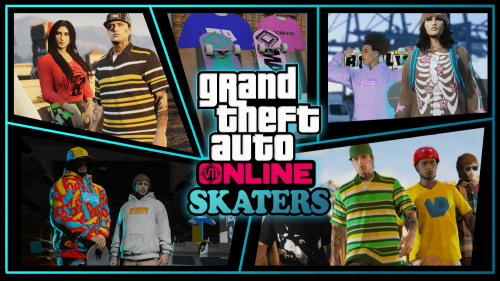
This mod adds some skater style fashion options for mpmales and mpfemales. What's included are bigger V-neck t-shirts, Oversized T-shirts, modified hoodies, flannel shirts, new beanie textures, skater bag packs, oversized sweaters, big polos, modified baggy jeans and cargo pants and other skater accessories like helmets, wrist guards and kneepads. Also included is a about 14 new skateboard props which can be used however you like. I added the skateboard prop to my game via AddonProps.
There are some extra slots texture slots that don't have new textures, in the future I will add new textures to them.
want to thank aaron543 for giving me the idea to create the pack and creating a new pair of hightop shoes for the pack.
Bugs: I've noticed that there's clipping on the kneepads in some poses.
Install:
Drop the "mpskater" file in your mods directory and add the dlcpacks:/mpskater/ line to your dlc list.
The Skateboard props need to be installed via https://www.gta5-mods.com/tools/addonprops
Hats/ helmets go:
mods\update\x64\dlcpacks\mplowrider\dlc.rpf\x64\models\cdimages\mplowrider_male_p.rpf\mp_m_freemode_01_p_mp_m_lowrider_01 -
Description
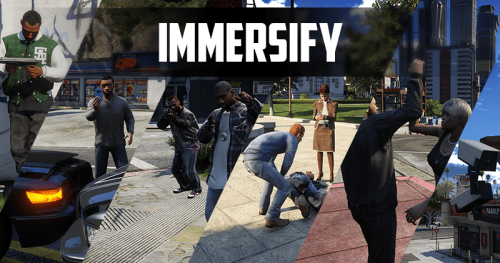
Immersify is a mod designed to enhance the interaction between NPCs and player in GTA V.
By improving the behavior of peds during various situations, this mod ensures a more realistic and engaging experience.
The goal is to create a dynamic environment where players feel the consequences of their actions and witness more complex interactions as they explore the game world.
Full feature list
Enemy combat overhaul:
Enemy personality types (Coward/Aggressive/Tactical)
Advanced player location by enemies after loosing contact
Enemy gang reinforcements may arrive when few enemies remain. In case of backup not arriving some enemies will flee
Enemies can be disarmed
Low HP enemies might abandon the fight
Dead peds have markers on radar
Security cameras can report player crimes
Enhanced interaction with peds
Various random encounters:
Gang wars
Vehicle shootouts
Ongoing store robberies
Mugging
Injured person in distress
"Breaking Bad" encounter
Hostage situations
Diversified configurable gang weapons pool
Drivers surrendering cars while aimed at
Advanced reaction of drivers to traffic accidents
Enhanced ped threat response
Ped robberies
DLC vehicles in traffic [Advanced]
Faster traffic speeds [Advanced]
New cheat codes:
amnesia - Enemies and witnesses forget about player
cantcme - All CCTV cameras around player get destroyed
Almost every aspect of the mod can be tweaked.
Installation
Place Consciousness.dll and Consciousness.ini into "scripts" folder.
You'll need Script Hook V & Script Hook .NET
Changelog
2.1.0.1
Legacy Support
2.1
Fixed common crashes
Improved DLC traffic spawn mechanics [Advanced*]
Disable Enhanced Interactions when in stealth mode/vehicle with weapon
Fixed a bug when animals would spawn in DLC traffic
2.0
Polished multiple features
Performance optimization
Removed witness system
Lifted exclusive access to all 1.9 features
1.9
New feature that groups NPCs while walking to increase realism
Slightly changed event blips look
Performance optimization
Added two config vars for performance improvement:
PROCESS_EACH_NUMBER_OF_TICKS: Script updates each N ticks. Increasing this value might improve performance but reduces accuracy of detected events (default is 10)
PROCESS_TIME_EQUALS_FPS: Setting this to true overwrites PROCESS_EACH_NUMBER_OF_TICKS with your current FPS resulting in single update per irl second.
Fixed a bug when unarmed enemies wouldn't flee if player aimed from vehicle
Changed traffic accident blips to attract attention
Added optional ENABLE_PED_GROUPS_BLIPS setting (default is "false") to show grouped peds on radar.
Fixed issues during new dynamic events causing game to crash
Stopped random encounters appearing during missions
Added vehicle shootout event
Ped threat responder
Ped robberies
Enemy reinforcements in vehicles will no longer spawn if player is too far from enemies
Fixed persistent camera blips bug
New aspect of an enemy searching logic:
If a player gets/changes vehicle while enemies are in search mode player will be able to come closer to enemies before they spot them.
1.8
Enemies overhaul:
Search logic improvements [Reworked]:
NPCs now search around the last known location of the player (instead of current player location),
enhancing the realism of evasion mechanics.
Search timing now uses in-game time, ensuring consistent behavior even if the game is paused.
Fixed a bug where NPCs would stall.
Added new voice lines.
Replaced HIDE_OUT_OF_SIGHT_STEALTH_ENEMY_BLIPS with STEALTH_ENEMY_BLIPS_OPACITY.
Enemy personalities:
Introduced three personality types for enemies: Coward, Tactical, and Aggressive. Each type has distinct
behaviors in combat.
Added new setting DISPLAY_PERSONALITY_BLIPS (false by default) which will add additional layer to blip
depicting enemy personality type.
Added height indicator to enemy blips.
Added new cheat codes:
amnesia - Enemies and witnesses will forget player.
cantcme - All CCTV cameras around player will be destroyed.
Misc:
Added PREVENT_ANIMAL_ATTACKS (default is false) which disables animals attacking player.
Witness system will be suppressed in presence of cops.
Dynamic events won't be triggered during combat
Reinforcements won't spawn when enemies are wrapping up their search
Fixed CCTV blips persistance issue
Reworked behaviour of event blips - now blip is expanding more slowly and smoothly
and expansion is gone when player arrives
1.7.1
Fixed a bug causing wanted level raising issues.
Fixed a bug when NPCs did not react to player actions
Fixed a bug when NPCs ran away before that could see player has a weapon
1.7
Fixed couple of bugs which caused mod to flatline.
CCTV system is supressed during random encounters.
Enemies owned by other scripts will be ignored by Consciousness.
[Immersify] Witnessess can now be stopped and threatened with interaction menu.
[Immersify] Diversified and enhanced ped interaction menu
[Immersify] Added new "Hostage situation" dynamic encounter
1.6.0.1
SHVDN Compatibility fix
1.6
[Immersify] Crime witness system
[Immersify] Ehanced player-to-ped interaction system
Enemy reinforcements will arrive in vehicles as well as on foot
Security cameras will ignore ped actions if ped is set not to trigger wanted level
Minor bug fixes
1.5.2
Fixed an issue preventing security cameras feature from working
Reworked dynamic event blips
Added an ability to turn on blips for spawned gang members in gang war event [GANG_WAR_PARTICIPANT_BLIPS]
Spawned entities will despawn if not needed on scripts reload
Added notification to check log file in case of an error
1.5.1
Reorganized config settings
Fixed bug with Mugging event causing crashing
Fixed two dynamic events triggering at the same time
Added ability to toggle event blips
1.5
Secutiry cameras feature: There are multiple security cameras throughout the map which now have a purpose! Whenever player commits a crime and is spotted by camera they will be given a wanted level. Players can shoot security cameras to prevent it from reporting. There are options to configure if shooting camera after it spotted you commiting a crime could be stopped (CAN_STOP_REPORT config var)
Whenever scripts are reloaded all blips created by Consciousness will be cleaned up
Gang blip colors can now be modified
Added voice lines for enemies looking for player
Previously if there are two or more enemies of different groups (e.g. Ballas & Vagos) whenever player was spotted by any enemy all other enemies were alerted. This update introduces new way: whenever player has been spotted by npc of specific group only enemies of the same group will be alerted.
1.4.0.1
Scripthook DotNet compatibility fix
1.4
Enhancements:
Enemies searching for a player in a stealth mode will have blips disappear if player does not see them (Configurable with HIDE_OUT_OF_SIGHT_STEALTH_ENEMY_BLIPS)
Reworked traffic accident manager (thanks jazzysoggy12 for an idea): Some drivers will now accept payments instead of calling cops right away
Changed hands up animation for peds surrendering vehicles
Fixes:
Fixed the traffic accident report warning appearing when driver is dead
1.3.2
Enhancements:
Shop robberies: Previously if no shopkeeper spawned (GTA's logic only spawning shopkeeper if player is really close to the store), the event would not be triggered. I patched this issue by spawning custom shopkeeper if GTA's not there already
Introduced DISABLE_NOTIFICATIONS config var (Disables notifications about accidents/reinforcements/etc)
Fixes:
"Special" event won't spawn any new vehicles if there's already one
Fixed some reported crashes in "special" event
Army peds and peds in tanks won't surrender vehicles anymore
1.3.1
Enhancements:
Added new "Mugging" dynamic event [Events map]
As soon as game started new events are ready to begin (Previously needed to wait MINUTES_BETWEEN_ALL_EVENTS)
New blip is being used to display events on map
Decision to avoid event triggering if player is looking now depends on camera and not play model position
Fixes:
In "Special" event voice is now correctly set for the npc
In "Special" event fixed a bug where friendlies would run
1.3.0
Enhancements:
Added new "special" dynamic event
Added EVENT_DESPAWN_DISTANCE configuration option. (200 by default)
Added a possibility to disable individual event types. (See the "DynamicEvents" config section)
Fixes:
Fixed issues with dynamic event despawn distance calculations.
Corrected event completion logic in the "Pickup" event.
1.3.0 [Beta]
Added a new system of dynamic events in the game world, providing more immersive and varied gameplay experiences.
Event types:
Pickup. Players can now encounter events where they must transport injured pedestrians to hospitals.
Ongoing shop robberies
Gang brawls/shootouts
Configuration:
MINUTES_BETWEEN_ALL_EVENTS - Amount of minutes that need to pass before triggering another event
MINUTES_BETWEEN_EVENTS_OF_SAME_KIND - Minimum minutes required between events of the same type (e.g., no other shop robbery until threshold is met).
MINUTES_BETWEEN_EVENTS_AT_SAME_PLACE - Minimum minutes required between events of the same type in the same place (i.e. Grove St. shop robbery)
Fixes:
Fixed a bug where reinforcements were not spawned correctly if dead enemies were selected.
Addressed issues with body markers not toggling correctly based on distance
1.2.1
Scripthook V DotNet 3.6.0 release compatibility hotfix
1.2.0
Blips will now start flashing when there's 5 seconds left until enemies give up searching
Vehicle surrender feature (Beta). Remember how in GTA IV peds will surrender vehicle with their hands up if you aim at them? This feature is now back [Configured with PED_CHANCE_TO_SURRENDER_VEHICLE]
Backup and flee system improvement
Added mod toggle hotkey (Special thanks to superfruit86). [Configured with MOD_TOGGLE_KEY; default is None]
1.1.0
Added a feature where enemy reinforcements can be called in during combat under certain conditions (special thanks to Matushka) [Can be disabled with REINFORCEMENTS_ENABLED=false]
If enemies are mostly wiped out and reinforcements are not called, there is a 50% chance that some enemies will flee. [Also can be disabled by REINFORCEMENTS_ENABLED=false]
Fixed an issue where enemies would persist on a very large distance
1.0.1
Bugfixes & minor improvements
Restored a feature preventing enemies from despawning (ENEMIES_PERSISTANCE_DISTANCE)
1.0.0
Traffic accident manager: Diversified and improved behavior
Always show blip heading indicator [ON by default/Can be disabled]
Multiple bugfixes
Stability improvement
Default search duration increased to 120 seconds
0.3.3.1
Removed persistence feature
0.3.3
Performance improvement
NPC vision cones displaying (Enemy FOV)
I̶n̶c̶r̶e̶a̶s̶e̶d̶ e̶n̶e̶m̶i̶e̶s̶ p̶e̶r̶s̶i̶s̶t̶e̶n̶c̶e̶ d̶i̶s̶t̶a̶n̶c̶e̶ [̶C̶o̶n̶f̶i̶g̶u̶r̶a̶b̶l̶e̶]̶ Had to remove it due to a bug which causes allies to fight each other
If an error occurs, it will be logged into Consciousness.log
Changes to NPCs searching
Added broken bottle to NPC's melee list
0.3.2
Body Markers mod has been enhanced and merged into Consciousness (Configurable) [Enter 'bmtoggle' cheat to toggle blips]
Diversified gangs' melee weapons
Gangs' weapons pool is configurable with config (Proposed by @kanadianborn) [Demo]
From now on mod is disabled during missions (Can be changed in config)
Slight performance improvement
Wanted level won't be given to player if traffic accident reporter is dead ;)
Minor bug fixes
0.3.1:
Fix typo in settings
0.3
Some peds will now have blip color corresponding to their gang. [Can be disabled]
Added NPC's rotation indicator when in search mode
Improved gang weapons: Gangs will now have greater pool of weapons (Micro SMG, Machine pistol, Assault rifle and more). All weapons are distributed according to their rarity (e.g Pistol - common, Assault rifle - uncommon) [Can be disabled]
Added configurable chance to writhe for NPCs (If NPC's health is low, what is chance they would writhe; configurable)
Traffic accident handler: If you damage someone's vehicle, there's a chance this person would check the damage and call cops on you [Chance is configurable/Can be disabled]
Various bugfixes
0.2.1:
Removed debug info
0.2 [Trailer]:
Fleeing/Disarming animations are now more smooth
NPC location feedback. NPC's will shout to inform allies of player's presence
If NPC decides to abandon the fight and flee, their blip will change color and start to flash
Introduced config file
0.1 (TL;DR: Video):
When enemies losing contact, after some time they will start looking for a player around the area where they were previously seen.
Enemies also react on sounds made by player
Attracting attention of a single enemy alerts other enemies
There's a chance player won't be noticed using silenced weapons
There's also an ability to disarm enemies
If an enemy is seriously injured, there's a slim chance they'll abandon a fight and run away.
-
LATEST GAME VERSION IS RECOMMENDED FOR THIS MOD, HOWEVER AT A MINIMUM YOU NEED AGENTS OF SABOTAGE DLC.
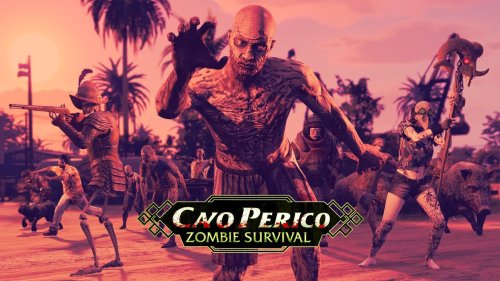
Welcome to my own take on Cayo Perico Wave Survival, The tropical paradise of Cayo Perico has fallen silent. Once a party island ruled by drug lords and bass drops, it’s now crawling with the undead. In this mod, you’ll fight wave after wave of relentless zombies in a desperate struggle to survive.
Inspired by Call of Duty Zombies, this mod brings fast-paced, round-based combat to GTA V — complete with perks (purchased though Vending Machines placed around Cayo Perico), earn cash from kills, unlock new weapons by purchasing them off wall like in Call of Duty Zombies, and upgrade your arsenal as the waves grow deadlier.
Zombie Types
Normal: you bog standard zombies, no abilities, will charge at you with no remorse trying to hit you
Armored: pretty much the same as your bog standard zombie, however will have increased armor, will also be very recognisable as they look like a armored zombie.
Mage: Zombie Mages have the ability to resurrect dead zombies,
Splitter: Splitter Zombies will split into two new zombies apon death, they can do this a total of 3 times (1 Splitter becomes 2, 2 Splittersbecomes 4 Splitters)
Explosive: The Explosive zombie will have a blue lightining fog effect around it, and will explode when killed.
Pumpkin: Pumpkin Zombies appear with a pumpkin on their head, they are also flaming and immune to headshots, will explode into flames when killed
Panther: The Zombie Panther is a black panther that will run at you and try to get close to you. If it gets too close, it will explode into flames.
Conquistadors: Conquistadors are the Zombie Sniper, they will be armed with a Musket and will try to kill you at range.
Perks
Quickfix, "Quick fix will help you stay alive, recieve 10% health back apon killing 3 zombies.",
Jugg : Jugg makes you take 25% less damage from zombies.",
Iron Skin: Iron Skin will make you permanemntly Invulnrable to fire, usefull for those close calls with pumpkin zombies.
Scavanger: Scavanger allows you to have a small chance at regaining ammo after killing a zombie.
Explosive Touch: Explosive Touch gives you a 20% chance to explode nearby zombies when killing a zombie.
One Tap Ace: with One Tap Ace every 5 bullets you fire will have a chance to instant kill the next zombie that is shot.
Adrenaline Rush: Adrenaline Rush gives you a permanemnt 20% increase to movement speed.
Second Wind : Second Wind gives you a second chance at survival, apon your next death, you will be revived to keep fighting the horde.
Engineer: Engineer reduces the price of all equipment by 25%.
Unfiltered Greed : Unfiltered Greed rewards the player with 50% more cash per zombie kill.
Lead Foot: With Lead Foot, all damage from Conquistador is negated.
Weapon Overclock: All player weapons deal and additional 35% damage to zombies.
Gamblers Curse: At the end of every round the player loses or reiceves a random amount of cash, can lose a maximum of 200 cash and reiceve a maximum of 500.
Tombstone Of Fate: Zombies that have been killed get a 30% chance to be immune to Zombie Summoner resurrection ability.
Momentum Lock: With Momentum Lock you wont be effected by electric zombies kinetic explosions.
Install Instructions
1. download and Install scripthookv + Scripthookvdotnet (latest Scripthookvdotnet nightly if your on the latest game patch)
2. create a scripts folder (named scripts and not Scripts) if you havent got one already
3. install LemonUI(if you havnt already got it for SHVDN3) there is a download link in the text file of the zip, copy the url into a browser, then a zip will be downloaded, drag the CONTENTS of the SHVDN3 folder into scripts
4. drag CayoPericoWaveSurvival.dll, CayoPericoWaveSurvival.pdb into script
5. drag and drop the ytd (CayoPericoWaveSurvivalTextures.ytd) into mods\update\update.rpf\x64\textures\script_txds.rpf\
6 Launch game, go to the grave symbol at the docks to interact with the start Cayo Perico Zombie Survival Menu -
Requirements:
Add-On Ped:https://en.gta5-mods.com/scripts/addonpeds-asi-pedselector
Download the basic requirement:
Add on peds selector:
https://www.gta5-mods.com/scripts/addonpeds-asi-pedselector
Script hook V:
http://www.dev-c.com/gtav/scripthookv/
Script hook V donet:
https://www.gta5-mods.com/tools/scripthookv-net
Download the model
Put the files in the zip in here
mods>update>x64>dlcpacks>addonpeds>DLC.rpf>peds.rpf>
add it on the list in addonpeds (remember this is a streamed ped)
In game press L if you have the selector or Open Menyoo (https://www.gta5-mods.com/scripts/menyoo-pc-sp) go to "player options>change models>favorites>addmodel" write in the name of the model -
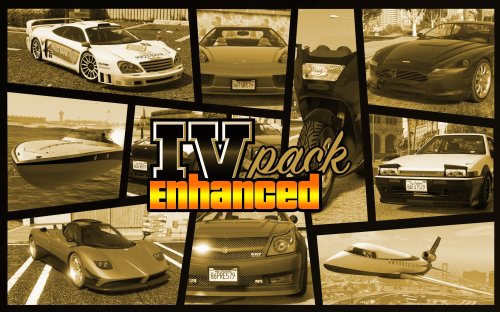
Learn about the base mod description at the original / initial mod release page, as well as find the Grand Theft Auto V Legacy mod versions: https://www.gta5-mods.com/vehicles/ivpack-gtaiv-vehicles-in-gtav
Original vehicle designs are property of Rockstar Games and Take-Two Interactive:
https://www.rockstargames.com/
https://www.take2games.com/
Mod credits:
Creators: CP, Vanillaworks Team, Thundersmacker, RM76, TheAdmiester, Killatomate, GTA5Korn, Yard1, Lundy, CDemapp, PhilBellic, I'm Not MentaL, sparky66, Insincere, FV Mods (port to GTA 5 Enhanced).
Version subject in conversion: 1.0.270
Supported patches: 1.0.3570.0 (Money Fronts update)
Type of mod: Add-On
Grand Theft Auto V Enhanced installation instructions:
1. Get CodeWalker beta 48 by dexyfexx (you may need to join dexyfexx Discord server to get this version in particular): https://www.gta5-mods.com/tools/codewalker-gtav-interactive-3d-map
2. Install OpenRPF by Los Santos Multiplayer: https://www.gta5-mods.com/tools/openrpf-openiv-asi-for-gta-v-enhanced
3. Install ASI loader with ScriptHookV (AB Software Development): http://www.dev-c.com/gtav/scripthookv/
4. Create a mods folder in your game installation directory, and copy original files that you plan to mod (e.g. update.rpf, one of dlcpacks dlc.rpf (preferably smaller in size)) or just copy the folder structure for them in mods folder.
5. Copy over the pres folder to "mods/update/dlcpacks/".
6. Add "dlcpacks:/pres/" to dlclist.xml at: "mods/update/update.rpf/common/data/" - use CodeWalker's RPF Editor.
7. Download and extract the files from the original release mod from: https://www.gta5-mods.com/vehicles/ivpack-gtaiv-vehicles-in-gtav
8. Open the ivpack OIV file with a tool like WinRAR or 7ZIP, and extract them somewhere.
9. Replace the following files using CodeWalker's RPF Editor:
trfc/vehiclemodelsets.meta - mods/update/update.rpf/common/data/ai/
data/carvariations.ymt - mods/update/update.rpf/x64/data/
trfc/popgroups.ymt - mods/update/update.rpf/x64/levels/gta5/
10. Install gameconfig (BadassBaboon) and HeapAdjuster Enhanced (JG7834):
https://www.gta5-mods.com/misc/expanded-enhanced-gameconfig-gta-5-enhanced
https://www.nexusmods.com/gta5enhanced/mods/65
11. If you keep getting game crashes, maybe try this mod: Anti-Crash Hotfix for Replace Cars (t0bi): https://www.gta5-mods.com/misc/anti-crash-hotfix-for-replace-cars
It was not tested, but may be worth a shot as some users were able to fix it that way. Otherwise, you may try to swap the non-critical metadata files with originals until it works out better.
Known issues:
Game (GTA 5 Enhanced only) crashes when attempting to enter certain vehicle, like e.g. Turismo, Schafter GTR and Ghawar Jet, but they can otherwise spawn just fine. It is plausible that with proper configuration of metadata files, it wouldn't be a issue at all. -
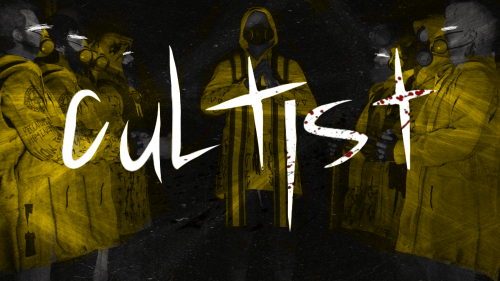
Before the citywide blackouts a cult was formed named the Temple Branch Ark Davidians or just Ark Davidians for short. They were being investigated by the FIB before the blackouts for several years due to stockpiling a sizable number of weapons and being tied to possible kidnapping of women in the Paleto Bay area. A raid as done on their compound by both local law enforcement and the FIB but they were unsuccessful in taking down the cult but did successfully capture their leader, Ezekiel Ward. Now the Ark Davidians have spread out and descended on the Los Santos/ Blaine County area to look for wives to take and terrorize police.
The cultist wears bright yellow parkas and matching rain boots covered in cult symbols and bible verses due to believing another great flood will purge the "sinners". Some members have FIB issued body armor which they seem to have acquired after the failed raid on their compound. Most if not all cultists wear gas masks and rebreathers because they are often using tear gas against police. Avoid these rainy streets best you can as these cultists look only to flood them with bullets and blood.
This mod is a follow up to my previous Clownz and Animalz mod, featuring the newest Manhunt gang, the Cultist.
A bug I have noticed is that since making this mod add on for whatever reason the hair does not shrink when you put up a hood. Will update the mod when I figure out how to fix it.
Install:
Drop the "mpcult" file in your mods directory and add the dlcpacks:/mpcult/ line to your dlc list -
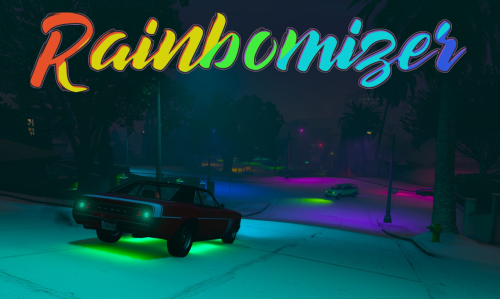
Rainbomizer is a set of mods for Grand Theft Auto games that randomize major aspects of the game. Lists of things randomized include the missions, the traffic, voice lines, cutscenes among other things!
It randomizes major aspects of the game, allowing for a fun and challenging playthrough of the game.
The mod is open source and can be modified under the terms of the GNU General Public License (v3 or later). The source code for it can be found on GitHub
List of randomizers
- Traffic Randomizer: Randomizes cars that spawn in traffic.
- Mission Vehicle Randomizer: Randomizes vehicles you are given in missions, making sure that the vehicle you're given is usable for that mission.
- Colour Randomizer: Randomizes colours of various in-game elements, including cars, the HUD, and more.
- Mission Randomizer: Randomizes order of missions in-game. Upon completion of a mission, the game progresses as if you completed the original mission.
- Weapon Randomizer: Randomizes weapons given to the enemies.
- Sounds Randomizer: Randomizes dialogue and sound effects played in-game.
- Cutscene Randomizer: Randomizes models used in motion-captured cutscenes.
- Ped Randomizer: Randomizes all ambient, mission, and cutscene peds.
- Player Randomizer: Randomizes the player model into a different ped model.
- Player Special Ability Randomizer: With Player Randomizer enabled, this feature randomizes the player's special ability.
- Timecycle and Weather Randomizer: Randomizes the look of the game by randomizing weather elements and sky colour.
- Handling Randomizer: Randomizes the handling of all vehicles.
- Weapon Stats Randomizer: Randomizes weapon stats such as fire rate, range, etc. of all weapons.
- Dispatch Randomizer: Randomizes all dispatched police cars, ambulances, helicopters, and boats.
Installation
Ensure ScriptHook is installed
Extract the archive to the GTA V installation directory
You may additionally configure the mod in config.toml in the "rainbomizer" directory.
Note that the modification is designed to be played with a vanilla installation of the game and as such will not work when combined with other mods that significantly change the gameplay.
To keep up to date about the mod and to report issues/crashes, consider joining the Rainbomizer Discord server.
Changelog
------
v3.3.7
Add support for GTA 5 1.0.3411.0
v3.3.6
Add support for GTA 5 1.0.3258.0
Fix cutscene props randomizer for later versions of the game
v3.3.5
Add support for GTA 5 b2944
v3.3.4
- Fix the game being unable to start with Rainbomizer v3.3.3 on some installations due to missing directory permissions.
v3.3.3
Added support for GTA V b2802
v3.3.2
Added option to disable MissionRandomizer to the default config.
Added option to play a specific mission order with Mission Randomizer (check config.toml mission randomizer section for more info).
Stability improvements.
v3.3.1
Fixed Clothes Randomizer crash in GTA 5 b2699.
Fixed broken helicopter spawns in Script Vehicle Randomizer.
v3.3
Adjusted Respawn Coordinates to be closer to roads.
Fixed crash on loading screens in GTA 5 b2628
v3.2
Added ability to edit full-face-masks and parachute percentage for Clothes Randomizer
Added ability to set percentage odds of the Clothes being randomized on spawn
Fixed NSFW Peds List not being used for cutscene peds
Added option to disable NSFW clothes for Clothes Randomizer
Fixed crashes in GTA 5 b2612
v3.0 and v3.1
Added Vehicle Appearance Randomizer which randomizes colours, modifications and upgrades of all spawned vehicles.
Added License Plates Randomizer which replaces license plates of vehicles with custom plates.
Added Clothes Randomizer which randomizes clothes of players and peds.
Added Car Generator Randomizer which randomizes parked vehicles around the map.
Added a new Voice Line Randomizer state which only randomizes voice lines of a speaker to other voice lines of the same speaker.
Updated Weapon and Cutscene Models to include models added in the latest Contract DLC update.
Population vehicle sets are now randomized, increasing vehicle variety in traffic.
Added a config option to force a certain vehicle to always be spawned in place of mission vehicles.
Moved Vehicle Colour Randomizer to Vehicle Appearance Randomizer
Renamed Colour Randomizer to HUD Colour Randomizer. (Note: This change breaks existing config files)
Fixed errors caused by a file-descriptor leak in Weather Randomizer code causing crashes after a really long play session.
Fixed weird helicopter physics on Sidetracked and the helicopter sometimes exploding on dropping the freight train on the trailer.
Fixed an issue where the player wouldn't be able to exit the vehicle during the second mission.
Fixed a crash caused by invalid weapon models in Weapon Stats Randomizer
Fixed a crash caused by delayed weapon physics loading by the engine caused by Weapon Stats Randomizer
v2.1
Improved Voice Line Randomizer randomization method
Support for GTA 5 v1.0.2545.0
Fixed some config options not taking effect in-game
Fixed Prologue disabling player special abilities
Colours, weather and lights now re-randomize on player switch to allow these components to randomize more often.
v2.0
New Randomizers
A Lights Randomizer which randomizes the colours of all the lights in the game to random colours.
A Respawn Randomizer which randomizes where you respawn from a list of over 300 respawn locations across the map.
An experimental Switch Scene Randomizer which randomizes the scenes played on switching to a different character.
Changes to Timecycle Randomizer
Timecycle Randomizer has been toned-down to reduce the amount of extreme timecycles.
Timecycle Randomizer can now randomize between existing timecycles instead of creating new timecycles (Random Timesamples)
Timecycle Randomizer now has a chance to enable snowy LS a certain percent of the time
Odds for Lightning and Rain have been reduced for Timecycle Randomizer
Odds for Random Timecycle and Timesamples can now be configured in the config.
Timecycle Randomizer now uses the config table TimecycleRandomizer instead of WeatherRandomizer.
Other New Features
The odds for Random Fail Messages can now be configured in the config file. (ScaleformRandomizer.FailMessageOdds)
Randomization for Weapons and Peds spawned by other mods can be disabled using the RandomizeMods option in the config file
Improvements
Log Files for debugging crashes are now created in Temporary Files if they can't be created in the rainbomizer directory.
Menyoo's "DeathModelReset" option will be turned off by Rainbomizer to fix incompatibility with Player Randomizer.
Mission Randomizer Fixes
Paleto Score Setup softlock on heist board scene has been fixed.
Fixed softlock on Ending C - Part 1 replaced with some missions when Mission Randomizer was enabled.
Missions that replace Finale - Intro will no longer infinite load on failing.
Script Vehicle Randomizer Fixes
Shift Work will no longer infinite load on failing
Pilot School - Helicopter Challenge final checkpoint can now be triggered with more helicopters.
Seashark Races will now give you an appropriate vehicle
Carbine Rifles will no longer spawn 2-seater vehicles, fixing a softlock in the mission.
Triathlons will no longer crash with Script Vehicle Randomizer
Triathlons will no longer instantly fail during the bike section
"Exercising Demons - Franklin" will no longer softlock because of the game forcing you to exit the vehicle you're supposed to enter.
Paparazzo patterns have been adjusted to reduce number of fails
Weapon and Ped Randomizer Fixes
Fixed stuck scripted sequence in The Bureau Raid - Roof approach
Fixed RandomizePlayer option not affecting players in cutscenes
-
-SHORT DESCRIPTION-
When you go to the pause menu, the GTA4 original pause menu theme will play.
(I took the original sound file straight from the PC version of GTA4)
The Trilogy Of GTAIV Pause Menu Themes is now completed:
https://gta5-mods.com/misc/gta4-pause-menu-theme
https://gta5-mods.com/misc/gta-tbogt-pause-menu-theme
https://gta5-mods.com/misc/gta-tlad-pause-menu-theme
-REQUIRED-
______________________________
1. OpenIV
2. WinRAR or 7Zip
_____________________________
-INSTALLATION-
______________________________
1. Extract the content of the ZIP file in a folder anywhere in your PC (REQUIRED OR OPENIV WON'T FIND THE AUDIO FILES)
2. Open OpenIV
3. Navigate to: mods\x64\audio\sfx\STREAMS.rpf\
4. Turn on Edit Mode.
5. Drag ONLY the .oac file and don't touch the folder.
6. Start the game.
_____________________________
-CHANGELOG-
1.1: Increased audio files volume.
1.2: Compressed the audio files. -
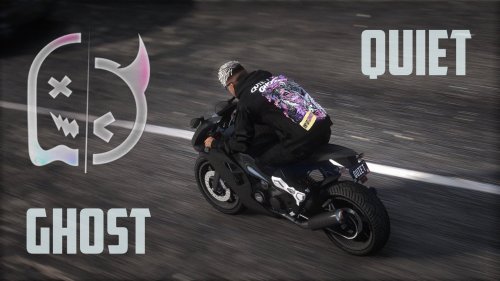
GhostXQuiet Halloween Pack
Don't let the darkness rise.
Contents:
6 Ghost X Quiet Halloween textures
AGV Pista GP Model:
https://www.gta5-mods.com/player/agv-pista-gp-helmet-for-sp-mp#description_tab
Install Easy Mods Folder:
https://www.gta5-mods.com/tools/emfsp-easy-mod-folder-for-sp-player-mods
Drag and drop the contents of the folder into installation path
Installation path:
Hoodie: GTAV\mods\update\x64\dlcpacks\emfsingleplayer\dlc.rpf\x64\streamedpeds_players.rpf\player_one
My personal Discord: novasux
Join my discord server for more: https://discord.gg/GGKWjA5Jkq -
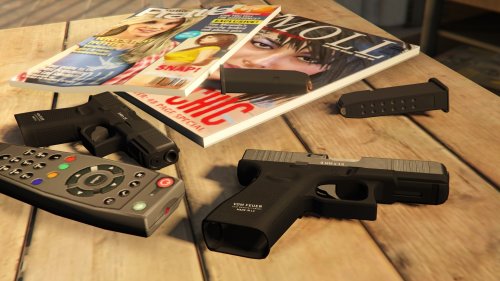
a glorified Glock 19 Gen 5 that replaces the Combat Pistol.
Features:
- Fully animated.
- Tints
- Custom magazines.
Installation:
Drag and drop files to mods>update>x64>dlcpacks>patchday8ng>dlc.rpf>x64>models>cdimages>weapons.rpf
Credits:
MimikuWo - Original 3D asset
Rockstar Games - weapon decals
AllenKennedy & HeySlickThatsMe - Helping me with weapon tints
Skylumz/Sollumz - Blender plugin
Crunchycat - Mod
changelog:
1.0 initial release
Terms of Use:
- Do not redistribute, re-edit, unlock, or sell any parts of this mod.
- Do not convert any part of this mod to another game or another format without permission.
- If you are releasing a texture mod, please upload only the edited texture.
Feel free to join my Discord if you want to check out my other WIP mod
https://discord.com/invite/VYGybB67Uf -
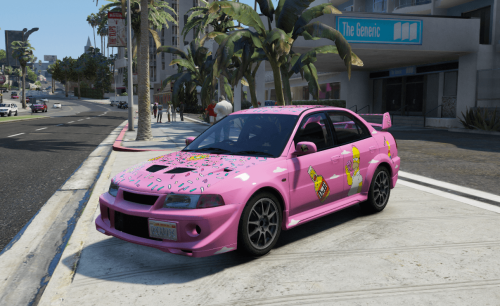
Use on this car: https://www.gta5-mods.com/vehicles/mitsubishi-lancer-evolution-vi-tme-cp9a-gsr-evo5-varis
---installation---
1.Download the car from [YCA]Vsoreny: https://www.gta5-mods.com/vehicles/mitsubishi-lancer-evolution-vi-tme-cp9a-gsr-evo5-varis
2.Open OpenIV and browse to x64\vehicles.rpf\cp9a.ytd and open it.
3.When you have that list opened just simply add the livery which is cp9a_sign_5 from the downloaded file onto the list which is the .ytd file. and save it.
4.Enjoy
Feel free to edit this how you want it!
Credits to owner of the vehicle mod: https://www.gta5-mods.com/users/Vsoreny- Free
- 11 Downloads
Submitted -
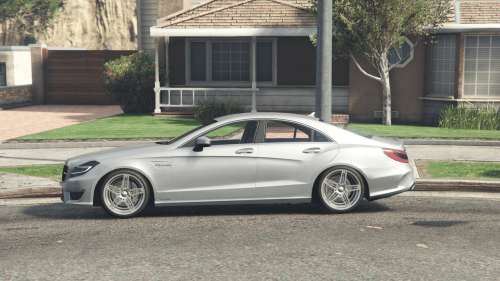
Mercedes-Benz CLS 63 AMG W218 for GTA5
Spawn name: 2012cls63amg
3D Model: Gamemodels.ru
Under the hood is the M157 5.5L V8 Biturbo AMG Engine.
V4: new Brakes, new Steeringwheel, Paint correction, rear Suspension hight.
Features:
-HQ Interior and HQ Exterior
-Working dials
-Hands-on Steeringwheel
-AMG badge on Muffler
For optimal Sound from the Exhaust:
https://de.gta5-mods.com/vehicles/vw-audi-4-0t-v8-ea825-engine-sound-oiv-addon-fivem
Bugs:
-no breakable Windows
-No Reupload on other Pages-
Installation:
copy this line
dlcpacks:/2012cls63amg/
and paste in
Grand Theft Auto V/mods/update/update.rpf/common/data/dlclist -
Information:
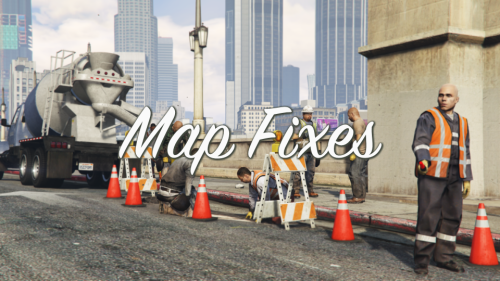
This mod fixes hundreds of map collisions, models, textures and placements errors and oversights
Note: a complete list can be found in "Changes.txt" included in the archive
Content:
- mpmapfixes and mpmapfixes_gen9: contains fixes only for the MP map. Note: this dlc pack should be compatible at minimum with the build 2189 (The Cayo Perico Heist update) and above
- mpmapfixes2: contains fixes only for the MP map, adapted specifically to the changes introduced with the build 2545 (The Contract update). Note: for the Enhanced version, these fixes are merged into the "mpmapfixes_gen9" dlc pack
- spmapfixes and spmapfixes_gen9: contains fixes for both the SP and MP maps. Note: this dlc pack should be compatible with pretty much any version of the game
- Map Script Fixes (Legacy only): locks/unlocks some gates and loads extra map placements
- MP Map Collisions Fixes: contains fixes for the collisions of the MP map, which can't be loaded from a custom dlc pack
- Scenario Points Fixes: fixes for various scenario points, made specifically to accomodate some changes made to placements and collisions
Requirements:
- Legacy: OpenIV.asi and Community Script Hook V .NET
- Enhanced: OpenRPF and Script Hook V .Net Enhanced
Installation (Legacy):
- Move the "mpmapfixes", "mpmapfixes2" and "spmapfixes" folders in "mods\update\x64\dlcpacks" and add "<Item>dlcpacks:/mpMapFixes/</Item>", "<Item>dlcpacks:/mpMapFixes2/</Item>" and "<Item>dlcpacks:/spMapFixes/</Item>" to the "dlclist.xml"
- MP Map Collisions Fixes: use the package installer of OpenIV or extract the files and import them manually in each dlc pack and in the update.rpf by following the folder structure and/or the assembly.xml
Installation (Enhanced):
- Move the "mpMapFixes_Gen9" and "spMapFixes_Gen9" folders in "mods\update\x64\dlcpacks" and add "<Item>dlcpacks:/mpMapFixes_Gen9/</Item>" and "<Item>dlcpacks:/spMapFixes_Gen9/</Item>" to the "dlclist.xml"
- MP Map Collisions Fixes: check "Installation.txt" for the path of the files
Installation (Legacy & Enhanced):
- Map Script Fixes: move "MapFixes.dll" and "MapFixes.ini" in the "scripts" folder
- Scenario Points Fixes: import all the files in "mods\update\update.rpf\x64\levels\gta5\scenario"
Special Thanks:
- dexyfex for Codewalker
- The OpenIV Team for OpenIV
- 3Doomer for GIMS Evo
- Neos7 for the GTA V Map Helper script for 3DS Max
- Dekurwinator for the documentation on hte portals, flags and audio
- Skylumz for the Sollumz plugin for Blender
- CamxxCore for the Package Editor for OpenIV
- FIFASam for V Creator
Note: a complete list of credits can be found in "Credits.txt" inside the archive
Changelog:
v19.8
- Fixed the detail collision for a previous fix of a window in Paleto Bay. Thanks to Arrta_Myrdhyn for reporting the error
- Added missing collisions for some metal beams near the torture room from the mission "By The Book". Thanks to Arrta_Myrdhyn for finding the errors
- Added back the grass fur mask for the closed grave for the Lowriders DLC mission at the Hill Valley Church in Great Chaparral
- Added some missing cables outside Fort Zancudo
- Legacy: updated the "mpmapfixes" and "spmapfixes" DLC packs and the OIV package
- Enhanced: updated the "mpMapFixes_Gen9" and "spMapFixes_Gen9" DLC packs and added "hi@hei_cs1_02_2.ybn" in "MP Map Collisions Fixes/dlcpacks/mpheist/cs1_02" (the file goes in "mods\update\x64\dlcpacks\mpheist\dlc.rpf\x64\levels\gta5\_hills\country_01\cs1_02.rpf"
- Legacy and Enhanced: updated the script (source code as well) and changed the grave IPL to the closed one and added some extra code to lock the front doors of the Diamond Casino -
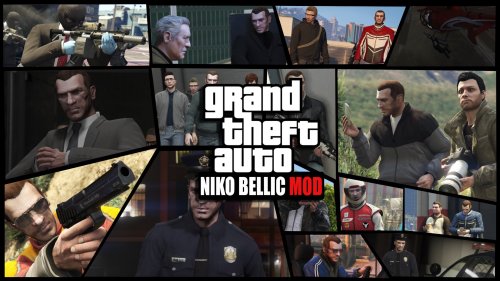
--Niko Bellic Ped--
The original add-on ped.
Niko Bellic is back! Fresh from the gloomy streets of Liberty City, He has finally arrived in Los Santos!
--How to Install--
1. Create a mods folder, then create an update folder inside of that.
2. Copy the vanilla update.rpf (GTAV/update/) to your update folder inside of mods (GTAV/Mods/Update/)
3. Drag and drop the update folder from the Niko files into mods/update/
4. Open up OpenIV and enable Edit Mode.
5. Open up the update.rpf in mods/update/ and place dlclist.xml and gameconfig.xml in common/data/ within the RPF.
6. Download Heap Limit Adjuster and Packfile Limit Adjuster (links listed below) and use the .INI files provided with this mod.
7. To spawn Niko, use the "spawn by model name" option in a trainer and input player_niko. Menyoo is currently buggy with this mod. Simple Trainer by Sjaak works best at the moment.
8. Enjoy!
-- IF YOU ALREADY HAVE OTHER DLCLIST MODS OR ARE ON A NEWER GAME BUILD --
Open your dlclist.xml and create an entry for /nb/
-- Required Mods --
https://www.gta5-mods.com/tools/packfile-limit-adjuster
https://www.gta5-mods.com/tools/heapadjuster
If you're using a game build that is newer than the latest release of this mod, use the following gameconfig:
https://www.gta5-mods.com/misc/gta-5-gameconfig-300-cars
--Change log--
3.8.0 - (1/10/2022) - Remastered update. Tons of textures (and more to come) have been "expanded and enhanced" for your enjoyment.
4.0.0 - (8/1/2022) - Technical improvements. Texture enhancements. Rigging improvements. More remastered assets. Improved file size. UPDATED 12/20/2022 FOR COMPATIBILITY WITH LOS SANTOS DRUG WARS UPDATE!
4.0.0A - (2/6/2023) - Crash hotfix. Support for newest game build. Use with Menyoo is currently unsupported, use with caution.
--Misc--
Made by theNGclan and DoctorMike. 5/18/15. You can upload this anywhere ONLY if you credit me.
This mod was designed when helping lunchxbles with his Trevor over Niko mod. Huge thanks to him!!
Thanks to Dilapidated for his fantastic gameconfig!
Thanks to Xinerki for first person overlay research.
Thanks to CP for fixing the MP maps issue!
Huge thanks to Donut for the new clothing textures!
Tools used for mod: Autodesk 3DS Max, GIMS V EVO, Zmodeler3 and OpenIV. -
This is the full release
Version V2.0 Change log.
This update included the following.
I have reworked each weapon, adding new sound to some weapons, also adding new Mid, Far Distance Sounds.
Weapons that received New sounds.
•Most of the Pistol.
• Smg's
•All Snipers
•Minigun
•Added New Vehicles Sounds, Sirens, and Exhaust backfire.
•New Reload Sound
This Versions Works with GTAV Enhanced.
GTAV Enhanced Version:
change log V3.0
This Update was long overdue
Here are the update logs
•New Sounds For Some Pistols, Combat,pistol,sns
• Adjusted Appisol sounds (lowered it)
• All Smg's has new sounds
•All Snipers
•Minigun
•Added New Vehicles Sounds, Sirens, and Exhaust backfire.
• New Bullet impact sound
This Versions Works with GTAV Enhanced.
GTAV Enhanced Version:
Step1:Install the RPF into the following path \Grand Theft Auto V Enhanced\x64\audio\sfx.
Step2:Make sure you have ScriptHookV and OpenRPF installed in your Game directory.
Important!!!!. When installing ScripthookV, make sure not to drag arg.txt into your game directory if you have simply remove it. This .txt file will prevent you from loading up your game, so please make sure to remove it.
Version 1.22 Change log.
This update includes the following.
•New pistol sounds
•New assault rifle sounds
•New SMG and MG sounds
•New Mid and far-range sounds
•New reload sounds
•Added Bullets zipping past you sounds
•Added new sound for bullet shells
5/14/25 Update.
This sound mod is for the following guns.
Pistol
pistol mk2
combat pistol
pistol50
heavy pistol
vintage pistol
ceramic pistol
These are just a few of the guns.
Do not reupload anything without my permission.
How to install for five and single player
C:\Program Files (x86)\Steam\steam Apps\common\Grand Theft Auto V\x64\audio\sfx
Drag and drop both of the RPF files in SFX and replace, and done. -
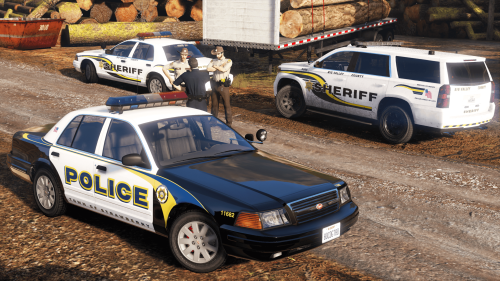
From the plains of New Austin to the swamps of Lemoyne, this pack brings Red Dead–style law enforcement liveries to modern patrol vehicles.
Installation:
Find the ytd files of the vhicles you want to change the livery and open it using edit mode in OpenIV
Then, replace/override the livery or add it on if you want
The following agencies are included:
Lemoyne State Police - Louisiana State Police
Amabarino State Patrol - Colorado State Patrol
New Hanover State Police - Arkansas State Police
West Elizabeth Department of Public Safety - Arizona Department of Public Safety
New Austin Department of Public Safety - Texas Department of Public Safety
Grizzlies County Sheriff - La Plata County Sheriff
Big Valley County Sheriff - Coconino County Sheriff
Heartlands County Sheriff - Union County Sheriff
Cholla Springs County Sheriff - Harris County Sheriff
Denis Parish Sheriff - Orleans Parish Sheriff
Saint Denis Police Department - New Orleans Police Department
Rhodes Police Department - Baton Rouge Police Department
Valentine Police Department - Little Rock Police Department
Blackwater Police Department - Chandler Police Department
Strawberry Police Department - Buckeye Police Department
Tumbleweed Police Department - Bisbee Police Department
Armadillo Police Department - Nampa Police Department
These liveries were designed for the following vehicle packs :
argg's CFPD Pack:
https://www.gta5-mods.com/vehicles/the-cypress-flats-pd-add-on-pack
Fabian's BCSO Beta Pack:
https://drive.google.com/file/d/1AFHgPDwlnJKBS31-f1e3F9M2j5TYRWG6/view?usp=sharing
Fabian's SAHP Beta Pack:
https://drive.google.com/file/d/132tRBeQUCIzcsalveHnbd3M3cmzIKLgh/view?usp=sharing
Crizby's LSIAPD Pack:
https://www.lcpdfr.com/downloads/gta5mods/vehiclemodels/41133-non-elsdlsdlc-add-on-lsia-police-ac-pack/
sas994's Paleto Bay Sheriff P Pack:
https://www.gta5-mods.com/vehicles/paleto-bay-sheriff-office-pack-add-on
What the pack includes:
Liveries for:
Alamo
Alamo 2
Buffalo A/C
Buffalo SX
Stanier New
Scout
NScout
Logs:
1.0 - Initial Release- Free
- 6 Downloads
Submitted -
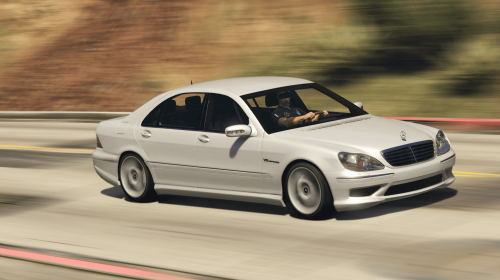
Mercedes-Benz S55 AMG W220
Credits: V8Kompre55or(Engine, Fender Badges)
3D Model: Dolmat
Changelog:
V2.0: AMG front Bumper
V3.0: Brake Caliper Fix
V5.0: New rear Bumper and side Skirts
V6.0: updates mesh, updated cluster logo and Gearbox mode switch(M,C,S)
Fender badges slightly lower.
V7.0: fixed texture bug under Steeringwheel.
This is not the 360HP Version of the S55 AMG
Under the Hood is the M113K 5.4l Kompressor V8 Engine with 500HP.
Features:
-HQ Interior and HQ Exterior
-Working dials
-Hands-on Steeringwheel
-Detailed AMG Engine
For optimal Sound from the Exhaust:
https://www.gta5-mods.com/vehicles/supercharged-mercedes-amg-v8-kompressor-m113k-sound-mod
I couldn't find any noticeable Bugs
-No Reupload on other Pages-
Installation:
copy this line
dlcpacks:/s55amg/
and paste in
C:/Program Files (x86)/Steam/steamapps/common/Grand Theft Auto V/mods/update/update.rpf/common/data -
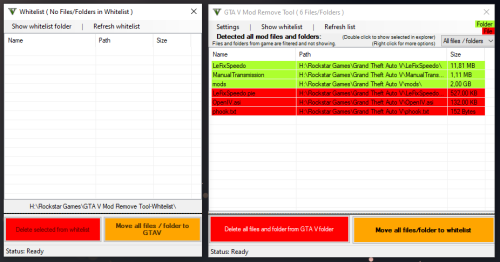
You want to clear your whole GTA V directory from mods and don't know which files you need to delete?
This tool helps you to detect all mod files and folders and gives you the chance to delete all mods.
Attention: Screenshots may differ from the current version!
My Discord server (Support)
! TRANSLATER NEEDED !
I want to expand my tools and integrate multilanguage support, and i need the help from the community.
Feel free to join the discord and contact me from the translation app ( #📁languages )!
_________ CONTENTS _________
1. System Requirement
2. Information
3. How to use
4. FAQ
5. Known Bugs
6. Credits
7. Latest Changes
_________ System Requirement _________
--- Microsoft .NET Framework 4.8
_________ Information _________
This Tool show all mod files and folders.
Tested for GTA Online!
No Guarantee or Support for Pirated Versions of GTA5!!!
_________ How to use _________
1. Start this Tool
2. Look which files / folders you need to delete manually or
3. Click on "Delete all mods" and this deletes all installed mod files and folders :)
_________ FAQ _________
--- What do this Tool exactly?
This tool shows you all your installed mods (files and folders)
--- Are there more planned features?
Not yet. But I'm working to equip this tool with many features as possible.
--- Why do the Tool run with Administrator rights?
The new Rockstar Launcher sets the GTA V folder to a state where any changes need admin rights. Even if you disable this state, it will change it everything you run the Launcher.
That's why the Tool needs to be started with Administrator Rights.
--- Anti-Virus flagged it, is this safe?
The Tool has features like Scanning whole folder, Delete and move files / folders and MD5 Hash scan. Some Anti Viruses don't like features like that, but i promise you, you have whole control about your files and the tool.
_________ Known Bugs _________
- Some users reported that the tool deleted their game files too.
The problem is, I can't reproduce that, and sadly those users didn't give me useful information to reproduce that "bug".
It will also show the game files if that "bug" is happening. So please activate your brain instead of just clicking delete!
If that "bug" happens to you, PLEASE report it to me before you give a bad rating!
I'll do my best to fix this, but i really need more information instead of "this tool deleted my whole game". The target of this tool is not deleting the whole game or game files/folder.
_________ Credits _________
- Gang1111 (Developer)
_________ Latest Changes _________
2.4.8.1 was successfully released!
> [Added] All game files that was added on update v3570/v889
> [Added] EE (Enhanced Edition) & LE (Legacy Edition) check (The tool now will show if you selected EE or LE of the game) -
GTA V Enhanced Compatibility Patcher for OpenIV
Introduction
This script is an essential utility for anyone using the new Grand Theft Auto V Enhanced. Many popular tools, including the current version of OpenIV, have not yet been updated to recognize the new game executable, GTA5 Enhanced.exe. They still search for the original GTA5.exe, causing compatibility issues.
This patcher solves the problem automatically. It configures your existing OpenIV installation to correctly locate your official Grand Theft Auto V Enhanced game folder and creates the necessary files to ensure full compatibility until OpenIV is officially updated.
Simply run this script once, and you'll be ready to mod the new version of the game without any manual file editing.
Features
• Seamless OpenIV Integration: Automatically updates OpenIV's settings to correctly identify the path to your official Grand Theft Auto V Enhanced installation.
• Essential Compatibility Fix: Creates a copy of the official GTA5 Enhanced.exe and renames it to GTA5.exe. This workaround is important for making the game recognizable to OpenIV.
• OIV Auto-Installer Ready: Generates an empty OpenIV.asi file, allowing installing .oiv files without need of using original OpenIV.asi. (See the important note below for full mods folder activation).
• User-Friendly: A simple folder selection dialog makes the process quick and easy. No manual editing of XML files is required.
• Safe and Reliable: Includes error checking to guide you through the process and only makes the necessary changes to get you up and running.
Requirements
Grand Theft Auto V Enhanced: You must have this version of the game installed.
OpenIV: You must have OpenIV installed. It is important that you have run OpenIV at least once before using this patcher so its configuration file exists.
How to Use
1. Download: Download the .bat file from this page.
2. Run the Script: Double-click the .bat file to start the process.
3. Select Your Game Folder: When the folder selection dialog appears, navigate to and select your main
4. Grand Theft Auto V Enhanced game directory (the one containing GTA5 Enhanced.exe).
5. Process Complete: The script will perform all necessary actions in seconds. Once it displays the "All operations completed successfully!" message, you can close the window.
Important: Enabling the 'mods' Folder
This script prepares OpenIV to see your game, but to make the famous "mods" folder work correctly with this new version of GTA V, one more step is required.
You must download and install the OpenRPF.asi loader. This file is required to redirect the game to load assets from your "mods" folder instead of the original game files.
• Download Link: OpenRPF.asi for GTA V Enhanced
Place the downloaded OpenRPF.asi file into your main Grand Theft Auto V Enhanced directory (the same folder where GTA5 Enhanced.exe is located).
Critical Post-Installation Steps
After running this patcher, it is very important that you DO NOT take the following actions:
• Do NOT install the original OpenIV.asi or other files from the OpenIV ASI Manager. This patcher provides the necessary files for compatibility. Installing the original files will break the fix.
• Do NOT delete the created GTA5.exe or the blank OpenIV.asi file. The blank OpenIV.asi acts as a "bait" file that tricks OpenIV into enabling the installation of .oiv packages into the 'mods' folder. The game itself does not see or react to this blank file. The duplicate GTA5.exe is required for OpenIV to detect the game.
Troubleshooting
If you encounter an error, please read the message in the command prompt. Here are some common issues:
• "ERROR: No folder was selected."You clicked "Cancel" or closed the folder selection dialog. Please run the script again and select your main game folder.
• "ERROR: OpenIV settings file not found..."You need to run OpenIV at least once to create its settings file. Please open and then close OpenIV, then run this script again.
• "ERROR: 'GTA5 Enhanced.exe' was not found..."You selected the wrong folder. Make sure you are selecting the main game directory that contains the official GTA5 Enhanced.exe file.
• "ERROR: Failed to create 'GTA5.exe' or 'OpenIV.asi'..."The script lacks permission to create files in your game directory. Please right-click the .bat file and select "Run as administrator".
Disclaimer: This script modifies the configuration file for OpenIV. It is designed as a compatibility fix and is safe to use. However, as with any tool that modifies game-related files, I am not responsible for any issues that may arise. Always back up important data.
Originally made for CoreFX (https://www.patreon.com/c/crxhvrd), released to the public because it works better than other fixes. -
INSTALLATION
OpenIV is required for installation.
Installation instructions are included in the download files, the installation is not very difficult and just requires to replace 3 files.
The EASY version is only for changes in spawning NPC groups and new DLC cars added to the traffic.
The FULL version comes with an FiveM support, increased traffic density options, additional options and Enhanced support instructions.
It might be less compatible with other mods or game versions than the one mentioned in the README.
This features both support for
- GTA 5 (Legacy)
- GTA 5 Enhanced
This mod also supports FiveM.
An package installer for OpenIV is included.
The newest 2.2.1 FULL version of this mod was mainly build for GTA 5 v. 1.0.3586(Online 1.71)(Money Fronts)(Legacy support). It might be not fitting with your personal GTA version.
INSTALLATION REQUIREMENTS
- OpenIV
- SimpleTrainerV or any other mod/tool/script/trainer etc. that enables DLC-Cars for Singleplayer
https://openiv.com/
https://www.gta5-mods.com/scripts/simple-trainer-for-gtav
CONTENT
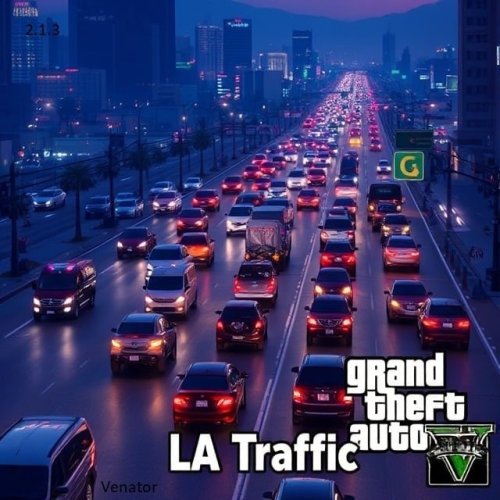
This mod will improve your ingame traffic and ped density and level of realism.
There are several points this mod will change ingame and enhance them, for example:
1. DLC-Cars and new non-DLC cars will now spawn in traffic. There is a variety of new cars, like sportscars, suvs and busses to spawn. For Example:
- adder
- zentorno
- zorusso
- liberator truck
- brawler
- stretch
- osiris
- paradise
- squaddie
- new boats
- new busses
- new SUvs
- new bikes
- ...
There won't spawn all dlc cars available, because i saw now point in adding futuristic stuff that doesn't fit the game. For this kind of game, there is gta online. All DLC cars will spawn in parts of the city where it's realistic.
2. Police officers are now active in the Streets of Los Santos Country.
For example, there are:
- Police Officers of the LSPD patrol the streets of Los Santos and the freeways around Los Santos by car and on foot.
- Police Oficcers of the LSSD patrol the area of Los Santos County, Sandy Shores and parts of the suburbs of Los Santos, like Davis, on foot and in cars.
- The SAHP will now patrol the highways outside the city by motorcycles
- The Police will use regular police cars on patrol. At night, at dangerous areas, like the Gang Areas of Los Santos,they will also use heavy vehicles, like armored transporters.
-Also, Police will prefer to patrol the high-risk level places more often than other parts of the city (For Example: Gang Areas or very prouded places)
- Juristiction Fix - Sheriff will now also patrol the streets of Davis (Los Santos)
Sometimes, FIB Agents are walking around in PIllbox Hill (Downtown Los Santos) near the FIB skyscraper.
- Prison busses are also rarely driving between the police stations in Los Santos and the Prison. They prefer to drive at night, or at midday. As an alternative, sometimes prison busses are replaced by LSPD Transporters for Prisoners that are transfered between police stations in LS, or NOOSE Trucks for very dangerous inmates.
- NOOSE (SWAT) Teams are sometimes driving in RIOT Trucks in the city at night, like they are on their way to a high level arrest or patrol very high risk, violent areas. They are mainly operating at Davis and Rancho, Gang Areas of Los Santos, or rarely at Sandy Shores between 1 and 4 o'clock at night.
- The military is now also equipped with squaddies, stationed at Zanduco Military Base
- There are a couple of other additioins in the Military Base, like armored marines patroling in the base, or Noose Operators rarely interacting with military stuff
3. The density of the traffic and the amount of pedestrians that walk around is way better improved, enhanced and expanded
- in some parts of the city and the county there won't spawn a lot of cars and vehicles, also at certain times, like at 3 AM, there is a rapid decrease of traffic in most areas.
- in other parts, like the freeway, there are a lot of cars, more than in vanilla GTA
- also the amount of peds has been balanced, at the street, the Del Pierro Promenade or Downtown there will be way more people. Also in Sandy Shores, at afternoon, there will be more peds. But, too keep the game realistic, in some parts and at night, there will be less pedestrians.
Hope you have fun playing the mod. It is made for latest game version 1.0.3411.
Instructions how to make this mod usable with other mods like World of Variety, RDE or other or other Game versions are included in the .README.
If you have any bugs or suggestions to report, use the comment section or this discord channel: https://discord.gg/7eSBQfa3
Changelog
v.2.2.1 (Version 2.21.04.11.2025.3586)
- Added support for newest GTA 5 version 3586 (Money Fronts)
- Several internal values and new vehicles changed and added
- Removed gameconfig.xml for GTA 5 Enhanced Support
- Created standalone extra "EASY" version
v2.2.0 (Version 2.2.0.13.03.25.3442)
- Added support for GTA 5 Enhanced
- Added support for FiveM
- Added support for latest game version
v.2.1.3 (Version 2.1.3.28.12.24.3411)
- Added support for latest game version
- Added several new DLC cars
v.2.1.2 (Version 2.1.2.15.09.23.2944)
- Fixed bug in backup package
v.2.1.1 (Version 2.1.1.12.09.23.2944)
- Added support for latest game version 2944
v.2.1 (Version 2.1.0.09.05.22.2612)
- Several new DLC – Cars added
- Bug – fixing: the bug of several cars spawning frequently in the traffic was fixed, the chance of the same car model spawning very often was reduced to a minimum
- New feature: A greater variety of cars and peds will spawn in different scenarios and places outside the traffic
- Amount and variety of cars and peds in the traffic rebalanced
- New feature: you can now increase and decrease the amount of cars and peds with the ingame - settings way better
- Added several other new modification options
- Several new informations and instructions added for an easier installation and less bugs
- added support for current Game Version (2612)
- added .OIV installer
v.2.0 (Version 2.0.2511.21.2372)
- added new Cars (DLC-Cars)
- rebalanced POPCYCLE.DAT, the amount of peds and cars that spawns is now even more realistic and balanced
- reworked POPGROUPS.XML, now there are more different pedestrians and vehicles on the streets and fields of Los Santos and Los Santos County.
- reworked GAMECONFIG.XML, it should now work fine again
- added optional files for game version
- support for newest GTA 5 game version (2372)
- added more informations about bugs, FAQs, GTA5 Game Versions and compatibility with other mods
- reworked some other minor values, mod should now work the way it is supposed to
v.1.3 (Version 1.3.1309.21.2372) [Not recommended]
-did some minor changes to gameconfig.meta in order to balance the traffic and the amount of peds to spawn
-added support for newest game version
-added informations about in game-errors related to this mod
v.1.2 (Version 1.2 )
-improved maximum amount of peds and cars to spawn
-balances the amount of cars to spawn at night
-less peds will spawn in early morning hours in most parts of the city, to keep the game more realistic (balances the values)
-balances the amount of peds to spawn at Los Santos Downtown
v.1.1.3 (Version 1.1.3.21.2245]) [Available, Not supported]
-added support for latest game version (2245)
v.1.1.2 (Version 1.1.2.1102.21.2215) [Available, Not supported]
-added support for latest game version (2215)
-added informations about gameconfig.dat
v1.1 (Version 1.1.0102.21.2189) [Not available for download, not supported]
- lowered base vehicle/ped number for better low-pc performance
- increased max vehicle and max peds-for-vehicles numbers
- balanced ped and vehicle amount at sandy-shores and paleto bay
- increased value for cops to spawn, because of problems seeing cops walking around the city
v1.0 (Version 1.0.3001.21.2189) [Not available for download anymore]
-initial launch
-supported game version: 2189 cayo perico heist update
Note. you can always check your current GTA 5 game version in update/update2.rpf/common/data/version.txt, be it in your mods or main GTA 5 root folder.
Contact:
[email protected] -
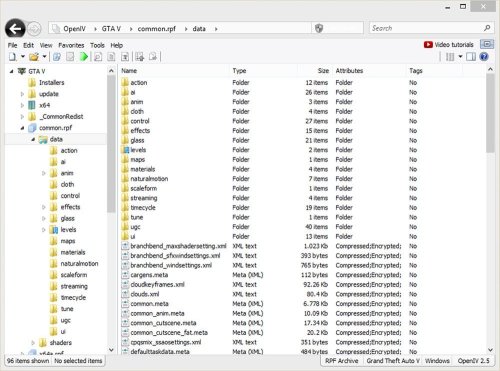
www.openiv.com
OpenIV is a multi-purpose editor and archive manager for PC versions of Grand Theft Auto V, Grand Theft Auto IV/EFLC and Max Payne 3.
What’s new in OpenIV 4.0:
• Red Dead Redemption 2 support
What’s new in OpenIV 3.2:
• Support for many GTA V ymt files
What’s new in OpenIV 3.1:
• GTAV: pedpersonality.ymt support
• XML Syntax validation in OpenIV Text Editor
Full change log http://openiv.com/?p=1483
What’s new in OpenIV 3.0:
• GTA V for PlayStation 4 support
• GTA V Vehicles animations player
• Proper multichannel audio support
• openFormats support for YVR
• support for new shaders in openFormats for GTA V models.
Full change log http://openiv.com/?p=1393
What’s new in OpenIV 2.9.2:
First time since 2015, we have updated OpenIV.ASI – our plugin, which provides mods support for Grand Theft Auto V. The latest version of GTA V has some non-critical changes in the code, which affected by OpenIV.ASI, and we made similar changes in our code. Without those changes in OpenIV.ASI, your game had crash during loading screen in some very specific scenario, only when you have Simplified Chinese language selected in game. Use ASI Manager to update OpenIV.ASI in your game folder.
• We fixed an issue where sometimes OpenIV crashes while renaming folders inside archives.
• We fixed an issue where import of texture image with 2×2 sizes was impossible due to infinite loading.
• We fixed an issue where files was not shown in OpenIV after they was drag-and-dropped in game folder using Windows File Explorer.
What’s new in OpenIV 2.9.1:
Open folder: You now can open folders the same way as archives. Use menu “File > Open folder…” and select folder you want to open. Selected folder will appear at the end of the list in navigation tree.
Delete confirmation dialog: OpenIV will now show you delete configuration dialog, it will help you to avoid accidental removal of game files. You can disable this feature in OpenIV configuration.
Grand Theft Auto V
• We added support for carvariations.ymt file
• We added support for vfxvehicleinfo.ymt file
You can edit those files using inbuilt OpenIV Text editor or export them to META/XML format.
Grand Theft Auto IV
• We fixed an issue where wrong High Level Code was generated in SCO Viewer.
General changes, improvements, and fixes
• We fixed an issue where it was impossible to use context menu on travel buttons (Back/Forward) when history list contain many items.
• We fixed an issue where some users might get “Unable to initialize Windows DirectX subsystem” fatal error message.
• We added ability to use keyboard arrow keys to navigate through shaders information in models viewer.
• We made minor visual changes in “More information” dialog in models viewer.
• We fixed an issue where users might see “Confirm edit mode” dialog while creating archive in edit mode.
• We changed keyboard shortcut for creating new archive from “Ctrl + N” to “Ctrl + Shift + N”.
• We added ability to use “Ctrl + N” keyboard shortcut for creating new archive in current location (Same as “Ctrl + D” for folder).
• We fixed an issue where status bar does not updates when items are added or removed.
• We fixed an issue resulting in unexpected behavior when double-clicking on group header in file list.
• You now can use “Shift + Delete” keyboard shortcut for permanently deleting files while using Recycle Bin (This works for files on disk not for files in archives).
• We fixed an issue resulting in “Edit mode” button become disabled in specific scenario.
• We improved support for Junctions or Symbolic links. You now will be able to use global search while your game folder is Symbolic links.
• We changed the way how Size column is displayed in file list. Now it works just like Windows File Explorer.
• Some more changes was made, they are minor or are not worthy of mention.
Version 2.9:
Inbuilt Text Editor
Support for .ymap, .ytyp, _manifest.ymt, carcols.ymt and levels.ymt
Improved openFormats for Grand Theft Auto V
Search improvements
UI Improvements and bug fixes
And more
Version 2.8:
openFormats for Grand Theft Auto V models
Package Installer improvements
Administrator mode notification
UI Improvements and bug fixes
And more
Version 2.7:
openFormats development
Brand new Package Installer
Improved support for "mods" folder in Grand Theft Auto V
Bug fixes and minor improvements
Version 2.6.4:
Audio Exporting
Ability to export audio files to .wav format
Audio Editing
Ability to edit audio files (.awc) like weapon and vehicle sounds
Version 2.6.3:
ASI Manager
New tool named “ASI Manager” allows you to easily install or uninstall ASI loader and our plugins for GTAV.
OpenIV.ASI 1.1
New version of OpenIV.ASI gives you ability to keep original GTAV files safe and put mods into special “mods” folder. Just put archive (for example, x64a.rpf) you want to mod into “mods” folder and made changes in that copy. OpenIV.ASI will force game load your archives form “mods” folder. In addition, if you want to switch back to original files just remove OpenIV.ASI and ASI Loader using ASI Manager.
Texture editor for GTA V
Powerful OpenIV texture editor now have support for GTA V .ytd texture files. You are free to edit any .ytd files using all features we have.
Fragment Models Viewer
Finally, OpenIV fragment models viewer got support of GTA V .yft files. This will allows you to view GTAV vehicles models.
Critical bug fixed
We also have fixed some critical issues in our code. Now you have less chance to corrupt your files. -
Property Manager Mod
Description:
The Property Manager Mod is a GTA 5 modification enhancing the property management experience. Features include:
Valet Service: A dedicated valet service for parking and cleaning vehicles.
Security Team: Security personnel saluting your character.
Functional Showers: Showers for cleansing characters and removing bloodstains.
Helipad Management: Manage helicopters on helipads for smooth operations.
Convenient Teleportation: Teleport between mansions based on transportation mode.
Elevator Functionality: Seamless travel between floors in equipped mansions.
Wardrobe Functionality: Change and save outfits within property wardrobes.
new in 0.9 : Dock Management:Convenient way to anchor near a property.
Coming soon (Early access in patreon) : Property investment Buy or rent a property
Supported Mansions:
Pacific Rooftop, Villa, Desert Mansion, etc. by guillaume56
Modern Wood House, Casual Apartment, Business Apartment, etc. by BigShaqNOKetchup
French Villa, Vinewood Hills Mansion, Chalet Forrest, etc. by guillaume56
Beach Front 2 etc. by t1dowd
Installation:
Clean GTA 5 installation on PC.
Download the mod files.
Copy PropertyManager.dll and folder to "scripts" directory.
Launch the game with enhanced features.
Requirement:
Script Hook V .NET 3
LemonUI (https://fr.gta5-mods.com/tools/lemonui)
Change Logs:
V 1.1
🏠 About the Mod: The Property Manager V1.1 brings unprecedented realism to property management in-game. Now, you can either buy or rent properties, customize them with a wide array of services, and manage them like never before.
💼 Features: Buy or Rent Properties: Choose how you want to acquire your in-game properties. Customizable Services and Staff: From furniture to helipads, and bartenders to pilots, tailor each property according to your needs. Dynamic Financial Management: Stay on top of your finances with detailed daily billing for taxes, salaries, and rent. Resell Option: Flexibility to resell your assets, adapting your strategy as needed. Realistic Consequences: Be cautious with your financial decisions, as failure to pay bills can lead to dramatic in-game consequences.
Credits:
Mod Creator: houaryou
Terms and Conditions:
Ownership: Exclusive property of Houaryou.
Usage: Personal, non-commercial use only.
Modification: No modifications or redistributions allowed.
No Warranty: Provided "as is", without warranties.
Liability: No liability for damages from Houaryou.
Updates: Houaryou may update these terms anytime.
By downloading or using the "Property Manager" mod, you agree to these Terms and Conditions. -
Description
This script adds bounty hunt in the game. You can call contact "Bounty hunt" to start hunting. Once you recieve order, you need to hunt your target at random location. Once you found you target it will try to shoot at you, fight you, run from you or just surrender. If target decides to run or fight just shoot at limbs to make it surrender. After target is surrended, just come closer and put cuffs on it. Then convoy your target to LSDP Police station to get your reward. Also you can search your target's pockets for money or weapon. To do so, once your target is cuffed, come closer and push "attack" button to put target on the ground then press "Talk to random ped" button and character will start search.
Installation
Just drop all files from the Script folder to your GTAV/Scripts/ folder;
Requirements
-GTA V v1.0.877.1 to 1.0.1290.1 or higher (Probably old versions will work too,i didnt tested it yet);
-Latest ScriptHookV;
-ScriptHookVDotNet3;
-NAudio.dll (Included);
-Ifruite2 (Included);
Changelog
1.1
- Improved searching anim position;
- Added target's reaction on driving speed (if your vehicle's speed is to high);
- Added target's begging speech when just driving to handover location;
- Added bounty cooldown time;
- Added option in .ini file to turn off cooldown time;
- Added option in .ini file to set how many hours should pass before next bounty;
- Added option in .ini file to change min and max bounty prise;
- Fixed issue with stacking call;
- Fixed issue when bullet hited lethal point while you were trying to make target to surrender and script was trying to find next target;
- Fixed issue with melee instant target kill (now you need to hit target once to make it surrender);
1.2
- Added possibility to make target stop begging by replying it in process;
- Added small chance that target will spawn in vehicle;
- Added chance that target will be armed and will start shoot at you