





Rockstar
Administrators
-
Joined
-
Last visited
Everything posted by Rockstar
-
 Publisher Meridiem Games has announced a March 2026 release date for action-adventure dark fantasy game The Bearer & the Last Flame; it has also revealed that the game will be available digitally and physically. Developed by Dark Reaper Studio, the game is inspired by classic Soulslike titles and set in a world ravaged by death. In a land where man has become extinct, darkness has ravaged all other signs of life. The darkest creatures and soulless sorcerers live in the underworld, where the bloodthirsty warriors are seeking rest. Only faint traces of light remain in the world: a glimmer of hope emerges from the high mountains of Selender. A living soul has received its quest: carry the last flame, illuminate the dark lands, and return fearsome creatures to the abyss. These are the game’s key features, via Meridiem: Relive the essence of classic Soulslike games — experience strategic combat in a world full of mysteries and a deep story told through the environment and the enigmatic characters you encounter on your journey. Choose from various characters — forge your destiny in this unforgettable adventure. Select your hero from different characters originating from unique worlds. Challenging difficulty — master a combat system where every strike matters. Face demanding enemies with mechanics that reward precision, strategy, and constant learning. Variety of enemies across different environments — confront a vast range of unique creatures, including night beasts, demons, and soulless undead, each designed to exploit your weaknesses. Memorable enemies and bosses — prepare for epic battles against terrifying creatures and colossal guardians. Each encounter is a unique challenge filled with tension and reward. Choose your fighting style — customize your strategy with an arsenal of over 200 unique weapons. Master melee combat, ranged attacks, or the arcane power of magic. Explore the vast landscapes of Hyperborea — traverse dungeons, caves, and castles in an epic medieval fantasy adventure. A fresh musical journey by Francisco Arroyo — an original soundtrack that brings a distinctive musical style to the game experience. The game will launch in two physical editions for PlayStation 5: a standard edition and The Knight’s Edition, which includes the game, a game guide, and a special sleeve. Developed by Dark Reaper Studio and published by Meridiem, The Bearer & the Last Flame will be released digitally for PC via Steam and PlayStation 5 on March 6, 2026; there will be two physical editions for PlayStation 5, launching the same day.
 -
After many years revisiting Final Fantasy X-2, I decided to fulfill an old dream: to bring an English translation of the International version to the PS2. This game never had an official English version on the PS2, although an HD Remaster version was later released for the PS Vita and PS3. This was the initial inspiration for me to accept this challenge, the goal was simple, but ambitious. The path to get there wasn't easy. Anyone who has ventured into PS2 modding knows that it tests our patience, our creativity, and, above all, our persistence. Countless nights were spent studying structures, testing, correcting, and trying again, but I had help from very important people to make this project happen, Initially, I had great help from @Gdkchan, who managed to create a tool for editing very complex textures and images that required reverse engineering of the map and texture models, Then I had great help from @kr_ps2 who fixed all the existing bugs in this game. He also solved the major problem of the game not loading on the original hardware, which was due to the Primary Volume Descriptor (PVD) needing to be recalculated. Spoiler Hello, I have an English Patch project for Final Fantasy X-2 International + Last Mission for the PS2, as many of you know, this game was never released outside of Japan with several extra features added after the release of the American version, with that arose the problem of not having a fully English version for it, years ago there was a translation by pbirdman that was incomplete and I never understood why, so I decided to work on this game to have an English patch considering that the PS3 / VITA / PC version had an English version, so porting the localization was not difficult, however it is worth mentioning that there are many obstacles in the way which I ended up encountering, but I was correcting them one by one in which I will explain each of them: 1. Font and VWF: As for the font, I simply took the American version and replaced it with the Japanese version. It worked perfectly, considering the font format with the "FTCX" header has the font mapping and VWF implemented, so that was the easy part. As a result, the texts were replaced, see the before and after images with some texts in English: 2. Font Style The FFX/FFX-2 engine has opcodes in the script that are used in various places and vary depending on the game version. In the menus, the Japanese version uses the font with a drawn outline. The American and European versions use drop shadow fonts, avoiding larger spacing. I had to do this to make the text fit within the menu, so I did this for all menus, especially the International + Last Mission menus. See the before and after comparison: 3. Bestiary Descriptions The monster and character descriptions in the bestiary were limited to 2 lines in the Japanese version, but in the American version they were limited to 3 lines. Because the lined text was so large, it even extended beyond the screen, becoming completely disproportionate. Later I discovered that this was caused because in the Japanese version the images responsible for the bestiary were smaller in the Japanese version and the positions of the texts both in width and height were inside the script with opcodes, so I had to adjust and this was the result: 4. Editing Japanese Images The game has a total of 357 Japanese images used in menus, titles, options, and even aircraft. I needed a friend named @gdkchan to help me with the tool to work with the images. I successfully ported the identical images from the American version and translated the International version's feature: 5. "MNO" letters not appearing. The letters corresponding to the values "5C, 5D, and 5E" are not programmed to be printed in the game. In the Japanese font, they correspond to the following letters: 5C=⑱ 5D=⑲ 5E=⑳ With the font changes, they are responsible for the letters "MNO," which correspond to the following letters: 5C=M 5D=N 5E=O Unfortunately, I couldn't get them to appear. One thing is for sure: the problem isn't with the font, but possibly with the program executable. I don't understand much about MIPS Assembly, so I'm left with this error. With a simple test, you can see they're missing here: With the help of user @kr_ps2 this problem has finally been fixed. 6. Rename Menu The rename menu contains the Japanese alphabets Katakana, Hiragana, and Letters. However, with the game in English, the menus responsible for Katakana and Hiragana would become obsolete and unusable. I tried everything to find the values that would eliminate them, but unfortunately, I was unsuccessful. With the help of user @kr_ps2 this problem was also fixed, see the image below with the Rename Menu fixed and the letters NMO appearing. English: This is how the menu is in the HD Remaster version of the PS3/VITA/PS4/PC versions, based on this I do the same for the PS2 version. 7. RAM File Size Issue This specific game has a fixed RAM size. When a file exceeds the limit, the game crashes and won't run. I don't know if this fixed RAM size is caused by an unknown TOC file or something else. However, this issue was reported by user xXFaloXx on the Gamefaqs forum in 2012 and was the reason he gave up: More information here: https://gamefaqs.gamespot.com/boards/918914-final-fantasy-x-2-international-plus-last-mission/63087357#7 With the Denim help, I also found this value in IDA PRO, which I believe is the memory allocation size: If I increase it, the game runs, but it overwrites other files in memory and the game doesn't run on the PS2 hardware. It crashes on both DVD and OPL media, proving that it overwrote a file in memory that caused the crash on the PS2 console hardware. That's all I did for the game, and I'm practically fully in English. However, I just need to fix the following issues to release the English Patch: 5. "MNO" letters not appearing. 6. Rename Menu 7. RAM File Size Issue I'll be releasing an XDELTA Patch if anyone is interested in fixing these pending issues. When the patch is applied, the game will intentionally fail to launch due to the "7. RAM File Size Issue," which for me is the biggest issue right now. EDIT: There is only the "RAM File Size Issue" to be fixed so that I can release the game fully playable in English, I just need someone to be able to fix just this issue. EDIT2: I'm writing to inform you that the "RAM File Size Issue" problem has been fixed by @kr_ps2. The problem with it not working on the PS2 (Real Hardware) was that the game size wasn't being updated in the Primary Volume Descriptor (PVD). Because of this, I had to create a tool based on Falo's ToolPack to extract/rebuild the FFX/FFX-2 ISO with these problems solved and the PVD updated during the rebuild. Now I'm making the necessary adjustments to the translation so that we'll soon have the game fully in English. And today I can celebrate this release. The main objective of this translation was: * To bring to the PS2 a text based on the HD Remaster, clearer and more polished. * To offer an alternative for those who prefer to play on classic hardware, but with improved quality. Technical Difficulties Encountered: When the files were recompressed, the game broke into random parts. This game uses two types of compression: LZSS and RLE. I used the ffgriever tool to decompress, but the recompression broke some files. Then I used the kruci recompressor, but the same problem occurred, resulting in a 258MB patch. My solution was to create a patcher with its own formats and a custom compression based on LZMA to reduce the patch size, and it worked perfectly. Tools and Methods: * FFXTextTool for event and kernel text. * FFXKernelTool made by @nameless for some kernel text. * FFXImageTool made by gdkchan for unpacking image containers. * WinHex for manual adjustments. * ScriptComp for meticulous comparison between the HD Remaster version and the PS2 version to maintain accuracy and translation of PS2-exclusive files. * FFX_ISOTools, created by me for complete unpacking and repacking of the ISO. I used Falo's FFX_ToolPack.exe as a base, and had to reverse engineer the tool. * FFX_ISOPatcher, I created this tool for easy application of the English translation. * Ghidra to reverse engineer some code in the executable. Final Result: The project achieved what seemed impossible at the beginning: a PS2 FFX-2 with text based on the HD Remaster, working perfectly and preserving the charm of the classic. If you find any errors or bugs, please report them in the thread. PROJECT TEAM: Romhacker & Transtion: Gledson999 Tools: Gledson999, Gdkchan and Nameless Bug Fix & Special Thanks: kr_ps2 WEBSITES: retro-jogos.com TRANSLATION STATUS: Menu: 100% Missions: 100% Event Texts: 100% Textures & Images: 100% How to apply the translation: Download FFX_ISOPatcher.exe and run the program. Click the Open ISO button and select the Final Fantasy X-2 International + Last Mission (*.iso) image. Click the Apply Patch button and wait for the patch to be applied.
-
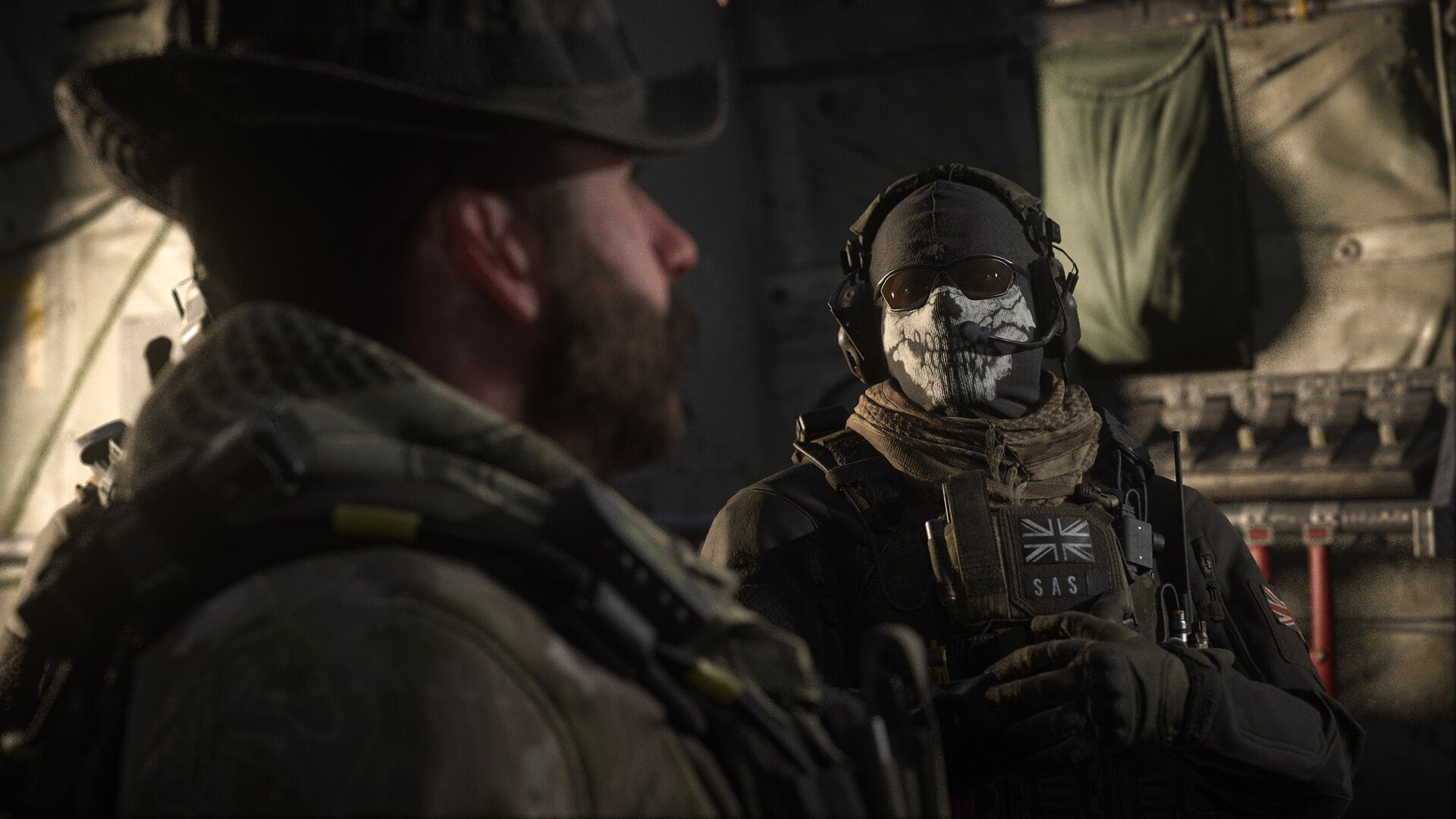 Remember when Microsoft committed to putting Call of Duty on Nintendo platforms amidst all of the ActiBlizz drama a few years back? Well, we've not really seen much activity in this space since, but after confirming that this move was still in the works back in the summer, one of the COD dev teams is now seemingly hiring for Switch development of some sort. Over on LinkedIn, Sledgehammer Games — who most recently developed 2023's Call Of Duty: Modern Warfare 3 — is hiring for a Senior Technical Artist role. What makes this particular job listing different, is that within the finer details, Sledgehammer notes that a bonus for this role would be someone with "AAA Mobile or Switch experience". In this case, then, it's looking like COD 2027 could be making its way to Nintendo platforms; presumably the Switch 2 given the system's gulf in power from Switch 1. Yep, developer Infinity Ward is supposedly helming next year's COD, so it may be that the one after that is where the series' makes its Nintendo Switch debut. Of course, there's also chance that Infinity Ward is working on something similar and just hasn't mentioned it anywhere - but for now, that remains to be seen. All we know is that Sledgehammer Games seems to be making moves towards Call of Duty Switch development, which will hopefully apply to the franchise by 2027.
 -
Remember when Microsoft committed to putting Call of Duty on Nintendo platforms amidst all of the ActiBlizz drama a few years back? Well, we've not really seen much activity in this space since, but after confirming that this move was still in the works back in the summer, one of the COD dev teams is now seemingly hiring for Switch development of some sort. Over on LinkedIn, Sledgehammer Games — who most recently developed 2023's Call Of Duty: Modern Warfare 3 — is hiring for a Senior Technical Artist role. What makes this particular job listing different, is that within the finer details, Sledgehammer notes that a bonus for this role would be someone with "AAA Mobile or Switch experience". In this case, then, it's looking like COD 2027 could be making its way to Nintendo platforms; presumably the Switch 2 given the system's gulf in power from Switch 1. Yep, developer Infinity Ward is supposedly helming next year's COD, so it may be that the one after that is where the series' makes its Nintendo Switch debut. Of course, there's also chance that Infinity Ward is working on something similar and just hasn't mentioned it anywhere - but for now, that remains to be seen. All we know is that Sledgehammer Games seems to be making moves towards Call of Duty Switch development, which will hopefully apply to the franchise by 2027. View full article
-
 In case you missed it, this week Nintendo released a new update for its Switch mobile app, bumping it up to Version 3.2.0. This latest update features some notable changes, including notifications displaying what software friends are playing, and the ability to send friend requests to players you've spoken to in GameChat sessions. Here's the full rundown via the App Store, including some iOS-specific updates: Nintendo Switch App - Version 3.2.0 (27th Nov 2025)What's New: The app no longer supports iOS versions prior to iOS 16. iOS devices must have iOS 16 or later to be compatible with this app. The notification you received when a friend comes online has now been updated to include the name of the software they're using, if applicable. You can now send friend requests to users you chatted with in a GameChat session. You can now copy the hashtags for a software title. This can be done from the details for a screenshot or video. You can now create a Nintendo Switch App album in the iOS Photos app. To use this feature, enable it from Settings in this app. Fixed an issue that sometimes caused the order of screenshots and videos to change when downloading several at once. Other small bug fixes have also been made. If you've not downloaded this app yet, it's designed to enhance the online gameplay experience for the Switch and Switch 2. It allows you to use more friend features and game-specific services for compatible titles. Nintendo also recently released a new storefront app in select regions for Android and iOS.
 -
In case you missed it, this week Nintendo released a new update for its Switch mobile app, bumping it up to Version 3.2.0. This latest update features some notable changes, including notifications displaying what software friends are playing, and the ability to send friend requests to players you've spoken to in GameChat sessions. Here's the full rundown via the App Store, including some iOS-specific updates: Nintendo Switch App - Version 3.2.0 (27th Nov 2025)What's New: The app no longer supports iOS versions prior to iOS 16. iOS devices must have iOS 16 or later to be compatible with this app. The notification you received when a friend comes online has now been updated to include the name of the software they're using, if applicable. You can now send friend requests to users you chatted with in a GameChat session. You can now copy the hashtags for a software title. This can be done from the details for a screenshot or video. You can now create a Nintendo Switch App album in the iOS Photos app. To use this feature, enable it from Settings in this app. Fixed an issue that sometimes caused the order of screenshots and videos to change when downloading several at once. Other small bug fixes have also been made. If you've not downloaded this app yet, it's designed to enhance the online gameplay experience for the Switch and Switch 2. It allows you to use more friend features and game-specific services for compatible titles. Nintendo also recently released a new storefront app in select regions for Android and iOS. View full article
-
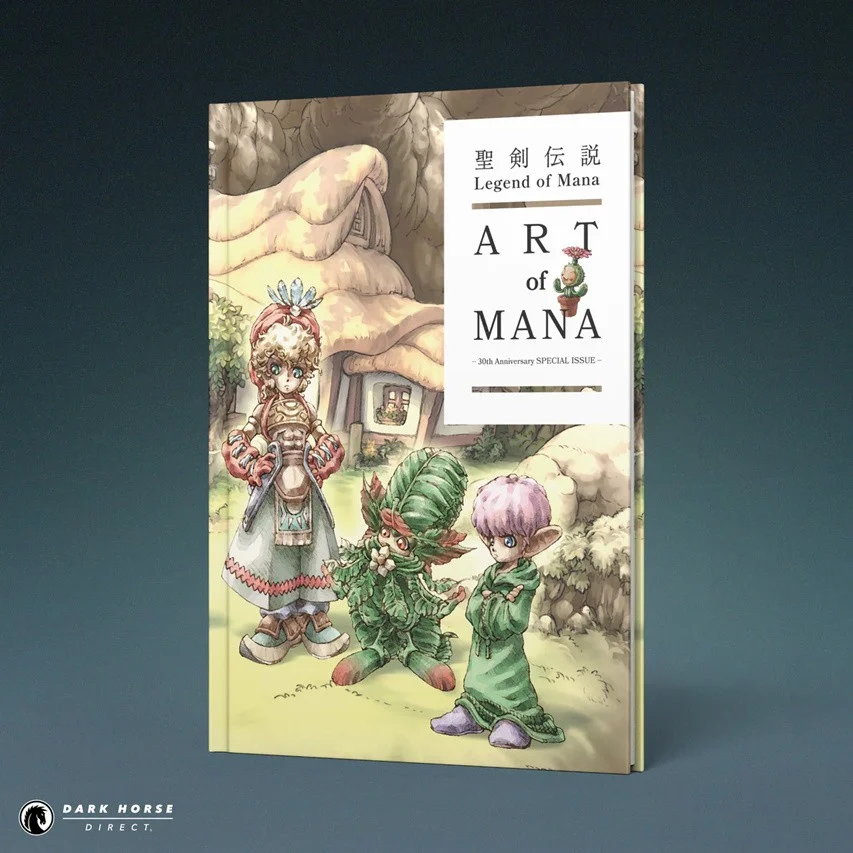 Dark Horse and Square Enix are celebrating three decades of the Mana series with an English version of Legend of Mana: The Art of Mana - 30th Anniversary Edition book. This is the first time this book has been published in English and will give fans a "deeper look" at the action RPG. Here's some additional PR: As mentioned, this book includes 80 pages in total. It will be available in hardcover and is scheduled to arrive in bookstores on 28th July 2026 for $29.99 (or the equivalent). Pre-orders are now available on the Dark Horse website and other sites like Amazon and Barnes & Noble. The Video Game Library (via Instagram) has also cleared up some confusion about the "30th Anniversary" subtitle: Would you be interested in this book? Let us know in the comments.
 -
Dark Horse and Square Enix are celebrating three decades of the Mana series with an English version of Legend of Mana: The Art of Mana - 30th Anniversary Edition book. This is the first time this book has been published in English and will give fans a "deeper look" at the action RPG. Here's some additional PR: As mentioned, this book includes 80 pages in total. It will be available in hardcover and is scheduled to arrive in bookstores on 28th July 2026 for $29.99 (or the equivalent). Pre-orders are now available on the Dark Horse website and other sites like Amazon and Barnes & Noble. The Video Game Library (via Instagram) has also cleared up some confusion about the "30th Anniversary" subtitle: Would you be interested in this book? Let us know in the comments. View full article
-
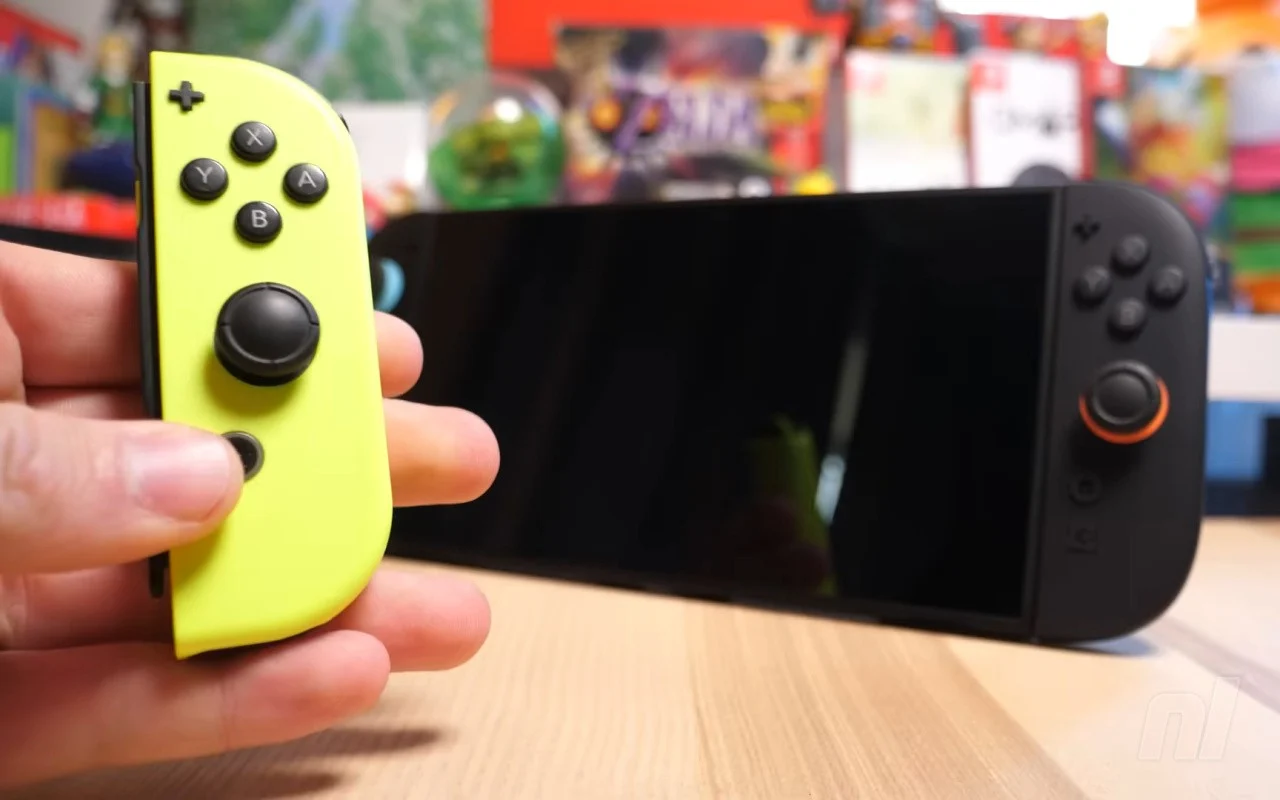 Nintendo released a new firmware update for the Switch 2 earlier this week, and it's now been followed up with compatibility fixes for select Switch titles. Apart from the update for NieR:Automata The End of YoRHa Edition, several other titles have reportedly received compatibility fixes. Here's the rundown via Nintendo Everything: DOOM + DOOM II Guardian Tales NieR:Automata The End of YoRHa Edition Skies Above Sugardew Island Super Mega Baseball 4 Timespinner Apart from this, some problems with certain other titles have also been identified. This includes an issue with Sports Party, where waiting on the title screen for half a minute can apparently create an issue. Resident Evil 4 and Blade of Darkness also supposedly have some progression issues. In case you missed it, Nintendo recently launched a dedicated search page, allowing users to check the compatibility of Switch software on the Switch 2. Will you be revisiting any of these Switch titles on the Switch 2? How are you finding them after this latest update, and what other games would you like to see updated for Nintendo's new system? Let us know in the comments.
 -
Nintendo released a new firmware update for the Switch 2 earlier this week, and it's now been followed up with compatibility fixes for select Switch titles. Apart from the update for NieR:Automata The End of YoRHa Edition, several other titles have reportedly received compatibility fixes. Here's the rundown via Nintendo Everything: DOOM + DOOM II Guardian Tales NieR:Automata The End of YoRHa Edition Skies Above Sugardew Island Super Mega Baseball 4 Timespinner Apart from this, some problems with certain other titles have also been identified. This includes an issue with Sports Party, where waiting on the title screen for half a minute can apparently create an issue. Resident Evil 4 and Blade of Darkness also supposedly have some progression issues. In case you missed it, Nintendo recently launched a dedicated search page, allowing users to check the compatibility of Switch software on the Switch 2. Will you be revisiting any of these Switch titles on the Switch 2? How are you finding them after this latest update, and what other games would you like to see updated for Nintendo's new system? Let us know in the comments. View full article
-
 The Analogue 3D has been updated to version 1.1.9, introducing a range of fixes and improvements for the FPGA-based N64 system. As well as some fixes, this update features "substantial" updates to the Analogue 3D's 'Overclock' mode for titles like Perfect Dark and GoldenEye 007. Here are the full patch notes, taken from the Analogue site: GeneralEnhanced device support for SD connect mode CoreSubstantial upgrades to Unleashed mode Overclock for CPU-bound games such as Perfect Dark and Goldeneye 007 Fixed frame overflow issue Bomberman Hero (PAL) Super Smash Bros. OSAdded manual region selection in the configure menu Added 'Disable Texture Filtering' feature in the configure menu Adjusted timing for switching between virtual Controller/Rumble Paks Fixed occasional issue with truncated Library titles Fixed occasional issue with Library ordering General stability improvements ControllersFixed inconsistency issues via USB
 -
The Analogue 3D has been updated to version 1.1.9, introducing a range of fixes and improvements for the FPGA-based N64 system. As well as some fixes, this update features "substantial" updates to the Analogue 3D's 'Overclock' mode for titles like Perfect Dark and GoldenEye 007. Here are the full patch notes, taken from the Analogue site: GeneralEnhanced device support for SD connect mode CoreSubstantial upgrades to Unleashed mode Overclock for CPU-bound games such as Perfect Dark and Goldeneye 007 Fixed frame overflow issue Bomberman Hero (PAL) Super Smash Bros. OSAdded manual region selection in the configure menu Added 'Disable Texture Filtering' feature in the configure menu Adjusted timing for switching between virtual Controller/Rumble Paks Fixed occasional issue with truncated Library titles Fixed occasional issue with Library ordering General stability improvements ControllersFixed inconsistency issues via USB View full article
-
A brand-new set of Gran Turismo 7 Weekly Challenges is now available — or over the next few hours, depending on how west you live — in likely the final set before the switch-up brought about by the impending Spec III update. Weekly Challenges are a bonus game mode, made available once you’ve finished the main GT Cafe career, and currently offering a selection of five World Circuits races for you to tackle. Four of them are existing events, with a fifth “Special Event” created just for the week. You’ll earn additional rewards, alongside the credits for your finishing positions in each race, with more lucrative gifts the more you complete within the seven-day window. Gran Turismo 7 Weekly Challenges – November Week 4 RacesJapanese FF Challenge 450 – Sardegna Road TrackThis week’s lowest prize comes in the Japanese FF Challenge 450 event at the short Sardegna Road Track C course. As the name suggests, you’re going to need a front-wheel drive road car from Japan for this one, but the “450” part of the name is just a suggested Performance Point (PP) value for a competitive race with the leaders and not a limitation. You’ll earn 25,000cr for winning this quick three-lapper. American Clubman Cup 700 – Laguna SecaDespite a serious spike in race length and car performance, you don’t get much more by way of earnings for the American Clubman Cup 700 race at Laguna Seca. It’s a five-lap race, offering just 30,000cr for victory, even though it’s now suggested you use a 700PP car for a fair fight. That’s not mandatory, so you can use whatever you want in any state of tune, so long as it’s a Road or Tuned car from the USA. World Rally Challenge Gr.B – Colorado SpringsRally is back, after a week away, with a World Rally Challenge Gr.B event at Colorado Springs. You can use any of the Gr.B cars in the game, so long as they are fitted with — obviously — Dirt tires for this five-lap race around the Colorado loop, with a 65,000cr windfall awaiting you if you win. Special Event – Watkins Glen Long CourseTwo six-figure reward races await this week, beginning with the Special Event. It’s another one-make race for the Honda RA272 F1 car from the 1960s, with the AI all decked-out in period-correct rival liveries. They’re not tuned above stock though, so it’s a five-lap race that you should be able to win with your own standard model, for a 100,000cr prize. World Touring Car 900 – Suzuka CircuitWe’re back to the regular WTC event to round things off, and it’s the turn of the WTC900 this week. This one’s an event for cars of any kind up to 900PP; your fastest rivals will be Gr.2 cars, if you want to compare notes. It’s a ten-lap run around Suzuka with some relatively high tire wear and fuel consumption multipliers — eight times standard rate — so you can do well if you manage it and stay out of the pits. The prize for victory is a cool 170,000cr. The Weekly Challenges bonus rewards come in the form of tickets, which you will need to redeem from your Garage’s Gifts to claim the prizes within. This week, and for the second successive week, it’s a full set of credit tickets. If you play these events regularly you’ll know what to expect here: a 100,000cr ticket for completing any one event, a 200,000cr ticket for polishing off any three, and the 500,000cr ticket for sweeping the lot. You’ll need to have completed GT Cafe Menu Book 39 and watched the ending movie in order to have access to the Weekly Challenges. The events update at midnight local time on Friday mornings, so we’d expect the next set — and with a new look — on the morning of Friday December 5. Gran Turismo 7 Weekly Challenges – November Week 4 OverviewColorado Springs Lake – World Rally Challenge Gr.B Number of Laps: 5 Restrictions: Gr.B, Dirt Tires Win Reward: 65,000cr Laguna Seca – American Clubman Cup 700 Number of Laps: 5 Restrictions: Road/Tuned Car, USA Win Reward: 30,000cr Sardegna Road Track C – Japanese FF Challenge 450 Number of Laps: 3 Restrictions: Road Car, FF, Japan Win Reward: 25,000cr Suzuka Circuit – World Touring Car 900 Number of Laps: 10 Restrictions: ≤900PP Win Reward: 170,000cr Watkins Glen Long Course – Special Event Number of Laps: 5 Restrictions: Honda RA272 ’65 Win Reward: 100,000cr Gran Turismo 7 Weekly Challenges – November Week 4 RewardsComplete 1 event: 100,000cr Ticket Complete 3 events: 200,000cr Ticket Complete 5 events: 500,000cr Ticket
-
It’s now been confirmed that the bumper Gran Turismo 7 Spec III update will be arriving in the first week of December, exactly as we’ve been suspecting for a little while now. Spec III has been in the works for some time, with the most-recent game update being the 1.63 patch sent out in late September. Shortly thereafter, off the back of the GTWS Berlin event, series creator Kazunori Yamauchi announced the surprise Spec III update. We’ve known quite a bit about it for a while, with that initial teaser revealing four of the eight — yes, eight — new cars, and two brand-new circuits making their series debut, and some more coming to light since. There’s also been a few features teased to varying degrees, but the one thing we didn’t really know was the date. That said, we’d inferred a December 4 date for the Spec III update from a couple of additional pieces of information delivered around the GTWS Los Angeles event: the timings of the Polestar 5 Time Trial Challenge and the arrival of the game’s first ever paid DLC, the Power Pack, on that date. While we still don’t have a precise day for the update, it has now at least been confirmed — again by Yamauchi — that it will arrive during that week, courtesy of a slightly different-looking teaser Tweet: This image, in which the incoming vehicles are draped with car covers rather than the usual disguise of heavy shadow, reconfirms the cars that we knew were coming but also gives some pretty heavy hints of the remaining two that we didn’t. Although we have rather been expecting one of them. If you’ve not been keeping up, the six vehicles we already knew about are arranged diagonally from the rear-left to the front-right of the image and are: Ferrari 296 GT3 2022 Gran Turismo F3500-B Mine’s Skyline (R34) GT-R Mitsubishi FTO GP Version R Aero 1998 Polestar 5 Performance 2025 Renault Espace F1 1995 The two that we didn’t know, or at least one and a half since we had one of them quite firmly penciled-in, are at the front-left and rear-right of the image. It shouldn’t be much of a surprise that the classic FIAT Panda is in this update, as it’s a car we’ve directly observed on a monitor in Polyphony Digital’s studio. That came during the visit of Giorgetto Giugiaro to the developer, and was shown back in May. Previously we’ve only seen two other vehicles in this manner, in the shape of the Ruf CTR3 in a Sony Bravia ad and the Jaguar XJ220 during a PD studio presentation. Both arrived four months and one week after they were spotted, and while the Panda didn’t exactly follow this pattern — that would have been the 1.63 update — it’s pretty much what we’ve been anticipating. The other car is probably not so much of a shock either, as it appears to be the roadgoing sibling of the Ferrari 296 GT3. It’s not possible to tell from the image if it’s the original GTB or the GTS — which features a removable roof panel — but it does follow a tradition of a GT3 version of a car being added after or with the street model. Of course this teaser, as usual, shows only the expected update window and hints at the vehicle content coming in the update. There is, this time round, far, far more coming when the update lands next week. For starters, there’s the two — yes, two — new circuits. After an absolute age without a new track, Spec III will bring two entirely new circuit locations to make their series debut: Canada’s Circuit Gilles Villeneuve and Abu Dhabi’s Yas Marina. Both are famous for being very different F1 venues, with the former a Montreal street circuit dating back almost 50 years and the latter a modern “Tilkedrome” — a purpose-built race venue designed by regular circuit architect Hermann Tilke — coming up on its 16th race. We’ve already seen the Yas Marina circuit teased in video form, and we were able to get some laps in ourselves during the GTWS Los Angeles event, but there’s only been a couple of images of the Canadian track thus far. That aside, there’s also new features coming in the Spec III update, many of which remain shrouded in some layers of secrecy with only vague descriptions to date. The best-described of them is the lap Data Logger feature, which had an explanatory presentation as part of the Nations Cup at the GTWS Los Angeles event. This allows you to analyze a lap for various telemetry features, and even compare it to another lap to see where you’re gaining and losing time to make for a potentially powerful tool for time trial events. Two features that look to be linked are a change to the Collector Level cap and the arrival of permanent Invitations. We’re not sure how far the cap will be raised — though we have reason to suspect it’ll move from 50 up to 70 — but given that most levels from 1-50 unlock features or award things, it will likely come with additional bonus rewards. The teaser video hinted that one of the things it could unlock is new Invitations for the relevant brands, but rather than being the month-long affairs they are at present they’ll become permanent. That will alleviate quite a bit of frustration with the current system, which we expect will remain until you reach the appropriate level to acquire the Invitation in perpetuity. We’re expecting a slew of new events — with Circuit Experience for the new tracks already confirmed, and likely new races keyed to the eight new cars — but one that’s changing is Weekly Challenges. This feature was added in Spec II, in November 2023, and looks to be getting a refresh that brings different event types to the list each week. One mystery one is a new “Seasonal Menu”. We’re very much unsure what this is going to be, but it’s listed as a new Menu Book, so it’ll likely be part of the GT Cafe structure; the “seasonal” part of the name suggests some kind of rotating, temporary event updated on a long but regular cycle. Also listed is “improvements to online races”, but this description isn’t accompanied by any detail right now. There’s just too many ways that this could be interpreted — from infrastructure and netcode to a wide-ranging change in how Daily Races operate — so this one’s going to be unclear until day-of, we suspect. We’d also expect a change in game physics, along with a leaderboard wipe, as Spec III introduces the Dunlop tire partnership. That won’t affect the current GTWS Exhibition Season, which ends today, but will raise many questions about gold/silver/bronze time adjustments in single-player timed events… We’ve left one of the biggest until last, as it’s not truly part of Spec III but will require the Spec III update: the Power Pack DLC. This is the first paid DLC for Gran Turismo 7, although the price for it is not yet known. What we do know is that it’ll add 50 new race events spread over a new structure, and offer single-player endurance races (including at least one 24hr real-time duration race) for the first time since Gran Turismo 5. It’ll also sport a dedicated version of the machine-learning Gran Turismo Sophy AI, called “Sophy 3.0”, although the reasons for this are not yet known. We’ve speculated that it could be that this version of Sophy will support pit strategy decisions — after all, what’s an endurance race without pit strategy — or perhaps even a B-Spec mode (which was demonstrated last December) that allows you to race collaboratively over the longer events. There’s also some questions over the main image for the pack, which shows two of the game’s existing cars modified in a way that is not currently possible in Gran Turismo 7. We’re expecting more detail to emerge over the next few days, probably mostly on Wednesday December 3 if — as we’ve estimated — the update is to arrive on Thursday December 4.
-
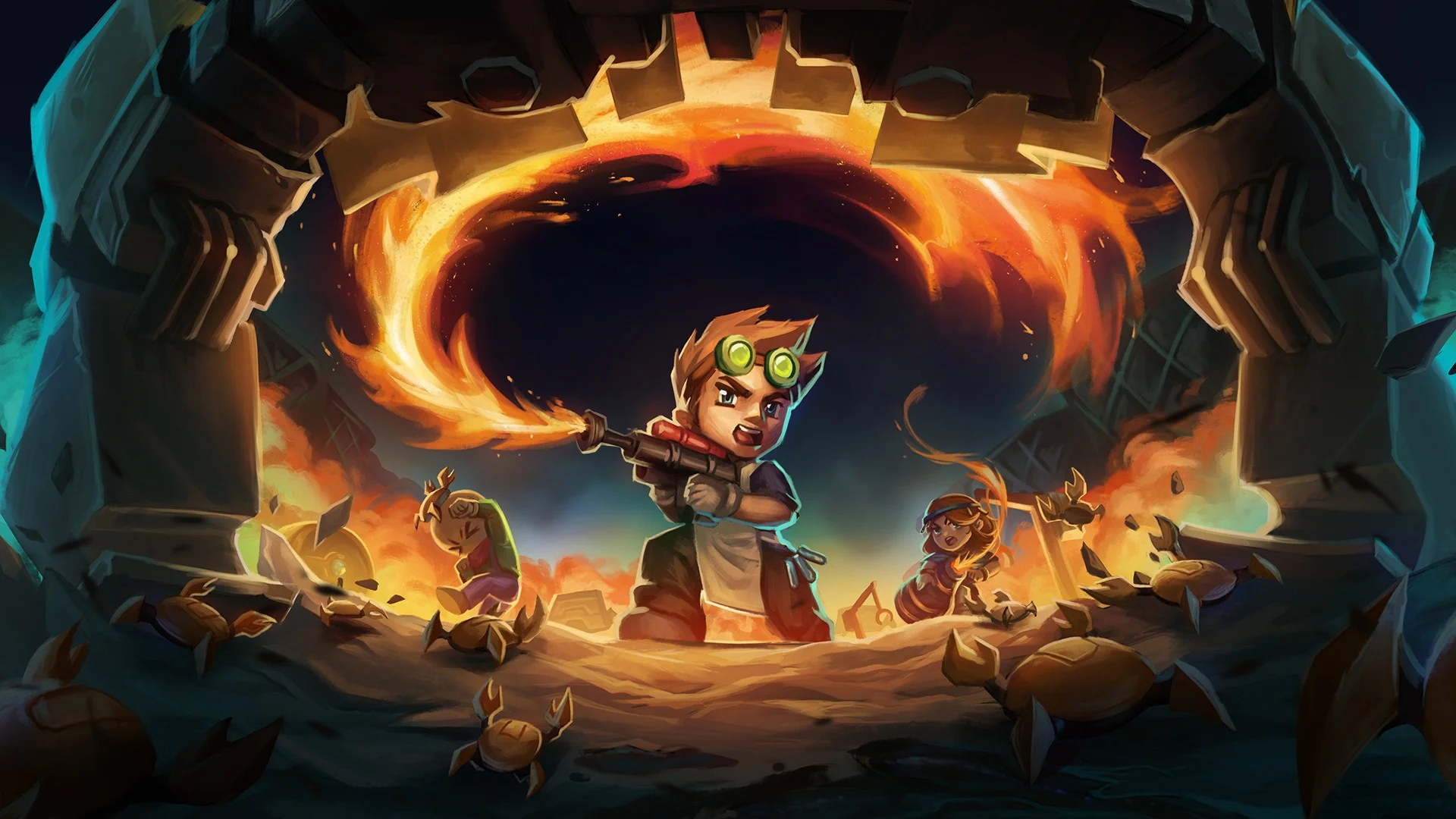 Publisher Fireshine Games and developer Pugstorm dazzled us with the gorgeous survival sandbox game Core Keeper back in September last year, and today they have announced that more is on the way in the shape of a swanky new Switch 2 Edition. Arriving on 28th January, you can expect this one to feature beefed-up graphical fidelity and frame rate (targeting 60fps), as well as a bunch of visual tweaks in the lighting, shadow, water quality and particle effect departments to keep things looking super sleek. What's more, the Switch 2 version will include native eight-player co-op — a substantial step up from the original's four — and anyone can get involved with a session, even if you're playing on Switch 1 (assuming the session is being hosted by a S2 player, of course). And the best part of all: this Switch 2 Edition upgrade will be completely free for those who already own the game on the old hardware! The good news doesn't end there either. Fireshine Games and Pugstorm have also announced that the free 'Volt & Voltage' update will be arriving on all systems on the very same day. This packs in a new biome to explore, fresh enemy types and bosses, and a bunch of cool new weapons. It promises to be a rather beefy one, so if you've been looking for an excuse to dive back in, this might just be the perfect opportunity. Images: Fireshine Games In our review of the original Switch 1 release, we called Core Keeper "a wonderfully engaging and mysterious survival sandbox that is tough to put down once it gets its hooks in you," and it's certainly one to watch if you're a fan of Minecraft or Terraria. Bring on even more in January!
 -
Publisher Fireshine Games and developer Pugstorm dazzled us with the gorgeous survival sandbox game Core Keeper back in September last year, and today they have announced that more is on the way in the shape of a swanky new Switch 2 Edition. Arriving on 28th January, you can expect this one to feature beefed-up graphical fidelity and frame rate (targeting 60fps), as well as a bunch of visual tweaks in the lighting, shadow, water quality and particle effect departments to keep things looking super sleek. What's more, the Switch 2 version will include native eight-player co-op — a substantial step up from the original's four — and anyone can get involved with a session, even if you're playing on Switch 1 (assuming the session is being hosted by a S2 player, of course). And the best part of all: this Switch 2 Edition upgrade will be completely free for those who already own the game on the old hardware! The good news doesn't end there either. Fireshine Games and Pugstorm have also announced that the free 'Volt & Voltage' update will be arriving on all systems on the very same day. This packs in a new biome to explore, fresh enemy types and bosses, and a bunch of cool new weapons. It promises to be a rather beefy one, so if you've been looking for an excuse to dive back in, this might just be the perfect opportunity. Images: Fireshine Games In our review of the original Switch 1 release, we called Core Keeper "a wonderfully engaging and mysterious survival sandbox that is tough to put down once it gets its hooks in you," and it's certainly one to watch if you're a fan of Minecraft or Terraria. Bring on even more in January! View full article
-
.jpg.f80decb69d7e92d212e926a5adf8668c.jpg) Metroid Prime 4: Beyond marks a completely new story where the legendary bounty hunter Samus Aran is unexpectedly transported to the unknown planet Viewros. As you've probably already seen, she's also joined by a team of Galactic Federation soldiers. In the same recently published article on Nintendo's Japanese website, there's an official introduction to the team of soldiers who have also been transported to the same location. Throughout this new adventure, Samus will work and fight alongside all of these characters to return home alive. If you don't want any spoilers, you might want to navigate away from this page right now. Below is a look at each of the Galactic Federation soldiers and a description. Apart from MacKenzie's description (based on the in-game logbook which has already been shared online), the other descriptions are translated from Nintendo's website. Here's what you can expect: Myles MacKenzie Image: Nintendo Tokabi Image: Nintendo Sergeant 'Duke' Image: Nintendo Private First Class 'Armstrong' Image: Nintendo Android 'VUE-995' Image: Nintendo Samus and the teamNintendo has also shared some more screenshots, cinematics and gameplay of Samus with the team, which you can see at the top of this page, and in the screenshots and video below: Images: Nintendo Images: Nintendo Images: Nintendo
Metroid Prime 4: Beyond marks a completely new story where the legendary bounty hunter Samus Aran is unexpectedly transported to the unknown planet Viewros. As you've probably already seen, she's also joined by a team of Galactic Federation soldiers. In the same recently published article on Nintendo's Japanese website, there's an official introduction to the team of soldiers who have also been transported to the same location. Throughout this new adventure, Samus will work and fight alongside all of these characters to return home alive. If you don't want any spoilers, you might want to navigate away from this page right now. Below is a look at each of the Galactic Federation soldiers and a description. Apart from MacKenzie's description (based on the in-game logbook which has already been shared online), the other descriptions are translated from Nintendo's website. Here's what you can expect: Myles MacKenzie Image: Nintendo Tokabi Image: Nintendo Sergeant 'Duke' Image: Nintendo Private First Class 'Armstrong' Image: Nintendo Android 'VUE-995' Image: Nintendo Samus and the teamNintendo has also shared some more screenshots, cinematics and gameplay of Samus with the team, which you can see at the top of this page, and in the screenshots and video below: Images: Nintendo Images: Nintendo Images: Nintendo -
Metroid Prime 4: Beyond marks a completely new story where the legendary bounty hunter Samus Aran is unexpectedly transported to the unknown planet Viewros. As you've probably already seen, she's also joined by a team of Galactic Federation soldiers. In the same recently published article on Nintendo's Japanese website, there's an official introduction to the team of soldiers who have also been transported to the same location. Throughout this new adventure, Samus will work and fight alongside all of these characters to return home alive. If you don't want any spoilers, you might want to navigate away from this page right now. Below is a look at each of the Galactic Federation soldiers and a description. Apart from MacKenzie's description (based on the in-game logbook which has already been shared online), the other descriptions are translated from Nintendo's website. Here's what you can expect: Myles MacKenzie Image: Nintendo Tokabi Image: Nintendo Sergeant 'Duke' Image: Nintendo Private First Class 'Armstrong' Image: Nintendo Android 'VUE-995' Image: Nintendo Samus and the teamNintendo has also shared some more screenshots, cinematics and gameplay of Samus with the team, which you can see at the top of this page, and in the screenshots and video below: Images: Nintendo Images: Nintendo Images: Nintendo View full article
-
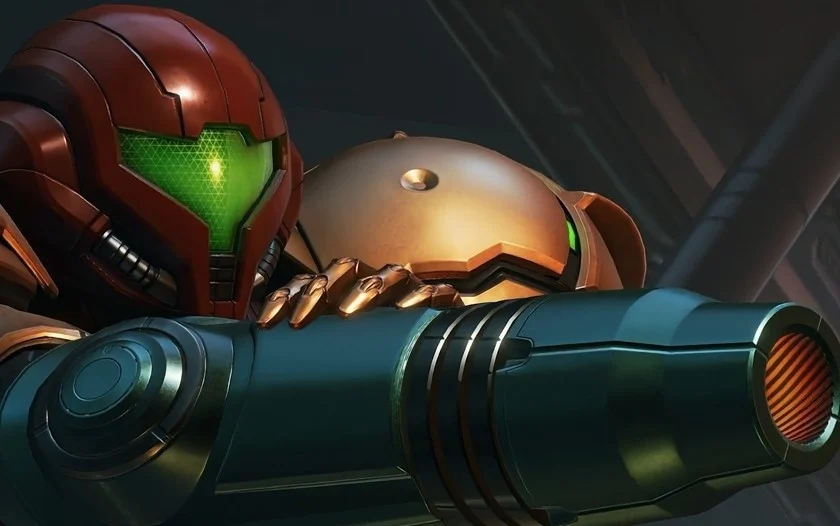 Whether you're a veteran of the series or just starting out, Metroid Prime 4: Beyond will have a difficult to match your skill. In a new article on the official Japanese Nintendo website, the difficulty settings in Samus' new mission on Planet Viewros have been detailed. When you start this adventure, you will be able to select from either a 'casual' or 'normal' mode. Casual mode will lower enemy HP and reduce the amount of damage Samus takes, and is recommended for first-time players. And as you probably guessed, normal mode offers the standard Metroid Prime experience. If you want a tougher challenge, once normal mode is cleared, you'll unlock hard mode. If you've played previous entries such as Metroid Prime Remastered, these difficulty settings shouldn't come as a surprise. The same post has also detailed how players will also be able to adjust certain other in-game settings. This includes the ability to fine-tune the sensitivity of the analog and mouse controls, which can help if you're struggling with movement or aiming. You'll also be able to adjust the screen display and volume settings to your liking. You can see what else Nintendo has revealed about Metroid Prime 4: Beyond in our previous coverage.
 -
Whether you're a veteran of the series or just starting out, Metroid Prime 4: Beyond will have a difficult to match your skill. In a new article on the official Japanese Nintendo website, the difficulty settings in Samus' new mission on Planet Viewros have been detailed. When you start this adventure, you will be able to select from either a 'casual' or 'normal' mode. Casual mode will lower enemy HP and reduce the amount of damage Samus takes, and is recommended for first-time players. And as you probably guessed, normal mode offers the standard Metroid Prime experience. If you want a tougher challenge, once normal mode is cleared, you'll unlock hard mode. If you've played previous entries such as Metroid Prime Remastered, these difficulty settings shouldn't come as a surprise. The same post has also detailed how players will also be able to adjust certain other in-game settings. This includes the ability to fine-tune the sensitivity of the analog and mouse controls, which can help if you're struggling with movement or aiming. You'll also be able to adjust the screen display and volume settings to your liking. You can see what else Nintendo has revealed about Metroid Prime 4: Beyond in our previous coverage. View full article
-
It’s another GTA Online Weekly Update and wow, it’s a big one. Rockstar are going all out to let you make plenty of money before mansions get added in just two weeks. Black Friday sales have tons of content on massive discount plus up to 5x cash. Check out everything happening in GTA Online during this Event Week which will run from November 27th through December 3rd. Free Reward Log in to GTA Online this week to receive the Pluck Me Sweater. New Listing Missions To help generate some income for such expensive properties, “New Listing Missions” have been added to the game and you can up to 4x GTA$ and RP on them. Want to find out how to access and complete them? This also comes with the Prix Luxury Real Estate VIP Program. Earn the Gold Tier of this program by December 7th to earn rewards that will be important for the next GTA Online update. The rewards are as follows: GTA$2,000,000 off all Prix Luxury Real Estate listings GTA$1,000,000 cash bonus New Rockstar Games Varsity Crew Neck Sweater Given the fact that Rockstar are giving you up to $3m off mansions…they’re about to be expensive! To get these rewards, you need to complete all of the New Listings Missions by December 7th. Free Rewards VIP Program Continues Here’s a screenshot from Rockstar showing one of the new, purchasable mansions. As part of the “VIP Program”, Rockstar are giving away several items over the course of the next few weeks. Simply log into GTA Online once before December 7th and you’ll earn 5 items. You’ll receive these within 72 hours of logging in. The items are: Übermacht Revolter with the Sessanta Nove Monogram livery Santo Capra Cap Black Santo Capra Ornate Tee Black Santo Capra Ornate Mini Dress (Ladies Only) Black Santo Capra Coin Pool Sliders FIB Priority File The FIB Priority File in GTA Online this week is The Fine Art File. Priority Files pays double. Salvage Yard Robberies The Duggan Robbery: Dinka Jester RR The Gangbanger Robbery: Grotti Stinger GT The Cargo Ship Robbery: Ocelot Jugular Podium Vehicle This week at the Casino in GTA Online, take your daily spin with the lucky wheel for your chance to win the Annis S80RR, which costs $2,575,000 from Legendary Motorsport. GTA+ members now get 2 spins per 24 hours. Prize Ride Challenge This week in GTA Online, place top 2 in the LS Car Meet Series for 3 days in a row to unlock the Annis Euros as the Prize Ride vehicle. It costs $1,800,000 from Legendary Motorsport. Premium Test Ride Vehicle This week’s GTA Online Premium Test Ride Vehicle is the Bravado Buffalo EVX for PS5, Xbox Series X/S and PC players. Test Track Vehicles This week’s GTA Online Test Track Vehicles are the Karin 190z, Lampadati Michelli GT & Ocelot Lynx. Luxury Autos Car Dealership The GTA Online Luxury Autos Car Dealership located in Rockford Hills has two cars on show for purchase. The cars this week are the Bravado Banshee GTS & Übermacht Revolter with the Sessanta Nove Monogram livery. Premium Deluxe Motorsport Simeon’s Auto Shop has five cars available to purchase and test drive in GTA Online. They are the Benefactor LM87, Dewbauchee Champion, Progen Emerus, Pegassi Ignus & Pegassi Tezeract. Gun Van Contents Weapons Compact EMP Launcher (50%, GTA+ 50%) Railgun (10%, GTA+ 50%) Heavy Rifle (30%, GTA+ 40%) Precision Rifle (30%, GTA+ 40%) Widowmaker (30%, GTA+ 40%) Up-n-Atomizer (30%, GTA+ 40%) Baseball Bat (FREE) Throwables Sticky Bomb (30%, GTA+ 40%) Body Armor Super Light Armor (30%, GTA+ 40%) Light Armor (30%, GTA+ 40%) Standard Armor (30%, GTA+ 40%) Heavy Armor (30%, GTA+ 40%) Super Heavy Armor (30%, GTA+ 40%) Premium Race This week’s Premium Race is Congestion Charge. HSW Time Trial This week’s HSW Time Trial is Del Perro Pier. RC Time Trial This week’s RC Time Trial is Cypress Flats. Time Trial This week’s Time Trial is Del Perro Beach. Weekly Challenge The GTA Online Weekly Challenge for this week is “Complete three A Superyacht Life Missions”. You’ll earn the Vibrant Check Smoking Jacket and GTA$100,000 for doing so. Discounts FREEOwners of the Orion or Pisces Yacht models can upgrade to the Aquarius for free. 70% offMammoth Avenger including Upgrades and Modifications 50% offEclipse Blvd Garage Garment Factory Nightclubs (including Upgrades and Modifications) Hangars (including Upgrades and Modifications) McKenzie Field Hangar Hands On Car Wash Higgins Helitours Smoke on the Water High-End Apartments Benefactor Terrorbyte including Upgrades and Modifications 40% offGalaxy Super Yachts including Modifications Annis ZR350 B-11 Strikeforce Bravado Buffalo STX Buckingham Luxor Buckingham Swift Deluxe Declasse Vigero ZX Convertible Dewbauchee Champion Imponte Deluxo Mammoth F-160 Raiju Mammoth Hydra Pegassi Ignus Pegassi Tezeract Pegassi Toreador M-02 Khanjali 30% off Benefactor LM87 Bravado Banshee GTS Coil Raiden Declasse Granger 3600LX Karin Technical Lampadati Komoda Lampadati Cinquemila Ocelot XA-21 Överflöd Tyrant Progen Emerus Progen Tyrus Übermacht Niobe Übermacht Zion Classic Vapid Caracara Vysser Neo Bonuses 5x GTA$ and RP on A Superyacht Life Missions 4x GTA$ on FIB Priority File 2x GTA$ and RP on New Listings Missions (4x for GTA+ Members) 2x GTA$ and RP on Shipwrecks 2x GTA$ and RP on Featured Series: Deadline GTA+ Benefits GTA+ perks now includes access to GTA Online. There’s also the Rockstar Games classics catalog and a whole host of GTA Online bonuses which you can check out here.
-
METAL GEAR SOLID - Master Collection Version TID=0100C1301A9C2000 Any Cheat that says .. "Have ...." will also give you unlimited usages of said item. ## Cheat List God Mode Unl. Oxygen No Reload Radar Not Jammed When Spotted Have SOCOM Pistol Have FAMAS Rifle Have Nikita Have PSG1 Rifle Have Claymore Mines Have C4 Have Grenades Have Stun Grenades Have Chaff Grenades Have Cigarettes Have Scope Have Cardboard Box A Have Cardboard Box B Have Cardboard Box C Have Night Vision Goggles Have Thermal Goggles Have Gas Mask Have Body Armor Have Ketchup Have Stealth Camouflage Have Bandana Have Camera Have Rations Have Medicine Have Diazepam Have PAL Key Have Level 100 Key Card Have Mine Detector Have Rope Have Hankerchief Have Suppressor ActiveGitHubNXCheats/METAL GEAR SOLID - Master Collection Version at...Repository for cheats I've made or worked on for the switch. - bad1dea/NXCheats
-
With next year (and beyond) on Xbox looking pretty darn stacked, Microsoft could be having some trouble knowing where exactly to place its first-party games in its 2026 release calendar. We know of four big titles landing next year at the moment - and some fresh rumors today are giving us a narrower window for one of those titles, whilst also adding another fifth game into the 2026 mix. Right, let's look at that narrower release window to start off with. NateTheHate — a well-known gaming leaker — has taken to social media this week to reiterate that Forza Horizon 6 is planned for the first half of 2026. We've heard a similar rumor to this one before, but for now, Xbox and Playground Games have simply attached a broad 2026 window to FH6 in an official capacity. The rumor on our second game in question here isn't quite as specific in terms of its window, but it's an interesting update for an Xbox Game Studios title nonetheless. Clockwork Revolution from inXile (which at the moment doesn't have any sort of release timeframe) could also be coming from Microsoft sometime in 2026. The GamingLeaksAndRumours subreddit has spotted that former inXile writer Nathan Long has Clockwork Revolution listed on LinkedIn as one of their 2026 projects, even if Long is seemingly no longer working on the title. Of course, as is always the case with these sorts of rumor articles - we're urging you to prepare a bucketload of salt with these two. Microsoft hasn't confirmed either of these rumors/leaks right now, and all we know for sure is that both of these titles are coming in the near future. Here's hoping we get official updates on both of them pretty soon... Xbox Developer Direct, anyone?
-
Blaze has revealed two new Evercade cartridges, both of which are launching in February 2026. First up is The Turrican Collection, which includes the home computer and console versions of the famous run-and-gun franchise. Included in this collection are: Turrican Turrican II: The Final Fight Turrican 3 Super Turrican Super Turrican Director’s Cut Super Turrican 2 Super Turrican Score Attack Mega Turrican Mega Turrican Director’s Cut Mega Turrican Score Attack The other release is Taito Arcade 3, which includes: CADASH CAMELTRY CRAZY BALLOON THE FAIRYLAND STORY FOOTBALL CHAMP LUNAR RESCUE PUZZLE BOBBLE QIX ZOO KEEPER Both carts will be priced at £19.99 / $24.99 / €24.99.
-
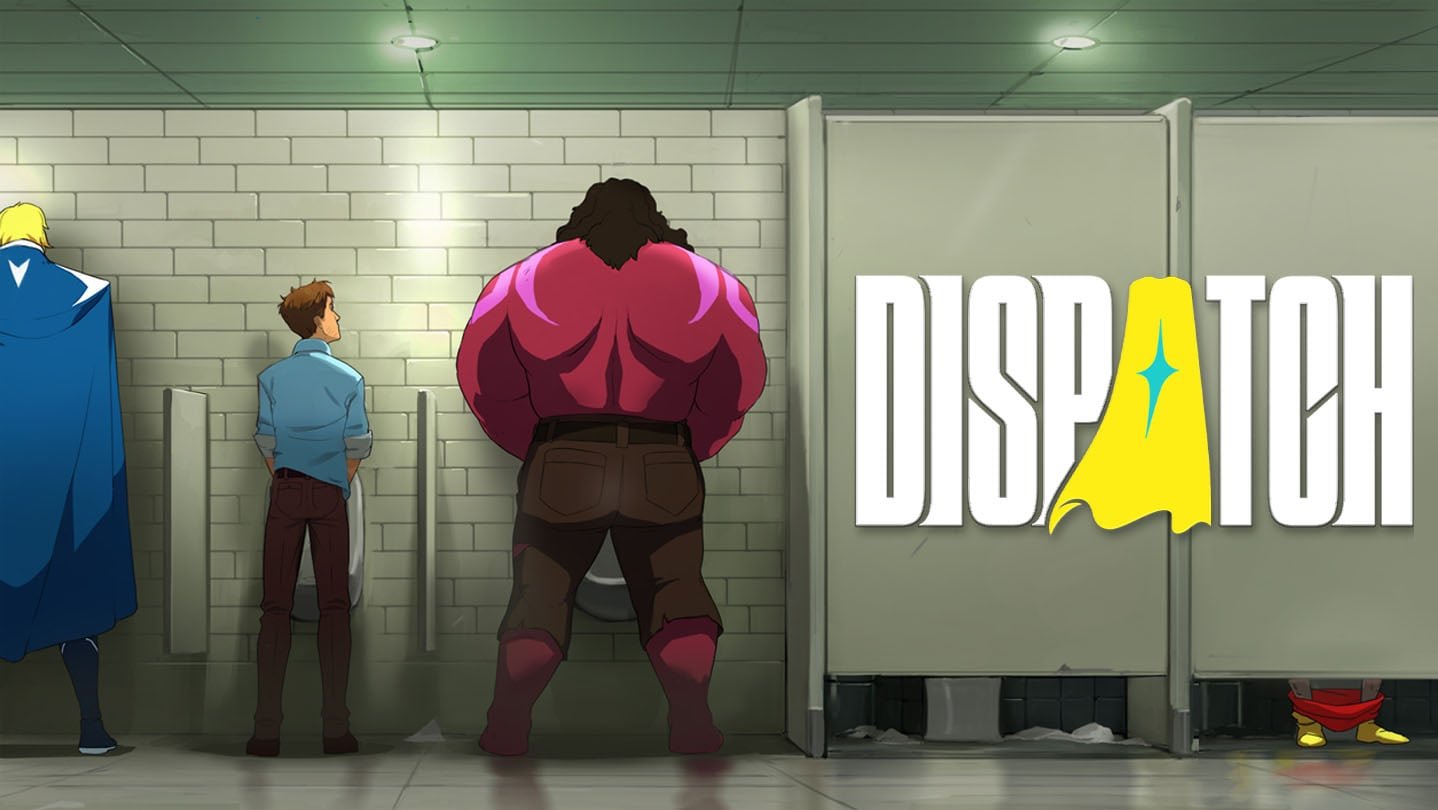 Once Mecha Man, the superhero behind an armoured suit, Robert Robertson finds himself working for the Superhero Dispatch Network (SDN). This follows a mission where the suit was wrecked. Now working as a dispatcher, he is in charge of managing and strategising a roster of heroes to handle emergencies across Los Angeles. However, he is not overseeing a regular group of heroes. The Z-team, as they are known, is made up of former villains. On top of attempting to create a synergistic team with this bunch of misfits, Robert will have to juggle between office politics, personal relationships and rebuilding his suit. The outcome will rely on your decisions. From flailing superhero to superhero managerDispatch flips the superhero script. Instead of donning a cape, you sit behind a desk and manage chaos behind the scenes. It’s a simple yet original concept that helps us, mere humans, relate better to the plot. Across its eight episodes, it keeps the right balance of comedy, drama, character development and superhero action. The need to see through the misfit team of supervillains-turned-superheroes and get up to speed with the evolving in-game relationships kept me hooked to the game. I was totally invested in the plot as it evolved, not unlike a soap opera. Once I completed an episode, I couldn’t wait to jump onto the next. Each is well paced, at around 1 hour per episode, which feels like the right length, although I felt it breezed past me. My interest in this game was surprising, as I am not particularly drawn to the superhero genre, and I'm also not a fan of episodic structure. It attests to the excellent execution of the narrative, despite basing itself on a familiar genre. While it does have some narrative hiccups and overused tropes, especially in the final stretch, the writing sticks the landing. It is much better executed than other recent episodic titles like Lost Records: Bloom and Rage. The star-studded cast also helps bring the characters to life. From Breaking Bad’s Aaron Paul to Westworld’s Jeffrey Wright and Critical Role members (as well as a few YouTubers), the Z-team is excellently portrayed. Its cartoon-style aesthetics are a right fit for its setting. The animation is also on point, with action scenes packing a punch and characters’ feelings acutely conveyed in their body language. Despite the kid-friendly look, it is not exactly PG-certified as the game doesn’t hesitate to indulge in gore and adult themes. Think of it more akin to Invincible rather than Teen Titans. The Telltale DNAWhile Dispatch is AdHoc Studio’s debut game, the development team includes writers and directors of Tales from the Borderlands and The Wolf Among Us; and it shows. The Telltale Games DNA is apparent in this title. From the episodic structure to the branching narrative design, Dispatch feels like a Telltale game in the best ways. While Telltale games are traditionally more involved, allowing you to control the main character, Dispatch feels more like a visual novel. You don’t actively control Robert, but are watching the events unfold. But it wouldn’t be totally fair to call it a visual novel as Dispatch is more involved than one. You are frequently presented with timed choices, which often lead to branching narrative paths and, ultimately, the ending that you experience. Decisions can vary in their weight, from choosing how to pose as Mecha Man to making moves towards a romantic partner. These add a layer of urgency in the heat of the action. However, the timed mechanic can feel overwhelming. As the countdown begins in the middle of a conversation, you might be tempted to jump on an option before getting the full context at the sight of the depleting timer. The game also includes optional QTEs during cutscenes. These can be toggled off, as it is the narrative choices that matter. In the shoes of a superhero dispatcherIn addition to narrative choices, another core mechanic is that of dispatching superheroes. While on a shift at SDN, you are given control of the dispatcher console. You have to decide which Z-team member to send on which mission, immersing you in the role of a superhero dispatcher. This is the most hands-on that the game gets. While the premise sounds simple enough, dispatching involves considerable strategising and hero management. You will have to assign heroes to missions that best suit their abilities. If not, they won't perform well, impacting their scores and upgrades. If they succeed, they earn skill points that you can use to upgrade their skills. In some missions, more than one hero can be assigned. This can lead to complementary skills, increasing your chances of success. But to successfully implement such strategies, you will have to know your team members and pay close attention to the requirements of the mission. Similarly, in-between missions, some unexpected events can happen; you need to choose between some options, and knowing your hero’s strengths and weaknesses will help in making the right decision. For example, if Flambae has been trapped en route for a mission, it's better to use an offensive or explosive option rather than one that requires intellect Somehow, this gameplay aspect reminded me of the likes of football managers. Luckily, Dispatch does a great job at smoothly onboarding you as the newest dispatcher, so the learning curve doesn’t feel particularly steep. Heroes also engage in conversation during missions, breaking the monotony and making the universe feel lively. There are also occasional hacking puzzles sprinkled in some missions, which help in diversifying the gameplay. Dispatch: behind-the-scenes heroismDispatch is a witty and enjoyable superhero story with a layer of strategising mechanics that rethinks heroism from behind the scenes. Its absorbing workplace dramedy, combined with light management sim and impactful narrative choices, creates a unique hybrid that sticks the (superhero) landing. Even if the superhero genre doesn’t pique your interest, it’s well worth trying out Dispatch now that all of its episodes are available. Dispatch | Official Launch Trailer