




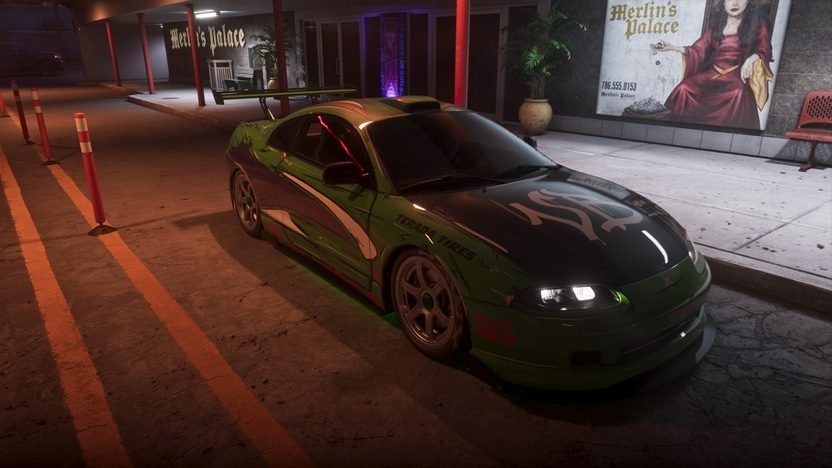

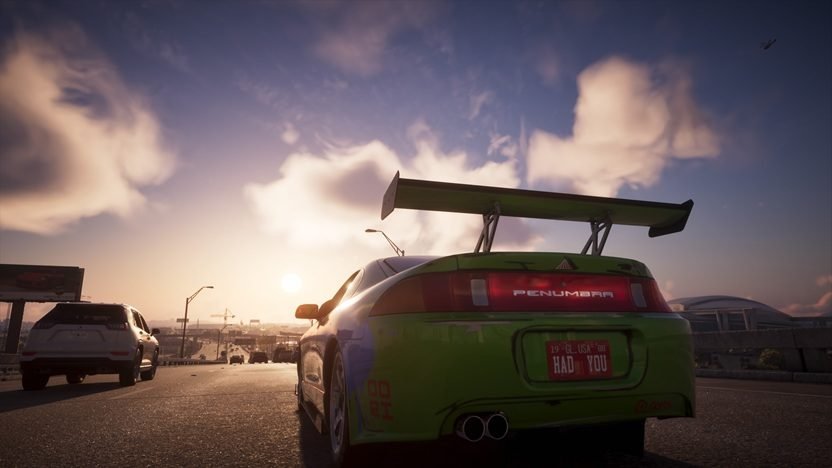
Rockstar has hidden a love letter to The Fast and the Furious in Vice City, and you can drive it away for free. The green tuner Brian O'Conner made famous in the 2001 film appears in GTA 6 as the Maibatsu '97 Penumbra FF, complete with a custom "HAD YOU" license plate. There is no mission and no price tag. You simply have to find it, steal it, and, if you want to keep it, register it properly.
Here is exactly where the car is, how to take it, and how to make it yours without losing the iconic paint job.
Where to Find the Paul Walker Car
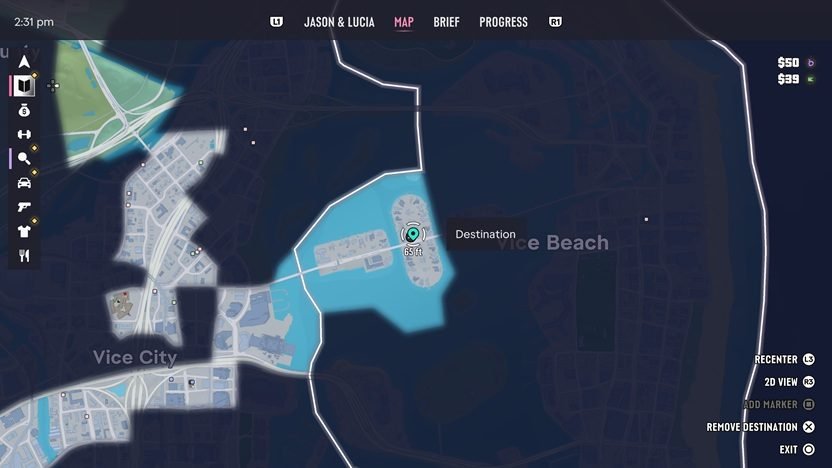
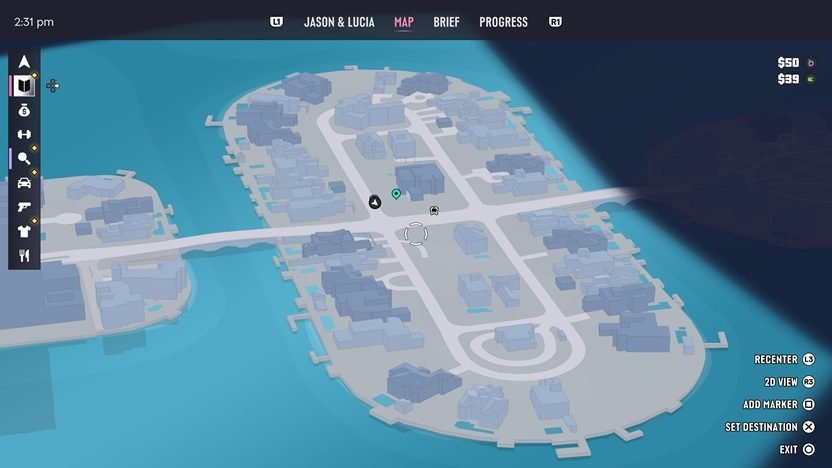
Open your map and look for the Rialto Islands, the small chain of residential islands just west of Vice Beach. Vespucci Island is the oval-shaped one, reached by bridge. Place a waypoint on the large house near the middle of the island. Coming from Vice Beach, the property sits on your left.
It is a fairly long drive from Jason's starting area, but you do not need to reach any particular story mission first. Once the opening sequences are over and you can explore freely, the car is yours for the taking.
How to Steal It
Approach the mansion. The gate opens as you get close.
Go for the main garage door. The side entrance triggers an alarm. You do not need to disable it, but it adds to the heat.
Get into the car. Early on, break the driver's window. After you unlock the Slim Jim in Chapter 2, you can use that instead.
Hotwire it using the on-screen prompts and drive out.
Lose the police. You may leave with a one-star wanted level, two at most. Drive away and it fades quickly.
Be careful with damage. If the car is destroyed before you register it, there is no reliable way to get it back. Your only option may be reloading an earlier save, so treat it gently until it is registered.
The Toy Story Easter Egg
The same garage hides a second movie reference. Several outlets report that breaking into the car's trunk reveals a nod to Toy Story. If you are collecting Easter eggs, check the trunk before you drive off.
How to Register the Car So You Keep It
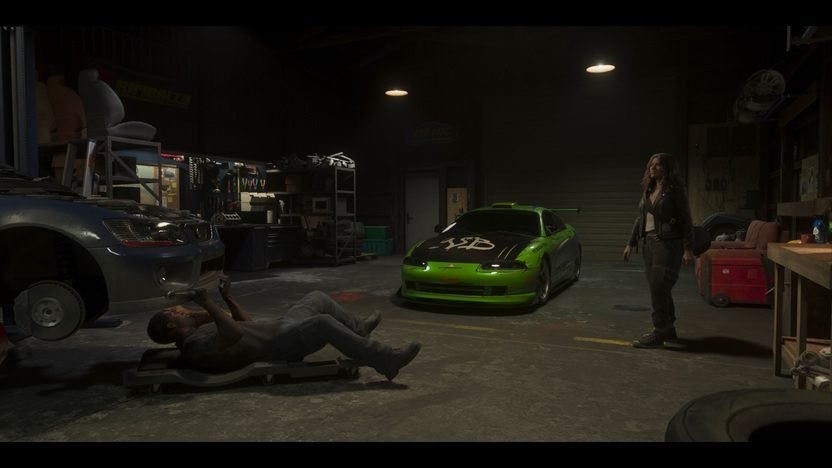
Stealing a car in GTA 6 does not make it yours. To add the Penumbra FF to your collection permanently, you need to register it.
Unlock Moses. Registration opens during Chapter 2. After the mission "Girls' Trip," Vicki points Lucia to Moses.
Head to Watkins Auto Parts in Port Gellhorn, where Moses works.
Drive the car into his garage and choose Respray, then Register.
Make sure you have a free garage slot. Registration needs somewhere to store the car.
Moses offers one free registration. Every registration after that costs money, and the price depends on the vehicle. Use the WAiNK app to check the exact fee before you make the trip.
Registration Removes the Green Paint
Registering requires a respray, and that wipes out the green paint and blue racing graphics that make the car special. Using a Pay 'n' Spray instead is described as costly and not recommended.
When to Steal it
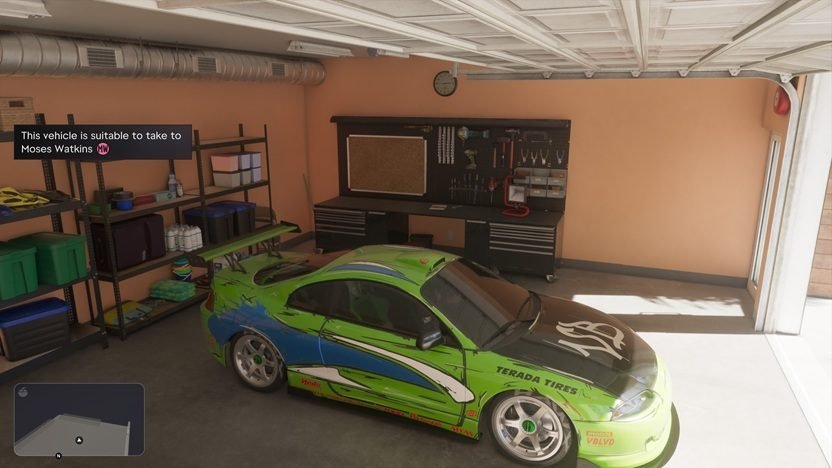
Steal it early, register it later. Grab the car as soon as you can, but only register it once Moses is unlocked in Chapter 2.
Do not waste your free registration. If you spend it on another car, the Eclipse-inspired Penumbra FF will cost the regular fee.
Collect your rainy-day funds. They can still be picked up at the Key Lento safehouse after the Chapter 2 transition.
How to Restore the Original Green Look
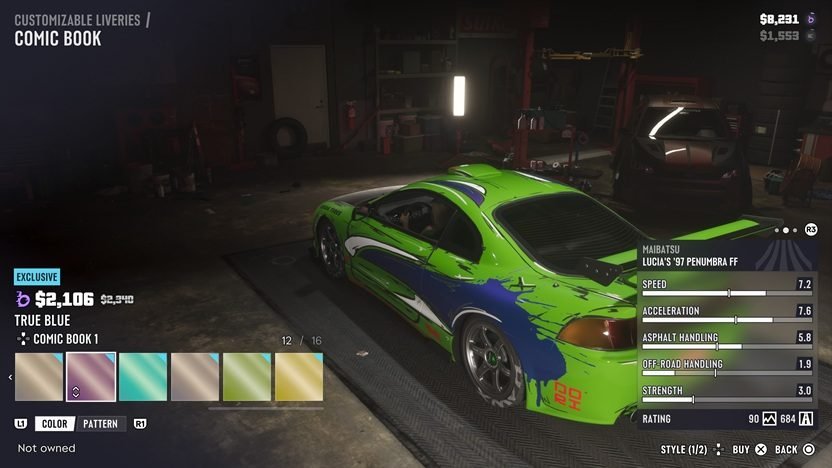
You can bring the movie-car styling back after registering. There are two routes.
Vice Vinyl (Vice City)
Take the car to Vice Vinyl in Vice City. Restoring the original look costs $185, and a restore prompt should appear. There is a known glitch to watch for: if you damage the car and then manually save, the prompt can fail to appear.
Vice City Customs (Western Vice City)
There is no automatic prompt here, so you rebuild the look by hand:
Open the repaint menu and apply Acid gloss paint.
Go to Cosmetics > Customizable Liveries > Comics.
Pick the 12th option, "Comic Book 1."
The livery method is a workaround rather than an official feature, so results may vary.
Recommended Comments