




.webp.4d7d83db869d2e78f2849881304c4ee1.webp)

With Grand Theft Auto VI just three weeks from its November 19 launch, Rockstar Games is taking its marketing push deeper into the real-life city that inspired Vice City. Miami-Dade County has confirmed a deal worth roughly $3.9 million that covers both the advertising already underway and a new round of Vice City branding across the county's most visible public spaces.
What's in the deal
The agreement was announced in a press release from Miami-Dade County Mayor Daniella Levine Cava. It covers the current and additional GTA VI advertising, including the giant Vice City sign on the roof of the Kaseya Center, which went up earlier this fall. More is on the way.
The package also includes additional promotional purchases through the media companies that represent Miami International Airport (MIA) and the county's transportation system. Rockstar will be dressing up some of the area's busiest transit points with:
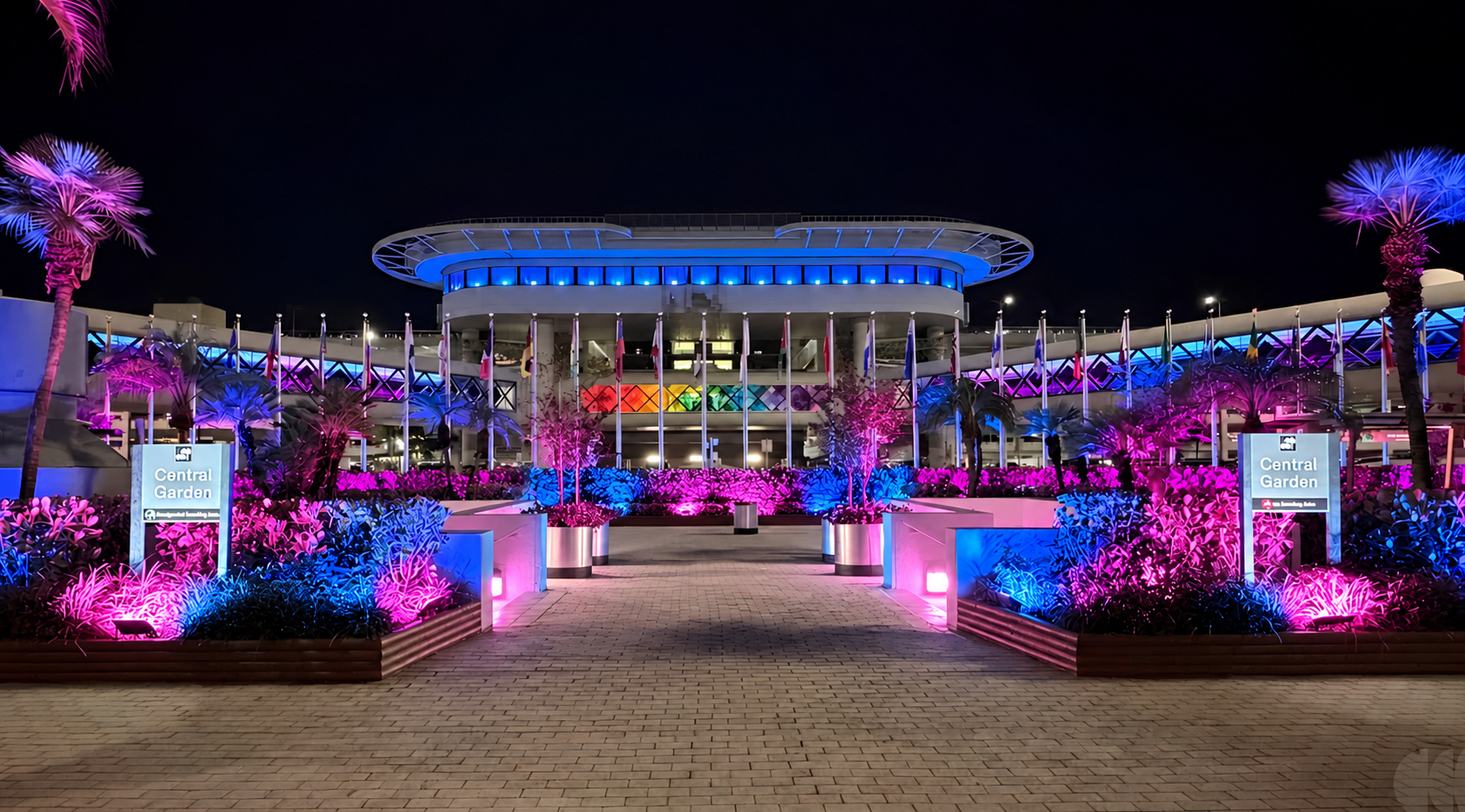
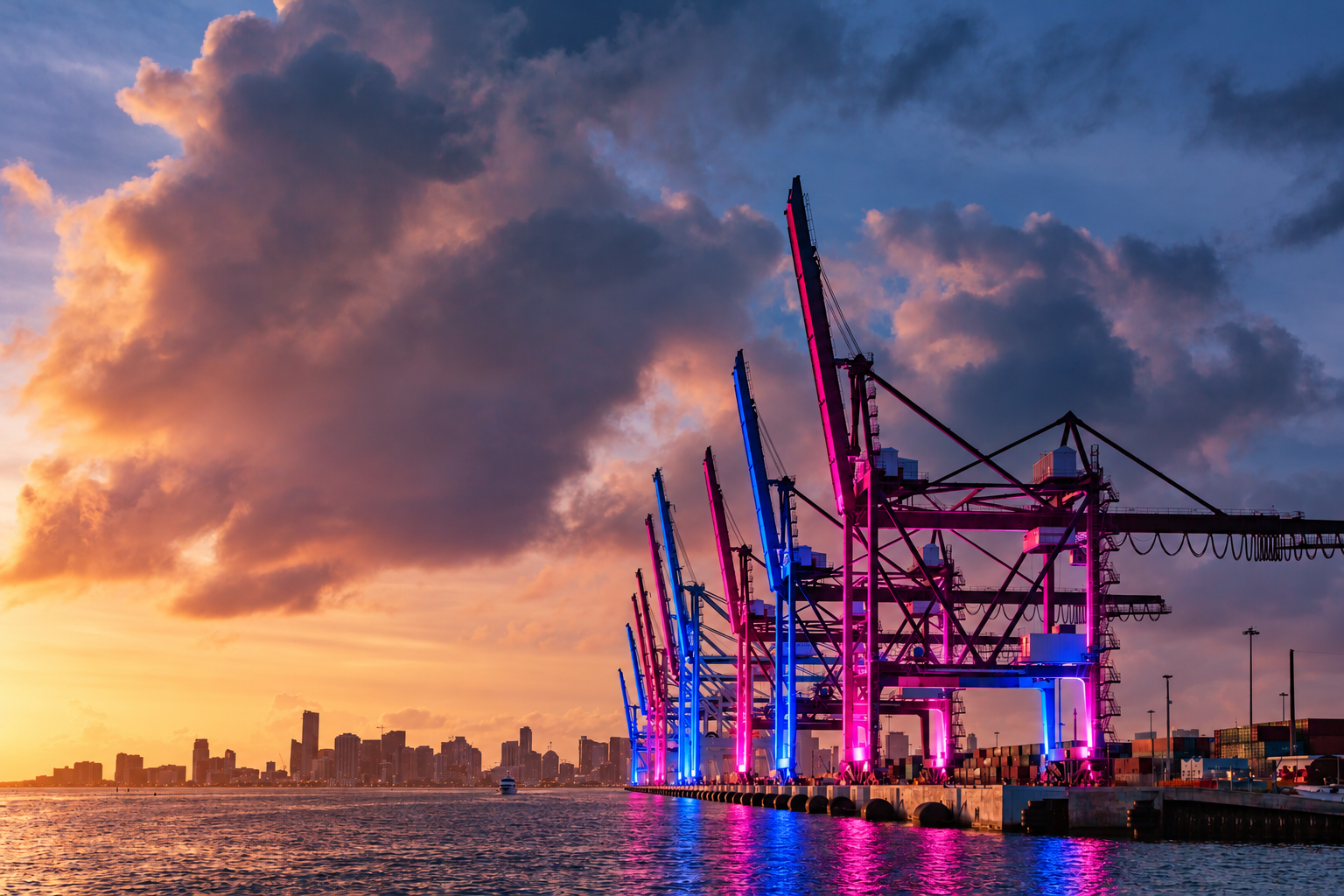
Vice City-themed lighting at MIA and PortMiami
Promotional displays on the pedestrian walkways connecting airport parking garages to the terminals
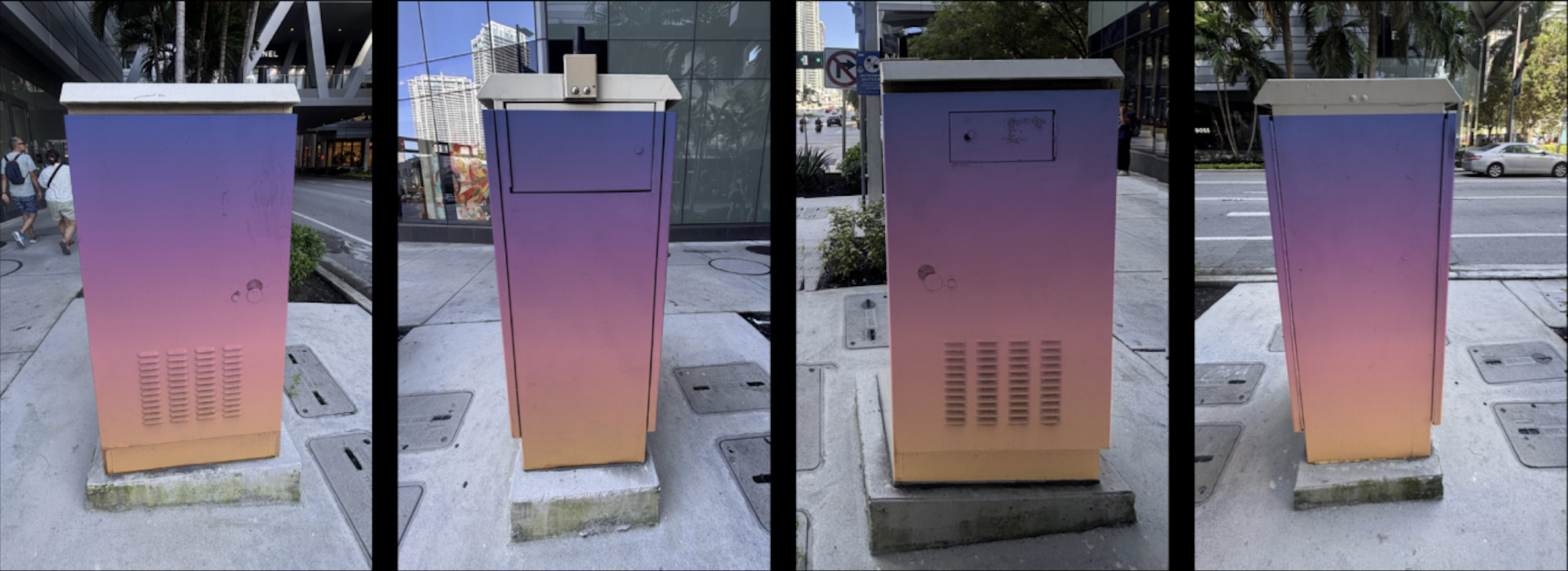
Decorative wraps on selected traffic signal cabinets across the county
Rockstar will pay to install, maintain and remove all of the signage. Concept images of how the county expects the airport, port and other locations to look have also been released.
A long road to approval
The deal comes after weeks of debate. Rockstar first pitched the county in June on a far more ambitious plan that included a "Vice City Airport" rebrand, wrapped Metromover trains and Port Gellhorn-inspired murals at PortMiami. That pitch drew open opposition from Miami-Dade Sheriff Rosie Cordero-Stutz, who argued the franchise is "built around criminal activity," and from Commissioner Juan Carlos Bermudez, who said he couldn't believe the county was considering rebranding Miami International Airport as "Vice City Airport." The sheriff's office had also rejected promotional partnerships tied to the launch.
The version now moving forward is narrower than the original pitch, built around lighting, walkway displays and signal cabinet wraps rather than a full airport renaming. It is, however, clearly happening.
Why Miami-Dade is on board
Levine Cava framed the agreement as a revenue opportunity for the county:
"With millions of people around the world waiting for this release, we have an opportunity to make sure Miami-Dade benefits from that attention. These agreements allow us to turn that excitement into additional revenue for our community."
It's a notable shift for a county that spent the late summer divided over whether to associate itself with the franchise at all. With the release this close, the argument that GTA VI is a once-in-a-generation marketing moment seems to have won out.
More GTA 6 news
The takeover lands during a busy week for the game. Rockstar has revealed the game's download size, 210GB, and review copies have reportedly been sent to media outlets. Pre-order data has also shown demand running well ahead of any other game.
Grand Theft Auto VI launches November 19, 2026, on PlayStation 5 and Xbox Series X|S.
Recommended Comments