





Rockstar
Administrators
-
Joined
-
Last visited
Everything posted by Rockstar
-

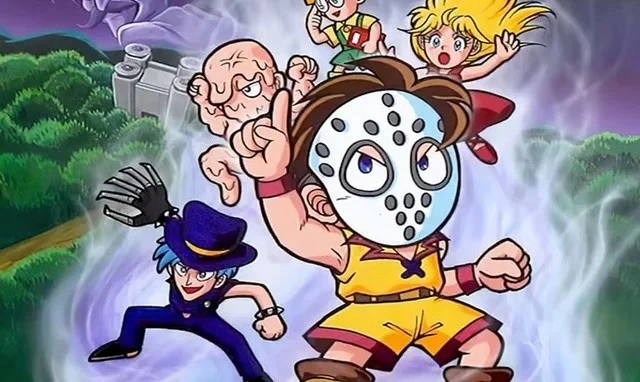 Update [Thu 4th Dec 2025, 4:15am]: Splatter World is now playable in English, thanks to the efforts of the fan translation community. "Splatterworld is several things," says Aeon Genesis, the entity behind the translation. "First, it is a cutesy RPG spinoff of Namco's Splatterhouse property. It's a sequel to the Splatterhouse Wanpaku Graffiti cutesy platformer on the Famicom, which was never released outside of Japan. It's a parody of horror films and loves to poke fun at them. It's also a prototype. The game was never commercially released, and was only made available online on Halloween night this year (2025). Naturally, I jumped right on it." Images: Aeon Genesis Aeon Genesis adds: Original Story: Namco's Splatterhouse series began life in the arcades before transitioning to consoles with its direct sequels (both on Sega Genesis / Mega Drive) and its Japan-only spin-off, Splatterhouse - Wanpaku Graffiti. That cute Famicom title was intended to get an RPG sequel of its own, named Splatter World, which was intended to launch in March of 1993 but was ultimately cancelled. It's not known why this happened, but promotional materials were being distributed to Japanese retailers at the close of 1992, so the game was clearly very close to being finished. Splatter World has been a highly sought-after title for some time, and we experienced a Halloween miracle at the end of last week when the game was dumped and released online. As reported by the Splatterhouse fan site West Manison, the ROM was uploaded to 4chan. It currently only works on the emulator FCEUX, which is apparently due to its use of an obscure Namco mapper. However, it's surely only a matter of time before hackers make it compatible with other emulators.
 -
Update [Thu 4th Dec 2025, 4:15am]: Splatter World is now playable in English, thanks to the efforts of the fan translation community. "Splatterworld is several things," says Aeon Genesis, the entity behind the translation. "First, it is a cutesy RPG spinoff of Namco's Splatterhouse property. It's a sequel to the Splatterhouse Wanpaku Graffiti cutesy platformer on the Famicom, which was never released outside of Japan. It's a parody of horror films and loves to poke fun at them. It's also a prototype. The game was never commercially released, and was only made available online on Halloween night this year (2025). Naturally, I jumped right on it." Images: Aeon Genesis Aeon Genesis adds: Original Story: Namco's Splatterhouse series began life in the arcades before transitioning to consoles with its direct sequels (both on Sega Genesis / Mega Drive) and its Japan-only spin-off, Splatterhouse - Wanpaku Graffiti. That cute Famicom title was intended to get an RPG sequel of its own, named Splatter World, which was intended to launch in March of 1993 but was ultimately cancelled. It's not known why this happened, but promotional materials were being distributed to Japanese retailers at the close of 1992, so the game was clearly very close to being finished. Splatter World has been a highly sought-after title for some time, and we experienced a Halloween miracle at the end of last week when the game was dumped and released online. As reported by the Splatterhouse fan site West Manison, the ROM was uploaded to 4chan. It currently only works on the emulator FCEUX, which is apparently due to its use of an obscure Namco mapper. However, it's surely only a matter of time before hackers make it compatible with other emulators. View full article
-
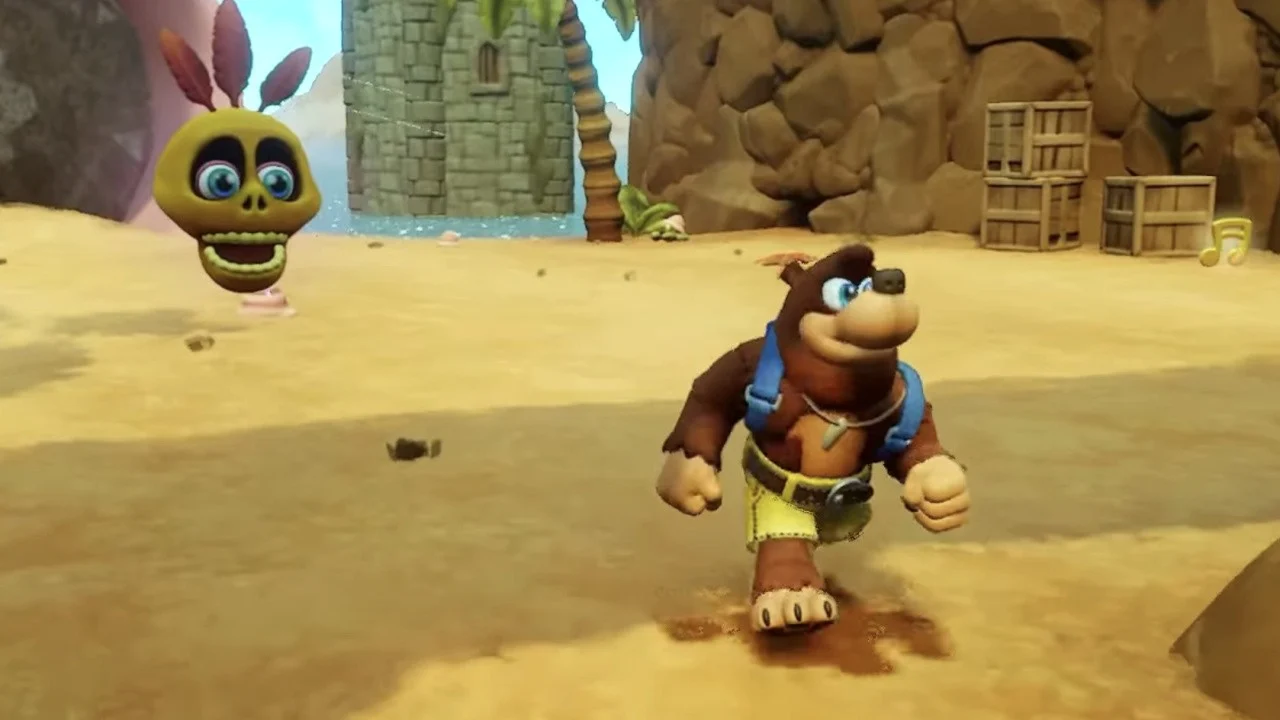 Fans have been crying out for a new Banjo-Kazooie game ever since Banjo-Kazooie: Nuts & Bolts was released in 2008. But apart from a strange audience-controlled interactive demo at SXSW in 2015, the occasional merch drop, and a playable cameo in Smash back in 2019, there hasn't really been much to look forward to when it comes to official news regarding the bird and the bear. Instead, it has mostly fallen to the Banjo fan community to keep the series's legacy alive, with developers creating spiritual successors, ROM hacks, and fan games to offer players that classic platforming experience that they've been so desperately missing. With that in mind, we wanted to tell you about the latest of these projects that recently crossed our radar: Banjo Kazooie: Mumbomania. This is an amazing new fan game built inside Media Molecule's Dreams for the PS4 and PS5 by the creator of Trip's Voyage, @Eupholace, in addition to @Piece_of_Craft and @duckenomics, which lets you revisit an expanded version of one of Banjo-Kazooie's most iconic levels: the pirate-themed Treasure Trove Cove. According to Eupholace, the one-level fangame reportedly took 14 months and 800+ hours to build, and features 30 jiggys to collect, as opposed to the 10 which were featured in the original game. There are also a bunch of brand new transformations included as well to discover, letting you transform from a fish to a cannon to a big rock monster to get around the level. Even better, these transformations are now instantaneous and won't require you to constantly backtrack to Mumbo's shack, with the witch doctor following closely behind the player at all times. Since its release yesterday, former Rare staff have responded to the announcement. The Banjo-Kazooie, Tooie, and Nuts & Bolts composer Grant Kirkhope responded to the trailer, for instance, with an eyes emoji, later adding, "I almost shed a tear." Steve Mayles, the "chief scribbler", art director and character designer, on Banjo Kazooie and artist on Tooie and Nuts & Bolts, meanwhile, told Eupholace, "I can see you had a lot of fun making this!" If you want to check out the game, you'll need a copy of Dreams and a PS4/PS5. Once Dreams is downloaded, no additional cost is necessary. You just need to search for the game in the list of publicly available creations.
 -
Fans have been crying out for a new Banjo-Kazooie game ever since Banjo-Kazooie: Nuts & Bolts was released in 2008. But apart from a strange audience-controlled interactive demo at SXSW in 2015, the occasional merch drop, and a playable cameo in Smash back in 2019, there hasn't really been much to look forward to when it comes to official news regarding the bird and the bear. Instead, it has mostly fallen to the Banjo fan community to keep the series's legacy alive, with developers creating spiritual successors, ROM hacks, and fan games to offer players that classic platforming experience that they've been so desperately missing. With that in mind, we wanted to tell you about the latest of these projects that recently crossed our radar: Banjo Kazooie: Mumbomania. This is an amazing new fan game built inside Media Molecule's Dreams for the PS4 and PS5 by the creator of Trip's Voyage, @Eupholace, in addition to @Piece_of_Craft and @duckenomics, which lets you revisit an expanded version of one of Banjo-Kazooie's most iconic levels: the pirate-themed Treasure Trove Cove. According to Eupholace, the one-level fangame reportedly took 14 months and 800+ hours to build, and features 30 jiggys to collect, as opposed to the 10 which were featured in the original game. There are also a bunch of brand new transformations included as well to discover, letting you transform from a fish to a cannon to a big rock monster to get around the level. Even better, these transformations are now instantaneous and won't require you to constantly backtrack to Mumbo's shack, with the witch doctor following closely behind the player at all times. Since its release yesterday, former Rare staff have responded to the announcement. The Banjo-Kazooie, Tooie, and Nuts & Bolts composer Grant Kirkhope responded to the trailer, for instance, with an eyes emoji, later adding, "I almost shed a tear." Steve Mayles, the "chief scribbler", art director and character designer, on Banjo Kazooie and artist on Tooie and Nuts & Bolts, meanwhile, told Eupholace, "I can see you had a lot of fun making this!" If you want to check out the game, you'll need a copy of Dreams and a PS4/PS5. Once Dreams is downloaded, no additional cost is necessary. You just need to search for the game in the list of publicly available creations. View full article
-
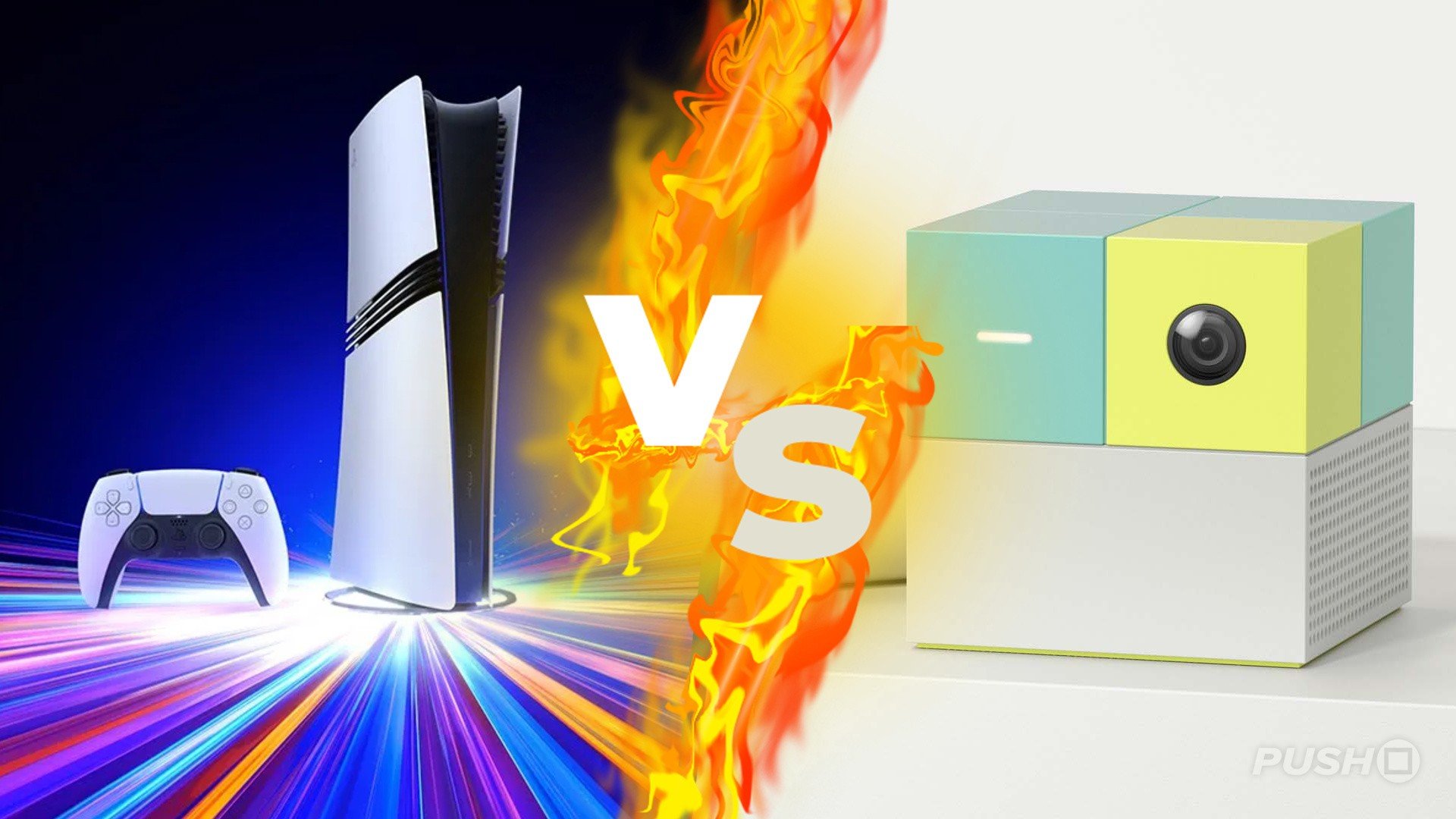 An interesting datapoint from Circana analyst Mat Piscatella reveals the PS5 was outsold by an unexpected US-based rival in the run up to Black Friday last week. While the Switch 2 being top-selling hardware SKU for the week ending 22nd November won’t come as a massive surprise, the NEX Playground Interactive Gaming System coming second is a bit of a shock. If you’ve never heard of this product, it’s effectively a standalone reimagining of the Kinect – or the EyeToy, if you remember the classic PS2 peripheral. Primarily aimed at families and kids, the NEX Playground allows you to enjoy a variety of minigames on your TV using your body as the controller. Options include a simple platformer, kart racer, and more. Piscatella is breaking up SKUs in this chart, so it’s possible the PS5 performed better overall when you combine all of its different SKUs, including Disc and Digital options as well as the PS5 Pro. We’d also, obviously, have expected it to perform better during Thanksgiving week, as the console was discounted and appeared to sell out on Black Friday weekend. But it’s still quite interesting to see a product like the NEX Playground seemingly come out of nowhere and perform so well. At $249 it’s not cheap either – although we’re assuming it was on sale in order to achieve these kinds of numbers. Nevertheless, we told you it was an unexpected rival. Bet you didn’t guess it before you clicked on the article, eh? Have any of you got one of these?
 -
An interesting datapoint from Circana analyst Mat Piscatella reveals the PS5 was outsold by an unexpected US-based rival in the run up to Black Friday last week. While the Switch 2 being top-selling hardware SKU for the week ending 22nd November won’t come as a massive surprise, the NEX Playground Interactive Gaming System coming second is a bit of a shock. If you’ve never heard of this product, it’s effectively a standalone reimagining of the Kinect – or the EyeToy, if you remember the classic PS2 peripheral. Primarily aimed at families and kids, the NEX Playground allows you to enjoy a variety of minigames on your TV using your body as the controller. Options include a simple platformer, kart racer, and more. Piscatella is breaking up SKUs in this chart, so it’s possible the PS5 performed better overall when you combine all of its different SKUs, including Disc and Digital options as well as the PS5 Pro. We’d also, obviously, have expected it to perform better during Thanksgiving week, as the console was discounted and appeared to sell out on Black Friday weekend. But it’s still quite interesting to see a product like the NEX Playground seemingly come out of nowhere and perform so well. At $249 it’s not cheap either – although we’re assuming it was on sale in order to achieve these kinds of numbers. Nevertheless, we told you it was an unexpected rival. Bet you didn’t guess it before you clicked on the article, eh? Have any of you got one of these? View full article
-
.jpg.8834c0806e1bb653d5f8fd1102f37cba.jpg) Every game is getting in its final update of the year before the holiday period gets underway, and Sega has today rolled out a major patch for Sonic Racing: CrossWorlds. On the Nintendo front, this marks the arrival of the Switch 2 Edition as well as the Upgrade Pack for existing Switch owners. Apart from this, there's a lot of new content in this update. This includes new gadgets, an increase to the world match rating, additional friend settings, anti-cheat measure improvements and much more. Here's the full rundown of patch Ver 1.2.0, according to Sega's official website: Sonic Racing: CrossWorlds - Ver.1.2.0 (3rd December 2025)Thank you all for playing Sonic Racing: CrossWorlds! Today, we’re releasing patch Ver.1.2.0! Please update your game to the latest version to access the online modes, including World Match, and downloadable content. PS5/PS4: Patch Ver.1.2.0 Nintendo Switch/ Nintendo Switch2: Patch Ver.1.2.0 Xbox XS/One: Patch Ver.1.2.0 Steam: Patch Ver.1.2.0 Epic: Patch Ver.1.2.0 Content Update SummaryAdded new event mode “Legend Competition” Increased maximum World Match rating from 9,999 to 99,999 Added multi-round options to Friend Match Added 2 collaboration tracks to the Jukebox Added 12 collaboration decals Added 6 new gadgets Gadget balance changes Anti-Cheat measures Other adjustments and bug fixes Legend CompetitionA new mode “Legend Competition” has been added. This mode will occur regularly, with the first competition being held from December 4, 2025 through December 21, 2025. World Match RatingWe’ve increased the maximum rating from 9,999 to 99,999. Friend Match SettingsYou can now set races to have multiple rounds in Custom Matches in Free Race! No more going back to the lobby after each race! Jukebox TracksNo.1 - Crazy Raccoon Hongami Precious Moment - Inugami Kroone, Tomoya Ohtani Collaboration DecalsREJ Assemble REJ Chilidog REJ ALWAYS CHASING REJ SUPERCHAOSMODE REJ LOGO CR AKAMI KARUBI CR RAS CR VANILLA CR RION CR AMATSUKI CR JASPER CR x SONIC Gadget Additions and Adjustments in Ver. 1.2.0Since launch, we’ve observed two common strategies emerge in online matches: Using drift-type gadgets to maintain top positions. Staying in 9th – 12th place and using item control gadgets to get powerful items late in the race and quickly jump to top positions. Both strategies made it very difficult for those in 4th – 8th place to make a comeback. Therefore, in Ver.1.2.0, we’ve added and strengthened support-type and item-type gadgets to make it easier to make comebacks from 4th – 8th place. We will continue monitoring online gadget usage and win rates to adjust balance going forward. New GadgetsWe’ve added 6 gadgets!* Item Control Type Lucky Pair Double Down Support Type Ring Mercy Damage Mercy Item Mercy Strong Finish *Gadgets can be obtained once your Gadget Plate reaches "Silver Plate" or higher. The following gadgets which were previously distributed as Festival rewards can now be purchased with Donpa Tickets from the gadget customization screen**: Boost Character Kit Power Character Kit Handling Character Kit Comeback Kit Sea Dog Kit **These can be purchased if your gadget plate is “Master Plate” or higher Gadget AdjustmentsQuick Recovery Further reduced downtime after taking a hit. Previously, Quick Recovery provided a large benefit when hit, but losing rings often led to lower final positions. The gadget has been adjusted to allow more mid-position endurance. Acceleration Machine Kit Recovery timing further reduced to align with Quick Recovery’s adjustments. Wisp Chance UP Reduced the influence on item probability. Previously, Wisp Chance UP made it too easy to collect powerful items before the race’s end and aim for top positions. We’ve dialed this back a bit. Invincible Start Vehicles now flash just before the effect ends to make timing clearer. Other AdjustmentsAdjusted the appearance of Silver and Blaze’s AI skins and the color of Race Park rivals “Team Dimension,” as they could be mistaken for Invincible state. For the eagle-eyed, the new color scheme is based on the “Turquoise Blue” aura Silver the Hedgehog emits when activating his abilities! Improved machine handling after collisions with other machines in water areas. Improved directional input detection to make it easier to use items in the intended direction while drifting. Adjusted race communication to prioritize syncing information that affects race progression, improving correct reflection of Invincibility such as Ultimate Charge activation. Strengthened anti-cheat measures for races and race results in online play such as Global Match on PC. Concerning Anti-Cheat Measures Bug FixesFixed Festival announcements showing old information before events began. Fixed a bug where auto-acceleration failed to activate for several seconds after manual input. Improved smoothness and visibility of left/right movement in item warning display. Fixed a bug where Charge Dash would not activate when passing through Transform Rings in mid-air drift state using Dash type. Fixed a bug where attacks from the “King Bomb Boo” item could be avoided using Charge Jump or Handle Assist. Fixed a bug where “King Bomb Boo” item attacks in mid-air could cause fire pillar direction to be incorrect. Fixed a bug where using the “Laser” item caused Dash type machine appearance to break at certain times. Fixed a bug where using the “Boost” item obtained during Boost Frenzy at the exact end of Frenzy could make the item unusable. Fixed a bug where using the “Tornado” item during Boost Frenzy could make items unusable until Frenzy ended. Adjusted Dash Gate placement in Dash Gate Frenzy on certain courses where more gates than intended were placed. Fixed a bug in course “Wonder Museum” where machines could get stuck in the Tornado. Fixed a bug in course “Sky Road” or “Minecraft World” where using “Slicer” or “Homing Punch” when crossing Travel Rings or End Portals could cause incorrect tracking. Fixed a bug in course “Steampunk City” where colliding from the side with ground where trains run could cause machines to sink into the ground. Fixed a bug in course “White Cave” where using “Drill” in cave areas could cause machines to sink into the ground. Fixed several other gameplay-related bugs.
Every game is getting in its final update of the year before the holiday period gets underway, and Sega has today rolled out a major patch for Sonic Racing: CrossWorlds. On the Nintendo front, this marks the arrival of the Switch 2 Edition as well as the Upgrade Pack for existing Switch owners. Apart from this, there's a lot of new content in this update. This includes new gadgets, an increase to the world match rating, additional friend settings, anti-cheat measure improvements and much more. Here's the full rundown of patch Ver 1.2.0, according to Sega's official website: Sonic Racing: CrossWorlds - Ver.1.2.0 (3rd December 2025)Thank you all for playing Sonic Racing: CrossWorlds! Today, we’re releasing patch Ver.1.2.0! Please update your game to the latest version to access the online modes, including World Match, and downloadable content. PS5/PS4: Patch Ver.1.2.0 Nintendo Switch/ Nintendo Switch2: Patch Ver.1.2.0 Xbox XS/One: Patch Ver.1.2.0 Steam: Patch Ver.1.2.0 Epic: Patch Ver.1.2.0 Content Update SummaryAdded new event mode “Legend Competition” Increased maximum World Match rating from 9,999 to 99,999 Added multi-round options to Friend Match Added 2 collaboration tracks to the Jukebox Added 12 collaboration decals Added 6 new gadgets Gadget balance changes Anti-Cheat measures Other adjustments and bug fixes Legend CompetitionA new mode “Legend Competition” has been added. This mode will occur regularly, with the first competition being held from December 4, 2025 through December 21, 2025. World Match RatingWe’ve increased the maximum rating from 9,999 to 99,999. Friend Match SettingsYou can now set races to have multiple rounds in Custom Matches in Free Race! No more going back to the lobby after each race! Jukebox TracksNo.1 - Crazy Raccoon Hongami Precious Moment - Inugami Kroone, Tomoya Ohtani Collaboration DecalsREJ Assemble REJ Chilidog REJ ALWAYS CHASING REJ SUPERCHAOSMODE REJ LOGO CR AKAMI KARUBI CR RAS CR VANILLA CR RION CR AMATSUKI CR JASPER CR x SONIC Gadget Additions and Adjustments in Ver. 1.2.0Since launch, we’ve observed two common strategies emerge in online matches: Using drift-type gadgets to maintain top positions. Staying in 9th – 12th place and using item control gadgets to get powerful items late in the race and quickly jump to top positions. Both strategies made it very difficult for those in 4th – 8th place to make a comeback. Therefore, in Ver.1.2.0, we’ve added and strengthened support-type and item-type gadgets to make it easier to make comebacks from 4th – 8th place. We will continue monitoring online gadget usage and win rates to adjust balance going forward. New GadgetsWe’ve added 6 gadgets!* Item Control Type Lucky Pair Double Down Support Type Ring Mercy Damage Mercy Item Mercy Strong Finish *Gadgets can be obtained once your Gadget Plate reaches "Silver Plate" or higher. The following gadgets which were previously distributed as Festival rewards can now be purchased with Donpa Tickets from the gadget customization screen**: Boost Character Kit Power Character Kit Handling Character Kit Comeback Kit Sea Dog Kit **These can be purchased if your gadget plate is “Master Plate” or higher Gadget AdjustmentsQuick Recovery Further reduced downtime after taking a hit. Previously, Quick Recovery provided a large benefit when hit, but losing rings often led to lower final positions. The gadget has been adjusted to allow more mid-position endurance. Acceleration Machine Kit Recovery timing further reduced to align with Quick Recovery’s adjustments. Wisp Chance UP Reduced the influence on item probability. Previously, Wisp Chance UP made it too easy to collect powerful items before the race’s end and aim for top positions. We’ve dialed this back a bit. Invincible Start Vehicles now flash just before the effect ends to make timing clearer. Other AdjustmentsAdjusted the appearance of Silver and Blaze’s AI skins and the color of Race Park rivals “Team Dimension,” as they could be mistaken for Invincible state. For the eagle-eyed, the new color scheme is based on the “Turquoise Blue” aura Silver the Hedgehog emits when activating his abilities! Improved machine handling after collisions with other machines in water areas. Improved directional input detection to make it easier to use items in the intended direction while drifting. Adjusted race communication to prioritize syncing information that affects race progression, improving correct reflection of Invincibility such as Ultimate Charge activation. Strengthened anti-cheat measures for races and race results in online play such as Global Match on PC. Concerning Anti-Cheat Measures Bug FixesFixed Festival announcements showing old information before events began. Fixed a bug where auto-acceleration failed to activate for several seconds after manual input. Improved smoothness and visibility of left/right movement in item warning display. Fixed a bug where Charge Dash would not activate when passing through Transform Rings in mid-air drift state using Dash type. Fixed a bug where attacks from the “King Bomb Boo” item could be avoided using Charge Jump or Handle Assist. Fixed a bug where “King Bomb Boo” item attacks in mid-air could cause fire pillar direction to be incorrect. Fixed a bug where using the “Laser” item caused Dash type machine appearance to break at certain times. Fixed a bug where using the “Boost” item obtained during Boost Frenzy at the exact end of Frenzy could make the item unusable. Fixed a bug where using the “Tornado” item during Boost Frenzy could make items unusable until Frenzy ended. Adjusted Dash Gate placement in Dash Gate Frenzy on certain courses where more gates than intended were placed. Fixed a bug in course “Wonder Museum” where machines could get stuck in the Tornado. Fixed a bug in course “Sky Road” or “Minecraft World” where using “Slicer” or “Homing Punch” when crossing Travel Rings or End Portals could cause incorrect tracking. Fixed a bug in course “Steampunk City” where colliding from the side with ground where trains run could cause machines to sink into the ground. Fixed a bug in course “White Cave” where using “Drill” in cave areas could cause machines to sink into the ground. Fixed several other gameplay-related bugs. -
Every game is getting in its final update of the year before the holiday period gets underway, and Sega has today rolled out a major patch for Sonic Racing: CrossWorlds. On the Nintendo front, this marks the arrival of the Switch 2 Edition as well as the Upgrade Pack for existing Switch owners. Apart from this, there's a lot of new content in this update. This includes new gadgets, an increase to the world match rating, additional friend settings, anti-cheat measure improvements and much more. Here's the full rundown of patch Ver 1.2.0, according to Sega's official website: Sonic Racing: CrossWorlds - Ver.1.2.0 (3rd December 2025)Thank you all for playing Sonic Racing: CrossWorlds! Today, we’re releasing patch Ver.1.2.0! Please update your game to the latest version to access the online modes, including World Match, and downloadable content. PS5/PS4: Patch Ver.1.2.0 Nintendo Switch/ Nintendo Switch2: Patch Ver.1.2.0 Xbox XS/One: Patch Ver.1.2.0 Steam: Patch Ver.1.2.0 Epic: Patch Ver.1.2.0 Content Update SummaryAdded new event mode “Legend Competition” Increased maximum World Match rating from 9,999 to 99,999 Added multi-round options to Friend Match Added 2 collaboration tracks to the Jukebox Added 12 collaboration decals Added 6 new gadgets Gadget balance changes Anti-Cheat measures Other adjustments and bug fixes Legend CompetitionA new mode “Legend Competition” has been added. This mode will occur regularly, with the first competition being held from December 4, 2025 through December 21, 2025. World Match RatingWe’ve increased the maximum rating from 9,999 to 99,999. Friend Match SettingsYou can now set races to have multiple rounds in Custom Matches in Free Race! No more going back to the lobby after each race! Jukebox TracksNo.1 - Crazy Raccoon Hongami Precious Moment - Inugami Kroone, Tomoya Ohtani Collaboration DecalsREJ Assemble REJ Chilidog REJ ALWAYS CHASING REJ SUPERCHAOSMODE REJ LOGO CR AKAMI KARUBI CR RAS CR VANILLA CR RION CR AMATSUKI CR JASPER CR x SONIC Gadget Additions and Adjustments in Ver. 1.2.0Since launch, we’ve observed two common strategies emerge in online matches: Using drift-type gadgets to maintain top positions. Staying in 9th – 12th place and using item control gadgets to get powerful items late in the race and quickly jump to top positions. Both strategies made it very difficult for those in 4th – 8th place to make a comeback. Therefore, in Ver.1.2.0, we’ve added and strengthened support-type and item-type gadgets to make it easier to make comebacks from 4th – 8th place. We will continue monitoring online gadget usage and win rates to adjust balance going forward. New GadgetsWe’ve added 6 gadgets!* Item Control Type Lucky Pair Double Down Support Type Ring Mercy Damage Mercy Item Mercy Strong Finish *Gadgets can be obtained once your Gadget Plate reaches "Silver Plate" or higher. The following gadgets which were previously distributed as Festival rewards can now be purchased with Donpa Tickets from the gadget customization screen**: Boost Character Kit Power Character Kit Handling Character Kit Comeback Kit Sea Dog Kit **These can be purchased if your gadget plate is “Master Plate” or higher Gadget AdjustmentsQuick Recovery Further reduced downtime after taking a hit. Previously, Quick Recovery provided a large benefit when hit, but losing rings often led to lower final positions. The gadget has been adjusted to allow more mid-position endurance. Acceleration Machine Kit Recovery timing further reduced to align with Quick Recovery’s adjustments. Wisp Chance UP Reduced the influence on item probability. Previously, Wisp Chance UP made it too easy to collect powerful items before the race’s end and aim for top positions. We’ve dialed this back a bit. Invincible Start Vehicles now flash just before the effect ends to make timing clearer. Other AdjustmentsAdjusted the appearance of Silver and Blaze’s AI skins and the color of Race Park rivals “Team Dimension,” as they could be mistaken for Invincible state. For the eagle-eyed, the new color scheme is based on the “Turquoise Blue” aura Silver the Hedgehog emits when activating his abilities! Improved machine handling after collisions with other machines in water areas. Improved directional input detection to make it easier to use items in the intended direction while drifting. Adjusted race communication to prioritize syncing information that affects race progression, improving correct reflection of Invincibility such as Ultimate Charge activation. Strengthened anti-cheat measures for races and race results in online play such as Global Match on PC. Concerning Anti-Cheat Measures Bug FixesFixed Festival announcements showing old information before events began. Fixed a bug where auto-acceleration failed to activate for several seconds after manual input. Improved smoothness and visibility of left/right movement in item warning display. Fixed a bug where Charge Dash would not activate when passing through Transform Rings in mid-air drift state using Dash type. Fixed a bug where attacks from the “King Bomb Boo” item could be avoided using Charge Jump or Handle Assist. Fixed a bug where “King Bomb Boo” item attacks in mid-air could cause fire pillar direction to be incorrect. Fixed a bug where using the “Laser” item caused Dash type machine appearance to break at certain times. Fixed a bug where using the “Boost” item obtained during Boost Frenzy at the exact end of Frenzy could make the item unusable. Fixed a bug where using the “Tornado” item during Boost Frenzy could make items unusable until Frenzy ended. Adjusted Dash Gate placement in Dash Gate Frenzy on certain courses where more gates than intended were placed. Fixed a bug in course “Wonder Museum” where machines could get stuck in the Tornado. Fixed a bug in course “Sky Road” or “Minecraft World” where using “Slicer” or “Homing Punch” when crossing Travel Rings or End Portals could cause incorrect tracking. Fixed a bug in course “Steampunk City” where colliding from the side with ground where trains run could cause machines to sink into the ground. Fixed a bug in course “White Cave” where using “Drill” in cave areas could cause machines to sink into the ground. Fixed several other gameplay-related bugs. View full article
-
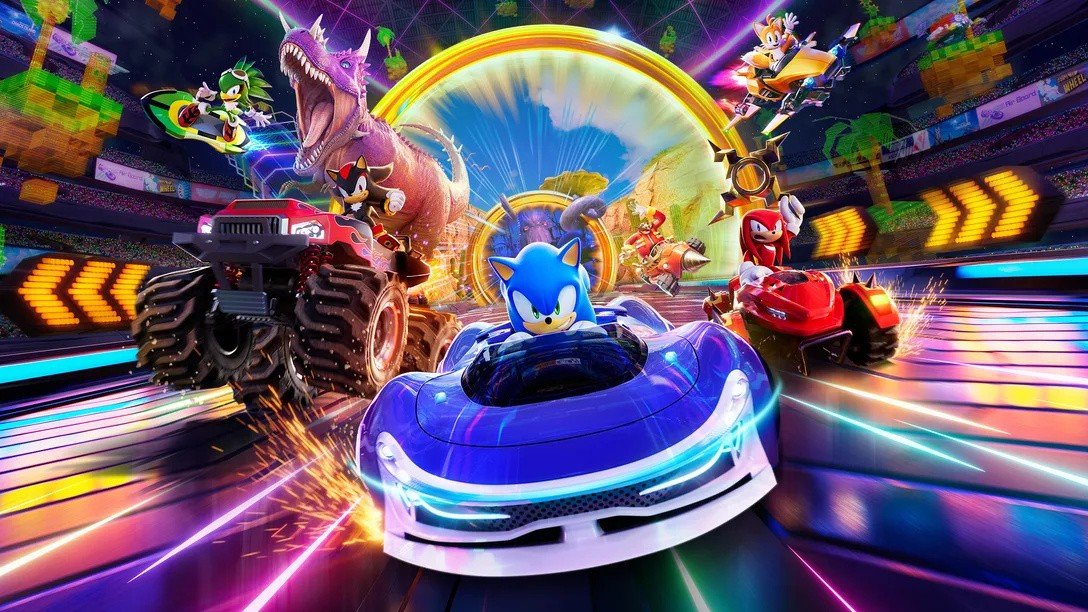 If you're looking for a reason to jump back into Sonic Racing: CrossWorlds, Sega has this week released the Nintendo Switch 2 Edition of the game digitally. It's available for $69.99 or your regional equivalent, and will be released in physical form on this platform in "early 2026". If you're an existing owner of the Switch release and don't want to miss out, there's the Switch 2 Edition Upgrade Pack, which is also available. It's normally priced at $10.00 but you'll get an introductory discount (bringing it down to just $5.00) if you purchase it by 11th December 2025. Sega also notes how the Werehog DLC Pack is available to download for free for the first two weeks of the digital version's availability (until 17th December 2025). You can also carry over all of your content and progress in the Switch release to the Switch 2 Edition of the game. As previously revealed, the Switch 2 version of the game includes improved performance and resolution. Alongside the Switch 2 Edition and Switch upgrade, Sega has also released a major patch for this title today.
 -
If you're looking for a reason to jump back into Sonic Racing: CrossWorlds, Sega has this week released the Nintendo Switch 2 Edition of the game digitally. It's available for $69.99 or your regional equivalent, and will be released in physical form on this platform in "early 2026". If you're an existing owner of the Switch release and don't want to miss out, there's the Switch 2 Edition Upgrade Pack, which is also available. It's normally priced at $10.00 but you'll get an introductory discount (bringing it down to just $5.00) if you purchase it by 11th December 2025. Sega also notes how the Werehog DLC Pack is available to download for free for the first two weeks of the digital version's availability (until 17th December 2025). You can also carry over all of your content and progress in the Switch release to the Switch 2 Edition of the game. As previously revealed, the Switch 2 version of the game includes improved performance and resolution. Alongside the Switch 2 Edition and Switch upgrade, Sega has also released a major patch for this title today. View full article
-
.jpg.2604db6536da277669fd9029953e9f59.jpg) If you keep up with the Nintendo Music app's release schedule, you probably noticed Nintendo didn't update the app at the regular time earlier this week. Unsurprisingly, it's all linked to the release of Metroid Prime 4: Beyond, with Nintendo announcing it's added seven tracks from the new game as a special release. This adds up to 48 minutes of music and will give you a nice sample of the game's "main theme", environments and more. Here's the full tracklist and you can hear some of them in Nintendo's official sample below: Metroid Prime 4: Beyond - Nintendo Music Special ReleaseMetroid Prime 4 Main Theme Fury Green The Sacred Tree Vi-O-La Ice Belt Power On Carvex Volt Forge Although Nintendo Music has mostly received retro game soundtracks, this isn't the first time Nintendo has released an update based on a Switch 2 game. We've previously seen similar track releases for Donkey Kong Bananza and Kirby Air Riders. If you want to listen to music on the Nintendo Music mobile app, you'll need to have an active Switch Online subscription. In some other Metroid Prime 4: Beyond news, Nintendo has also released new custom icons today as part of the Switch Online 'Missions & Rewards' service. The first wave is available now and will be followed by weekly updates.
If you keep up with the Nintendo Music app's release schedule, you probably noticed Nintendo didn't update the app at the regular time earlier this week. Unsurprisingly, it's all linked to the release of Metroid Prime 4: Beyond, with Nintendo announcing it's added seven tracks from the new game as a special release. This adds up to 48 minutes of music and will give you a nice sample of the game's "main theme", environments and more. Here's the full tracklist and you can hear some of them in Nintendo's official sample below: Metroid Prime 4: Beyond - Nintendo Music Special ReleaseMetroid Prime 4 Main Theme Fury Green The Sacred Tree Vi-O-La Ice Belt Power On Carvex Volt Forge Although Nintendo Music has mostly received retro game soundtracks, this isn't the first time Nintendo has released an update based on a Switch 2 game. We've previously seen similar track releases for Donkey Kong Bananza and Kirby Air Riders. If you want to listen to music on the Nintendo Music mobile app, you'll need to have an active Switch Online subscription. In some other Metroid Prime 4: Beyond news, Nintendo has also released new custom icons today as part of the Switch Online 'Missions & Rewards' service. The first wave is available now and will be followed by weekly updates. -
If you keep up with the Nintendo Music app's release schedule, you probably noticed Nintendo didn't update the app at the regular time earlier this week. Unsurprisingly, it's all linked to the release of Metroid Prime 4: Beyond, with Nintendo announcing it's added seven tracks from the new game as a special release. This adds up to 48 minutes of music and will give you a nice sample of the game's "main theme", environments and more. Here's the full tracklist and you can hear some of them in Nintendo's official sample below: Metroid Prime 4: Beyond - Nintendo Music Special ReleaseMetroid Prime 4 Main Theme Fury Green The Sacred Tree Vi-O-La Ice Belt Power On Carvex Volt Forge Although Nintendo Music has mostly received retro game soundtracks, this isn't the first time Nintendo has released an update based on a Switch 2 game. We've previously seen similar track releases for Donkey Kong Bananza and Kirby Air Riders. If you want to listen to music on the Nintendo Music mobile app, you'll need to have an active Switch Online subscription. In some other Metroid Prime 4: Beyond news, Nintendo has also released new custom icons today as part of the Switch Online 'Missions & Rewards' service. The first wave is available now and will be followed by weekly updates. View full article
-
After what feels like the longest two months in the game’s life to date, Gran Turismo 7’s Spec III update is now available as a preload ahead of being unlocked on December 4. It’s only the second time we’ve seen a preload available for a Gran Turismo 7 update, with the previous being the 1.54 update last November that brought PS5 Pro enhancements. That was a 32GB monster, while Spec III is a comparatively slim 15GB on PS5 and a daintier 9GB on PS4 — but still comfortably on the podium of biggest updates. The December 4 date is one we’ve been expecting for a good long while, but has now been confirmed both by Kazunori Yamauchi and other official game channels by way of the usual — if a couple of hours earlier — pre-update announcements. With 15GB of announcements to get through, there’s quite a lot going on — even if we do know a good deal about a lot of the content already — so let’s dig in. Gran Turismo 7 Spec III: New TracksWe’ve known for quite some time not only that Spec III will include two brand-new circuits, but also what those tracks are: Circuit Gilles-Villeneuve and Yas Marina. Both are famous F1 venues, and verging on the notorious for wholly different reasons. Circuit Gilles-Villeneuve — built on an artificial island in Montreal’s Saint Lawrence River, originally created for Expo ’67 — is something of an old-school track that runs on a layout partly comprising what used to be roads. It’s famed for its final chicane, the exit of which (also being Turn 13) is known as “The Wall of Champions” after it claimed three cars, all driven by F1 world champions, in one race in 1999. And Ricardo Zonta. Meanwhile Yas Marina is a modern-day, purpose-built arena designed by famed F1 architect Hermann Tilke. It’s about to stage its 17th grand prix, a championship three-way decider, but is perhaps better known for the seedy — and quotable — events around the 2021 finale. The Canadian circuit is limited to a single layout in the real world, but Yas Marina has multiple options that even include a rallycross course. However it looks like only the current grand prix course will be available in GT7, with no additional variations listed in the announcement. We’re expecting both tracks to support new Circuit Experience events, and we bet one of them will use the new Ferrari 296 GT3, giving a bit of quick cash early on if you want to pick up all the new cars. Speaking of which… Gran Turismo 7 Spec III: New CarsAfter several teasers and reveals across the last ten weeks, we already knew six of the eight new cars coming to the game in the Spec III update. Studio chief Kazunori Yamauchi’s usual silhouette hint yesterday — this time using cars literally under covers instead of heavy shadow — gave very firm clues as to the other two, but only now do we have proper specification information for all eight. They are as follows: Ferrari 296 GT3 ’22 Ferrari 296 GTB ’22 FIAT Panda 30 CL ’85 Gran Turismo 3500-B Mine’s BNR34 GT-R N1 Base Mitsubishi FTO GP Version R ’97 Polestar 5 Performance ’26 Renault Espace F1 ’95 While the Panda hadn’t been officially revealed previously, it’s not exactly a surprise. The car was seen on-screen in a PD studio visit by Giorgetto Giugiaro — its designer — and every car we’ve been allowed to see in a similar manner has appeared in the relevant game only a few months later on. We now have confirmation that it is, as we expected, a first-generation model before the major refresh in 1986. Not only that, we also now know it sports the 29hp (the “30” of the name relating to quasi-metric power units), two-cylinder, 652cc engine from the FIAT 126. Interestingly, this Panda would be the only one that meets current Kei car specifications — although it would be too big under the regulations when it launched in 1985. Our other unknown — at least until the silhouettes — was the Ferrari 296, with this announcement confirming it’s the coupe-bodied GTB rather than the GTS convertible. By adding the road car in this update, PD is continuing a trend of new GT3 cars coming alongside or after their road car siblings. There was one final unknown, although only in terms of specification. The F3500-B, shown in the original reveal, is now confirmed to be a V8-powered tribute to 90s’ F1 cars, joining the V12 F3500-A. Interestingly there’s also six “new” cars in the Power Pack DLC, also launching tomorrow, though these appear to be pre-tuned variants of existing road cars and will likely not count as new entries in the Car Collection. Gran Turismo 7 Spec III: Power Pack DLCWhile not part of the free update itself, Spec III will add the ability to buy and participate in the new Power Pack DLC — for players on PlayStation 5 consoles only. Once you’ve passed Menu Book 9 (Championship: Tokyo Highway Parade), you’ll see a sailing ship moored at the woefully undersized jetty in the lower-left corner of the map with the Power Pack icon. Clicking on this will take you to a purchase page for the Power Pack DLC — coming in at $29.99/€29.99/£24.99 — or accessing the events if you’ve already bought it. We’re assuming that the icon will also be present on the PS4 version, but you won’t be able to access it as it taunts you to upgrade your device… Gran Turismo 7 Spec III: New Races & EventsAs you might expect, there’s a slew of new things to do coming in Spec III. In terms of new races it’s perhaps not quite as many as we’d been expecting given the two-month gap between updates and the much larger number in Spec II, but there are more collection-based “Extra Menu” books than in any previous update. Gran Turismo 7 Spec III: New Extra Menu BooksIn fact four new Extra Menu Books come along at once, requiring you to score a dozen vehicles to meet the requirements and pick up the — as-yet unspecified — rewards. Each requires a Collector Level above the previous cap to unlock. The first, Alfa Romeo Legends, requires you to own the Alfa Romeo 155 Touring Car, Giulia TZ2, and 2900B from the Legends Cars dealer. Legendary Road Racers will also need a trip to the Legends dealer, requiring the Ferrari 500 Mondial, Porsche 550 Spyder, and — again — the Alfa Romeo Giulia TZ2. It’s largely modern fare in the other two books, with the three generations of Audi TT in a book of the same name and three Mazdas — MX-5, CX-30, and RX-Vision concept — in the other. Gran Turismo 7 Spec III: New RacesA total of seven new events will be added, unsurprisingly with most being at the two new circuits. Race lengths and rewards are not yet known and will be revealed with the update. That’ll see Yas Marina host rounds of the Ferrari Circuit Challenge, World Touring Car 800, and Gr.1 Prototype Series, while Circuit de Gilles-Villeneuve gains stages of the Nissan GT-R Cup and Super Formula series. The exceptions are a new round of the European Sunday Cup 400 at the Goodwood Motor Circuit, and Blue Moon Bay Speedway Infield A staging a round of the Japanese FF Challenge. Gran Turismo 7 Spec III: Weekly Challenge and Seasonal MenuChanges to time-limited single-player content are also coming, with an update to how Weekly Challenges operate and the mystery of the new “Seasonal Menu” solved. The former looks like it’s going to be a collection task based on each update, judging by its initial appearance. Similar to an Extra Menu, the first instance requires you to pick up three specific vehicles that are all part of the Spec III update, giving you a Six-Star Roulette ticket as a reward. However, you only have a little over three weeks to accomplish this. If nothing else, this rather suggests that Polyphony Digital is planning many more free updates — and we are still due to receive at least two new vehicles from Xiaomi and Yangwang in GT7 — in order that this entirely new feature isn’t a one-and-done affair. Meanwhile the Weekly Challenges are getting a switch-up from the existing format. It does look like it’ll continue to be a five-event challenge, requiring you to perform the tasks within a seven-day period, but with new event types and not just races. These will include new Time Trial and Mission events, with at least the first set as presented being new challenges created just for the mode and not drawing from the current Circuit Experience/Mission events. Rewards look set to remain at the same levels as now, but they’re likely to take slightly less time than before. Gran Turismo 7 Spec III: Data LoggerWe’ve previously written at length about the Data Logger feature, and there’s nothing in the latest announcement that hasn’t been previously confirmed about how this operates. One aspect we’ll note here is that it appears that online multiplayer races won’t be available for analysis in this mode — which isn’t entirely surprising, as quite a bit of the telemetry required as recorded by your console is best-guess and imprecise — but otherwise you’ll be able to compare any two laps from any two replay saves in any two cars at the same track. That includes Online Time Trial events, so the forthcoming Polestar 5 challenge — which offers a VIP trip to the Gran Turismo World Series Final in Fukuoka — could be an interesting one as top players analyze each other’s data! Gran Turismo 7 Spec III: Collector Level & Unlimited InvitationsThe update will also bring an uplift to the Collector Level cap, raising it from the current 50 to — as we’d calculated from other information — a new upper limit of 70. We don’t yet know if the previous calculation for the points required will hold through the new levels, with the image above hinting that even if it’s not exactly the same it’ll be close, but you’re going to need a car collection worth around 110 million credits to reach the new cap. Previously it was teased that new Collector Levels would come with a new “unlimited” Invitation system, and that’s now been confirmed in the latest announcement. It looks as though you’ll still be able to get expiring Invitations as rewards from tickets (although we hope once you’ve got an unlimited one, these will be removed from possibilities…), but as you progress from 50-70 you’ll gain permanent invitations for the relevant brands: Aston Martin, Bugatti, Citroen, Ferrari, Lamborghini, Pagani and Porsche. As that only encompasses seven of the 20 new levels, we’d imagine there’s other unlockables — although it may only be the case that future Extra and Bonus Menu Books will require higher levels, as with the four in this update. Gran Turismo 7 Spec III: New IntroLike Spec II, Spec III will introduce a new cinematic intro for Gran Turismo 7. These movies are usually treats to watch (once, at least), and the preview images for this one shows off some of the new content — cars, tracks, and races — introduced over the last two years. Fans may recall that Spec II’s opening movie completely replaced the original, with no way to view the first one in-game any more. This is likely to be the case again, so if you’re a fan of the Spec II intro now’s the time to give it one last look. An option to view all three would be a nice thing to add, we reckon… Gran Turismo 7 Spec III: Other ChangesThere’s some other changes coming too, some of which have been announced, some of which you’d be expecting, and a couple that are still mysteries. We’ll be getting four new sets of Scapes curations, seemingly comprising three all-new locations — including Circuit Gilles-Villeneuve and Yas Marina — as well as a set based on existing spots but with an additional allowance for extra light sources. Dunlop tires will also be making their debut here. The Dunlop-branding will now be applied to tires bought in the Tuning Shop, and as standard on some cars, although — we presume due to certain brand/supplier agreements in the real world — not on all vehicles. A physics update is possible, but hasn’t been specifically mooted. While previously announced, there’s no mention in the latest brief of the “Improvements to online races”. That’s one we’re going to have to wait at least two-thirds of a day to find out more on, but could range from a shake-up of the Daily Race format to new Lobby options (manual host migration, perhaps?) or just the deployment of new netcode for stability. Other rarely announced items include new engine swaps for various cars — and we’d expect that Espace F1 V10 to be available for one of the two F3500s — and new paints from real vehicles, as well as the regular “various other” changes. There will certainly be plenty to discover tomorrow. You can download the update now, curiously now called 1.65 instead of the previously mentioned 1.64, ahead of it unlocking at 0800 UTC on Thursday December 4.
-
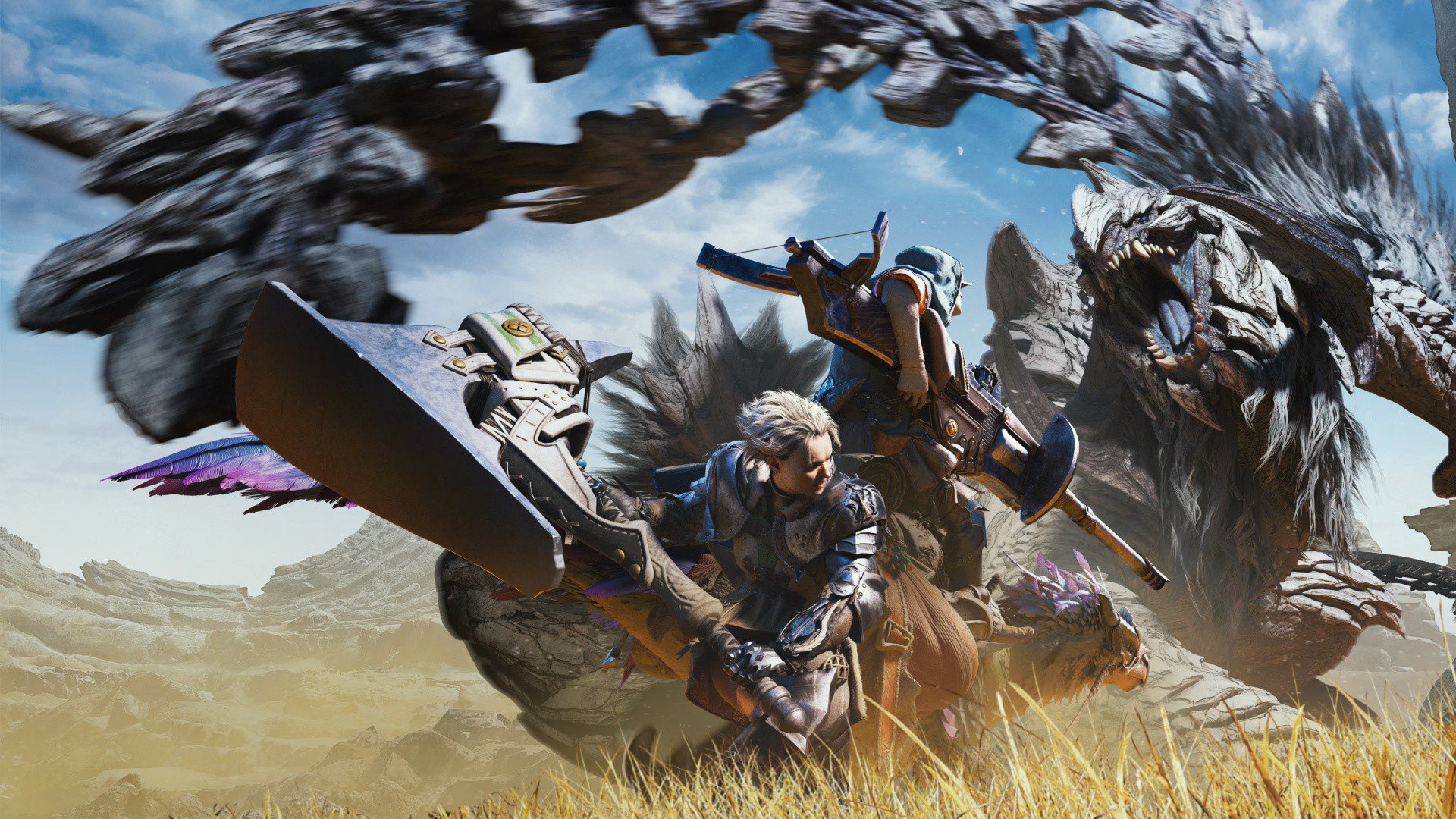 Monster Hunter Wilds has had numerous ups and downs since it launched earlier in the year, to the point where it has, arguably, become one of 2025's most divisive games. On release, the action RPG was met with super strong review scores and positive player feedback; the finished product sported dramatic improvements over the somewhat disappointing beta tests that had taken place in the months prior. But as hunters made their way through the main story and eventually stumbled into endgame hunts, the cracks started to show. Wilds was quite roundly criticised for its claustrophobic campaign, a general lack of challenge, and poor optimisation (especially on PC). From there, opinions started to take a nosedive as Capcom struggled to provide immediate answers. Updates came and went, but nothing seemed to satisfy those who wanted more from the game — many having experienced the best of previous titles Monster Hunter World and Monster Hunter Rise. Over the last few months, Capcom has undoubtedly improved the experience with big updates, dropping additional monsters, quests, and activities. But as the game's dwindling sales numbers suggest, Wilds clearly lost momentum after its initial honeymoon period. Still, the ongoing negativity hasn't stopped the title from winning big at PlayStation's annual Partners Awards in Japan. Wilds won a 'Grand Award' for "outstanding worldwide sales" (again, the vast majority of which came at launch), and was voted as one of the year's top five PlayStation games by users. As per IGN, director Yuya Tokuda spoke after the ceremony, and was quick to thank players for their support. "Immediately after the release, we apologised for the inconvenience caused by the volume of content and the difficulty level. Despite this, we were delighted to receive various awards, including Users' Choice awards," he said. "We would like to thank all the players who have given their opinions and spoken warm words even in this situation. The development team was able to turn everyone's feedback into an asset and work on the update with all our strength, and I think the result was also the reason why players voted for us." The team has obviously been trying to turn things around with Wilds, so it does feel like Tokuda's attempting to clear the air — if only for a minute. "In order to make Monster Hunter Wilds better, the fans’ voices gave us power. There are still updates left to come, so we will continue to do our best," producer Ryozo Tsujimoto added. Tokuda goes on to assure potentially lapsed players that Wilds is in a better state these days, commenting: "If you beat the game immediately after its release and stopped playing, I would appreciate it if you could pick it up again." It's assumed that at some point next year, Wilds will be getting its inevitable expansion — and that'll end up being a pivotal moment for the game. Indeed, both World and Rise benefitted massively from the endgame content and systems that their own expansions delivered, bolstering the entire experience in the process. The hope is that Wilds will, ultimately, share a similar fate — but it's definitely got a bigger mountain to climb in terms of pleasing its players. What are your hopes for Monster Hunter Wilds going forwards? Will you be diving back in for Title Update 4 on the 16th December? Prepare for another quest in the comments section below.
 -
Monster Hunter Wilds has had numerous ups and downs since it launched earlier in the year, to the point where it has, arguably, become one of 2025's most divisive games. On release, the action RPG was met with super strong review scores and positive player feedback; the finished product sported dramatic improvements over the somewhat disappointing beta tests that had taken place in the months prior. But as hunters made their way through the main story and eventually stumbled into endgame hunts, the cracks started to show. Wilds was quite roundly criticised for its claustrophobic campaign, a general lack of challenge, and poor optimisation (especially on PC). From there, opinions started to take a nosedive as Capcom struggled to provide immediate answers. Updates came and went, but nothing seemed to satisfy those who wanted more from the game — many having experienced the best of previous titles Monster Hunter World and Monster Hunter Rise. Over the last few months, Capcom has undoubtedly improved the experience with big updates, dropping additional monsters, quests, and activities. But as the game's dwindling sales numbers suggest, Wilds clearly lost momentum after its initial honeymoon period. Still, the ongoing negativity hasn't stopped the title from winning big at PlayStation's annual Partners Awards in Japan. Wilds won a 'Grand Award' for "outstanding worldwide sales" (again, the vast majority of which came at launch), and was voted as one of the year's top five PlayStation games by users. As per IGN, director Yuya Tokuda spoke after the ceremony, and was quick to thank players for their support. "Immediately after the release, we apologised for the inconvenience caused by the volume of content and the difficulty level. Despite this, we were delighted to receive various awards, including Users' Choice awards," he said. "We would like to thank all the players who have given their opinions and spoken warm words even in this situation. The development team was able to turn everyone's feedback into an asset and work on the update with all our strength, and I think the result was also the reason why players voted for us." The team has obviously been trying to turn things around with Wilds, so it does feel like Tokuda's attempting to clear the air — if only for a minute. "In order to make Monster Hunter Wilds better, the fans’ voices gave us power. There are still updates left to come, so we will continue to do our best," producer Ryozo Tsujimoto added. Tokuda goes on to assure potentially lapsed players that Wilds is in a better state these days, commenting: "If you beat the game immediately after its release and stopped playing, I would appreciate it if you could pick it up again." It's assumed that at some point next year, Wilds will be getting its inevitable expansion — and that'll end up being a pivotal moment for the game. Indeed, both World and Rise benefitted massively from the endgame content and systems that their own expansions delivered, bolstering the entire experience in the process. The hope is that Wilds will, ultimately, share a similar fate — but it's definitely got a bigger mountain to climb in terms of pleasing its players. What are your hopes for Monster Hunter Wilds going forwards? Will you be diving back in for Title Update 4 on the 16th December? Prepare for another quest in the comments section below. View full article
-
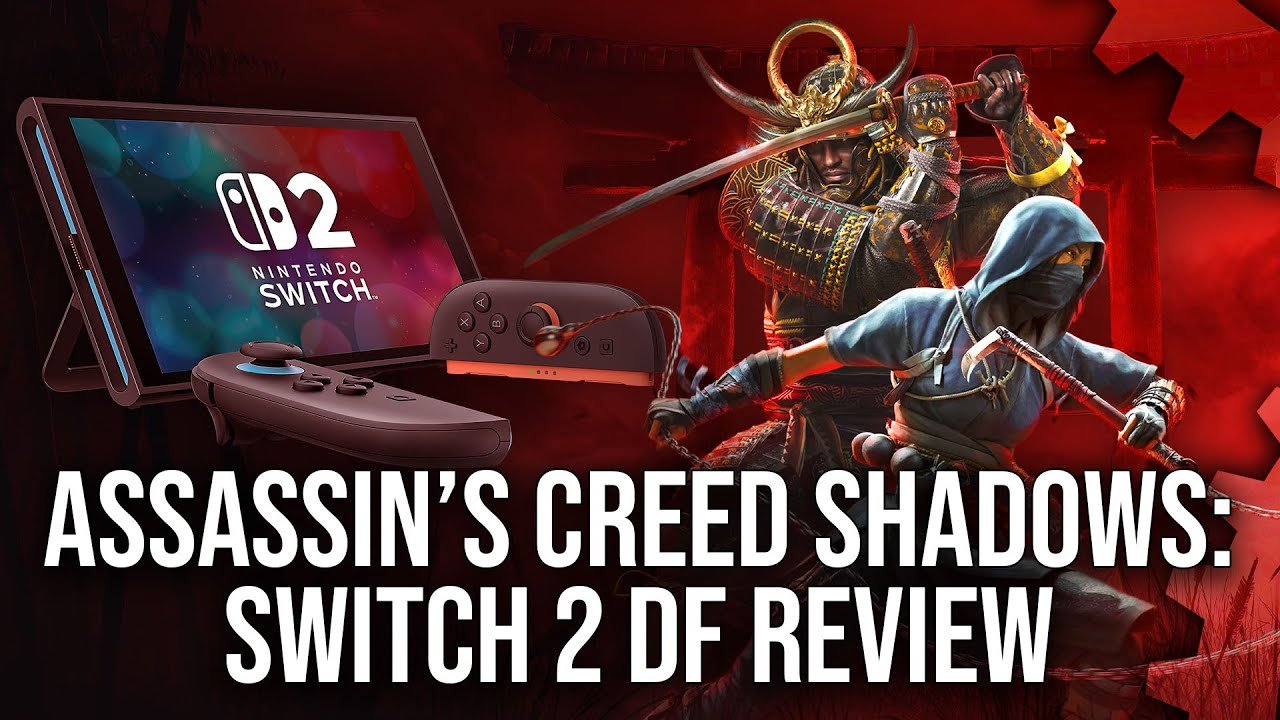 Just like September's interesting analysis of Star Wars Outlaws on Switch 2 and Series S, Digital Foundry returns with a fresh look at another Ubisoft title that's been ported over to the Nintendo system this week - and once again, this one uses the Xbox Series S version as its jumping off point. Yes, in its latest tech review on Assassin's Creed Shadows, DF notes that "this ambitious port succeeds by starting from the cut-down Xbox Series S" version, pulling back a little further than the Microsoft machine to achieve these results on Switch 2. It's an intriguing comparison that once again sheds some light on how these two systems stack up. The team goes on to mention more cuts as well, namely to reflections, water and cloth simulations: In summary, DF reckons that Ubisoft "made the right calls with one or two exceptions" when porting Assassin's Creed Shadows to Switch 2, and while the Nintendo hybrid device turns in some impressive results, it doesn't quite match up to Xbox Series S in some key areas. You can check out the full video of this tech review up above while the written version is down below - and yep, it's going to be interesting to see how this battle continues in the coming years!
 -
Just like September's interesting analysis of Star Wars Outlaws on Switch 2 and Series S, Digital Foundry returns with a fresh look at another Ubisoft title that's been ported over to the Nintendo system this week - and once again, this one uses the Xbox Series S version as its jumping off point. Yes, in its latest tech review on Assassin's Creed Shadows, DF notes that "this ambitious port succeeds by starting from the cut-down Xbox Series S" version, pulling back a little further than the Microsoft machine to achieve these results on Switch 2. It's an intriguing comparison that once again sheds some light on how these two systems stack up. The team goes on to mention more cuts as well, namely to reflections, water and cloth simulations: In summary, DF reckons that Ubisoft "made the right calls with one or two exceptions" when porting Assassin's Creed Shadows to Switch 2, and while the Nintendo hybrid device turns in some impressive results, it doesn't quite match up to Xbox Series S in some key areas. You can check out the full video of this tech review up above while the written version is down below - and yep, it's going to be interesting to see how this battle continues in the coming years! View full article
-
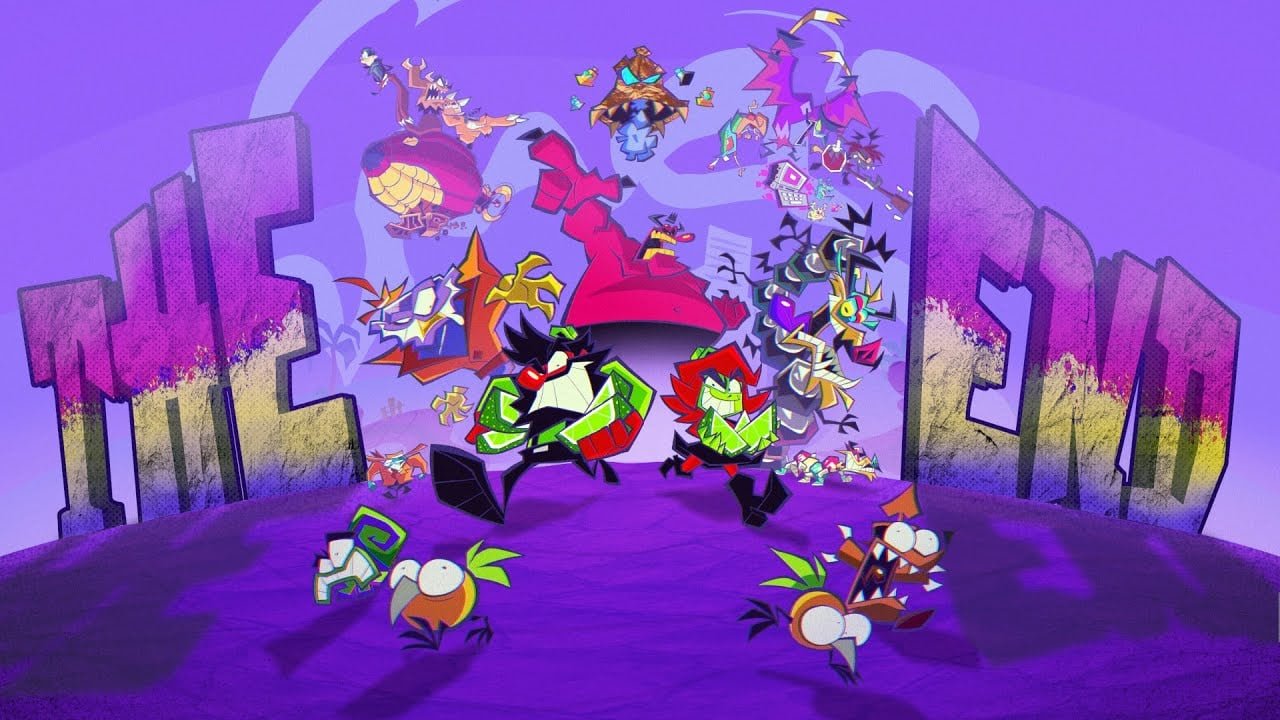 Summitsphere is giving Antonblast fans one last hurrah, one year after the game first launched on PC. And it's a content-filled update befittingly titled 'THE END'. On 18th December 2025, The End is bringing four brand new bosses, a boss rush, multiple new game modes (including Hard Mode), new music, and new spray cans, among lots of other little additions coming to the 2024 platformer, which is heavily inspired by the Wario Land series. Let's have a look at the specifics coming with The End in just a few weeks, courtesy of Antonblast's Steam page: That's a lot for an ending, isn't it? Any excuse to go back to Antonblast, which we loved back when it launched on Switch last year. And it's received a performance boost since launch. Have you picked up Antonblast on Switch? Will you be checking out the update this month? Blast down to the comments and share your thoughts.
 -
Summitsphere is giving Antonblast fans one last hurrah, one year after the game first launched on PC. And it's a content-filled update befittingly titled 'THE END'. On 18th December 2025, The End is bringing four brand new bosses, a boss rush, multiple new game modes (including Hard Mode), new music, and new spray cans, among lots of other little additions coming to the 2024 platformer, which is heavily inspired by the Wario Land series. Let's have a look at the specifics coming with The End in just a few weeks, courtesy of Antonblast's Steam page: That's a lot for an ending, isn't it? Any excuse to go back to Antonblast, which we loved back when it launched on Switch last year. And it's received a performance boost since launch. Have you picked up Antonblast on Switch? Will you be checking out the update this month? Blast down to the comments and share your thoughts. View full article
-
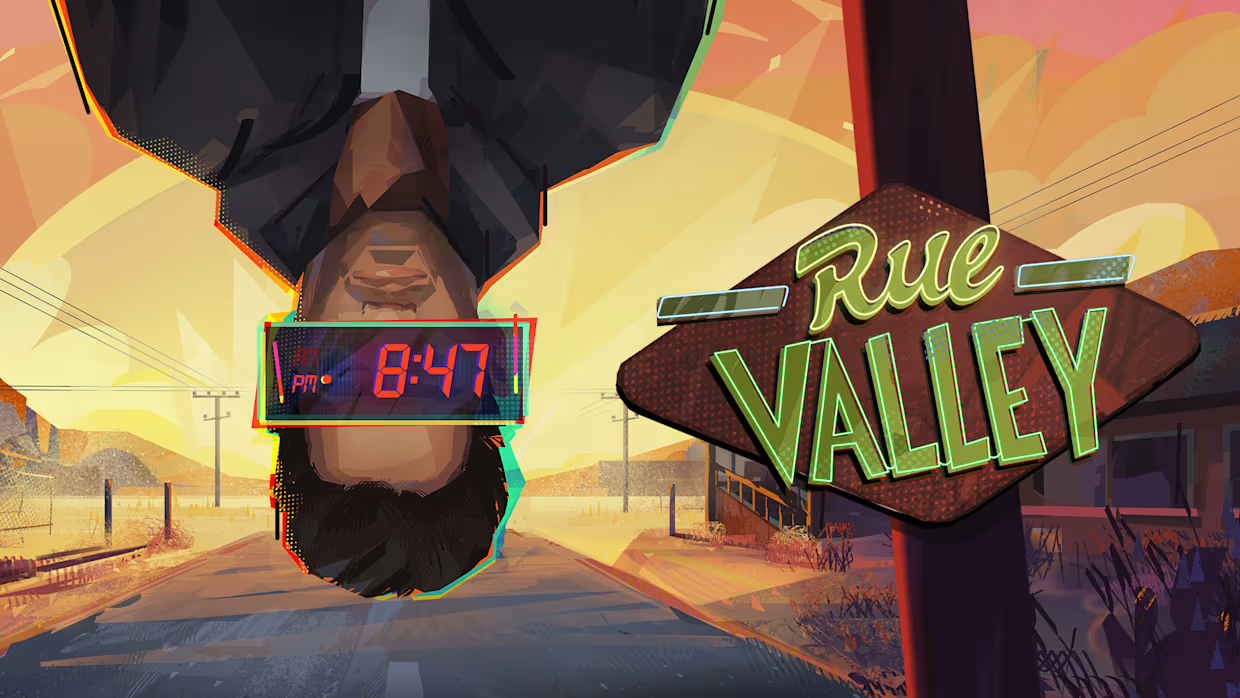 8:00 pm: Eugene Harrow has just finished his first therapy session with Dr. Fink. That’s one out of (likely) many, and so he sets up shop in the motel next door; the only one in the small town of Rue Valley. After checking in, he heads to his room. When the clock reads 8:47 pm, he experiences something that’s out of a doomsday scenario: the skies are set ablaze, and the whole world blacks out. Just then, Eugene finds himself back in Dr. Fink’s office, with the clock reading 8:00 pm. While this could have been brushed off as a vivid dream, our protagonist quickly finds out that he is in a Groundhog Day-type situation. Every night, at 8:47 pm, the day ends up the same dramatic way, only for it to reset back to 8:00 pm. What is the reason for this occurrence, and how can Eugene get out of this loop? That’s for you to find out in Rue Valley. An isometric RPG with a comic book flairWith its isometric perspective and having received praise from Disco Elysium leads, Rue Valley has been looped in as Disco-like. It plays like one, with a point-and-click gameplay that has been well optimised for controllers, especially with the ability to highlight interactive elements with the shoulder buttons. Despite these similarities, Rue Valley stands on its own thanks to its original artistic direction and contemporary setting. Its 2D parallax art style leans heavily into a comic book aesthetic. From its fonts and panel-style text to its stylised palette and stop motion-like animations, it draws more visual parallels with comic books than cRPGs. This does help it pack its own flair, without necessitating comparisons with other isometric RPGs. The presentation is enhanced with professional voice-overs. This is a bonus with a game as text-heavy as this one, helping break the monotony and easing newcomers to the genre. However, there are some inconsistencies with the VO. Even within the same conversation, some lines are recorded, while others aren’t. The game would also have benefited from having voice acting for Eugene’s internal monologue, which is more than frequent in this game. There is also a lack of character animation during conversations. This is especially noticeable during long stretches of conversations, which this game isn't lacking. These rough edges don’t necessarily ruin the experience, but they do make extended dialogues feel longer. That said, the strength lies in the story and character development. There is more than meets the eye in the seemingly quaint town of Rue Valley. Beyond Eugene’s need for therapy, the town’s inhabitants are dealing with their own stuff, and you get to dig deeper as you interact with them throughout the game. You learn how each character is interconnected, and get to experience relatable family squabbles to heartwarming moments. There is an overarching theme of mental health that underpins the main plot and the story of each character. The ‘small town secret’ premise and the element of having small decisions accumulate into meaningful results are apt to explore such themes. A loop with purposeThe premise of a looping cycle might not sound appealing at first, with the inevitable repetition that it implies. Rue Valley earns its keep by employing this loop to its strength, using it as a clever pacing device that builds urgency and adds meaning to your investigative leads of choice. As the town’s inhabitants are engaged in the same activities across every loop, events are time-based. Some NPCs will be in different locations based on the time of day, and may act differently at different times. As there is only so much Eugene can do within the 8:00-8:47 pm window of a single loop, this forces you to pursue different leads and experiment with your investigative approach once the day resets. While each day will feel familiar, they will feel fresh as more options open up from talking to other people to accessing new areas. The timed mechanic also helps draw you back into the game. As the clock reaches 8:47 pm, you might not finish all of your leads, so you'll be motivated to pursue them in the next loop. Nevertheless, some aspects of the loop do get excessively repetitive, like waking up in Dr Fink’s office and even leads that require backtracking across multiple loops. You do unlock some shortcuts to areas you need to visit, which does help, but there are recurring elements that you have to contend with. Mind powerAs Eugene investigates the mysterious loop in a bid to get out of it, his main tool is his mind. Having mental health struggles recently, he might not be at his sharpest, but slowly progressing across loops does help build his confidence and his mental acuity. This is where Rue Valley’s investigative mechanic comes in. This game doesn’t rely on combat but, rather, on Eugene’s investigative skills. His approach is determined by his personality traits (which you build when starting the game) and his mood. The mood or status effect varies through the game based on your in-game actions and decisions, and different moods can alter Eugene’s base personality, leading to new investigative routes. This is the game's version of 'skill checks', leading to different conversation outcomes and paths to investigate. If you are too cynical, for example, you might be blocked from a truthful response in a conversation. However, there is an element of smoke and mirrors with this mechanic, as, unlike other isometric RPGs, you are not able to pursue any options you fancy from the get-go. The game purposefully restricts your options, especially at the start, which can feel deceiving. Another mechanic that ties into Eugene’s investigation is the Mind Map. This helps you recall events of the day and facts that you learn about people in town. The Mind Map turns these fragments of information into ideas, and with enough inspiration and willpower points, you can turn that idea into an intention. By following through on intentions (or investigative leads), you will have access to new dialogue options that will lead you through the journey of completing that intention. However, not all that you intend can be successfully achieved, adding a layer of challenge to your quest. Rue Valley: a time-loop story with intentionDespite the repetition by design, Rue Vallley, for the most part, mitigates tedium with variety. The new investigative paths that open up by following new intentions reward persistence. However, it falls short compared to the iconic cRPGs it draws influence from. This is due to the game often railroading you on specific tracks, without offering the freedom to explore other routes that have become quasi-expected of games of this genre. There is also a lack of variety in side quests, and in-game choices aren’t as nuanced. Rue Valley might be best not compared to the likes of Disco Elysium, and it does stand on its own. Its exploration of mental health thematically and mechanically is intriguing and refreshing, but does not ultimately reach the heights that its predecessors set. Nevertheless, it is a notable accomplishment as Emotion Spark Studio’s debut game, and I hope they improve on their formula in their next game. Rue Valley Release Trailer
 -
As it's almost the case with every big Nintendo release, the next big upcoming title from Nintendo, Metroid Prime 4: Beyond, has been leaked online ahead of release. However, the leak didn't come in a date that many people expected. Metroid Prime 4: Beyond is set to release tomorrow, December 4th, for both Nintendo Switch 1 and Nintendo Switch 2, with the Nintendo Switch 1 version of the game having leaked online today. However, in contrast with previous big Nintendo releases, this leak came just a day prior from the official release of the game, while previously, huge Nintendo releases were known to be leaked several days, if not weeks ahead of release, making the title available through unofficial means, and for others, being a source of early spoilers for people that were looking forward to the official release date to experience the game for themselves. The game also received a recent 1.1.0 update, which seems to be a day one patch, with the patch also being available online already. Remember, that direct links to ROMs or any kind of illegal copy are not allowed, so discuss the title with the previous warning in mind.
-
.jpg.4c2a351620ce4ee2c4f0cb29431947f5.jpg) Sony's latest push into mobile territory is MLB The Show Mobile, just announced and soft launched in the Philippines. Developed in-house at San Diego Studio — developer of the main MLB The Show series — you can get a sense of the free-to-play game in the below trailer: The official website describes MLB The Show Mobile as "a new standalone experience built from the ground up to deliver realistic baseball gameplay on mobile devices". Built for both iOS and Android, the game is currently only available in the Philippines, but it'll come to more territories in future. The game will feature current and legacy players, as well as all real stadiums. You'll be able to bat, pitch, and field using touch controls, and you'll gradually build your dream team by collecting player cards. You can then earn XP and upgrade your players to make them more valuable. For Sony's mobile plans, this seems like a no-brainer — bringing one of its popular franchises to a whole new audience. Hopefully the global rollout won't be too far away so everyone can get to grips with this new take on MLB The Show. What are your thoughts on MLB The Show Mobile? Is this something you'd like to play? Tell us in the comments section below.
Sony's latest push into mobile territory is MLB The Show Mobile, just announced and soft launched in the Philippines. Developed in-house at San Diego Studio — developer of the main MLB The Show series — you can get a sense of the free-to-play game in the below trailer: The official website describes MLB The Show Mobile as "a new standalone experience built from the ground up to deliver realistic baseball gameplay on mobile devices". Built for both iOS and Android, the game is currently only available in the Philippines, but it'll come to more territories in future. The game will feature current and legacy players, as well as all real stadiums. You'll be able to bat, pitch, and field using touch controls, and you'll gradually build your dream team by collecting player cards. You can then earn XP and upgrade your players to make them more valuable. For Sony's mobile plans, this seems like a no-brainer — bringing one of its popular franchises to a whole new audience. Hopefully the global rollout won't be too far away so everyone can get to grips with this new take on MLB The Show. What are your thoughts on MLB The Show Mobile? Is this something you'd like to play? Tell us in the comments section below. -
Sony's latest push into mobile territory is MLB The Show Mobile, just announced and soft launched in the Philippines. Developed in-house at San Diego Studio — developer of the main MLB The Show series — you can get a sense of the free-to-play game in the below trailer: The official website describes MLB The Show Mobile as "a new standalone experience built from the ground up to deliver realistic baseball gameplay on mobile devices". Built for both iOS and Android, the game is currently only available in the Philippines, but it'll come to more territories in future. The game will feature current and legacy players, as well as all real stadiums. You'll be able to bat, pitch, and field using touch controls, and you'll gradually build your dream team by collecting player cards. You can then earn XP and upgrade your players to make them more valuable. For Sony's mobile plans, this seems like a no-brainer — bringing one of its popular franchises to a whole new audience. Hopefully the global rollout won't be too far away so everyone can get to grips with this new take on MLB The Show. What are your thoughts on MLB The Show Mobile? Is this something you'd like to play? Tell us in the comments section below. View full article
-
.jpg.ee30d8b9f61d4bdf104308f4d5231ea4.jpg) We're still a week away from the last major gaming showcase of 2025 in the form of The Game Awards, but this Thursday's PC Gaming Show sounds well worth watching - even from an Xbox perspective. The PC Gaming Show: Most Wanted showcase is said to be "powered by Xbox Game Pass", which basically means Game Pass is the big partner here. The focus of the event is to highlight the 25 most wanted games of the moment, but we also know we're getting "new trailers, announcements and behind the scenes looks at over 50 games". Here's a list of stuff that's already been confirmed for the showcase: A new trailer from Team 17 for the soon the be released 4-player co-op shooter, Rogue Point A behind the scenes look at High On Life 2, the latest intergalactic action-adventure from Squanch Games releasing February 13 A new trailer for Cairn, the beautiful survival-climber from the creators of Furi and Haven Tripwire Interactive will be unveiling a new trailer for first-person shooter Killing Floor 3 Soulmask will debut a new gameplay trailer for its ancient Egypt DLC 'Shifting Sands' which adds more powerful Gods-themed masks and takes us out of the jungle and into the desert with flying ships A new trailer for open world adventure Witchspire from Envar Games A brand-new trailer for space flight sim, Remnant Protocol Plus announcements from developers such as Dotemu, Lightbulb Crew and Playstack. Nothing has been spelled out in terms of whether we'll be getting any Xbox Game Pass reveals at the PC Gaming Show: Most Wanted event, but the close partnership suggests it's pretty likely. At the very least, we can see from the list above that High on Life 2 will be there - a title that's already confirmed to release on Game Pass in February 2026. If you're interested in finding out for yourself, you'll be able to watch the PC Gaming Show: Most Wanted event via the video above at 12pm PST / 3pm EST / 8pm GMT / 9pm CET on Thursday, December 4th. We'll be watching it as well, and we'll have a roundup of everything that was shared - including any potential Xbox Game Pass reveals!
We're still a week away from the last major gaming showcase of 2025 in the form of The Game Awards, but this Thursday's PC Gaming Show sounds well worth watching - even from an Xbox perspective. The PC Gaming Show: Most Wanted showcase is said to be "powered by Xbox Game Pass", which basically means Game Pass is the big partner here. The focus of the event is to highlight the 25 most wanted games of the moment, but we also know we're getting "new trailers, announcements and behind the scenes looks at over 50 games". Here's a list of stuff that's already been confirmed for the showcase: A new trailer from Team 17 for the soon the be released 4-player co-op shooter, Rogue Point A behind the scenes look at High On Life 2, the latest intergalactic action-adventure from Squanch Games releasing February 13 A new trailer for Cairn, the beautiful survival-climber from the creators of Furi and Haven Tripwire Interactive will be unveiling a new trailer for first-person shooter Killing Floor 3 Soulmask will debut a new gameplay trailer for its ancient Egypt DLC 'Shifting Sands' which adds more powerful Gods-themed masks and takes us out of the jungle and into the desert with flying ships A new trailer for open world adventure Witchspire from Envar Games A brand-new trailer for space flight sim, Remnant Protocol Plus announcements from developers such as Dotemu, Lightbulb Crew and Playstack. Nothing has been spelled out in terms of whether we'll be getting any Xbox Game Pass reveals at the PC Gaming Show: Most Wanted event, but the close partnership suggests it's pretty likely. At the very least, we can see from the list above that High on Life 2 will be there - a title that's already confirmed to release on Game Pass in February 2026. If you're interested in finding out for yourself, you'll be able to watch the PC Gaming Show: Most Wanted event via the video above at 12pm PST / 3pm EST / 8pm GMT / 9pm CET on Thursday, December 4th. We'll be watching it as well, and we'll have a roundup of everything that was shared - including any potential Xbox Game Pass reveals! -
We're still a week away from the last major gaming showcase of 2025 in the form of The Game Awards, but this Thursday's PC Gaming Show sounds well worth watching - even from an Xbox perspective. The PC Gaming Show: Most Wanted showcase is said to be "powered by Xbox Game Pass", which basically means Game Pass is the big partner here. The focus of the event is to highlight the 25 most wanted games of the moment, but we also know we're getting "new trailers, announcements and behind the scenes looks at over 50 games". Here's a list of stuff that's already been confirmed for the showcase: A new trailer from Team 17 for the soon the be released 4-player co-op shooter, Rogue Point A behind the scenes look at High On Life 2, the latest intergalactic action-adventure from Squanch Games releasing February 13 A new trailer for Cairn, the beautiful survival-climber from the creators of Furi and Haven Tripwire Interactive will be unveiling a new trailer for first-person shooter Killing Floor 3 Soulmask will debut a new gameplay trailer for its ancient Egypt DLC 'Shifting Sands' which adds more powerful Gods-themed masks and takes us out of the jungle and into the desert with flying ships A new trailer for open world adventure Witchspire from Envar Games A brand-new trailer for space flight sim, Remnant Protocol Plus announcements from developers such as Dotemu, Lightbulb Crew and Playstack. Nothing has been spelled out in terms of whether we'll be getting any Xbox Game Pass reveals at the PC Gaming Show: Most Wanted event, but the close partnership suggests it's pretty likely. At the very least, we can see from the list above that High on Life 2 will be there - a title that's already confirmed to release on Game Pass in February 2026. If you're interested in finding out for yourself, you'll be able to watch the PC Gaming Show: Most Wanted event via the video above at 12pm PST / 3pm EST / 8pm GMT / 9pm CET on Thursday, December 4th. We'll be watching it as well, and we'll have a roundup of everything that was shared - including any potential Xbox Game Pass reveals! View full article