





Rockstar
Administrators
-
Joined
-
Last visited
Everything posted by Rockstar
-

 PS5 sales in Japan are now on their way back down, as excitement surrounding the model exclusive to the country has started to wane. From the period of 24th November to 30th November, which accounts for the system's first full week of sales, Sony sold 17,491 units of the new PS5 Japanese model. This is a drop of almost 6,000 sales when compared to the data from the previous week, which accounted for roughly two to three days of the new console being on the market. Therefore, the Japanese PS5 has sold worse during its first full week on the market compared to its opening handful of days during the launch. The Switch 2 led the way in console sales, with over 97,500 systems bought. Here's how the sales data looks for 24th November to 30th November in Japan (via Gematsu): Switch 2 – 97,677 PlayStation 5 Digital Edition – 17,491 Switch OLED Model – 16,004 PlayStation 5 Pro – 15,736 Switch Lite – 12,896 Switch – 6,427 PlayStation 5 – 2,559 Xbox Series X Digital Edition – 64 Xbox Series X – 52 Xbox Series S – 56 PlayStation 4 – 13 Emulating the Nintendo approach, this new PS5 model specific to Japan launched at a cheaper price (from ¥72,980 (~$473) down to ¥55,000 (~$350)) compared to the standard version. To account for this reduction, the model only works in Japanese and requires the use of a Japanese PSN account, effectively rendering it useless outside of the country.
 -
PS5 sales in Japan are now on their way back down, as excitement surrounding the model exclusive to the country has started to wane. From the period of 24th November to 30th November, which accounts for the system's first full week of sales, Sony sold 17,491 units of the new PS5 Japanese model. This is a drop of almost 6,000 sales when compared to the data from the previous week, which accounted for roughly two to three days of the new console being on the market. Therefore, the Japanese PS5 has sold worse during its first full week on the market compared to its opening handful of days during the launch. The Switch 2 led the way in console sales, with over 97,500 systems bought. Here's how the sales data looks for 24th November to 30th November in Japan (via Gematsu): Switch 2 – 97,677 PlayStation 5 Digital Edition – 17,491 Switch OLED Model – 16,004 PlayStation 5 Pro – 15,736 Switch Lite – 12,896 Switch – 6,427 PlayStation 5 – 2,559 Xbox Series X Digital Edition – 64 Xbox Series X – 52 Xbox Series S – 56 PlayStation 4 – 13 Emulating the Nintendo approach, this new PS5 model specific to Japan launched at a cheaper price (from ¥72,980 (~$473) down to ¥55,000 (~$350)) compared to the standard version. To account for this reduction, the model only works in Japanese and requires the use of a Japanese PSN account, effectively rendering it useless outside of the country. View full article
-
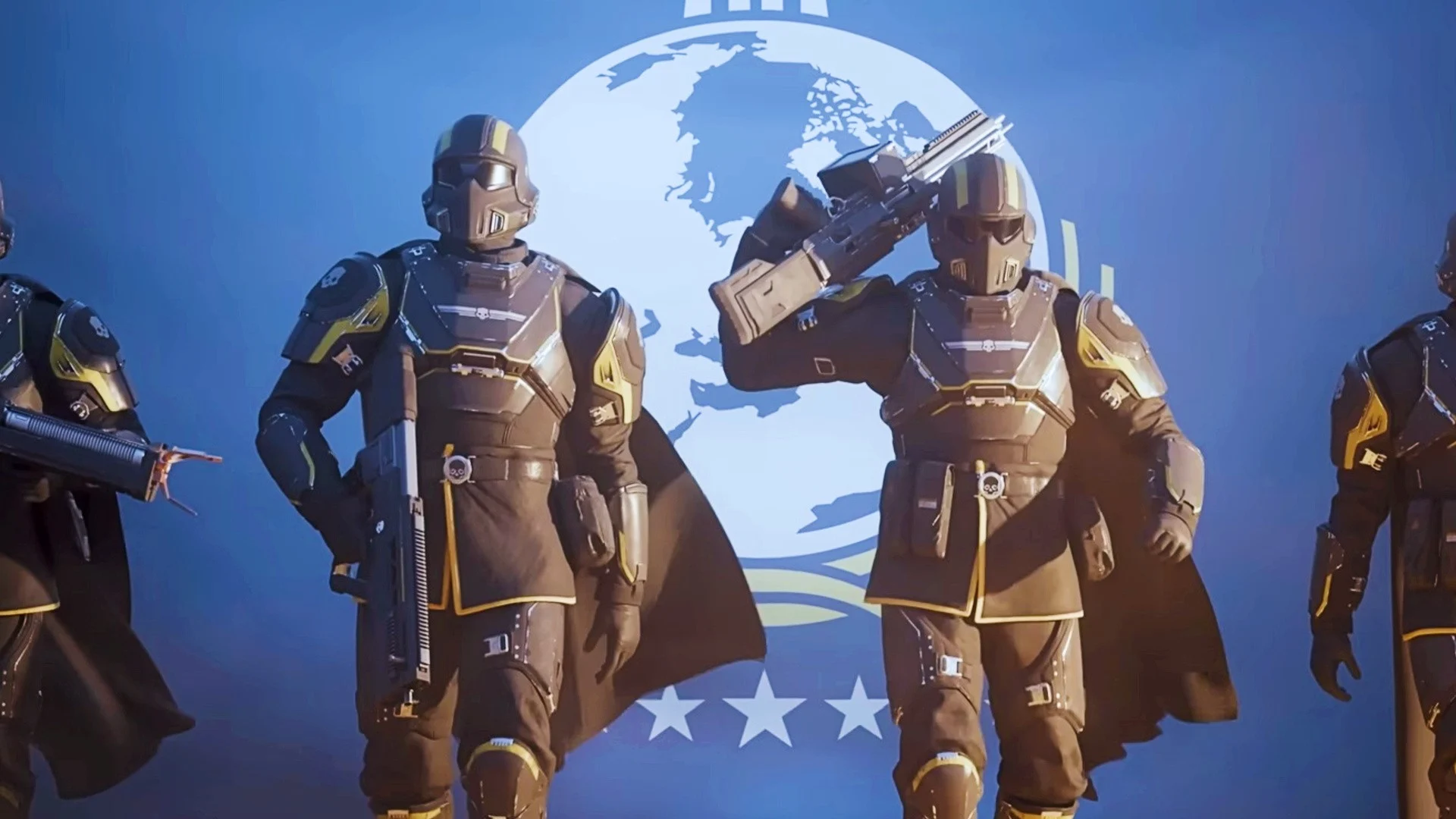 Justin Lin, the director behind multiple Fast & Furious movies, is now leading the Helldivers film adaptation, but he has not played either of the games. That's not a problem for Arrowhead Studios, though some fans have kicked up a small fuss on the series' Discord. In the Hollywood Reporter article confirming Lin will direct the Helldivers movie, it was said that he's "not a gamer and leaned into that as a strength when pitching his take on the material". Some fans, worried the director won't understand the tone of the IP, took their concerns to Discord, with one going so far as to ask if they could direct the flick instead. CEO Shams Jorjani responded: "Let Justin Lin work his magic." Jorjani was then asked by another fan if it could be ensured Lin at least plays the games or looks at some gameplay, to which he said: "I trust Justin. He did a great job on the Star Trek movie." In addition to Lin's directing contributions, the script has been written by horror scribe Gary Dauberman, who previously did the same on It and Annabelle. PlayStation Productions is overseeing work on the movie, with Sony Pictures Entertainment releasing it. Do you ever have these kinds of concerns, over a film director working on a game IP they haven't played? Put your thoughts in the comments below.
 -
Justin Lin, the director behind multiple Fast & Furious movies, is now leading the Helldivers film adaptation, but he has not played either of the games. That's not a problem for Arrowhead Studios, though some fans have kicked up a small fuss on the series' Discord. In the Hollywood Reporter article confirming Lin will direct the Helldivers movie, it was said that he's "not a gamer and leaned into that as a strength when pitching his take on the material". Some fans, worried the director won't understand the tone of the IP, took their concerns to Discord, with one going so far as to ask if they could direct the flick instead. CEO Shams Jorjani responded: "Let Justin Lin work his magic." Jorjani was then asked by another fan if it could be ensured Lin at least plays the games or looks at some gameplay, to which he said: "I trust Justin. He did a great job on the Star Trek movie." In addition to Lin's directing contributions, the script has been written by horror scribe Gary Dauberman, who previously did the same on It and Annabelle. PlayStation Productions is overseeing work on the movie, with Sony Pictures Entertainment releasing it. Do you ever have these kinds of concerns, over a film director working on a game IP they haven't played? Put your thoughts in the comments below. View full article
-
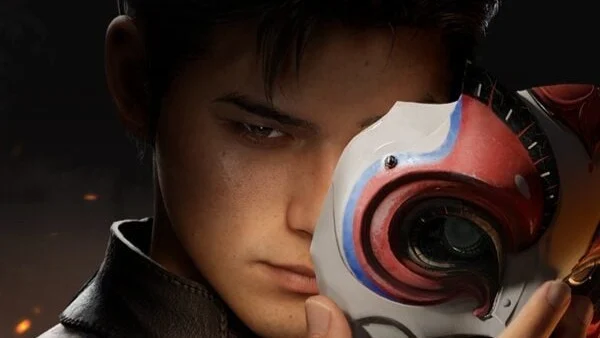 Update [Thu 4th Dec 2025, 6am]: We assumed when new footage of The God Slayer debuted earlier today that it was no longer part of Sony’s China Hero Project programme. That’s primarily because the game was also announced for the Xbox Series X|S, which is unusual, as China Hero Project titles typically deploy as timed console exclusives. Recent examples include Lost Soul Aside, for instance, which launched on PS5 and PC only, of course. But dev Pathea Games reached out to us to confirm The God Slayer is, in fact, still part of the China Hero Project. We asked how Sony is supporting the project, and a spokesperson told us: “Sony is assisting the project with some game development support, marketing, and publishing. More information is explained on their official website.” We asked whether there will be a period of timed console exclusivity and what benefits Sony is getting in return for its investment and support, but the studio couldn’t comment at this time. So, there you have it – The God Slayer is still part of the China Hero Project, despite it seemingly being a full-blown multiformat release at this stage. Original Story: When the stunning PS5 action RPG The God Slayer was first announced, it was part of Sony’s China Hero Project. But its re-reveal for various formats, including PC and Xbox Series X|S, suggests its no longer part of the PlayStation incubation programme. The good news is it’s still planned for the PS5 and looks great, blending traditional East Asian aesthetics with steampunk themes to create something truly unique. This is being built by Pathea Games, the maker of My Time at Portia, but it’s clearly a massive step forward in ambition from the studio. Back when it was first revealed, the team said it was targeting a 2027 release window, so it’s still a few years away. Here’s how the blurb introduces the game: The first gameplay footage is truly mind-boggling, showing protagonist Cheng navigating a busy urban environment and battling enemies known as Celestials. Combat focuses on martial arts-style attacks, but everything you do is infused with the elements. So, you can use water to wet and then freeze your foes, before melting them with fire. There are a staggering number of options teased in the trailer. Here’s what the summary says: So, the way the elements all interact is a bit like Genshin Impact, but clearly what the developer’s cooking here is a bit deeper than the combat system in HoYoverse’s acclaimed gacha. This is also a full-price single player game, as opposed to a free-to-play live service. The other thing that makes it unique is its steampunk influences, which are glimpsed in the trailer. There’s a giant mechanical enemy, for example, as well as blimps and various bits-and-pieces of clockwork tech. It all makes for a unique backdrop which feels familiar yet fantastical. We’re really impressed with this. But what do you think? Is this a game that’s suddenly made its way onto your wishlist? Let us know below.
 -
Update [Thu 4th Dec 2025, 6am]: We assumed when new footage of The God Slayer debuted earlier today that it was no longer part of Sony’s China Hero Project programme. That’s primarily because the game was also announced for the Xbox Series X|S, which is unusual, as China Hero Project titles typically deploy as timed console exclusives. Recent examples include Lost Soul Aside, for instance, which launched on PS5 and PC only, of course. But dev Pathea Games reached out to us to confirm The God Slayer is, in fact, still part of the China Hero Project. We asked how Sony is supporting the project, and a spokesperson told us: “Sony is assisting the project with some game development support, marketing, and publishing. More information is explained on their official website.” We asked whether there will be a period of timed console exclusivity and what benefits Sony is getting in return for its investment and support, but the studio couldn’t comment at this time. So, there you have it – The God Slayer is still part of the China Hero Project, despite it seemingly being a full-blown multiformat release at this stage. Original Story: When the stunning PS5 action RPG The God Slayer was first announced, it was part of Sony’s China Hero Project. But its re-reveal for various formats, including PC and Xbox Series X|S, suggests its no longer part of the PlayStation incubation programme. The good news is it’s still planned for the PS5 and looks great, blending traditional East Asian aesthetics with steampunk themes to create something truly unique. This is being built by Pathea Games, the maker of My Time at Portia, but it’s clearly a massive step forward in ambition from the studio. Back when it was first revealed, the team said it was targeting a 2027 release window, so it’s still a few years away. Here’s how the blurb introduces the game: The first gameplay footage is truly mind-boggling, showing protagonist Cheng navigating a busy urban environment and battling enemies known as Celestials. Combat focuses on martial arts-style attacks, but everything you do is infused with the elements. So, you can use water to wet and then freeze your foes, before melting them with fire. There are a staggering number of options teased in the trailer. Here’s what the summary says: So, the way the elements all interact is a bit like Genshin Impact, but clearly what the developer’s cooking here is a bit deeper than the combat system in HoYoverse’s acclaimed gacha. This is also a full-price single player game, as opposed to a free-to-play live service. The other thing that makes it unique is its steampunk influences, which are glimpsed in the trailer. There’s a giant mechanical enemy, for example, as well as blimps and various bits-and-pieces of clockwork tech. It all makes for a unique backdrop which feels familiar yet fantastical. We’re really impressed with this. But what do you think? Is this a game that’s suddenly made its way onto your wishlist? Let us know below. View full article
-
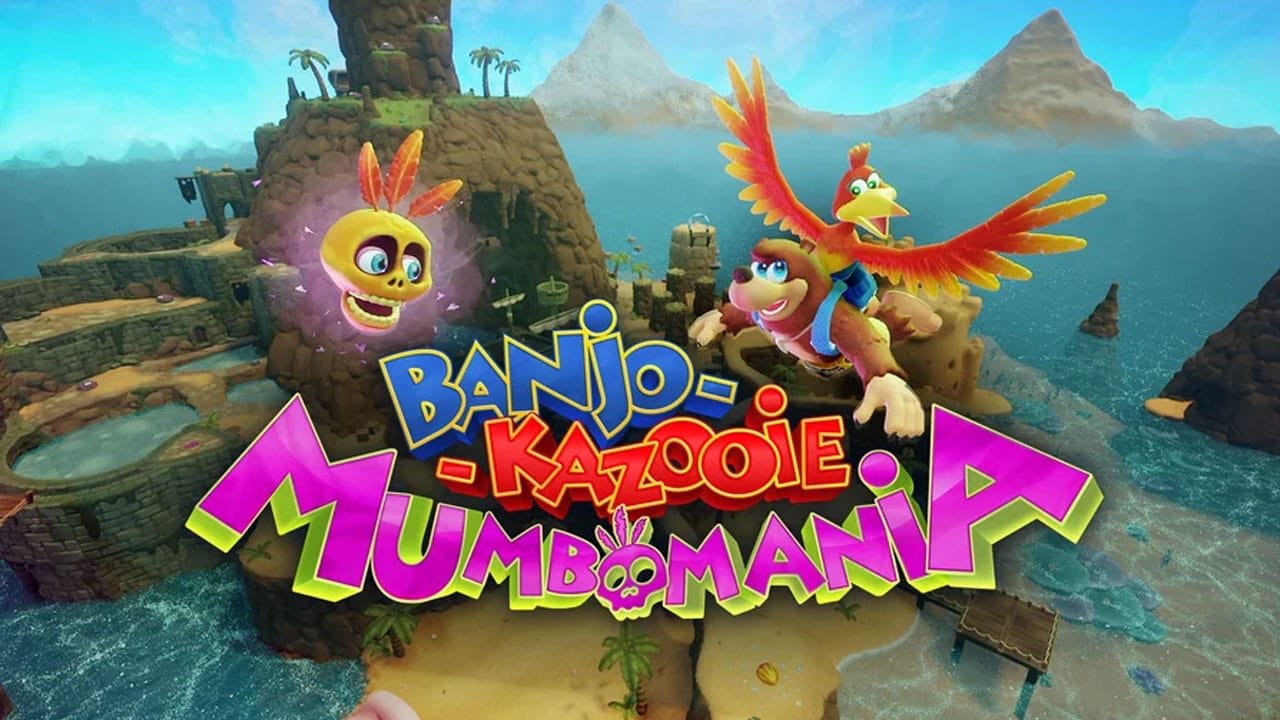 We've not checked in on Dreams for a while, but it seems the community is still plugging away at the PS4 create-'em-up. As it so happens, this week saw the release of Banjo-Kazooie: Mumbomania, an unofficial but very good 3D platformer from one of Dreams' best creators, Eupholace. The game is a short but very well-made 3D platformer featuring Rare's beloved duo. It features many familiar moves from the original games. The main gimmick here is Mumbo's ability to transform Banjo into various different forms, such as a small rock that can reach new areas, or a cannon that can fire you to hard-to-reach platforms. There's also a cursor controlled with your controller's gyro, which you can use to have Mumbo pick up collectibles for you or even stun enemies. It features all that you'd expect of a Banjo game — lots of collectibles like Jiggies and musical notes, gibberish character voices, and googly eyes everywhere. It's surprisingly fully-featured and controls very nicely. It may only last you an hour or two, but if you're a Banjo fan looking for a fix, it's well worth hopping in. Obviously we have no idea if Xbox will ever entertain the idea of a new, proper Banjo-Kazooie, but this is a fun reminder of its appeal at the very least. Eupholace, the creator, previously made Trip's Voyage, which remains one of the best games available in Dreams. It's also a 3D platformer, itself heavily inspired by classics like Mario and Banjo. Will you be checking out Banjo-Kazooie: Mumbomania in Dreams on PS5 and PS4? Tell us in the comments section below.
 -
We've not checked in on Dreams for a while, but it seems the community is still plugging away at the PS4 create-'em-up. As it so happens, this week saw the release of Banjo-Kazooie: Mumbomania, an unofficial but very good 3D platformer from one of Dreams' best creators, Eupholace. The game is a short but very well-made 3D platformer featuring Rare's beloved duo. It features many familiar moves from the original games. The main gimmick here is Mumbo's ability to transform Banjo into various different forms, such as a small rock that can reach new areas, or a cannon that can fire you to hard-to-reach platforms. There's also a cursor controlled with your controller's gyro, which you can use to have Mumbo pick up collectibles for you or even stun enemies. It features all that you'd expect of a Banjo game — lots of collectibles like Jiggies and musical notes, gibberish character voices, and googly eyes everywhere. It's surprisingly fully-featured and controls very nicely. It may only last you an hour or two, but if you're a Banjo fan looking for a fix, it's well worth hopping in. Obviously we have no idea if Xbox will ever entertain the idea of a new, proper Banjo-Kazooie, but this is a fun reminder of its appeal at the very least. Eupholace, the creator, previously made Trip's Voyage, which remains one of the best games available in Dreams. It's also a 3D platformer, itself heavily inspired by classics like Mario and Banjo. Will you be checking out Banjo-Kazooie: Mumbomania in Dreams on PS5 and PS4? Tell us in the comments section below. View full article
-
For ages now, we've been waiting on Xbox to add a version of the Xbox / Microsoft Store to the Android and iOS apps, as until now it's been impossible to actually buy anything on there - you've only been able to remote install games. However, the Xbox Store has officially begin rolling out on the Xbox mobile beta app as of today, and it seems to be pretty much the same thing we get on console, containing the same kinds of categories and sorting features. I've been playing around with it this morning, and you can see some images below. Note that it's not just paid games that appear in the store, but also free-to-play titles and demos - another very useful feature for when you're away from home and want to "redeem" those games and start the download process. For ages now, we've been waiting on Xbox to add a version of the Xbox / Microsoft Store to the Android and iOS apps, as until now it's been impossible to actually buy anything on there - you've only been able to remote install games. However, the Xbox Store has officially begin rolling out on the Xbox mobile beta app as of today, and it seems to be pretty much the same thing we get on console, containing the same kinds of categories and sorting features. I've been playing around with it this morning, and you can see some images below. Note that it's not just paid games that appear in the store, but also free-to-play titles and demos - another very useful feature for when you're away from home and want to "redeem" those games and start the download process. If you're interested in trying this for yourself, you can download the Xbox Beta app on the Google Play Store (I haven't tried it on iOS yet, but believe it's working on there too), and if you're in an applicable region, it should show up. Alternatively, you can just wait until this feature rolls out to the main Xbox mobile app in the near future, presumably in the coming days/weeks. It won't be long until we're finally all able to buy games on the Xbox mobile app! View full article
-
 Anyone fancy a free Xbox gift card for the holidays?! Well, we've spotted Xbox giving these away to some lucky users for the month of December, and they're being received across console, PC and even Xbox Cloud Gaming. At first glance this does seem to be quite rare, although there are multiple examples online of people who have received theirs already. Here's some of the proof we've come across so far: And as mentioned, these are appearing not only on console, but on PC and Xbox Cloud Gaming as well. If you're on Series X, S or Xbox One, you'll want to press the big Xbox guide button on your controller, go over to the "Parties & Chats" section, and see if there's anything from Xbox in "Chats" (make sure it's official!). On the Xbox PC app, you can click the "Friends" button in the bottom right and find the "Chats" tab. Alternatively, go on Xbox.com/play for Cloud Gaming, hit your profile icon in the top right and then go to "Offers & Credits" to see if there's anything in there. I've personally not found one, so don't go expecting a gift card by any means - it seems you'll need to be one the lucky few to have been selected. If you do get the message though, you'll need to make sure you redeem it by December 31st. Come and tell us down in the comments if you've been given an Xbox gift card for free or not!
 -
Anyone fancy a free Xbox gift card for the holidays?! Well, we've spotted Xbox giving these away to some lucky users for the month of December, and they're being received across console, PC and even Xbox Cloud Gaming. At first glance this does seem to be quite rare, although there are multiple examples online of people who have received theirs already. Here's some of the proof we've come across so far: And as mentioned, these are appearing not only on console, but on PC and Xbox Cloud Gaming as well. If you're on Series X, S or Xbox One, you'll want to press the big Xbox guide button on your controller, go over to the "Parties & Chats" section, and see if there's anything from Xbox in "Chats" (make sure it's official!). On the Xbox PC app, you can click the "Friends" button in the bottom right and find the "Chats" tab. Alternatively, go on Xbox.com/play for Cloud Gaming, hit your profile icon in the top right and then go to "Offers & Credits" to see if there's anything in there. I've personally not found one, so don't go expecting a gift card by any means - it seems you'll need to be one the lucky few to have been selected. If you do get the message though, you'll need to make sure you redeem it by December 31st. Come and tell us down in the comments if you've been given an Xbox gift card for free or not! View full article
-
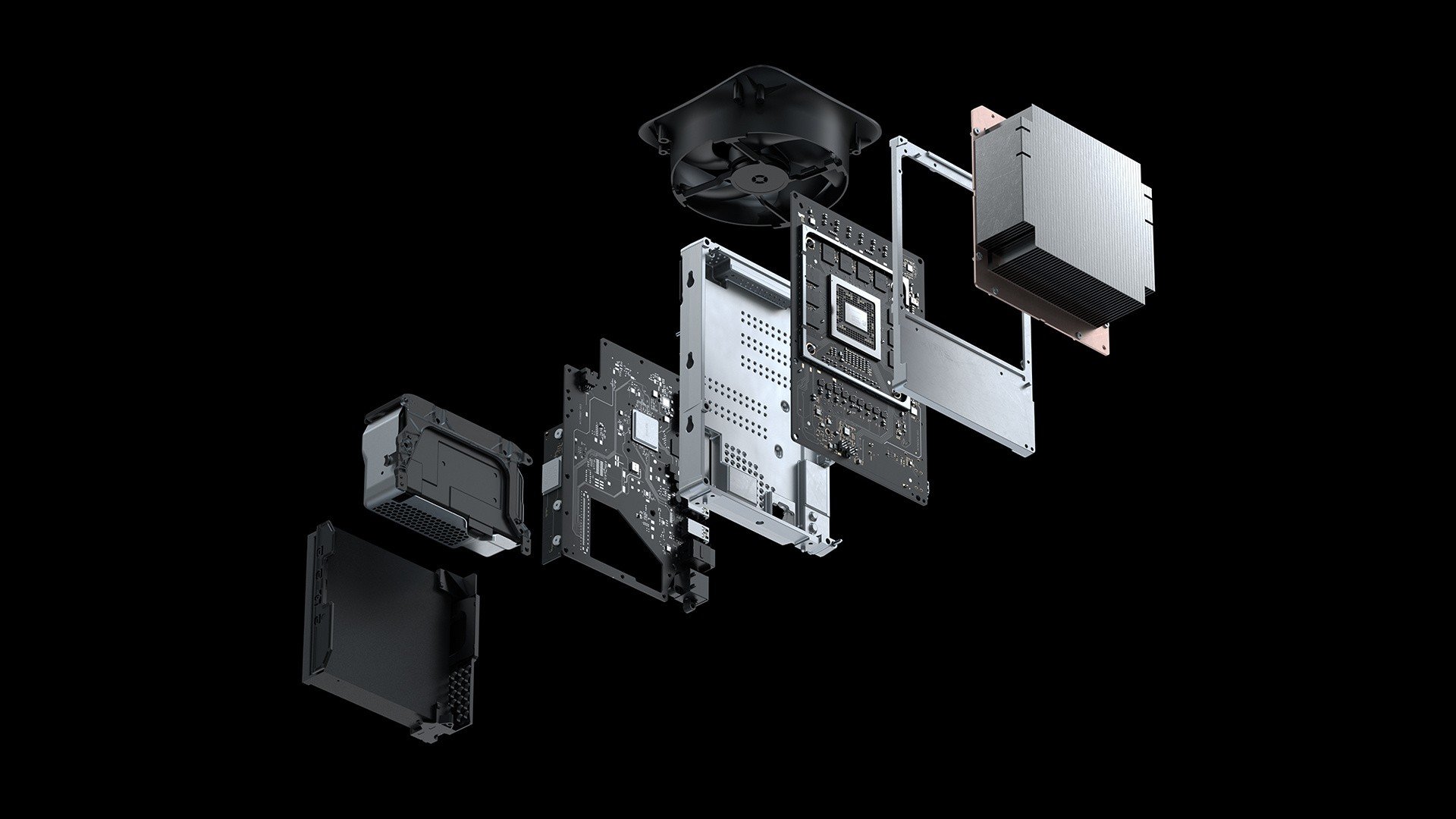 As the Xbox Series X|S generation continues and another one is on the horizon, it's being reported this week that a subsidiary of manufacturing company Foxconn is planning to expand its Xbox production over in Vietnam. This report comes from Reuters, which mentions that Fushan Technology, which is part of Foxconn, is trying to obtain a permit to produce up to 4.8 million "Xbox gaming devices, parts of the consoles and other unspecified electromagnetic devices" per-year, according to a company document." "Foxconn subsidiary seeks approval to produce annually 4.8 million Xbox consoles, parts and other devices" Nothing specific has been shared about what Foxconn / Fushan Technology might be working on, and Foxconn has apparently declined to comment, but we'd speculate that it's probably Xbox Series X|S consoles, Xbox Cloud Gaming servers, various accessories like controllers, and other bits and pieces along those lines - at least until the next console generation arrives. Interestingly, the report also mentions that China's Luxshare-ICT is planning to produce up to 4.5 million gaming consoles at a Vietnam-based factory from next year. We're assuming the rapid expansion in Vietnam is related to mitigating tariff impacts amid ongoing trade disputes, although who knows how that'll all pan out in the long run. What we do know is that Xbox is clearly still committed to making all kinds of devices and parts going forward - regardless of what they might be used for!
 -
As the Xbox Series X|S generation continues and another one is on the horizon, it's being reported this week that a subsidiary of manufacturing company Foxconn is planning to expand its Xbox production over in Vietnam. This report comes from Reuters, which mentions that Fushan Technology, which is part of Foxconn, is trying to obtain a permit to produce up to 4.8 million "Xbox gaming devices, parts of the consoles and other unspecified electromagnetic devices" per-year, according to a company document." "Foxconn subsidiary seeks approval to produce annually 4.8 million Xbox consoles, parts and other devices" Nothing specific has been shared about what Foxconn / Fushan Technology might be working on, and Foxconn has apparently declined to comment, but we'd speculate that it's probably Xbox Series X|S consoles, Xbox Cloud Gaming servers, various accessories like controllers, and other bits and pieces along those lines - at least until the next console generation arrives. Interestingly, the report also mentions that China's Luxshare-ICT is planning to produce up to 4.5 million gaming consoles at a Vietnam-based factory from next year. We're assuming the rapid expansion in Vietnam is related to mitigating tariff impacts amid ongoing trade disputes, although who knows how that'll all pan out in the long run. What we do know is that Xbox is clearly still committed to making all kinds of devices and parts going forward - regardless of what they might be used for! View full article
-
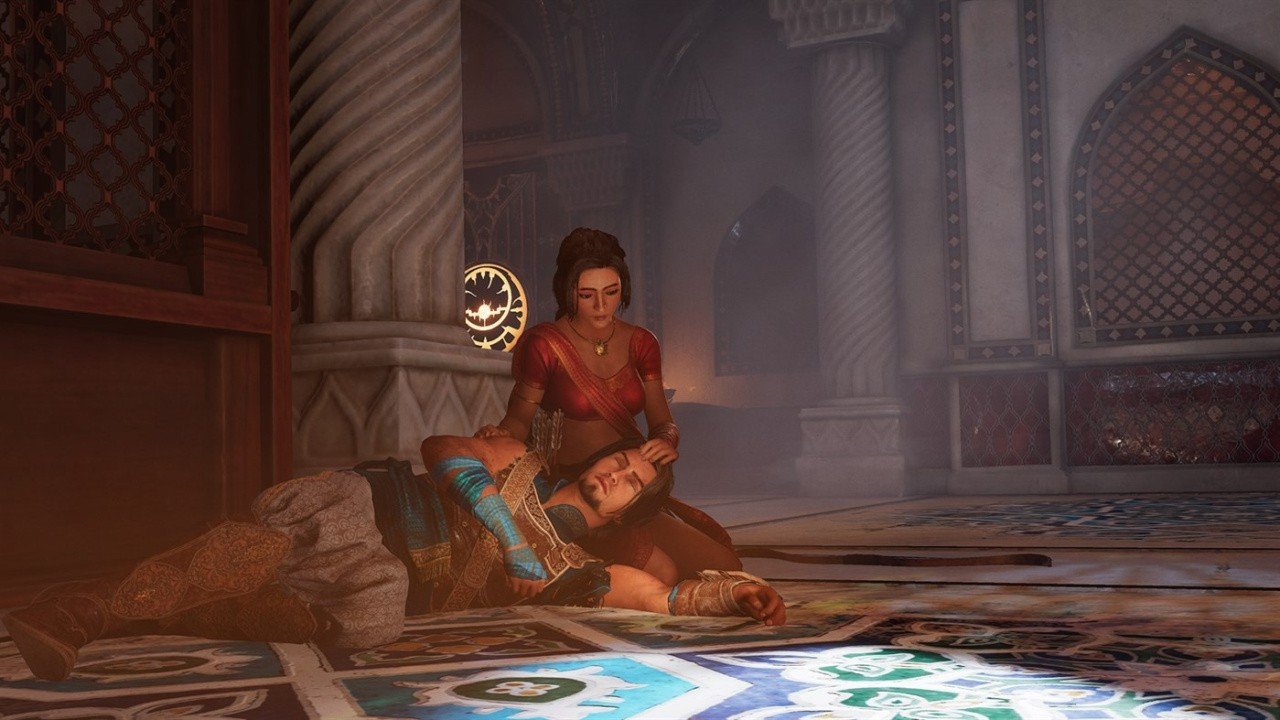 Last month, Ubisoft confirmed that its Prince of Persia: The Sands of Time Remake was set to launch before April 2026, which led to rumours of the game potentially showing up at The Game Awards next week ahead of a reported January release. Well, the team has now confirmed that sadly, the title won't be showing up at TGA 2025. In a social media response this week, the Prince of Persia team says it's "sorry to disappoint", but "The Sands of Time won't be at TGA this year". We'll share this online exchange down below: Now, as far as we're aware, this Sands of Time remake is officially set to launch in Ubisoft's current fiscal year, despite this TGA no-show. The company recently revealed that two more of its titles are to launch by April '26, including this Prince of Persia title. Anyway, we suppose we'll have to wait and see exactly when and where Ubisoft deems it the perfect time to re-re-reveal this PoP project, but we can confirm that The Game Awards on December 11th won't be that time and place.
 -
Last month, Ubisoft confirmed that its Prince of Persia: The Sands of Time Remake was set to launch before April 2026, which led to rumours of the game potentially showing up at The Game Awards next week ahead of a reported January release. Well, the team has now confirmed that sadly, the title won't be showing up at TGA 2025. In a social media response this week, the Prince of Persia team says it's "sorry to disappoint", but "The Sands of Time won't be at TGA this year". We'll share this online exchange down below: Now, as far as we're aware, this Sands of Time remake is officially set to launch in Ubisoft's current fiscal year, despite this TGA no-show. The company recently revealed that two more of its titles are to launch by April '26, including this Prince of Persia title. Anyway, we suppose we'll have to wait and see exactly when and where Ubisoft deems it the perfect time to re-re-reveal this PoP project, but we can confirm that The Game Awards on December 11th won't be that time and place. View full article
-
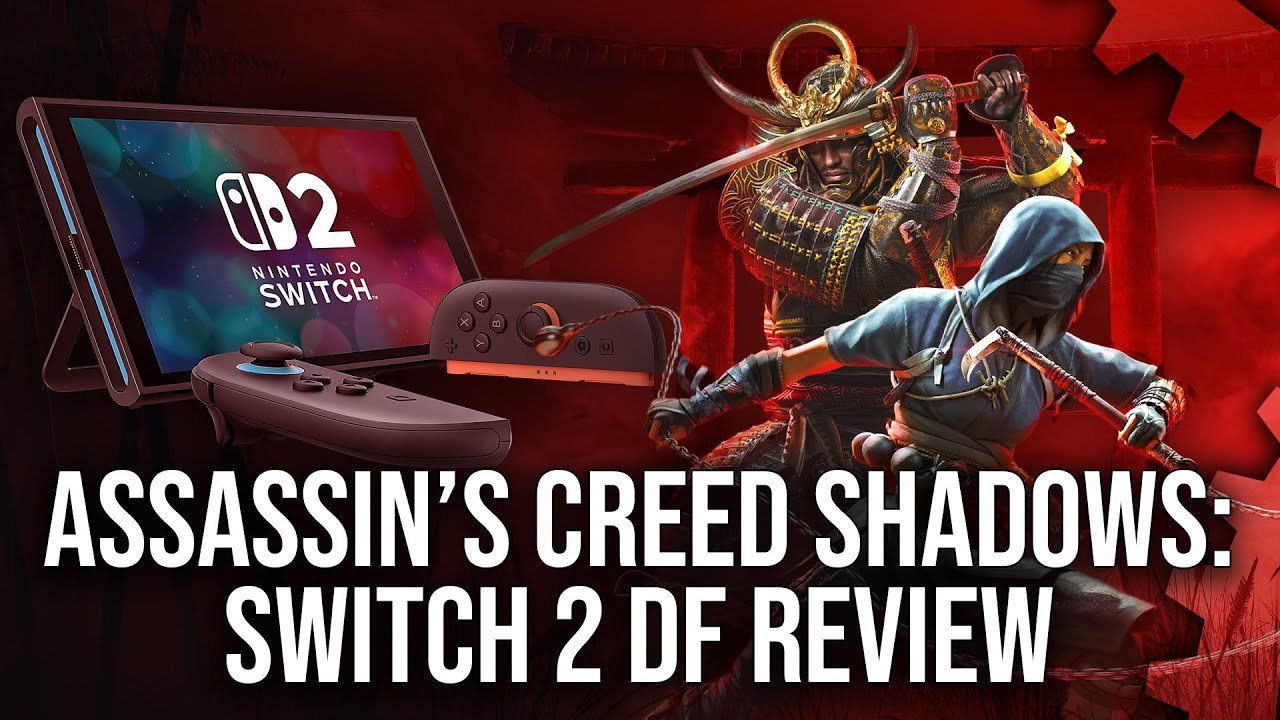 December has gotten off to quite the start, hasn't it? With so many new games launching on Switch 2, we're sure that you're keen to find out how each and every one of them runs on the fresh hardware and, as ever, the tech experts over at Digital Foundry are here to do just that. This time, it's Assassin's Creed Shadows' Switch 2 port that's being put under the microscope. The above video sets a baseline of the Xbox Series S version and compares the technical flair of the new Nintendo hybrid from there. So, what does DF make of it? Visually, the Switch 2 has some obvious cutbacks from the Series S edition. Without SSR, the handheld version is lacking most water reflection and movement, and you'll notice some decrease in foliage at a middle distance. Textures also come in at a decreased resolution, and, ironically, the titular shadows don't hold up as well as they do elsewhere — though, at half the storage size of the Series S release, this is hardly surprising. All that said, DF describes the Switch 2 edition as "a pretty handsome rendition of the game", one that comes in very close to the Series S. In terms of image quality, the game utilises DLSS technology to help along the docked mode's typical 648p resolution, and produces a much better image than that number would suggest in the process. This is, of course, reduced in handheld play, where DF counted resolutions as low as 400p, but it all remains "pretty respectable" in action and is even considered "more reliable in portable play than when docked". The game mostly sticks to its 30fps target in typical play, though its frame pacing is rather poor, and there are occasional dips in particularly taxing locations or cutscenes.
 -
December has gotten off to quite the start, hasn't it? With so many new games launching on Switch 2, we're sure that you're keen to find out how each and every one of them runs on the fresh hardware and, as ever, the tech experts over at Digital Foundry are here to do just that. This time, it's Assassin's Creed Shadows' Switch 2 port that's being put under the microscope. The above video sets a baseline of the Xbox Series S version and compares the technical flair of the new Nintendo hybrid from there. So, what does DF make of it? Visually, the Switch 2 has some obvious cutbacks from the Series S edition. Without SSR, the handheld version is lacking most water reflection and movement, and you'll notice some decrease in foliage at a middle distance. Textures also come in at a decreased resolution, and, ironically, the titular shadows don't hold up as well as they do elsewhere — though, at half the storage size of the Series S release, this is hardly surprising. All that said, DF describes the Switch 2 edition as "a pretty handsome rendition of the game", one that comes in very close to the Series S. In terms of image quality, the game utilises DLSS technology to help along the docked mode's typical 648p resolution, and produces a much better image than that number would suggest in the process. This is, of course, reduced in handheld play, where DF counted resolutions as low as 400p, but it all remains "pretty respectable" in action and is even considered "more reliable in portable play than when docked". The game mostly sticks to its 30fps target in typical play, though its frame pacing is rather poor, and there are occasional dips in particularly taxing locations or cutscenes. View full article
-
.jpg.0ca353d7247fb858cd0779bc3fff9fc8.jpg) IO Interactive is in our good books big time off the back of all the premium-grade assassinating they've let us do across the globe as Agent 47. Now the team has taken up the mantle (the obvious next step for those paying attention) of James Bond himself, with 007: First Light. And ahead of the game's 27th March 2026 release date, IO has dropped the very first in a series of dev diary deep dives aimed at exploring this latest Bond adventure alongside interested players. What an absolute high this dev team has been on with the majestic Hitman: World of Assassination, and it looks like it'll continue here. We've already seen bits and pieces of the game, and we know it's a reimagining of the Bond origin story, featuring a young 007. But this first episode, which you can watch in full above, concentrates on gameplay, as the series as a whole looks to cover the design philosophy and creative processes. Images: IO Interactive It's interesting stuff, so make sure to check it out for all the new gameplay footage, and discussions about the game's blend of mechanics, which it seems will - in part at least - run with some Hitman aspects, developing on stuff such as questioning and observing, and blending into your surroundings. Oh boy, we can't wait. One example mentioned in the video is "enforcers", meaning NPCs who see through you because they "know" everyone who works in a particular building or area. So this then introduces a new puzzle style to work with. We also get some tantalising chat about how the devs want to balance thing to give players freedom to approach any situation the way they want as Bond, whilst also making it so the execution of any given plan you hatch can go wildly wrong and need re-tuning on the fly. All the good stuff we hoped we'd hear them speak about when approaching James Bond in their signature style, basically. Andreas Krogh, the gameplay director on 007: First Light also mentions new techniques they've come up with by "marrying" Bond's style with their take on stealth. So you have some new deescalation options, such as bluffing. Here we see that Bond can smooth talk his way out of a scenario where the only option for 47 would be to pan somebody in the head or run away. Images: IO Interactive Thomas Pulluelo, the game's level designer, also pops up to show how the rather nice looking environs on display are designed so that players can see opportunities more easily and naturally. So hopefully fewer shiny pipes and yellow footholds, and more feeling like you did it all yourself. Nice. There's are some fantastic sequences (so do make sure to check out the full vid) that show off the amazingly brutal action and combat we can expect in March of next year. This young Bond does some vicious CQC, he charges down foes and gets stuck in like a proper trained killer. Expect plenty of quick switching between fist fights, shooting with fancy guns, stealth action and lots of crashing of expensive cars and then reloading the game. Now, speaking of cars, where did we put the keys to our motor? It's been leaking oil slicks and randomly firing machine gun bullets out of its hood again. Honestly, Q's been right off their game recently. If you're looking forward to 007: First Light, make sure you check out Push Square's preview from back in September; they might be more excited than us! Images: IO Interactive Looking forward to 007: First Light? Think IO's style suits 007 down to the ground like we do? Let us know!
IO Interactive is in our good books big time off the back of all the premium-grade assassinating they've let us do across the globe as Agent 47. Now the team has taken up the mantle (the obvious next step for those paying attention) of James Bond himself, with 007: First Light. And ahead of the game's 27th March 2026 release date, IO has dropped the very first in a series of dev diary deep dives aimed at exploring this latest Bond adventure alongside interested players. What an absolute high this dev team has been on with the majestic Hitman: World of Assassination, and it looks like it'll continue here. We've already seen bits and pieces of the game, and we know it's a reimagining of the Bond origin story, featuring a young 007. But this first episode, which you can watch in full above, concentrates on gameplay, as the series as a whole looks to cover the design philosophy and creative processes. Images: IO Interactive It's interesting stuff, so make sure to check it out for all the new gameplay footage, and discussions about the game's blend of mechanics, which it seems will - in part at least - run with some Hitman aspects, developing on stuff such as questioning and observing, and blending into your surroundings. Oh boy, we can't wait. One example mentioned in the video is "enforcers", meaning NPCs who see through you because they "know" everyone who works in a particular building or area. So this then introduces a new puzzle style to work with. We also get some tantalising chat about how the devs want to balance thing to give players freedom to approach any situation the way they want as Bond, whilst also making it so the execution of any given plan you hatch can go wildly wrong and need re-tuning on the fly. All the good stuff we hoped we'd hear them speak about when approaching James Bond in their signature style, basically. Andreas Krogh, the gameplay director on 007: First Light also mentions new techniques they've come up with by "marrying" Bond's style with their take on stealth. So you have some new deescalation options, such as bluffing. Here we see that Bond can smooth talk his way out of a scenario where the only option for 47 would be to pan somebody in the head or run away. Images: IO Interactive Thomas Pulluelo, the game's level designer, also pops up to show how the rather nice looking environs on display are designed so that players can see opportunities more easily and naturally. So hopefully fewer shiny pipes and yellow footholds, and more feeling like you did it all yourself. Nice. There's are some fantastic sequences (so do make sure to check out the full vid) that show off the amazingly brutal action and combat we can expect in March of next year. This young Bond does some vicious CQC, he charges down foes and gets stuck in like a proper trained killer. Expect plenty of quick switching between fist fights, shooting with fancy guns, stealth action and lots of crashing of expensive cars and then reloading the game. Now, speaking of cars, where did we put the keys to our motor? It's been leaking oil slicks and randomly firing machine gun bullets out of its hood again. Honestly, Q's been right off their game recently. If you're looking forward to 007: First Light, make sure you check out Push Square's preview from back in September; they might be more excited than us! Images: IO Interactive Looking forward to 007: First Light? Think IO's style suits 007 down to the ground like we do? Let us know! -
IO Interactive is in our good books big time off the back of all the premium-grade assassinating they've let us do across the globe as Agent 47. Now the team has taken up the mantle (the obvious next step for those paying attention) of James Bond himself, with 007: First Light. And ahead of the game's 27th March 2026 release date, IO has dropped the very first in a series of dev diary deep dives aimed at exploring this latest Bond adventure alongside interested players. What an absolute high this dev team has been on with the majestic Hitman: World of Assassination, and it looks like it'll continue here. We've already seen bits and pieces of the game, and we know it's a reimagining of the Bond origin story, featuring a young 007. But this first episode, which you can watch in full above, concentrates on gameplay, as the series as a whole looks to cover the design philosophy and creative processes. Images: IO Interactive It's interesting stuff, so make sure to check it out for all the new gameplay footage, and discussions about the game's blend of mechanics, which it seems will - in part at least - run with some Hitman aspects, developing on stuff such as questioning and observing, and blending into your surroundings. Oh boy, we can't wait. One example mentioned in the video is "enforcers", meaning NPCs who see through you because they "know" everyone who works in a particular building or area. So this then introduces a new puzzle style to work with. We also get some tantalising chat about how the devs want to balance thing to give players freedom to approach any situation the way they want as Bond, whilst also making it so the execution of any given plan you hatch can go wildly wrong and need re-tuning on the fly. All the good stuff we hoped we'd hear them speak about when approaching James Bond in their signature style, basically. Andreas Krogh, the gameplay director on 007: First Light also mentions new techniques they've come up with by "marrying" Bond's style with their take on stealth. So you have some new deescalation options, such as bluffing. Here we see that Bond can smooth talk his way out of a scenario where the only option for 47 would be to pan somebody in the head or run away. Images: IO Interactive Thomas Pulluelo, the game's level designer, also pops up to show how the rather nice looking environs on display are designed so that players can see opportunities more easily and naturally. So hopefully fewer shiny pipes and yellow footholds, and more feeling like you did it all yourself. Nice. There's are some fantastic sequences (so do make sure to check out the full vid) that show off the amazingly brutal action and combat we can expect in March of next year. This young Bond does some vicious CQC, he charges down foes and gets stuck in like a proper trained killer. Expect plenty of quick switching between fist fights, shooting with fancy guns, stealth action and lots of crashing of expensive cars and then reloading the game. Now, speaking of cars, where did we put the keys to our motor? It's been leaking oil slicks and randomly firing machine gun bullets out of its hood again. Honestly, Q's been right off their game recently. If you're looking forward to 007: First Light, make sure you check out Push Square's preview from back in September; they might be more excited than us! Images: IO Interactive Looking forward to 007: First Light? Think IO's style suits 007 down to the ground like we do? Let us know! View full article
-
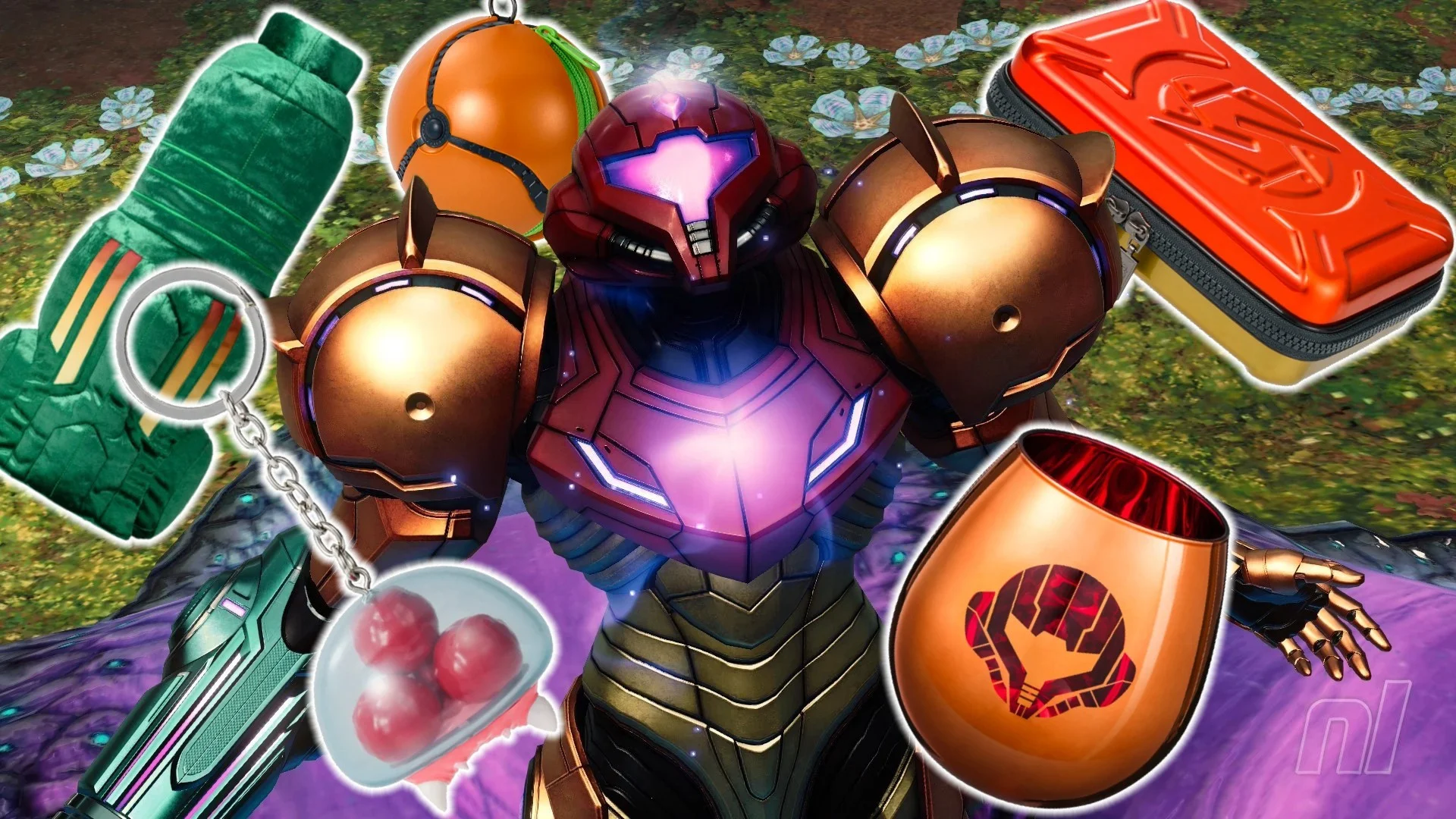 Metroid has rarely been able to play with the Nintendo big boys as far as sales are concerned, so it's no surprise that Samus merch drops have been a fair bit rarer than those seen for Zelda and Mario. But, with Metroid Prime 4: Beyond finally here, Nintendo is changing that... in Japan, at least. Yes, a new wave of Metroid merch is now available exclusively at the Nintendo Stores in Tokyo, Osaka, Kyoto, Fukuoka and the Okinawa pop-up. Just to really rub salt in the wound, it's also available on the My Nintendo Store, exclusively in Japan. sigh Back to looking longingly at plane tickets, it is. Update: Well, it looks like Nintendo has answered our wishes! Although it appeared that the merch outlined below was exclusive to Japan, many of the items have just cropped up on the UK My Nintendo Store, too. Time to beef up those Christmas stockings! Simply put, the new range is awesome. There's a super cute Baby Metroid keychain, a Morph Ball zip-up pouch, a 'gadget case' for all your wires and charging banks, and even glasses so you can 'cheers' Prime 4 in style. Images: Nintendo The real winners, mind you, are the Metroid ice cube tray (not available on the EU store) — because why have cube-shaped ice, when it could look like a tiny alien? — and the Arm Cannon pillow, which, yes, you can actually wear. Images: Nintendo The full collection ranges in price from 2,420 yen / £12.99 for the keychain, up to 6,600 yen / £37.99 for the Arm Cannon pillow. And if the above has got you in the mood for even more merch, the squishy Metroid amiibo is now back in stock on the UK My Nintendo Store for £12.99. Those unable to get their hands on any of the above can still take joy in Metroid Prime 4: Beyond, which arrives on Switch and Switch 2 today, instead. We called Samus' latest adventure "one of the very best Metroid games of all time" in our review, and today, the wait is finally over!
 -
Metroid has rarely been able to play with the Nintendo big boys as far as sales are concerned, so it's no surprise that Samus merch drops have been a fair bit rarer than those seen for Zelda and Mario. But, with Metroid Prime 4: Beyond finally here, Nintendo is changing that... in Japan, at least. Yes, a new wave of Metroid merch is now available exclusively at the Nintendo Stores in Tokyo, Osaka, Kyoto, Fukuoka and the Okinawa pop-up. Just to really rub salt in the wound, it's also available on the My Nintendo Store, exclusively in Japan. sigh Back to looking longingly at plane tickets, it is. Update: Well, it looks like Nintendo has answered our wishes! Although it appeared that the merch outlined below was exclusive to Japan, many of the items have just cropped up on the UK My Nintendo Store, too. Time to beef up those Christmas stockings! Simply put, the new range is awesome. There's a super cute Baby Metroid keychain, a Morph Ball zip-up pouch, a 'gadget case' for all your wires and charging banks, and even glasses so you can 'cheers' Prime 4 in style. Images: Nintendo The real winners, mind you, are the Metroid ice cube tray (not available on the EU store) — because why have cube-shaped ice, when it could look like a tiny alien? — and the Arm Cannon pillow, which, yes, you can actually wear. Images: Nintendo The full collection ranges in price from 2,420 yen / £12.99 for the keychain, up to 6,600 yen / £37.99 for the Arm Cannon pillow. And if the above has got you in the mood for even more merch, the squishy Metroid amiibo is now back in stock on the UK My Nintendo Store for £12.99. Those unable to get their hands on any of the above can still take joy in Metroid Prime 4: Beyond, which arrives on Switch and Switch 2 today, instead. We called Samus' latest adventure "one of the very best Metroid games of all time" in our review, and today, the wait is finally over! View full article
-
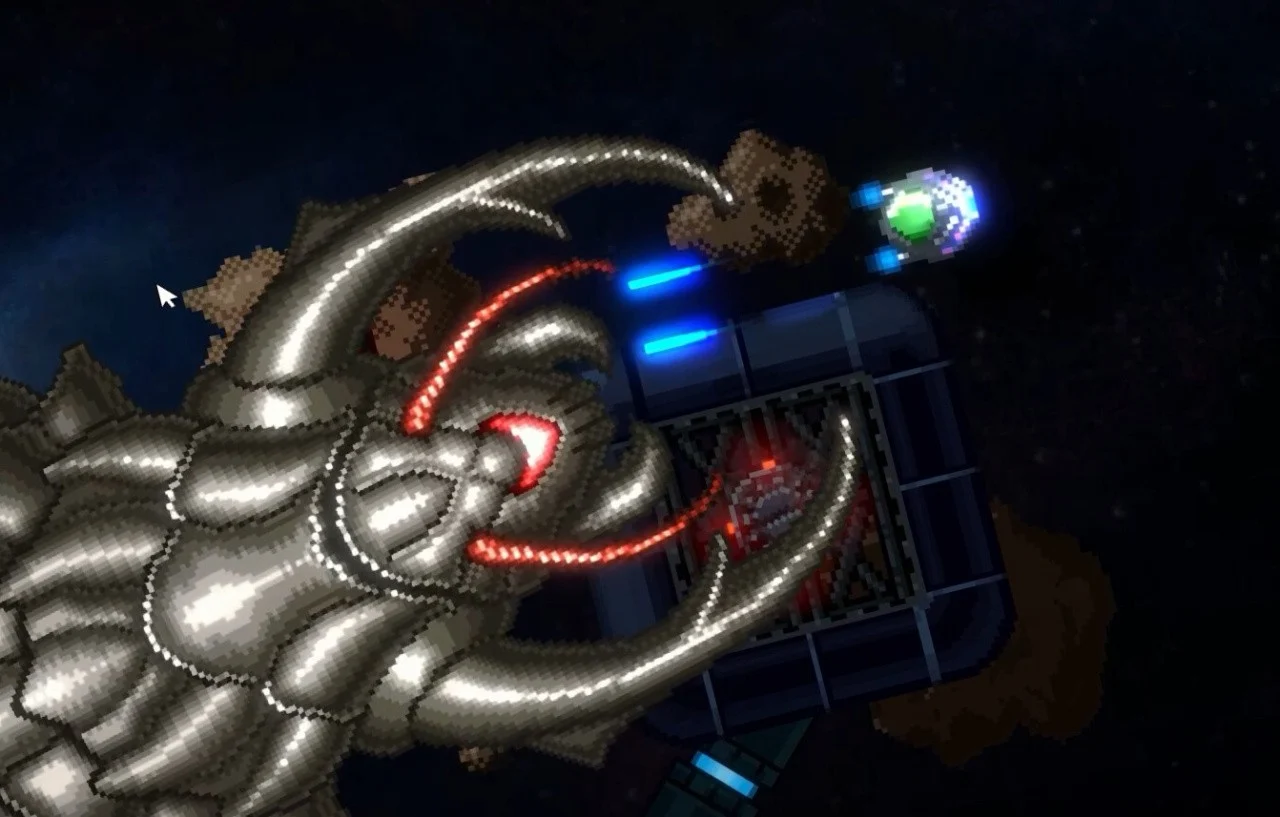 While floppy disks may not have been the best storage medium when it comes to longevity and memory, there's undoubtedly something very nostalgic about them – if you grew up in the late '80s and early '90s, at least. Industry vets Andrew and Rob Hewson are aiming to tap into that rose-tinted feeling with Hyper Sentinel Fusion, a successor to Hyper Sentinel. It's described as "Uridium and Paradroid combined with extraction shooter and roguelite elements in an explosive fusion of gameplay styles." Launching on Kickstarter soon, Hyper Sentinel Fusion is an arcade shooter which will ship on a floppy disk – only this one isn't going to work in your PC, Amiga or ST. "Slide open that floppy shutter to uncover a secret USB stash, loaded with this new exciting retro game for the modern era (DRM-free) for PC & Mac, and crammed with bonus goodies—just like finding hidden cheat codes of the past," says the Kickstarter pre-launch page. A demo is available on Steam as we speak, and digital versions of Hyper Sentinel Fusion are expected to launch on PC, Mac, PlayStation 5, PS4, Xbox Series X|S, Nintendo Switch and Nintendo Switch 2.
 -
While floppy disks may not have been the best storage medium when it comes to longevity and memory, there's undoubtedly something very nostalgic about them – if you grew up in the late '80s and early '90s, at least. Industry vets Andrew and Rob Hewson are aiming to tap into that rose-tinted feeling with Hyper Sentinel Fusion, a successor to Hyper Sentinel. It's described as "Uridium and Paradroid combined with extraction shooter and roguelite elements in an explosive fusion of gameplay styles." Launching on Kickstarter soon, Hyper Sentinel Fusion is an arcade shooter which will ship on a floppy disk – only this one isn't going to work in your PC, Amiga or ST. "Slide open that floppy shutter to uncover a secret USB stash, loaded with this new exciting retro game for the modern era (DRM-free) for PC & Mac, and crammed with bonus goodies—just like finding hidden cheat codes of the past," says the Kickstarter pre-launch page. A demo is available on Steam as we speak, and digital versions of Hyper Sentinel Fusion are expected to launch on PC, Mac, PlayStation 5, PS4, Xbox Series X|S, Nintendo Switch and Nintendo Switch 2. View full article
-
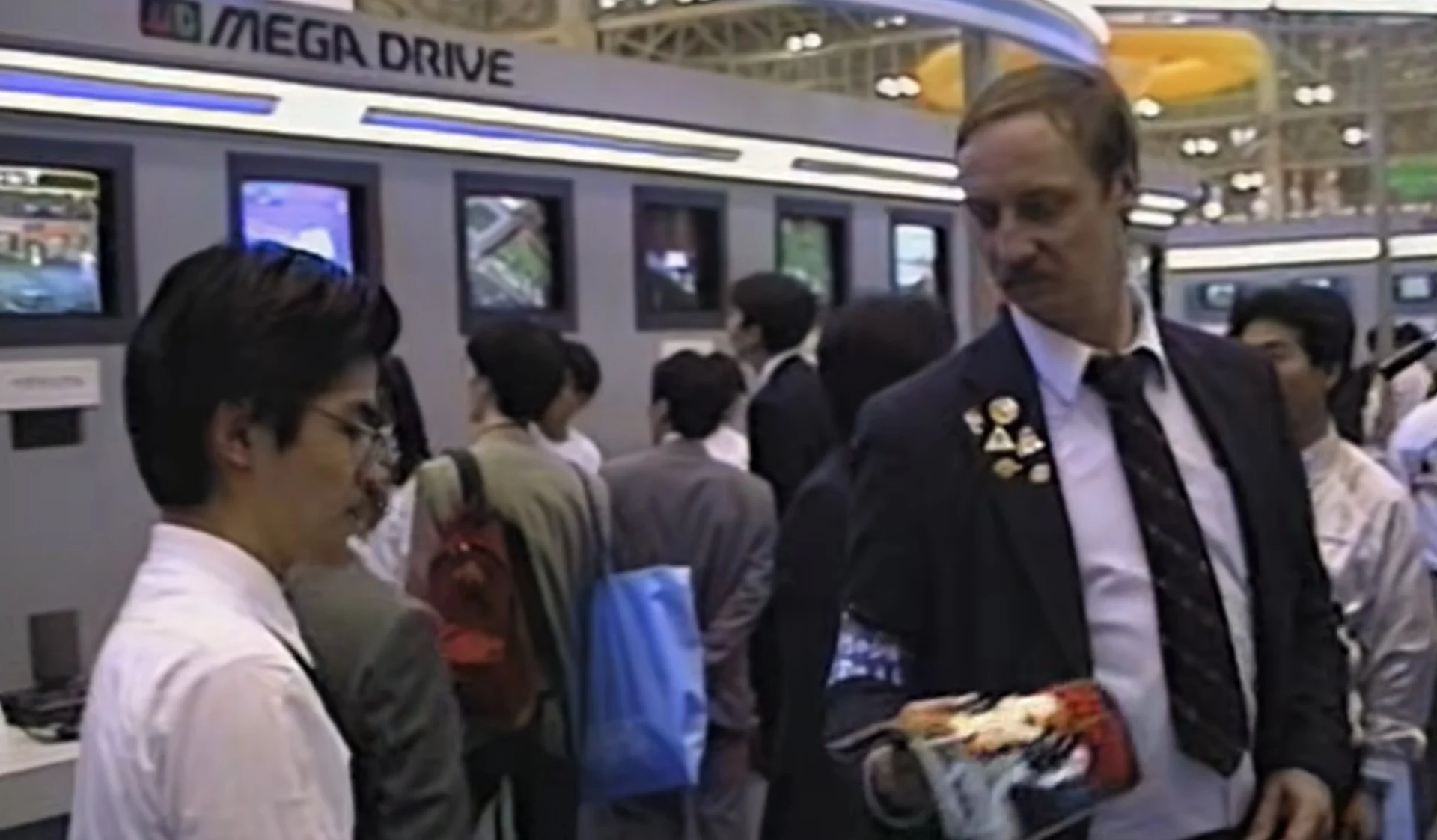 Update [Thu 4th Dec 2025, 4:30am]: My Life in Gaming and Game Sack's Electronic Gaming Monthly documentary, Pixels to Pages - The Story of Electronic Gaming Monthly, is now available to watch online for free. The 1-hour 16-minute-long documentary was released yesterday, across both My Life in Gaming and Game Sack's YouTube channels, and features interviews with former Electronic Gaming Monthly Editor-In-Chief Ed Semrad, the late EGM editor Martin Alessi, and the one-time managing editor Ken Williams, among others who were involved in the creation of the landmark magazine. Images: Game Sack/My Life In Gaming Frank Cifaldi from the Video Game History Foundation also makes an appearance, too, giving some valuable context about what made EGM stand out from other video game publications of the time. Some of the major topics discussed in the documentary include how EGM was originally started and its early association with the U.S. National Video Game Team, how Ed took the best video game screenshots at events (often leading to the magazine containing images of games that never saw the light of day), and its approach to reviews (including the origins and identity of the Review Crew's Sushi-X). If you're interested, you can watch the documentary below: Original Story: Founded back in 1988, Electronic Gaming Monthly (or 'EGM' to its friends) was one of the world's most famous video game magazines. From its first full issue in 1989 to its closure in 2014, EGM covered all of the important events in the world of video gaming, charting the NES's dominance to the arrival of 16-bit successors and the 32-bit wave that pushed the industry forward in the 1990s. By the time issue 264 arrived on shelves in 2014, the magazine had seen consoles such as the PS2, Xbox 360, Nintendo DS and Wii come and go. An internet-only relaunch took place in 2019, but at the time of writing, the last article posted on EGMNow.com is from the start of last year. While EGM is no longer in active production either as a physical magazine or a website, it remains a beloved part of video game history for many people – as was evidenced by the 2024 Kickstarter for The Electronic Gaming Monthly Compendium, a retrospective book which will celebrate EGM's legacy. It turns out that's not the only celebration we're going to be getting – the host of retro YouTube channel Game Sack has announced that he is directing and editing a documentary on the magazine in collaboration with fellow channel, My Life In Gaming. Game Sack's Joe Redifer has confirmed that the production will not be funded through a crowdfunding drive. There's also no release date in place, but he says it will hopefully be "soon."
 -
Update [Thu 4th Dec 2025, 4:30am]: My Life in Gaming and Game Sack's Electronic Gaming Monthly documentary, Pixels to Pages - The Story of Electronic Gaming Monthly, is now available to watch online for free. The 1-hour 16-minute-long documentary was released yesterday, across both My Life in Gaming and Game Sack's YouTube channels, and features interviews with former Electronic Gaming Monthly Editor-In-Chief Ed Semrad, the late EGM editor Martin Alessi, and the one-time managing editor Ken Williams, among others who were involved in the creation of the landmark magazine. Images: Game Sack/My Life In Gaming Frank Cifaldi from the Video Game History Foundation also makes an appearance, too, giving some valuable context about what made EGM stand out from other video game publications of the time. Some of the major topics discussed in the documentary include how EGM was originally started and its early association with the U.S. National Video Game Team, how Ed took the best video game screenshots at events (often leading to the magazine containing images of games that never saw the light of day), and its approach to reviews (including the origins and identity of the Review Crew's Sushi-X). If you're interested, you can watch the documentary below: Original Story: Founded back in 1988, Electronic Gaming Monthly (or 'EGM' to its friends) was one of the world's most famous video game magazines. From its first full issue in 1989 to its closure in 2014, EGM covered all of the important events in the world of video gaming, charting the NES's dominance to the arrival of 16-bit successors and the 32-bit wave that pushed the industry forward in the 1990s. By the time issue 264 arrived on shelves in 2014, the magazine had seen consoles such as the PS2, Xbox 360, Nintendo DS and Wii come and go. An internet-only relaunch took place in 2019, but at the time of writing, the last article posted on EGMNow.com is from the start of last year. While EGM is no longer in active production either as a physical magazine or a website, it remains a beloved part of video game history for many people – as was evidenced by the 2024 Kickstarter for The Electronic Gaming Monthly Compendium, a retrospective book which will celebrate EGM's legacy. It turns out that's not the only celebration we're going to be getting – the host of retro YouTube channel Game Sack has announced that he is directing and editing a documentary on the magazine in collaboration with fellow channel, My Life In Gaming. Game Sack's Joe Redifer has confirmed that the production will not be funded through a crowdfunding drive. There's also no release date in place, but he says it will hopefully be "soon." View full article