





Rockstar
Administrators
-
Joined
-
Last visited
Everything posted by Rockstar
-
 Warning This tutorial is only for advanced users and has aserious risk of bricking the console. Make sure you read it completely before executing any step and that you understand every step and its implications. With de_Fuse everything should be unbrickableif you know how. You should at leasthave a backup of the SLC, as we can’t rebuild it easily. (a backup can be done in minute_minute, so there is no excuse). We had two cases where the SLC corrupted for an unknown reason, so a backup is essential. What is this for?This tutorial goes into rebuilding the MLC from scratch on a clean media. This can become useful, if the MLC (eMMC) chip died or corrupted the filesystem the SCFM (SLC cache for MLC) became inconsistent you want to upgrade the capacity of the internal storage. you want to set up a redNAND without SCFM If you have a bad eMMC chip, but the recovery still works (which is most likely), then there are also ways to fix it without a complete reformat. If the LED isblinking blue, you have a SLC problem and not a MLC problem, so this tutorial won't help with that. It will format your MLC, so all data on the internal Wii U memory will be lost. Update 13.03.2024- The wafel_setup_mlc.ipx now uses a built in IOSU function to create system folders, that should make sure the permissions are right, which caused problems with game updates in the past. It will also recreate the update folder (so system updates won't be blocked by that) Prerequisites Have either ISFShax installed: https://gbatemp.net/threads/how-to-set-up-isfshax.642258/#post-10280366 OR de_Fuse 0.7.1 (or later): https://github.com/shinyquagsire23/wii_u_modchip/releases Defuse requires some soldering, so ISFShax is probably right for you (if you can still launch the installer). A 5.5.x firmware is expected and the only configuration tested. It might work on older firmwares or might be adoptable to those, but it will require special care. Backing up save games Do a backup of what you want to preserve, like savegames and Miis. For Backing up Save games, it is recommended to use SaveMii. That requires that you have Tiramisu or Aroma running. You can also move your savgames (or whole games) to USB, which should still be readable. When recreating the users after the rebuild, you just have to be carefull to create the users in the right order, to make the ID’s match.A backupby other means (Like savemii)is still recommended. If you are using this tutorial to fix a failing eMMC you might not be able to use the other Backup options. In that case use the Dump MLC option in the Recovery. You can extract your data from there using wfs-extract. Storage OptionsThe Wii U has two ways of connecting internal memory, each with its own drawbacks: SDIO – On retail consoles the internal memory is a eMMC chip connected through an internal SDIO bus to the Latte chip. This SDIO bus can also use SD cards (hence the name SD IO). Access to media connected on the SDIO is cached through a file on the SLC, presumably to reduce writes on the MLC. This cache is called SCFM and it is the reason why you always need to backup / restore SLC and MLC together and doesn’t allow easy swapping of multiple SDs. IOSU also only supports 3 sizes of media on this bus: <=8GB, 32GB and 64GB. The size will be limited to the biggest it fits, the rest is unusable. This bus is limited to 26MB/s (4bit@52Mhz). For replacing the eMMC with an micro SD you can use MLC2SD or a similar Interposer. Soldering and micro SD adapter using wires, works too. It is recommended to use a 64GB Sandisk Max Endurance card (But similar card should also be fine), since the Wii U is known for writing much. SATA – The Disc drive is connected through SATA, the connectors are different but the electrical signals are still the same. Some Kiosk consoles used this Interface to connect to a HDD. The type of the SATA device can be configured in the SEEPROM, so we can configure our retail consoles to also use a SATA HDD / SSD. NOTE: @QuarkTheAwesome is building an SATA adapter for that purpose, available soon™. The advantage of using this interface is, that the size isn’t limited (well WFS is limited to 2TB) and it doesn’t use SCFM, which makes some things easier and improves performance in some circumstances. The obvious disadvantage is that you can’t use your disc drive anymore. Without the Disc Drive vWii System Menu doesn't work. vWii Injectes / Wii VC from the eShop can still be used, but only when installed to USB. Also you still might need to disable the MLC on the SDIO bus, or else the wii u might still use the SDIO one if the SATA device takes too long to init. redNAND – redirects the read / writes to one or more of the internal storage devices to paritions on the SD card. You can create an arbitrary size MLC partition on the SD card and set it up using this tutorial. SCFM can be easily disabled for the redNAND. The 64GB limit does not exist for redNAND if the SCFM is disabled. For redNAND we have a dedicated Tutorial here: https://gbatemp.net/threads/fixing-...-soldering-using-rednand-with-isfshax.642268/ Does that mean we can’t get more than 64GB on the SDIO bus? No, BUT it requires ISFShax / defuse to boot the console every time.@GaryOderNichtscreated a patch to remove the limits and always use the maximum size of the SDIO media and it also disables SCFM, because SCFM doesn’t work with more than 64GB and disabling SCFM improves performance and reduces wear on the SLC, at the cost of increasing wear of the MLC media. I packaged this patch in wafel_unlimit_mlc. Rebuilding the MLCNow that you decided what media you want to use as MLC, we can start with the actual process: Download all the mlc system titles for your region from NUS. This can be done conveniently with MLCRestorerDownloader by @Xpl0itU. Copy the otp.bin from the SD to the folder with the MLCRestorer Downloader so it can get the common key from there. You will get the output/MLC/{region} directory, which then contains a directory for each title. In total there should be 52 titles totaling ~1.1GiB. If your console has an old firmware it might also be necessary to get the latest SLC titles. On the root of your SD card (the one that will go in the front slot, not the MLC replacement) create a folder wafel_install. Then copy all 52 titles to the wafel_install folder, so it now contains the 52 subfolders, one for each title. If you want to reinstall / update SLC titles, you would also put them there. [not needed if you just reinstall to the existing eMMC] Attach your MLC media of choice. (If you are using SATA got to Backup and Restore, then at Set SATA Device in SEEPROM select GEN2-HDD (Kiosk CAT-I with HDD)). For installing MLC2SD look here: https://gbatemp.net/threads/using-n...emmc-fix-160-0103-system-memory-error.636361/ at the Soldering section. If you install to eMMC / MLC2SD, got to Backup and Restore and select Erase MLC and Delete scfm.img. If the Erase MLC fails, you can ignore that if it wasn't formatted as MLC before (from a failed install or so). Put the wafel_setup_mlc.ipx on the SD card in /wiiu/ios_plugins. If you want more than 64GB on SDIO you also need to put the wafel_unlimit_mlc.ipx there. If you install with wafel_unlimit_mlc.ipx, it will be permanently required and therefore also permanently requires ISFShax or defuse. [Optional, only when using defuse] Open the serial monitor on the PC (Putty / minicom) for defuse to see the setup progress. There will be no display output in the Wii U itself. I attached the whole serial log of a successfull install as a reference. Select Patch (sd) and boot IOS (slc) in minute to start the setup of your fresh MLC.During the setup you won't see anything on the screen. You have to go by the power led. The power LED will flash blue, while it is installing the titles. if something goes wrong the LED will turn orange, but it will continue as long as it is blinking. The LED will become static once it finished. You can now power off the console. If the led is blinking red, something fatal happend. Ask for help. During the setup a short log gets written to the SD: wafel_setup_mlc.log. In the end it will enable the initial setup on the next boot. Check that the wafel_setup_mlc.ipx deleted itself from /wiiu/ios_plugins folder on the SD. Boot the console. Patch (sd) and boot IOS (slc) If everything worked, the initial setup should launch. (Optional) delete the wafel_install folder to free up space ISFShax only: Finalizing If you are using thewafel_unlimit_mlc.ipxyou need to keep ISFShax installed. If you haven't done already complete the "Booting without SD" step form the ISFShax tutorial but also add thewafel_unlimit_mlc.ipxrenamed to9unlimit.ipxto the/storage_slc/sys/hax/ios_pluginsdirectory. If you are not using thewafel_unlimit_mlc.ipxyou can either uninstall ISFShax or keep it as a brick protection. If you keep it complete the "Booting without SD" step form the ISFShax tutorial. The Wii U should now boot automatically if you don't have an SD in. You probably also want to enable the autobooting now. See Also https://gbatemp.net/threads/wii-u-internal-storage-upgrades-are-possible.635629/ Pictures512 GB SD card: @QuarkTheAwesome120 GB SSD: serial-log.txt View full article
 -
.jpg.9399e00f13c193d826d22104ca3a8332.jpg) Decompilation projects not only open the doors for older and beloved video games to be ported natively to PC, but they also open the doors for those same decompiled games to be ported to other consoles, with developers tackling the special hardware of the specific target console and finding workarounds to bring the decompiled game's coding quirks to the new console's hardware. Such was the case for the debut and most iconic Nintendo 64 video game, Super Mario 64, and thanks to the initial and completed decompilation from years ago, developer jnmartin84 was able to finish a native port of the game to the SEGA Dreamcast, and while Super Mario 64 did have a Dreamcast port before, the port was incomplete, with it having certain audio and visual glitches, as well as missing VMU support. Now, with the latest work by jnmartin84, the Dreamcast port of Super Mario 64 is now feature-complete, with full audio and running at full speed at the Dreamcast's 480p resolution: Those interested in trying this out, can visitjnmartin84's repository for the projectand compile the game manually to play in their own Dreamcast, or through a Dreamcast emulator. As with other decompilation or port projects, the user is required to bring their own Super Mario 64 ROM in order to dump the copyrighted assets from the ROM itself, as the repository doesn't contain any copyrighted assets. The repository contains the full instructions to be able to compile the game for Dreamcast play. "Super Mario 64" Dreamcast port GitHub repository
Decompilation projects not only open the doors for older and beloved video games to be ported natively to PC, but they also open the doors for those same decompiled games to be ported to other consoles, with developers tackling the special hardware of the specific target console and finding workarounds to bring the decompiled game's coding quirks to the new console's hardware. Such was the case for the debut and most iconic Nintendo 64 video game, Super Mario 64, and thanks to the initial and completed decompilation from years ago, developer jnmartin84 was able to finish a native port of the game to the SEGA Dreamcast, and while Super Mario 64 did have a Dreamcast port before, the port was incomplete, with it having certain audio and visual glitches, as well as missing VMU support. Now, with the latest work by jnmartin84, the Dreamcast port of Super Mario 64 is now feature-complete, with full audio and running at full speed at the Dreamcast's 480p resolution: Those interested in trying this out, can visitjnmartin84's repository for the projectand compile the game manually to play in their own Dreamcast, or through a Dreamcast emulator. As with other decompilation or port projects, the user is required to bring their own Super Mario 64 ROM in order to dump the copyrighted assets from the ROM itself, as the repository doesn't contain any copyrighted assets. The repository contains the full instructions to be able to compile the game for Dreamcast play. "Super Mario 64" Dreamcast port GitHub repository -
Decompilation projects not only open the doors for older and beloved video games to be ported natively to PC, but they also open the doors for those same decompiled games to be ported to other consoles, with developers tackling the special hardware of the specific target console and finding workarounds to bring the decompiled game's coding quirks to the new console's hardware. Such was the case for the debut and most iconic Nintendo 64 video game, Super Mario 64, and thanks to the initial and completed decompilation from years ago, developer jnmartin84 was able to finish a native port of the game to the SEGA Dreamcast, and while Super Mario 64 did have a Dreamcast port before, the port was incomplete, with it having certain audio and visual glitches, as well as missing VMU support. Now, with the latest work by jnmartin84, the Dreamcast port of Super Mario 64 is now feature-complete, with full audio and running at full speed at the Dreamcast's 480p resolution: Those interested in trying this out, can visitjnmartin84's repository for the projectand compile the game manually to play in their own Dreamcast, or through a Dreamcast emulator. As with other decompilation or port projects, the user is required to bring their own Super Mario 64 ROM in order to dump the copyrighted assets from the ROM itself, as the repository doesn't contain any copyrighted assets. The repository contains the full instructions to be able to compile the game for Dreamcast play. "Super Mario 64" Dreamcast port GitHub repository View full article
-
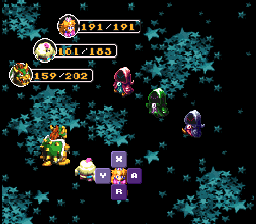
From the creator of Super Koopa RPG and Legend of the Axem Rangers comes Mario’s Endless Nightmare: a SMRPG Roguelike hack! Fight your way through waves and waves of foes as you try to awaken Mario from the slumbering curse placed upon him! There are two main game modes: The main campaign. You’ll fight through various groups of enemies and bosses that mirror the progression of the original game. In between batches of foes, you’ll have to opportunity to save, heal, and shop. You can replay any battle rooms you’ve previously cleared, so grinding for additional resources is an option. You could even choose not to recruit any additional allies if you wanted. The Pit of 100 Nightmares. Fight your way through 100 floors of battles while experiencing roguelike elements, such as randomly added allies, paying for random items and equipment, and random groups of enemies (that still follow a progression that makes sense). Notable features include: an optional Pit of 100 Trials (different from the Pit of 100 Nightmares). The ability to switch ALL allies, including Mario. The ability to choose the song that plays in battle. New items that permanently boost ally stats. New equipment with various abilities. New enemies, including rare enemies that drop Frog Coins. For those of you who played V1.0 or 1.01 released a little over a week ago, a new version is available! This addresses things such as: You start the campaign with a few mushrooms and a honey syrup to make that first battle room a little easier. It was rough if you chose certain allies to be your starting ally. You can now change the battle music that plays in the Pit of 100 Trials and Pit of 100 Nightmares. The selection of songs has increased! Boshi now makes the Boshi sound when you talk to him. Other miscellaneous fixes. Marios-Endless-Nightmare-main.zip
-
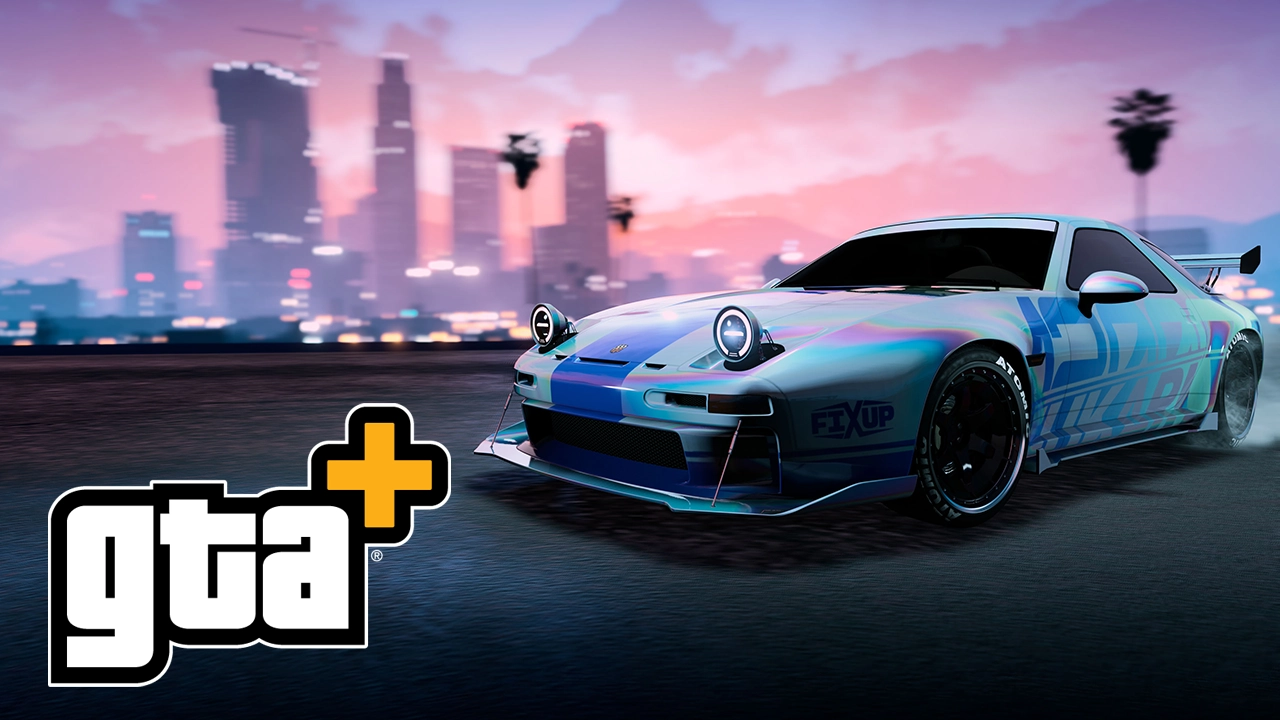 The new month of GTA+ benefits has officially arrived for Grand Theft Auto Online, bringing a fresh wave of exclusive rewards for subscribers on PS5 and Xbox Series X|S. Running from January 8th through February 4th, Month 46 focuses heavily on Tuner culture, offering a brand-new exclusive vehicle, significant bonuses on Tuner contracts, and expanded utility for business owners via the Vinewood Club App. Here is everything you need to know about the latest rewards. Free Vehicle: Pfister Astrale The headline reward for this month is the Pfister Astrale, a new vehicle currently exclusive to GTA+ members. Availability: Members can claim this car for free at The Vinewood Car Club immediately. Exclusivity: Non-members will not be able to purchase this vehicle until after February 4th, at which point it will be priced at $1,475,500 at Legendary Motorsport. Extras: The vehicle comes pre-equipped with HSW upgrades and a "Side Stripe" livery. Tuner Bonuses and DiscountsJanuary 2026 is an excellent month for players looking to grind Auto Shop content. Rockstar is offering double rewards across several Tuner-related activities, with a massive boost during the opening week. 4X GTA$ & RP: Operation Paper Trail (ULP Missions) — First week only. 2X GTA$ & RP: Operation Paper Trail (ULP Missions) — Remainder of the month. 2X GTA$ & RP: Auto Shop Robbery Contracts. 2X GTA$ & RP: Auto Shop Client Jobs. Discounts: 50% Off: Tuner Auto Shop properties. Free: Tuner Auto Shop "Style" variants (renovations). Exclusive Cosmetics Members can refresh their look and their rides with new free items: Clothing: The Pfister Chore Jacket is automatically added to member wardrobes. Paints: Two new chameleon paints are available for free at any Auto Shop or Vehicle Workshop: Cream Pearl Chameleon Paint Cream Pearl Wheel Paint The Vinewood Club Updates The Vinewood Car Club continues to expand its utility, particularly for business management. New App Features: As part of the A Safehouse in the Hills update integration, the Vinewood Club App on the in-game phone now allows members to: Remote Management: Manage staff at Bail Offices, Hangars, and Warehouses remotely. Claim Earnings: Collect safe income from businesses (including the Arcade, Nightclub, and the new Hands On Car Wash) directly from the app without visiting the locations. Car Club Showroom: Members get a standard 20% discount on rotating showroom vehicles. This month's lineup includes the Imponte Deluxo, Pegassi Toreador, and Ocelot Penetrator. Notably, members also get early access to purchase the Declasse Tampa GT and Annis Minimus. Permanent GTA+ Benefits In addition to the monthly specials, subscribers retain access to the standard suite of GTA+ perks: Monthly Cash: GTA$500,000 deposited automatically. Vehicle Storage: Access to the 100-vehicle Vinewood Club Garage in Pillbox Hill. Aircraft Storage: +5 Additional Aircraft Slots (separate from the Hangar). Classic Games: Access to the "Games Included with GTA+" library, which includes GTA: The Trilogy – The Definitive Edition, Red Dead Redemption, L.A. Noire, and Bully. Taxi Services: Fast travel cooldown reduced to 5 minutes with free "Skip to Destination." Shark Cards: Extra 15% GTA$ bonus on all Shark Card purchases. Is It Worth It?For players who do not yet own an Auto Shop, the 50% discount combined with double payout bonuses makes this a strong month to enter the Tuner business. Furthermore, the ability to manage staff and collect passive income remotely via the new app features is a significant quality-of-life upgrade for grinders managing multiple business fronts.
 -
The new month of GTA+ benefits has officially arrived for Grand Theft Auto Online, bringing a fresh wave of exclusive rewards for subscribers on PS5 and Xbox Series X|S. Running from January 8th through February 4th, Month 46 focuses heavily on Tuner culture, offering a brand-new exclusive vehicle, significant bonuses on Tuner contracts, and expanded utility for business owners via the Vinewood Club App. Here is everything you need to know about the latest rewards. Free Vehicle: Pfister Astrale The headline reward for this month is the Pfister Astrale, a new vehicle currently exclusive to GTA+ members. Availability: Members can claim this car for free at The Vinewood Car Club immediately. Exclusivity: Non-members will not be able to purchase this vehicle until after February 4th, at which point it will be priced at $1,475,500 at Legendary Motorsport. Extras: The vehicle comes pre-equipped with HSW upgrades and a "Side Stripe" livery. Tuner Bonuses and DiscountsJanuary 2026 is an excellent month for players looking to grind Auto Shop content. Rockstar is offering double rewards across several Tuner-related activities, with a massive boost during the opening week. 4X GTA$ & RP: Operation Paper Trail (ULP Missions) — First week only. 2X GTA$ & RP: Operation Paper Trail (ULP Missions) — Remainder of the month. 2X GTA$ & RP: Auto Shop Robbery Contracts. 2X GTA$ & RP: Auto Shop Client Jobs. Discounts: 50% Off: Tuner Auto Shop properties. Free: Tuner Auto Shop "Style" variants (renovations). Exclusive Cosmetics Members can refresh their look and their rides with new free items: Clothing: The Pfister Chore Jacket is automatically added to member wardrobes. Paints: Two new chameleon paints are available for free at any Auto Shop or Vehicle Workshop: Cream Pearl Chameleon Paint Cream Pearl Wheel Paint The Vinewood Club Updates The Vinewood Car Club continues to expand its utility, particularly for business management. New App Features: As part of the A Safehouse in the Hills update integration, the Vinewood Club App on the in-game phone now allows members to: Remote Management: Manage staff at Bail Offices, Hangars, and Warehouses remotely. Claim Earnings: Collect safe income from businesses (including the Arcade, Nightclub, and the new Hands On Car Wash) directly from the app without visiting the locations. Car Club Showroom: Members get a standard 20% discount on rotating showroom vehicles. This month's lineup includes the Imponte Deluxo, Pegassi Toreador, and Ocelot Penetrator. Notably, members also get early access to purchase the Declasse Tampa GT and Annis Minimus. Permanent GTA+ Benefits In addition to the monthly specials, subscribers retain access to the standard suite of GTA+ perks: Monthly Cash: GTA$500,000 deposited automatically. Vehicle Storage: Access to the 100-vehicle Vinewood Club Garage in Pillbox Hill. Aircraft Storage: +5 Additional Aircraft Slots (separate from the Hangar). Classic Games: Access to the "Games Included with GTA+" library, which includes GTA: The Trilogy – The Definitive Edition, Red Dead Redemption, L.A. Noire, and Bully. Taxi Services: Fast travel cooldown reduced to 5 minutes with free "Skip to Destination." Shark Cards: Extra 15% GTA$ bonus on all Shark Card purchases. Is It Worth It?For players who do not yet own an Auto Shop, the 50% discount combined with double payout bonuses makes this a strong month to enter the Tuner business. Furthermore, the ability to manage staff and collect passive income remotely via the new app features is a significant quality-of-life upgrade for grinders managing multiple business fronts. View full article
-
.jpg.aaddc74d8d234e1603a049df141b1e65.jpg) The fanmade remake of the cult classic, EarthBound, has gotten its second Video Relaxant update yesterday. The fan remake, titled Mother², is a remake of EarthBound for the SNES that's been in development for some years now, with trailers and video updates being released in either the Mother Direct events or on their own Mother² YouTube channel, with the first Video Relaxant update video being mode 2 years ago. The fan game is being developed on the Godot engine, and the artstyle for the game closely resembles that of Mother 3, with its more detailed sprites, maps and menus. The remake also adds a lot of Quality of Life improvements to the original EarthBound mechanics aside from the graphical overhaul that the game is receiving in the Mother 3 style, as well as a completely remastered soundtrack, amongst many other things. In the most recent Video Relaxant 2 update video, the development team goes over some of the new features since the last update and some of the recently finalized aspects of the game: Some pending areas have been completed, like Belch's Factory, Lost Underworld, Dusty Dunes and Saturn Valley, to name a few. Some NPC has been reworked. New animations have been added to add more flare to certain events in the game, or even to small actions to give the game more life. The battle system received some additions. The flee system has been added, as well as the surprise attacks, Prayer animations, PSI animations being redone, battle items. Battle stats have been fully implemented, this means Offense, Defense, Guts, Speed, IQ, Vitality and Luck now have all their effects coded in, and this puts a wrap to the combat system for the remake. Brand new menu styles, allowing for customizing the UI, inspired by both Mother 2 (EarthBound) and Mother 3. Initial support for translating or localizing the game into other languages has been added, with an initial Japanese script being added into the game. Added certain phone features, like Escargo Express, Mach Pizza, and the new addition of Punk-Sure, which delivers bikes to the party. All party members can ride their own bikes, which wasn't possible in the original EB. The new bikes go faster than the running speed of the party. Boss rush has been added, with a surprise at the end of it. This wraps up the fan game's update video. The development team also mentions that this will be the final update video for the fan game. Additionally, the team also mentions that several playtesters have already finished several playthroughs of the game from start to finish. For those interested in following this fanmade remake, make sure to follow the Mother² YouTube channel, their X profile, or visit the Mother² Discord server as well to follow development more closely. Translators/Localizers interesting in contributing to the project for the newly added language support can also drop in to help with other languages being available for the game. ➡️ Mother² YouTube Channel ➡️ Mother²
The fanmade remake of the cult classic, EarthBound, has gotten its second Video Relaxant update yesterday. The fan remake, titled Mother², is a remake of EarthBound for the SNES that's been in development for some years now, with trailers and video updates being released in either the Mother Direct events or on their own Mother² YouTube channel, with the first Video Relaxant update video being mode 2 years ago. The fan game is being developed on the Godot engine, and the artstyle for the game closely resembles that of Mother 3, with its more detailed sprites, maps and menus. The remake also adds a lot of Quality of Life improvements to the original EarthBound mechanics aside from the graphical overhaul that the game is receiving in the Mother 3 style, as well as a completely remastered soundtrack, amongst many other things. In the most recent Video Relaxant 2 update video, the development team goes over some of the new features since the last update and some of the recently finalized aspects of the game: Some pending areas have been completed, like Belch's Factory, Lost Underworld, Dusty Dunes and Saturn Valley, to name a few. Some NPC has been reworked. New animations have been added to add more flare to certain events in the game, or even to small actions to give the game more life. The battle system received some additions. The flee system has been added, as well as the surprise attacks, Prayer animations, PSI animations being redone, battle items. Battle stats have been fully implemented, this means Offense, Defense, Guts, Speed, IQ, Vitality and Luck now have all their effects coded in, and this puts a wrap to the combat system for the remake. Brand new menu styles, allowing for customizing the UI, inspired by both Mother 2 (EarthBound) and Mother 3. Initial support for translating or localizing the game into other languages has been added, with an initial Japanese script being added into the game. Added certain phone features, like Escargo Express, Mach Pizza, and the new addition of Punk-Sure, which delivers bikes to the party. All party members can ride their own bikes, which wasn't possible in the original EB. The new bikes go faster than the running speed of the party. Boss rush has been added, with a surprise at the end of it. This wraps up the fan game's update video. The development team also mentions that this will be the final update video for the fan game. Additionally, the team also mentions that several playtesters have already finished several playthroughs of the game from start to finish. For those interested in following this fanmade remake, make sure to follow the Mother² YouTube channel, their X profile, or visit the Mother² Discord server as well to follow development more closely. Translators/Localizers interesting in contributing to the project for the newly added language support can also drop in to help with other languages being available for the game. ➡️ Mother² YouTube Channel ➡️ Mother² -
The fanmade remake of the cult classic, EarthBound, has gotten its second Video Relaxant update yesterday. The fan remake, titled Mother², is a remake of EarthBound for the SNES that's been in development for some years now, with trailers and video updates being released in either the Mother Direct events or on their own Mother² YouTube channel, with the first Video Relaxant update video being mode 2 years ago. The fan game is being developed on the Godot engine, and the artstyle for the game closely resembles that of Mother 3, with its more detailed sprites, maps and menus. The remake also adds a lot of Quality of Life improvements to the original EarthBound mechanics aside from the graphical overhaul that the game is receiving in the Mother 3 style, as well as a completely remastered soundtrack, amongst many other things. In the most recent Video Relaxant 2 update video, the development team goes over some of the new features since the last update and some of the recently finalized aspects of the game: Some pending areas have been completed, like Belch's Factory, Lost Underworld, Dusty Dunes and Saturn Valley, to name a few. Some NPC has been reworked. New animations have been added to add more flare to certain events in the game, or even to small actions to give the game more life. The battle system received some additions. The flee system has been added, as well as the surprise attacks, Prayer animations, PSI animations being redone, battle items. Battle stats have been fully implemented, this means Offense, Defense, Guts, Speed, IQ, Vitality and Luck now have all their effects coded in, and this puts a wrap to the combat system for the remake. Brand new menu styles, allowing for customizing the UI, inspired by both Mother 2 (EarthBound) and Mother 3. Initial support for translating or localizing the game into other languages has been added, with an initial Japanese script being added into the game. Added certain phone features, like Escargo Express, Mach Pizza, and the new addition of Punk-Sure, which delivers bikes to the party. All party members can ride their own bikes, which wasn't possible in the original EB. The new bikes go faster than the running speed of the party. Boss rush has been added, with a surprise at the end of it. This wraps up the fan game's update video. The development team also mentions that this will be the final update video for the fan game. Additionally, the team also mentions that several playtesters have already finished several playthroughs of the game from start to finish. For those interested in following this fanmade remake, make sure to follow the Mother² YouTube channel, their X profile, or visit the Mother² Discord server as well to follow development more closely. Translators/Localizers interesting in contributing to the project for the newly added language support can also drop in to help with other languages being available for the game. ➡️ Mother² YouTube Channel ➡️ Mother² View full article
-
 In less than a month's time, Square Enix will launch Dragon Quest VII Reimagined, the remake of 2000’s Dragon Quest VII: Fragments of the Forgotten Past. In anticipation of the release, the publisher aired two trailers: one for the opening movie and one showcasing the game's demo that is available today. The demo allows you to experience several hours of content from the beginning of the game, and rewards early players with an in-game “Day Off Dress” cosmetic for Maribel. Save data from the demo will be carried over to the full game when it launches. Dragon Quest VII Reimaginedlaunches on February 5 for Nintendo Switch 2, Nintendo Switch, PS5, Xbox Series X|S and PC (Steam and Microsoft Store). The free demo is available on these platforms to try out.
 -
In less than a month's time, Square Enix will launch Dragon Quest VII Reimagined, the remake of 2000’s Dragon Quest VII: Fragments of the Forgotten Past. In anticipation of the release, the publisher aired two trailers: one for the opening movie and one showcasing the game's demo that is available today. The demo allows you to experience several hours of content from the beginning of the game, and rewards early players with an in-game “Day Off Dress” cosmetic for Maribel. Save data from the demo will be carried over to the full game when it launches. Dragon Quest VII Reimaginedlaunches on February 5 for Nintendo Switch 2, Nintendo Switch, PS5, Xbox Series X|S and PC (Steam and Microsoft Store). The free demo is available on these platforms to try out. View full article
-
IntroductionThere are several common problems Wii Us run into. Some symptoms have a varaity on causes and some problems have different solutions. This is primarily a meta guide designed to diagnose the cause of the problem and then to point you to the solution that is right for you. The first step you should try is removing all external devices. If the problem persists look at the Symptoms described below, which will then point you the Cause to find further information Symptoms 160-0103 error message Does it happen during boot (before the Wii U Menu) or after (e.g. In a game, during inital setup) After -> Failing eMMC During Do you know for sure CBHC (Cold Boot Haxchi) was not installed. (you bought it new back then and never modded it) No CBHC -> Failing eMMC CHBC or not sure -> try CBHC unbrick, if it doesn't help go to failing eMMC Stuck on Factory Reset ->Failing eMMC 160-0101 error message during boot-> CHBC Brick 160-1400 error message during boot-> Missing Disc Drive 160-1402 error message during boot->Wrong Disc Drive Key Stuck on Wii U boot Screen Did mess with Region Change / Initial Launch / Deleting MLC files Yes -> Initial Launch No -> Failing eMMC Black Screen What is the LED doing? Doesn't light Check if the Powersupply provides 15V Check for short on Wii U Power connector If none of these apply -> 3V3 Standby Buck Converter probably failed Staying red Try turning on using the eject button and remote Still red -> SLC Failure / boot1 corruption / SEEPROM corruption Red blinking after some time -> Overheating / VRMs failing Red Blinking on cold boot -> Short on one of the Power Rails Blue blinking -> SLC Corruption (system.xml / fw.img) or bad RAM Orange blinking -> ISFShax SD card missing static blue Wait 1m, try turning off by shortly (less than 1s) pressing power Still on -> OS crash Turns off -> Display Problem Wii U Menu freezes when trying to launch anything-> Defective 2.4Ghz Wifi Module All games freeze on the splash screen-> Defective Bluetooth Module Wii U freezes during boot on Wii U Menu splash screen while coldbooting Aroma / Tiramisu-> Defective Bluetooth Module Solutions CBHC Brick There was an exploit called Haxchi. It gets installed to a DS VC game and then exploits that game when launched to launch a CFW / Homebrew. To avoid having to launch the game every boot manually, the cold boot title could be changed from the Wii U menu to the exploited DS Game, so it gets launched when the Wii gets turned on. The Problem happens when said game gets deleted or moved. Then the Wii U can't find it's cold boot tile, doesn't know what to do and shows either 160-0101 or 160-0103. If the error happens some time after boot this isn't a CBHC brick and changing the CB title will do nothing for you! The CBHC brick can be fixed by changing the coldboot title back to the Wii U Menu. Luckily@GaryOderNichtshas found the UDPIH exploit and created the recovery menu, which allows us to do just that. Go here:https://gbatemp.net/threads/udpih-usb-host-stack-exploit-recovery-menu.613369/ Failing eMMC A failing eMMC causes a 160-0103 error whenever a corrupted file gets read from the internal memory (MLC). That can happen at any point. Don't confuse this problem with a CBHC brick, which can also cause 160-0103. It can also happen that the error message isn't shown. If for example the fonts are corrupted, the Wii U will hang at the white Wii U screen. Also if that error happens during Factory Reset, the error would only be shown on the Gamepad and if that isn't connected you will just notice that the Factory Reset get's stuck. In theory this error can also be caused by logical corruption (not actual failing Hardware) but from our experience it was always a Hardware fault (except if you explicitly messed with the eMMC or SCFM). In some very rare cases that can be caused by corruption on the SLC, which caches the eMMC (MLC) but most likely it is a failing eMMC chip. Nintendo sourced the eMMC chips for the 32GB Consoles from Samsung, Toshiba and Hynix. The Hynix ones are the ones failing. Not all Hynix chips have to fail, but almost all chips that fail are Hynix. Also it's not like Nintendo cheaped out or Hynix is a bad company, it just looks there was a problem effecting these chips, which only shows up after a few years. Also the 8GB Consoles are not affected, they don't use Hynix. So if the Symptoms match (an even more if you know you have a Hynix) it's pretty sure a failing eMMC. Even if that problem only happens sometimes it should be dealt with asap, because it will get worse and will eventually lead to a full brick. Confirming using logs If you want a 100% confirmation you can dump the logs, either using the homebrew WiiUCrashLogDumper https://github.com/wiiu-env/WiiUCrashLogDumper/releases/tag/v0.1 which requires Tiramisu or Aroma. If your Wii U can't run Homebrew anymore, because it crashes you can use UDPIH and the recovery_menu from @GaryOderNichts to dump the logs: https://gbatemp.net/threads/udpih-usb-host-stack-exploit-recovery-menu.613369/ Then search all the .log files for MEDIA ERROR and DATA CORRUPTION. Only errors concerning the dev:mlc01 are relevant. Here the example for such an error: 10:48:16:325: FSA: ### MEDIA ERROR ###, dev:mlc01, err:-2228230, cmd:11, path:(null)Errors concerning the optical disc drive (dev:odd01) can be ignored. Here is such an example, that can be ignored: 10:48:16:325: FSA: ### MEDIA ERROR ###, dev:odd01, err:-2228230, cmd:11, path:(null) Even though this is a Hardware problem, not all hope is lost (even without soldering)! Over the course of this year we developed not just one but three procedures to fix or work around that problem. If you can solder there is the option of replacing the eMMC with a micro SD card, this can be done by either soldering wires directly or by using the MLC2SD Interposer. IMPORTANT: only solder when the Tutorial tells you to, for the first part the old eMMC must still be connected! You can then either install a 64GB SD card in that Interposer and cleanely reinstall the System Titles, which is the recommended way or you can clone your existing MLC to a 32GB card and fix the corruption manually as good as possible (no longer recommended) For the fresh Install on a 64GB card look here: https://gbatemp.net/threads/how-to-upgrading-rebuilding-wii-u-internal-memory-mlc.636309/ For cloning the old eMMC look here: https://gbatemp.net/threads/using-n...emmc-fix-160-0103-system-memory-error.636361/ If you can't solder there is also the option to use redNAND with ISFShax: https://gbatemp.net/threads/fixing-...-soldering-using-rednand-with-isfshax.642268/ As already said the recommended option is using NAN-AID with a 64GB SD card is the recommended option. It gives you a nice storage upgrade and allows you to run completely stock firmware. By formatting and reinstalling we ensure that there is no corruption and the system is in a 100% clean state. You can also upgrade to more to 64GB, but that would require a CFW all the time. The disadvantage is that you lose all the data. So you have to back it up and then restore the data. That is usally still less effort than fixing the cloned MLC. When cloning the existing MLC, you carry over all the corruption. Depending how bad it is, that can be more or less work to fix. There is also some kind of corruption that can't be fixed and would cause future factory resets to hang. The redNAND method has the obious advantage that you don't need to solder and that you can choose the size freely, but that comes with some disadvantages: Your Wii U will depend on the removable SD card to function. The card can get removed or lost. Also you need to run a CFW all the time. Since this depends on some hacks, it might be less reliable. OS Crash But to tell for sure what's the problem, we would need to look at the logs. We can test if UDPIH https://gbatemp.net/threads/udpih-usb-host-stack-exploit-recovery-menu.613369/ works, It is unlikely to work, but easy enough to try and the pico can later also be used for paid the beak. You need to try connecting the Pico a little early (time it by the disc drive sounds). You won't see anything on the screen, instead you have to look at the LED and see if it turns purple to determine success. If it was successful, you can navigate blindly to dump the logs, which can then be analyzed. If UDPIH doesn't work there is Paid The Beak (PTB), it allows launching minute to install ISFShax and dumping the logs to see whats wrong. One common reason on 32GB models is a bad eMMC (see the Failing eMMC sections) Obsolete Method Depending on some factors we can make some guesses. If you experienced system memoery error 160-0103 before or your Wii U froze before (especially during installing stuff), there is a good chance you have a failing eMMC. If you open the console up and see it is a Hynix eMMC (don't confuse with the SLC or the RAM), then it is very likely that the eMMC is failing. In that case a SD card reader can be used to dump the eMMC, the image can then be transfered to an SD card and the SD card can then replace the eMMC. In most cases that will make the Wii U show at least a picture and make udpih work again, so we avoid the defuse. Why does this work? You might be wondering why transfering the corrupted data from the eMMC over can improve the situation. The answer is, that at that stage in the boot it often doesn't fail because of a read but of a write operation. When the eMMC is failing, it can go into a read only state, which makes the write fail and the OS crash. Also writes of partial blocks can fail, because for that the eMMC would need to read back the rest of the block, which can fail, if the eMMC detects corruption. Display Problem This can be as simple as a broken HDMI cable, the Wii U being configured for the old AV cable instead of HDMI (or the other way around) or it can also be the HDMI chip failing. The Problem is, without a TV picture you can't see the paring code for the gamepad. The easiest thing to try, ist to use the AV cable, if you have one (maybe from the original Wii). If you don't have this cable or it doesn't help, you still have options: Bruteforce just try out all combinations, there aren't that many, so it is feasible with some time. To get the Wii U into paring mode, you have to press the sync button twice. Dumping the code via UDPI: https://gbatemp.net/threads/udpih-usb-host-stack-exploit-recovery-menu.613369/post-10275652 after you have dumped the pin, turn off the Wii U, look at the code on the PC, turn the Wii U on again, wait a minute, press the sync button on the console twice and enter the pin on the gamepad. Once the gamepad is synced again, you can go to the settings and configure the TV there. If you can't get the TV to work there might be a Hardware problem, like a broken HDMI cable broken HDMI port or broken HDMI chip. Initial Launch Use UDPIH https://gbatemp.net/threads/udpih-usb-host-stack-exploit-recovery-menu.613369/post-10275652 with this recovery_menu: https://github.com/jan-hofmeier/recovery_menu/releases/tag/v0.5.0-3 and set the Inital Launch Value to 0. Then shut down and boot the Wii U normally. It should boot into the inital setup. SLC Corruption / bad RAM First try Paid The Beak (PTB). If PTB is able to load minute, then the RAM is likely fine and you have SLC corruption. In that case have a look at this thread: https://gbatemp.net/threads/wii-u-blinking-blue-light-no-image.640588/ If PTB also gives you a blue blinking LED, first verify that the UNSTBL_PWR jig works, by trying it once without the SD in. If it still blinks blue, then triggering UNSTBL_PWR doesn't work and you need to troubleshoot that. But if the LED stays red, then triggering UNSTBL_PWR works and the reason you also got a blue blinking LED with PTB is likely bad DRAM. In this case you would need de Fuse to diagnose further: If the defuse boot1 loads but boot1 then fails to load minute (fw.img) from the SD, then you probably have have bad memory. For further diagnosis you would have to modify the memory test in the minute boot1. But first make sure the SD is set up correctly and if minute still doesn't load look at the defuse README for troubleshooting. 3V3 Standby Buck Converter failure Check if the 3V3 output (C1257) of the buck is shorted. If the output is not shorted check if the 15V input (C1388) is there, when console is plugged in. SLC Failure / BOOT1 Corruption / SEEPROM Corruption TODO Overheating / VRMs failing Open the Wii U and clean it. If you use a vacuum make sure to hold the fan. If it spins the fan, it can generate voltage, which can fry the Wii U. If that doesn't help one of the VRMs, buck converters or the power brick is probably weak. Short on Power Rail If you have messed with the Disc Drive make sure the cable is connected the right way around. The end with the stubs goes towards the Disc Drive TODO ISFShax SD card missing Make sure the SD card is formatted FAT32 and has the minute fw.img on it. See https://gbatemp.net/threads/how-to-set-up-isfshax.642258/ for details. Disk Drive Missing 160-1400 means the Wii U can't find it's Disc Drive. If it is physically connected, then probably this small component on the Wii U board failed and needs to be replaced or bridged: https://gbatemp.net/threads/absolute-fix-to-160-1400-error.572879/ Wrong Disc Drive Key 160-1402 means the key in the Wii Us SEEPROM doesn't match the key on the drive circuit board. So you probably just connected the Drive from another Wii U. If your intention was to swap the drive, you have to move the circuit board from the old drive to the new one. In the future it might be possible to change the key in the SEEPROM, but currently it's not. Defective 2.4Ghz Wifi Module The console freezes when trying to boot a game, but music still plays and the animation also moves It can be replaced without soldering. It is the Module with the black and white cable attached Defective Bluetooth Module If the BT Modules is broken the Wii U Menu Boot screen will freeze. A line like this in the syslog would also indicate a problem with the BT Module: 00:00:11:915: BT: [Err] OHCI initialization failed - rv=0xfffffff6It can be replaced without soldering.
-
INAZUMA ELEVEN: Victory Road TID: 0100B36008F90000 O smoldering clouds, let INAZUMA's lightning split the sky! The newest title in the hyperdimensional football RPG series "Inazuma Eleven" is finally here! A new story featuring a new protagonist, over 5,400 characters to collect and train, as well as an intense competitive mode; there is no shortage of activities to enjoy! General CheatsSpirit Card 999 only obtained Spirit (Activates In Inventory) You have to go to the spirit card menu that the quantity will be set correctly - please make Backup beforehand... Not working are special heroes or fables (look to the Hero Auto Adder cheats for that) Spirit Card 99 only obtained Player (Activates in Inventory) Same as one above but for all players you obtained at least one spirit card you obtain all variants of cards except hero/fable Hero Spirit Card 99 Only obtained heroes will be updated to 99, we are not able to give you heroes you have not obtained yet Deactivate Hero Limitation Use more than the accepted 2 heroes per team Hero Auto Adder CheatsCapture Hero struct pointer (Spirit menu) - required to use the feature You have to activate the cheat and go to your spirit inventory that in the background your heroes are stored away for manipulation and automatically adding heroes preparation (also rarity fable) Hero auto adder Shared Function - required to use the feature Logic that the auto hero adder function will work Player Universe Hero auto adder You can hover over the star constellation picture in the player universe and as soon as you see the heroes which can be obtained, they will automatically transfered to your heroes inventar if not already obtained Hero Matches Hero auto adder You can look which heroes can be obtained in the hero battles of a match before you start the match (press Y) and they will automatically transfered to your heroes inventar if not already obtained Spirit Market Hero auto adder You can go to the spirit market/hero shop and look over the hero cards and they will automatically transfered to your heroes inventar if not already obtained (working also with rarity fable) Items CheatsItem 99999 (Activates In Inventory menu) You have to go to your inventar menu that the quantities will be set Selected Item 1 If something went wrong with setting the quantity you can revert here selected item back to amount 1 Selected Item 99999 KEEP CAUTION with this one because you should not select Keyitems from the game otherwise you could corrupt your savedata - so better before using any of the item cheats VERY IMPORTANT: Make a backup! Only the item selected will be set to 999 (the number in the inventar is not refreshing instantly but when you exit or refresh the page you see the change - not sure if it works for all item categories) Selected Item x8 (Press R3) Maybe the best accurate cheat to press R3 on an item to set the amount to plus 100 from current value... It is not updated instantly so you have to switch the item category or map the left and then navigate back so that you see the change. Please deselect the cheat when exiting out of the menu otherwise when you press R3 outsitde of the inventory and you come back the last selected item is also multiplied by 8 and can lead to accidentialy increased numbers Item Not Decrease Use this cheat when you buy something from the market or use it for the star constellation pulls, etc. and the items will not decrease; also working on all kind of consumables Change Riceball Into Other Item Victory Stone Victory Star God Hand Herb These 3 are example Item IDs you can use to change a common item like riceballs which are very easy to obtain into rarer items when you have not obtained for example Victory Stones yet. So at the end you have to activate the "Change Riceball Into Other Item" cheat and one of the other 3 into which you want your Riceballs transfered to - Thanks to Patjenova for this and much more cheats!! Soccer Match CheatsExp x4 Exp x8 Max Exp Infinite Exp Look which one of those 2 you like more and some users have stated that the first "Max Exp" was not working for them so here also the Cheat of Patjenova Timer Freeze Timer Reset Timer x0.5 Timer x2 Timer to 33.00 (end half) Full Tension Enemy Tension 0 Full Super Gauge Enemy Super Gauge 0 Full Keeper Gauge Enemy Keeper Gauge 0 Full Bond Gauge Inf Tactics Time Enemy Tactics Time 0 Tactics no Cooldown Skills no Cooldown Inf Stamina Inf Super Skill 99 Goals for Home (lazy update) lazy update means that only when the goal counter will be updated that the score is also refreshed as well 0 Goals for Away (lazy update) Speed Up Players x1.3 Speed Up Players x2 Speed Down Enemies x0.8 Speed Down Enemies (can not move properly) Story Mode CheatsInfinite HP Infinite HP + OHK Infinite Tension Infinite Battle Items Damage 9999 Hold R3 Next Action Full Tension You have to attack once or will be attacked that the tension is filled completely Instant Action Cooldown Battle Items Instant Cooldown Exp after Battle 999 Mastercode Training If you want to activate one of the cheats below for the soccer matches this one have to be selected as well Special Training Infinite Stamina Special Training Empty AI Stamina Enemies Cant Attack Super Damage Pickup Items +2 Only works when you have at least the amount of 2 for the item you picked up (otherwise we run intro problems where key items are also increased by 2 and that could lead to buggy behaviour) Increase Equipment when Used When you equip shoes to one player the amount of shoes is also increased by 1 in total... When you autoequip the best possible equipment to a player all used accessories will also increased each by 1 Increase Token when Used When you use tokens in the Abilearn board the same quantity you are using for a player will be used for increasing you total amount of the specific token Instant Recruting In chapter 7 you can recruit a lot of players and with this cheat you only speak with them and you skip the requirements Movespeed x3 (Hold B) Movespeed x16 User 2K417 CheatsTeam HP (Refill) Stamina -> for a preview which cheats will most likely follow you can also have a look in the thread for the Beta: Inazuma Eleven Victory Road (Demo) And Cheats will only be supported on the Switch console not the Emulator... When Cheats working on them then fine but will not be individually supported. But honestly before playing on Emulator try the Steam version on PC out. What other benefits would it have? Playing on a phone/Android maybe? Please try the cheats out... I assume that "Skills no Cooldown" only works for 1 slot and I have to progress more to equip more skills on other slots and enable that ones too. Lazy update for the goals mean, that it is set in the background and when the next time the goal counter is refreshed (one team scores a goal or the game is over) the visual counter is updated accordingly. INAZUMA ELEVEN: Victory Road 1.2.0 BID: 09AD6947189FC6D9 [Breeze beta99q INAZUMA ELEVEN: Helden der Siegesstraße 1.2.0 TID: 0100B36008F90000 BID: 09AD6947189FC6D9] {master} 04000000 005733E8 BD4082C1 04000000 0074965C BD4F22A0 04000000 00928214 79402121 04000000 0094D72C B940101B 04000000 00955C1C B9401008 04000000 00956378 6B150108 04000000 0095881C 1A892148 04000000 0098CCBC 79401818 04000000 00B4D7B8 BD4EE100 04000000 00EFEB48 0B1C0102 04000000 00F3F9A8 1A8EB18D 04000000 00F3FFA4 1E207828 04000000 0106B8DC 1E212801 04000000 011A69B8 540001C8 04000000 011A6A08 540001C8 04000000 011A6A58 540001C8 04000000 011A6AA8 540001C8 04000000 011A6AF8 540001C8 04000000 011A6B48 54000208 04000000 01223BE0 1F090400 04000000 0125EF78 1A9D3108 04000000 0127E60C B90EF51F 04200008 10A690CC 42B40000 04200008 10A690F8 42B40000 04200008 10A69124 42B40000 [General] 20000000 [Set # Item to 999 (activates in Inventar menu)] 04000000 00955C1C B9401008 04000000 00955C1C 14FB6817 04000000 0482FC78 B9401008 04000000 0482FC7C 7100051F 04000000 0482FC80 5400006D 04000000 0482FC84 52807CE8 04000000 0482FC88 B9001008 04000000 0482FC8C 170497E5 04000000 0094D72C B940101B 04000000 0094D72C 14FB8959 04000000 0482FC90 B940101B 04000000 0482FC94 7100077F 04000000 0482FC98 5400006D 04000000 0482FC9C 52807CFB 04000000 0482FCA0 B900101B 04000000 0482FCA4 170476A3 [Set # Spirit Card to 999 (activates in Spirit Card menu)] 04000000 00928214 79402121 04000000 00928214 14FC1EC9 04000000 0482FD38 18000061 04000000 0482FD3C 79002121 04000000 0482FD40 1703E136 04000000 0482FD44 000003E7 [Set # Spirit Card to 99 (activates in Spirit Card menu)] 04000000 00928214 79402121 04000000 00928214 14FC1EC9 04000000 0482FD38 18000061 04000000 0482FD3C 79002121 04000000 0482FD40 1703E136 04000000 0482FD44 00000063 [Set # Star Constellation Hero Spirit Card to 99] 04000000 0098CCBC 79401818 04000000 0098CCBC 14FA8C23 04000000 0482FD48 18000078 04000000 0482FD4C 79001818 04000000 0482FD50 170573DC 04000000 0482FD54 00000063 [Item no decrease] 04000000 00956378 6B150108 04000000 00956378 14FB664C 04000000 0482FCA8 52800015 04000000 0482FCAC 6B150108 04000000 0482FCB0 170499B3 [General end] 20000001 [Soccer Match] 20000000 [Timer Freeze] 04000000 0106B8DC D503201F 04000000 01223BE0 1E204020 [Timer Reset] 04000000 01223BE0 1E2E1000 [Timer to 33.00 (end half)] 04000000 01223BE0 1F090400 04000000 01223BE0 1407D902 04000000 01419FE8 1C000040 04000000 01419FEC 17F826FE 04000000 01419FF0 44FA0000 [Activate when using Tension or Keeper Cheats below] 04000000 0074965C BD4F22A0 04000000 0074965C 1503995D 04000000 0482FBD0 18000240 04000000 0482FBD4 7100081F 04000000 0482FBD8 540000C1 04000000 0482FBDC B9403AA0 04000000 0482FBE0 7100041F 04000000 0482FBE4 54000061 04000000 0482FBE8 BD4F26A0 04000000 0482FBEC BD0F22A0 04000000 0482FBF0 18000160 04000000 0482FBF4 7100081F 04000000 0482FBF8 540000C1 04000000 0482FBFC B9403AA0 04000000 0482FC00 7100041F 04000000 0482FC04 54000060 04000000 0482FC08 1E2703E0 04000000 0482FC0C BD0F22A0 04000000 0482FC10 BD4F22A0 04000000 0482FC14 16FC6693 04000000 0482FC18 00000001 04000000 0482FC1C 00000001 04000000 00B4D7B8 BD4EE100 04000000 00B4D7B8 14F3891A 04000000 0482FC20 18000294 04000000 0482FC24 71000A9F 04000000 0482FC28 540000E1 04000000 0482FC2C D1006114 04000000 0482FC30 B9400294 04000000 0482FC34 7100069F 04000000 0482FC38 54000061 04000000 0482FC3C BD4EE500 04000000 0482FC40 BD0EE100 04000000 0482FC44 18000194 04000000 0482FC48 71000A9F 04000000 0482FC4C 540000E1 04000000 0482FC50 D1006114 04000000 0482FC54 B9400294 04000000 0482FC58 7100069F 04000000 0482FC5C 54000060 04000000 0482FC60 1E2703E0 04000000 0482FC64 BD0EE100 04000000 0482FC68 BD4EE100 04000000 0482FC6C 170C76D4 04000000 0482FC70 00000001 04000000 0482FC74 00000001 [Full Tension] 04000000 0482FC18 00000002 [Enemy Tension 0] 04000000 0482FC1C 00000002 [Full Keeper Gauge] 04000000 0482FC70 00000002 [Enemy Keeper Gauge 0] 04000000 0482FC74 00000002 [Skills no Cooldown] 04000000 011A69B8 D503201F 04000000 011A6A08 D503201F 04000000 011A6A58 D503201F 04000000 011A6AA8 D503201F 04000000 011A6AF8 D503201F 04000000 011A6B48 D503201F [Tactics no Cooldown] 04200008 10A690CC 00000000 04200008 10A690F8 00000000 04200008 10A69124 00000000 [Special Tactics Multiple Use] 04000000 0127E60C D503201F [99 Goals for Home (lazy update)] 01200008 10A6ABAA 00000063 [0 Goals for Away (lazy update)] 01200008 10A6ABAB 00000000 [Max Exp] 04000000 0125EF78 1A9D8108 [Soccer Match end] 20000001 [Story] 20000000 [Infinite HP + OHK] 04000000 00F3F9A8 1A8EB18D 04000000 00F3F9A8 14E3C0CC 04000000 0482FCD8 92400D0D 04000000 0482FCDC F10021BF 04000000 0482FCE0 54000061 04000000 0482FCE4 B940090D 04000000 0482FCE8 14000002 04000000 0482FCEC 2A1F03ED 04000000 0482FCF0 171C3F2F [Next Action Full Tension] 04000000 00F3FFA4 1E2E1008 [Exp after Battle 999] 04000000 00EFEB48 52807CE2 [Pickup Items +2] 04000000 0095881C 1A892148 04000000 0095881C 14FB5D43 04000000 0482FD28 1A892148 04000000 0482FD2C 7100051F 04000000 0482FD30 5400004D 04000000 0482FD34 11000908 04000000 0482FD38 1704A2BA [ Movement Speed x3] 04000000 005733E8 BD4082C1 04000000 005733E8 150AF244 04000000 0482FCF8 BC1703E2 04000000 0482FCFC BD4082C1 04000000 0482FD00 1C0000E2 04000000 0482FD04 1E222020 04000000 0482FD08 54000061 04000000 0482FD0C 1C0000A1 04000000 0482FD10 BD0082C1 04000000 0482FD14 BC5703E2 04000000 0482FD18 16F50DB5 04000000 0482FD1C 40400000 04000000 0482FD20 3F800000 80000002 04000000 0482FD1C 3F800000 04000000 0482FD20 40400000 20000000 [Story end] 20000001 [User 2K417] 20000000 [ Team HP (Refill)] 04000000 00F3F9AC B900010D 80000100 04000000 00F3F9AC B900010D 04000000 00F3F9AC 14136971 04000000 01419F70 1800006D 04000000 01419F74 B900010D 04000000 01419F78 17EC968E 04000000 01419F7C 000000C8 20000000 [Story Tokens] 04200008 100CA724 00000320 04200008 100CA738 00000320 04200008 100CA74C 00000320 04200008 100CA760 00000320 04200008 100CA774 00000320 04200008 100CA788 00000320 04200008 100CA79C 00000320 [Beans] 04200008 100E3940 00000384 04200008 100E3958 00000384 04200008 100E3970 00000384 04200008 100E3988 00000384 04200008 100E39A0 00000384 04200008 100E39B8 00000384 04200008 100E39D0 00000384 [OFF Stamina] 04000000 00EFA554 BD44550A [Stamina] 04000000 00EFA554 BD44550A 04000000 00EFA554 14147E8F 04000000 01419F90 1C00006A 04000000 01419F94 BD04550A 04000000 01419F98 17EB8170 04000000 01419F9C 42C80000 [Tension] 04200008 1258B904 BD44550A 04200008 00000000 00000000 04200008 BD44550A 1C00006A 04200008 BD44550A 00000000 04200008 01419F98 17EB8170 04200008 BD44550A 00000000 04200008 1C00006A BD44550A 04200008 20000000 170476A5 04200008 BD44550A 00000000 04200008 1C00006A BD44550A 04200008 17EB8170 BD44550A 04200008 BD44550A 71000A9F 04200008 BD44550A 00000000 04200008 1C00006A BD44550A 04200008 17EB8170 BD44550A 04200008 BD44550A 20000000 04200008 00000000 1C00006A 04200008 BD44550A BD44550A [User 2K417 end] 20000001 INAZUMA ELEVEN: Victory Road 1.3.0 BID: F9648F3865C8B1AE [Breeze beta99q INAZUMA ELEVEN: Helden der Siegesstraße 1.3.0 TID: 0100B36008F90000 BID: F9648F3865C8B1AE] {master} 04000000 00574A88 BD4082C1 04000000 0072C85C 38696901 04000000 0074B0A0 BD4F2900 04000000 0074B85C BD4F22A0 04000000 0077D0EC 2A0003E1 04000000 0092E120 79402308 04000000 00951CAC B940101B 04000000 00958D64 B9400416 04000000 00959C3C B9401008 04000000 0095A398 6B150108 04000000 0095C83C 1A892148 04000000 00992AFC 79401818 04000000 00B1E778 B9001408 04000000 00B21EC4 B9401100 04000000 00B3C394 B9401400 04000000 00B3C65C B9001408 04000000 00B4CA54 7100041F 04000000 00B584E8 BD4EE100 04000000 00F099B4 BD44550A 04000000 00F0E110 0B1D0102 04000000 00F4F2C8 1A8EB18D 04000000 00F4F8C4 1E207828 04000000 00FE8750 1E212801 04000000 0116E794 1E283929 04000000 011744F4 BD400280 04000000 011B8F70 540001C8 04000000 011B8FC0 540001C8 04000000 011B9010 540001C8 04000000 011B9060 540001C8 04000000 011B90B0 540001C8 04000000 011B9100 54000208 04000000 01236650 1F090400 04000000 0127271C 1A893108 04000000 01272F04 1A8833A8 04000000 0129294C B90EF51F [General] 20000000 [Item 9999 (Activates In Inventory menu)] 04000000 00959C3C B9401008 04000000 00959C3C 142B548D 04000000 0142EE70 A9376BF9 04000000 0142EE74 B9401008 04000000 0142EE78 7100051F 04000000 0142EE7C 5400006D 04000000 0142EE80 18000068 04000000 0142EE84 B9001008 04000000 0142EE88 17D4AB6E 04000000 0142EE8C 0000270F 04000000 00951CAC B940101B 04000000 00951CAC 142B7479 04000000 0142EE90 B940101B 04000000 0142EE94 7100077F 04000000 0142EE98 5400006D 04000000 0142EE9C 1800007B 04000000 0142EEA0 B900101B 04000000 0142EEA4 17D48B83 04000000 0142EEA8 0000270F [Selected Item 999] 04000000 00958D64 B9400416 04000000 00958D64 150E101D 04000000 04CDCDD8 18000096 04000000 04CDCDDC B9001016 04000000 04CDCDE0 B9400416 04000000 04CDCDE4 16F1EFE1 04000000 04CDCDE8 000003E7 [Spirit Card 99 (Activates In Inventory menu)] 04000000 0092E120 79402308 04000000 0092E120 142C0364 04000000 0142EEB0 18000068 04000000 0142EEB4 79002308 04000000 0142EEB8 17D3FC9B 04000000 0142EEBC 00000063 [Spirit Card 999 only obtained one (Activates In Inventory menu)] 04000000 0092E120 79402308 04000000 0092E120 142C0368 04000000 0142EEC0 79402308 04000000 0142EEC4 7100051F 04000000 0142EEC8 5400006B 04000000 0142EECC 18000068 04000000 0142EED0 79002308 04000000 0142EED4 17D3FC94 04000000 0142EED8 000003E7 [Star Constellation Hero Spirit Card 99] 04000000 00992AFC 79401818 04000000 00992AFC 142A70F9 04000000 0142EEE0 18000078 04000000 0142EEE4 79001818 04000000 0142EEE8 17D58F06 04000000 0142EEEC 00000063 [Deactivate Hero Limitation] 04000000 00B21EC4 B9401100 04000000 00B21EC4 1506EBD5 04000000 04CDCE18 B9401100 04000000 04CDCE1C 7100141F 04000000 04CDCE20 5400004B 04000000 04CDCE24 52800080 04000000 04CDCE28 16F91428 04000000 0077D0EC 52800001 04000000 00B4CA54 71002C1F [Item Not Decrease] 04000000 0095A398 6B150108 04000000 0095A398 142B52D6 04000000 0142EEF0 52800015 04000000 0142EEF4 6B150108 04000000 0142EEF8 17D4AD29 [General end] 20000001 [Hero Auto Adder] 20000000 [Capture Hero struct pointer (Spirit menu)] 04000000 00992A50 F9400288 04000000 00992A50 142A70FC 04000000 0142EE40 A9376BF9 04000000 0142EE44 F001AAB9 04000000 0142EE48 F900D734 04000000 0142EE4C F9400288 04000000 0142EE50 A9776BF9 04000000 0142EE54 17D58F00 [Hero auto adder Shared Function] 04000000 00000000 00000000 04000000 00000000 1450BB96 04000000 0142EE58 A9376BF9 04000000 0142EE5C A93953F3 04000000 0142EE60 A93B5BF5 04000000 0142EE64 A93D63F7 04000000 0142EE68 A93F73FB 04000000 0142EE6C AA0003F3 04000000 0142EE70 2A0003F8 04000000 0142EE74 F001AAB9 04000000 0142EE78 F940D735 04000000 0142EE7C B40006B5 04000000 0142EE80 B94012BA 04000000 0142EE84 3400021A 04000000 0142EE88 5280001B 04000000 0142EE8C 6B1A037F 04000000 0142EE90 540001AA 04000000 0142EE94 2A1B03FC 04000000 0142EE98 D2800217 04000000 0142EE9C 1B177F9C 04000000 0142EEA0 8B1C02B7 04000000 0142EEA4 910082F7 04000000 0142EEA8 F94002F6 04000000 0142EEAC B4000096 04000000 0142EEB0 B9400ADC 04000000 0142EEB4 6B18039F 04000000 0142EEB8 540004C0 04000000 0142EEBC 1100077B 04000000 0142EEC0 17FFFFF3 04000000 0142EEC4 B94012BA 04000000 0142EEC8 2A1A03FC 04000000 0142EECC D2800217 04000000 0142EED0 1B177F9C 04000000 0142EED4 8B1C02B7 04000000 0142EED8 910082F7 04000000 0142EEDC F94002F6 04000000 0142EEE0 B4000396 04000000 0142EEE4 7100035F 04000000 0142EEE8 54000200 04000000 0142EEEC 5100075B 04000000 0142EEF0 2A1B03FC 04000000 0142EEF4 D2800217 04000000 0142EEF8 1B177F9C 04000000 0142EEFC 8B1C02B7 04000000 0142EF00 910082F7 04000000 0142EF04 F94002F7 04000000 0142EF08 B4000117 04000000 0142EF0C B94002FC 04000000 0142EF10 1100079C 04000000 0142EF14 B90002DC 04000000 0142EF18 B94006FC 04000000 0142EF1C 1100079C 04000000 0142EF20 B90006DC 04000000 0142EF24 14000004 04000000 0142EF28 5280003C 04000000 0142EF2C B90002DC 04000000 0142EF30 B90006DC 04000000 0142EF34 B9000AD8 04000000 0142EF38 5280005C 04000000 0142EF3C B9000EDC 04000000 0142EF40 5280003C 04000000 0142EF44 B90012DC 04000000 0142EF48 1100075A 04000000 0142EF4C B90012BA 04000000 0142EF50 AA1303E0 04000000 0142EF54 A97F73FB 04000000 0142EF58 A97D63F7 04000000 0142EF5C A97B5BF5 04000000 0142EF60 A97953F3 04000000 0142EF64 A9776BF9 04000000 0142EF68 D65F03C0 [Player Universe Hero auto adder] 04000000 007886D8 394012A1 04000000 007886D8 14329A26 04000000 0142EF70 A93553F3 04000000 0142EF74 AA0003F3 04000000 0142EF78 AA0103F4 04000000 0142EF7C 394012A1 04000000 0142EF80 7100143F 04000000 0142EF84 5400006B 04000000 0142EF88 B94002A0 04000000 0142EF8C 97FFFFB3 04000000 0142EF90 AA1303E0 04000000 0142EF94 AA1403E1 04000000 0142EF98 A97553F3 04000000 0142EF9C F9400288 04000000 0142EFA0 17CD65CF [Hero Matches Hero auto adder] 04000000 011878A4 B9401328 04000000 011878A4 140A9DC1 04000000 0142EFA8 A93553F3 04000000 0142EFAC AA0003F3 04000000 0142EFB0 B9401320 04000000 0142EFB4 97FFFFA9 04000000 0142EFB8 AA1303E0 04000000 0142EFBC A97553F3 04000000 0142EFC0 B9401328 04000000 0142EFC4 17F56239 04000000 011878F4 B9401B28 04000000 011878F4 140A9DB5 04000000 0142EFC8 A93553F3 04000000 0142EFCC AA0003F3 04000000 0142EFD0 B9401B20 04000000 0142EFD4 97FFFFA1 04000000 0142EFD8 AA1303E0 04000000 0142EFDC A97553F3 04000000 0142EFE0 B9401B28 04000000 0142EFE4 17F56245 04000000 01187838 B9400B28 04000000 01187838 14ED557E 04000000 04CDCE30 A93553F3 04000000 04CDCE34 AA0003F3 04000000 04CDCE38 B9400B20 04000000 04CDCE3C 971D4807 04000000 04CDCE40 AA1303E0 04000000 04CDCE44 A97553F3 04000000 04CDCE48 B9400B28 04000000 04CDCE4C 1712AA7C [Spirit Market Hero auto adder] 04000000 00E21F30 B9400748 04000000 00E21F30 14FAEBC8 04000000 04CDCE50 A93553F3 04000000 04CDCE54 AA0003F3 04000000 04CDCE58 AA0103F4 04000000 04CDCE5C 3941A341 04000000 04CDCE60 7100143F 04000000 04CDCE64 5400006B 04000000 04CDCE68 B9406740 04000000 04CDCE6C 971D47FB 04000000 04CDCE70 AA1303E0 04000000 04CDCE74 AA1403E1 04000000 04CDCE78 A97553F3 04000000 04CDCE7C B9400748 04000000 04CDCE80 1705142D [Hero Auto Adder end] 20000001 [Soccer Match] 20000000 [Exp x4] 04000000 0127271C 1A898108 04000000 0127271C 14E9A9AF 04000000 04CDCDD8 1A893108 04000000 04CDCDDC 531E7508 04000000 04CDCDE0 17165650 [Max Exp] 04000000 0127271C 1A898108 04000000 01272F04 1A8883A8 [Timer Freeze] 04000000 00FE8750 D503201F 04000000 01236650 1E204020 [Timer Reset] 04000000 01236650 1E2E1000 [Timer to 33.00 (end half)] 04000000 01236650 1F090400 04000000 01236650 1407E22C 04000000 0142EF00 1C000040 04000000 0142EF04 17F81DD4 04000000 0142EF08 44FA0000 [Activate when Using Tension or Keeper Cheats Below] 04000000 0074B85C BD4F22A0 04000000 0074B85C 14338DAD 04000000 0142EF10 18000240 04000000 0142EF14 7100081F 04000000 0142EF18 540000C1 04000000 0142EF1C B9403AA0 04000000 0142EF20 7100041F 04000000 0142EF24 54000061 04000000 0142EF28 BD4F26A0 04000000 0142EF2C BD0F22A0 04000000 0142EF30 18000160 04000000 0142EF34 7100081F 04000000 0142EF38 540000C1 04000000 0142EF3C B9403AA0 04000000 0142EF40 7100041F 04000000 0142EF44 54000060 04000000 0142EF48 1E2703E0 04000000 0142EF4C BD0F22A0 04000000 0142EF50 BD4F22A0 04000000 0142EF54 17CC7243 04000000 0142EF58 00000001 04000000 0142EF5C 00000001 04000000 00B584E8 BD4EE100 04000000 00B584E8 14235A9E 04000000 0142EF60 18000294 04000000 0142EF64 71000A9F 04000000 0142EF68 540000E1 04000000 0142EF6C D1006114 04000000 0142EF70 B9400294 04000000 0142EF74 7100069F 04000000 0142EF78 54000061 04000000 0142EF7C BD4EE500 04000000 0142EF80 BD0EE100 04000000 0142EF84 18000194 04000000 0142EF88 71000A9F 04000000 0142EF8C 540000E1 04000000 0142EF90 D1006114 04000000 0142EF94 B9400294 04000000 0142EF98 7100069F 04000000 0142EF9C 54000060 04000000 0142EFA0 1E2703E0 04000000 0142EFA4 BD0EE100 04000000 0142EFA8 BD4EE100 04000000 0142EFAC 17DCA550 04000000 0142EFB0 00000001 04000000 0142EFB4 00000001 [Full Tension] 04000000 0142EF58 00000002 [Enemy Tension 0] 04000000 0142EF5C 00000002 [Full Super Gauge] 04000000 0074B0A0 BD4F2900 04000000 0074B0A0 14338FC6 04000000 0142EFB8 F81703F9 04000000 0142EFBC B9403919 04000000 0142EFC0 7100073F 04000000 0142EFC4 54000061 04000000 0142EFC8 BD4F2D00 04000000 0142EFCC BD0F2900 04000000 0142EFD0 BD4F2900 04000000 0142EFD4 F85703F9 04000000 0142EFD8 17CC7033 [Full Keeper Gauge] 04000000 0142EFB0 00000002 [Enemy Keeper Gauge 0] 04000000 0142EFB4 00000002 [Inf Stamina] 04000000 011744F4 BD400280 04000000 011744F4 140AEABB 04000000 0142EFE0 BD400680 04000000 0142EFE4 BD000280 04000000 0142EFE8 17F51544 [Inf Super Skill] 04000000 0116E794 D503201F [Skills no Cooldown] 04000000 011B8F70 D503201F 04000000 011B8FC0 D503201F 04000000 011B9010 D503201F 04000000 011B9060 D503201F 04000000 011B90B0 D503201F 04000000 011B9100 D503201F [Tactics no Cooldown] 04200008 10A6E458 00000000 04200008 10A6E484 00000000 04200008 10A6E4B0 00000000 [Special Tactics Multiple Use] 04000000 0129294C D503201F [99 Goals for Home (lazy update)] 01200008 10A6FF3A 00000063 [0 Goals for Away (lazy update)] 01200008 10A6FF3B 00000000 [Speed Up Players (off)] 580F0000 033DD250 580F1000 00000008 780F0000 00000080 30000000 00000011 640F0000 00000000 3F800000 780F0000 00000170 31000000 [Speed Up Players x1.3] 580F0000 033DD250 580F1000 00000008 780F0000 00000080 30000000 00000011 640F0000 00000000 3FA66666 780F0000 00000170 31000000 [Speed Up Players x2] 580F0000 033DD250 580F1000 00000008 780F0000 00000080 30000000 00000011 640F0000 00000000 40000000 780F0000 00000170 31000000 [Soccer Match end] 20000001 [Story] 20000000 [Infinite HP] 04000000 00F4F2C8 1A8EB18D 04000000 00F4F2C8 14F636A4 04000000 04CDCD58 92400D0D 04000000 04CDCD5C F10021BF 04000000 04CDCD60 54000061 04000000 04CDCD64 B940090D 04000000 04CDCD68 14000002 04000000 04CDCD6C D503201F 04000000 04CDCD70 1709C957 [Infinite HP + OHK] 04000000 00F4F2C8 1A8EB18D 04000000 00F4F2C8 14F636A4 04000000 04CDCD58 92400D0D 04000000 04CDCD5C F10021BF 04000000 04CDCD60 54000061 04000000 04CDCD64 B940090D 04000000 04CDCD68 14000002 04000000 04CDCD6C 2A1F03ED 04000000 04CDCD70 1709C957 [Damage 9999 Hold R3] 04000000 00F50B7C 1E2E1002 80000020 04000000 00F50B7C 1E27F002 20000000 [Next Action Full Tension] 04000000 00F4F8C4 1E2E1008 [Exp after Battle 9999] 04000000 00F0E110 5284E1E2 [Pickup Items +2] 04000000 0095C83C 1A892148 04000000 0095C83C 150E014F 04000000 04CDCD78 1A892148 04000000 04CDCD7C 7100051F 04000000 04CDCD80 5400004D 04000000 04CDCD84 11000908 04000000 04CDCD88 16F1FEAE [Increase Equipment when Used] 04000000 00B1E778 B9001408 04000000 00B1E778 1506F986 04000000 04CDCD90 B9001408 04000000 04CDCD94 B9401008 04000000 04CDCD98 11000508 04000000 04CDCD9C B9001008 04000000 04CDCDA0 16F90677 [Increase Token when Used] 04000000 00B3C65C B9001408 04000000 00B3C65C 150681D3 04000000 04CDCDA8 F81703F9 04000000 04CDCDAC B9401019 04000000 04CDCDB0 0B130339 04000000 04CDCDB4 B9001019 04000000 04CDCDB8 B9001408 04000000 04CDCDBC F85703F9 04000000 04CDCDC0 16F97E28 [Increase Skills 1 more then Equipped in Abilearn Board] 04000000 00B3C394 B9401400 04000000 00B3C394 15068297 04000000 04CDCDF0 A9376BF9 04000000 04CDCDF4 B9401019 04000000 04CDCDF8 B940141A 04000000 04CDCDFC 6B19035F 04000000 04CDCE00 5400006B 04000000 04CDCE04 11000739 04000000 04CDCE08 B9001019 04000000 04CDCE0C B9401400 04000000 04CDCE10 A9776BF9 04000000 04CDCE14 16F97D61 [ Instant Recruting] 04000000 0072C85C 38696901 80000040 04000000 0072C85C 38696901 04000000 0072C85C 1516C15B 04000000 04CDCDC8 528000A1 04000000 04CDCDCC 38296901 04000000 04CDCDD0 16E93EA4 20000000 [ Movement Speed x3 (Hold ZR + B)] 04000000 00574A88 BD4082C1 04000000 00574A88 151DA0A8 04000000 04CDCD28 BC1703E2 04000000 04CDCD2C BD4082C1 04000000 04CDCD30 1C0000E2 04000000 04CDCD34 1E222020 04000000 04CDCD38 54000061 04000000 04CDCD3C 1C0000A1 04000000 04CDCD40 BD0082C1 04000000 04CDCD44 BC5703E2 04000000 04CDCD48 16E25F51 04000000 04CDCD4C 40400000 04000000 04CDCD50 3F800000 80000202 04000000 04CDCD4C 3F800000 04000000 04CDCD50 40400000 20000000 [16× walking speed ] 04000000 006862D8 1E261009 [31× walking speed ] 04000000 006862D8 1E27F009 [Story end] 20000001 [User 2K417] 20000000 [ Team HP Refill (Hold ZL during enemies turn)] 04000000 00F4F2CC B900010D 80000100 04000000 00F4F2CC B900010D 04000000 00F4F2CC 14137EE0 04000000 0142EE4C 1800006D 04000000 0142EE50 B900010D 04000000 0142EE54 17EC811F 04000000 0142EE58 000000C8 20000000 [Max Story Tokens] 04200008 100DF724 00000320 04200008 100DF738 00000320 04200008 100DF74C 00000320 04200008 100DF760 00000320 04200008 100DF774 00000320 04200008 100DF788 00000320 04200008 100DF79C 00000320 [Max Beans] 04200008 100F8940 00000384 04200008 100F8958 00000384 04200008 100F8970 00000384 04200008 100F8988 00000384 04200008 100F89A0 00000384 04200008 100F89B8 00000384 04200008 100F89D0 00000384 [Inf Stamina] 04000000 00F099B4 BD44550A 04000000 00F099B4 1414952A 04000000 0142EE5C 1C00006A 04000000 0142EE60 BD04550A 04000000 0142EE64 17EB6AD5 04000000 0142EE68 42C80000 [User 2K417 end] 20000001 INAZUMA ELEVEN: Victory Road 1.4.0 BID: 062189E9CF83BA5D [INAZUMA ELEVEN Victory Road 1.4.0 TID=0100B36008F90000 BID=062189E9CF83BA5D] [Restore Code (Use after unchecking any cheats below)] 040A0000 00F4F3A0 913BA129 040A0000 00F55C4C B900010D 040A0000 00F835B4 BD009B21 040A0000 00F56244 1E207828 040A0000 00766C84 B9401D4A 040A0000 00766C90 BD401500 040A0000 00F102F0 F9400508 040A0000 00F0FE48 1E2A6800 040A0000 00F0FE4C BD045500 040A0000 00F835B0 1E212000 040A0000 00F55C48 1A8EB18D 040A0000 00F1483C 1E290800 040A0000 00F1483C 1E290800 040A0000 0095AD5C B9401008 040A0000 00952CCC B940101B 040A0000 0092E484 79402121 040A0000 00FE1D04 F9750529 040A0000 0117BBA4 BD400280 040A0000 0074BB4C BD4F22A0 040A0000 0074B390 BD4F2900 040A0000 0074B230 BD4F3900 040A0000 00B5C038 BD4EE100 040A0000 011C0868 1E283800 040A0000 0129BFDC B90EF51F 040A0000 00FEFAD0 1E212801 040A0000 0123E5C0 1F090400 040A0000 0123E5C0 1F090400 040A0000 0123E5C0 1F090400 040A0000 0074BB50 AA1303E0 040A0000 0074B38C 9BA92148 040A0000 0074B22C 9BA92148 040A0000 00B5C034 1E310009 040A0000 00993130 F9400288 040A0000 00000170 A9BE7BFD 040A0000 00788B78 394012A1 [Story] 20000000 [00# Mastercode Health] 040A0000 01438FF0 913BA129 040A0000 01438FF4 9001AAC0 040A0000 01438FF8 F9047C09 040A0000 01438FFC 17EC58EA 040A0000 00F4F3A0 1413A714 [01# Inf Health Player] 040A0000 01438FD4 9001AAC0 040A0000 01438FD8 F9447C03 040A0000 01438FDC EB08007F 040A0000 01438FE0 54000041 040A0000 01438FE4 5284E1ED 040A0000 01438FE8 B900010D 040A0000 01438FEC 17EC7319 040A0000 00F55C4C 14138CE2 [02# Instant Action Cooldown] 040A0000 01438FB8 B9404323 040A0000 01438FBC 7100047F 040A0000 01438FC0 54000041 040A0000 01438FC4 1C000061 040A0000 01438FC8 BD009B21 040A0000 01438FCC 17ED297B 040A0000 01438FD0 43700000 040A0000 00F835B4 1412D681 [03# Infinite Tension] 040A0000 00F56244 1E2E1008 [04# Infinite Battle Items] 040A0000 01438FA8 52800C63 040A0000 01438FAC B9001D43 040A0000 01438FB0 B9401D4A 040A0000 01438FB4 17CCB735 040A0000 00766C84 143348C9 [05# Battle Items Instant Cooldown] 040A0000 01438F94 1C000083 040A0000 01438F98 BD001503 040A0000 01438F9C BD401500 040A0000 01438FA0 17CCB73D 040A0000 01438FA4 461C3C00 040A0000 00766C90 143348C1 [00# Mastercode Training] 040A0000 01438F84 F9400508 040A0000 01438F88 9001AAC0 040A0000 01438F8C F9047808 040A0000 01438F90 17EB5CD9 040A0000 00F102F0 1414A325 [06# Special Training: Infinite Stamina] 040A0000 01438F64 1E2A6800 040A0000 01438F68 9001AAC0 040A0000 01438F6C F9447803 040A0000 01438F70 EB08007F 040A0000 01438F74 54000041 040A0000 01438F78 1C000040 040A0000 01438F7C 17EB5BB4 040A0000 01438F80 42C80000 040A0000 00F0FE48 1414A447 [07# Special Training: Empty AI Stamina] 040A0000 01438F48 9001AAC0 040A0000 01438F4C F9447803 040A0000 01438F50 EB08007F 040A0000 01438F54 54000040 040A0000 01438F58 1E2703E8 040A0000 01438F5C BD045500 040A0000 01438F60 17EB5BBC 040A0000 00F0FE4C 1414A43F [08# Enemies Cant Attack] 040A0000 01438F2C B9404323 040A0000 01438F30 7100047F 040A0000 01438F34 54000060 040A0000 01438F38 1E2703E1 040A0000 01438F3C BD009B21 040A0000 01438F40 1E212000 040A0000 01438F44 17ED299C 040A0000 00F835B0 1412D65F [09# Super Damage] 040A0000 01438F10 1A8EB18D 040A0000 01438F14 9001AAC0 040A0000 01438F18 F9447C03 040A0000 01438F1C EB08007F 040A0000 01438F20 54000040 040A0000 01438F24 5280000D 040A0000 01438F28 17EC7349 040A0000 00F55C48 14138CB2 [10# Movespeed x3 (Hold B)] 040A0000 006862E8 1E2E1009 80000002 040A0000 006862E8 1E211009 20000000 [Story end] 20000001 [11# Infinite Exp] 040A0000 01438F04 1C000040 040A0000 01438F08 17EB6E4E 040A0000 01438F0C 47C34F80 040A0000 00F1483C 141491B2 [11# Exp Multiplier x8] 040A0000 01438EF0 1C000083 040A0000 01438EF4 1E230929 040A0000 01438EF8 1E290800 040A0000 01438EFC 17EB6E51 040A0000 01438F00 41000000 040A0000 00F1483C 141491AD [12# Items 9999 When Opening Menu] 040A0000 01438ED4 B9401008 040A0000 01438ED8 7100051F 040A0000 01438EDC 5400006D 040A0000 01438EE0 18000068 040A0000 01438EE4 B9001008 040A0000 01438EE8 17D4879E 040A0000 01438EEC 0000270F 040A0000 0095AD5C 142B785E 040A0000 01438EB8 B940101B 040A0000 01438EBC 7100077F 040A0000 01438EC0 5400006D 040A0000 01438EC4 1800007B 040A0000 01438EC8 B900101B 040A0000 01438ECC 17D46781 040A0000 01438ED0 0000270F 040A0000 00952CCC 142B987B [13# Spirit Cards 500 When Opening Menu] 040A0000 01438EA4 18000083 040A0000 01438EA8 79002123 040A0000 01438EAC 79402121 040A0000 01438EB0 17D3D576 040A0000 01438EB4 000001F4 040A0000 0092E484 142C2A88 [Soccer Match] 20000000 [00# Mastercode Match] 040A0000 01438E94 F9750529 040A0000 01438E98 9001AAC0 040A0000 01438E9C F9048009 040A0000 01438EA0 17EEA39A 040A0000 00FE1D04 14115C64 [14# Infinite Stamina] 040A0000 01438E88 BD400680 040A0000 01438E8C BD000280 040A0000 01438E90 17F50B46 040A0000 0117BBA4 140AF4B9 [15# Infinite Tension] 040A0000 01438E68 9001AAC0 040A0000 01438E6C F9448003 040A0000 01438E70 EB0302BF 040A0000 01438E74 54000061 040A0000 01438E78 BD4F26A3 040A0000 01438E7C BD0F22A3 040A0000 01438E80 BD4F22A0 040A0000 01438E84 17CC4B33 040A0000 0074BB4C 1433B4C7 [16# Infinite Hyper Power] 040A0000 01438E48 9001AAC0 040A0000 01438E4C F9448003 040A0000 01438E50 EB03011F 040A0000 01438E54 54000061 040A0000 01438E58 BD4F2D03 040A0000 01438E5C BD0F2903 040A0000 01438E60 BD4F2900 040A0000 01438E64 17CC494C 040A0000 0074B390 1433B6AE [17# Infinite Bond Power] 040A0000 01438E24 BD4F3900 040A0000 01438E28 9001AAC0 040A0000 01438E2C F9448003 040A0000 01438E30 EB03011F 040A0000 01438E34 54000061 040A0000 01438E38 1C000063 040A0000 01438E3C BD0F3903 040A0000 01438E40 17CC48FD 040A0000 01438E44 41F00000 040A0000 0074B230 1433B6FD [18# Infinite Keeper Power] 040A0000 01438DF8 9001AAC0 040A0000 01438DFC F9448003 040A0000 01438E00 91014063 040A0000 01438E04 EB03011F 040A0000 01438E08 54000061 040A0000 01438E0C 1C0000A3 040A0000 01438E10 BD0EE103 040A0000 01438E14 BD0EE503 040A0000 01438E18 BD4EE100 040A0000 01438E1C 17DC8C88 040A0000 01438E20 461C3C00 040A0000 00B5C038 14237370 [19# Special Moves Instant Cooldown] 040A0000 01438DEC 1E202908 040A0000 01438DF0 1E283800 040A0000 01438DF4 17F61E9E 040A0000 011C0868 1409E161 [20# Special Tactics Instant Cooldown] 040A0000 0129BFDC D503201F [21# Freeze Match Time] 040A0000 00FEFAD0 D503201F 040A0000 0123E5C0 1E204020 [21# Timer Reset] 040A0000 0123E5C0 1E2E1000 [21# End Timer] 040A0000 0123E5C0 1E204020 [22# Empty AI Tension] 040A0000 01438DCC 9001AAC0 040A0000 01438DD0 F9448003 040A0000 01438DD4 EB0302BF 040A0000 01438DD8 54000060 040A0000 01438DDC 1E2703E3 040A0000 01438DE0 BD0F22A3 040A0000 01438DE4 AA1303E0 040A0000 01438DE8 17CC4B5B 040A0000 0074BB50 1433B49F [23# Empty AI Hyper Power] 040A0000 01438DAC 9BA92148 040A0000 01438DB0 9001AAC0 040A0000 01438DB4 F9448003 040A0000 01438DB8 EB03011F 040A0000 01438DBC 54000060 040A0000 01438DC0 1E2703E3 040A0000 01438DC4 BD0F2903 040A0000 01438DC8 17CC4972 040A0000 0074B38C 1433B688 [24# Empty AI Bond Power] 040A0000 01438D88 9BA92148 040A0000 01438D8C 9001AAC0 040A0000 01438D90 F9448003 040A0000 01438D94 EB03011F 040A0000 01438D98 54000060 040A0000 01438D9C 1E2703E3 040A0000 01438DA0 BD0EE103 040A0000 01438DA4 17CC4923 040A0000 01438DA8 0000270F 040A0000 0074B22C 1433B6D7 [25# Empty AI Keeper Power] 040A0000 01438D5C 1E310009 040A0000 01438D60 9001AAC0 040A0000 01438D64 F9448003 040A0000 01438D68 91014063 040A0000 01438D6C EB03011F 040A0000 01438D70 54000080 040A0000 01438D74 1E2703E3 040A0000 01438D78 BD0EE103 040A0000 01438D7C BD0EE503 040A0000 01438D80 17DC8CAE 040A0000 01438D84 0000270F 040A0000 00B5C034 1423734A [Soccer Match end] 20000001 [26# Capture Hero struct pointer (Spirit menu)] 040A0000 01438D44 A9376BF9 040A0000 01438D48 9001AAD9 040A0000 01438D4C F900D734 040A0000 01438D50 F9400288 040A0000 01438D54 A9776BF9 040A0000 01438D58 17D568F7 040A0000 00993130 142A9705 [27# Hero auto adder Shared Function] 040A0000 01438C2C A9376BF9 040A0000 01438C30 A93953F3 040A0000 01438C34 A93B5BF5 040A0000 01438C38 A93D63F7 040A0000 01438C3C A93F73FB 040A0000 01438C40 AA0003F3 040A0000 01438C44 2A0003F8 040A0000 01438C48 9001AAD9 040A0000 01438C4C F940D735 040A0000 01438C50 B40006B5 040A0000 01438C54 B94012BA 040A0000 01438C58 3400021A 040A0000 01438C5C 5280001B 040A0000 01438C60 6B1A037F 040A0000 01438C64 540001AA 040A0000 01438C68 2A1B03FC 040A0000 01438C6C D2800217 040A0000 01438C70 1B177F9C 040A0000 01438C74 8B1C02B7 040A0000 01438C78 910082F7 040A0000 01438C7C F94002F6 040A0000 01438C80 B4000096 040A0000 01438C84 B9400ADC 040A0000 01438C88 6B18039F 040A0000 01438C8C 540004C0 040A0000 01438C90 1100077B 040A0000 01438C94 17FFFFF3 040A0000 01438C98 B94012BA 040A0000 01438C9C 2A1A03FC 040A0000 01438CA0 D2800217 040A0000 01438CA4 1B177F9C 040A0000 01438CA8 8B1C02B7 040A0000 01438CAC 910082F7 040A0000 01438CB0 F94002F6 040A0000 01438CB4 B4000396 040A0000 01438CB8 7100035F 040A0000 01438CBC 54000200 040A0000 01438CC0 5100075B 040A0000 01438CC4 2A1B03FC 040A0000 01438CC8 D2800217 040A0000 01438CCC 1B177F9C 040A0000 01438CD0 8B1C02B7 040A0000 01438CD4 910082F7 040A0000 01438CD8 F94002F7 040A0000 01438CDC B4000117 040A0000 01438CE0 B94002FC 040A0000 01438CE4 1100079C 040A0000 01438CE8 B90002DC 040A0000 01438CEC B94006FC 040A0000 01438CF0 1100079C 040A0000 01438CF4 B90006DC 040A0000 01438CF8 14000004 040A0000 01438CFC 5280003C 040A0000 01438D00 B90002DC 040A0000 01438D04 B90006DC 040A0000 01438D08 B9000AD8 040A0000 01438D0C 5280005C 040A0000 01438D10 B9000EDC 040A0000 01438D14 5280003C 040A0000 01438D18 B90012DC 040A0000 01438D1C 1100075A 040A0000 01438D20 B90012BA 040A0000 01438D24 AA1303E0 040A0000 01438D28 A97F73FB 040A0000 01438D2C A97D63F7 040A0000 01438D30 A97B5BF5 040A0000 01438D34 A97953F3 040A0000 01438D38 A9776BF9 040A0000 01438D3C D10143FF 040A0000 01438D40 D65F03C0 040A0000 00000000 1450E30B [28# Player Universe Hero auto adder] 040A0000 01438BF8 A93553F3 040A0000 01438BFC AA0003F3 040A0000 01438C00 AA0103F4 040A0000 01438C04 394012A1 040A0000 01438C08 7100143F 040A0000 01438C0C 5400006B 040A0000 01438C10 B94002A0 040A0000 01438C14 94000006 040A0000 01438C18 AA1303E0 040A0000 01438C1C AA1403E1 040A0000 01438C20 A97553F3 040A0000 01438C24 F9400288 040A0000 01438C28 17CD3FD5 040A0000 00788B78 1432C020 [Created by Patjenova, enjoy!] INAZUMA ELEVEN: Victory Road 1.5.0 BID: 2F0040A6AA0866EF [INAZUMA ELEVEN Victory Road 1.5.0 TID=0100B36008F90000 BID=2F0040A6AA0866EF] [Restore Code (Use after unchecking any cheats below)] 040A0000 00F51DB0 913BA129 040A0000 00F5863C B900010D 040A0000 00F85FC4 BD009B21 040A0000 00F58C34 1E207828 040A0000 00767674 B9401D4A 040A0000 00767680 BD401500 040A0000 00F12C40 F9400508 040A0000 00F12798 1E2A6800 040A0000 00F1279C BD045500 040A0000 00F85FC0 1E212000 040A0000 00F58638 1A8EB18D 040A0000 00F1718C 1E290800 040A0000 00F1718C 1E290800 040A0000 0095BC1C B9401008 040A0000 00953B8C B940101B 040A0000 0092EFE4 79402121 040A0000 00FE4944 F9750529 040A0000 0117E9F4 BD400280 040A0000 0074C52C BD4F22A0 040A0000 0074BD70 BD4F2900 040A0000 0074BC10 BD4F3900 040A0000 00B5EEA8 BD4EE100 040A0000 011C370C 1E283800 040A0000 00E99444 B90EF51F 040A0000 00FF2934 1E212801 040A0000 012410C0 1F090400 040A0000 012410C0 1F090400 040A0000 012410C0 1F090400 040A0000 0074C530 AA1303E0 040A0000 0074BD6C 9BA92148 040A0000 0074BC0C 9BA92148 040A0000 00B5EEA4 1E310009 040A0000 00994090 F9400288 040A0000 00000170 A9BE7BFD 040A0000 00789608 394012A1 040A0000 01191E28 B9401328 040A0000 01191E7C B9401B28 040A0000 01191DBC B9400B28 040A0000 00E2A800 B9400748 040A0000 0095E604 B9400408 [00# Mastercode Health 49AB8F8] 040A0000 0143BFF0 913BA129 040A0000 0143BFF4 9001AB80 040A0000 0143BFF8 F9047C09 040A0000 0143BFFC 17EC576E 040A0000 00F51DB0 1413A890 [01# Inf Health Player] 040A0000 0143BFD4 9001AB80 040A0000 0143BFD8 F9447C03 040A0000 0143BFDC EB08007F 040A0000 0143BFE0 54000041 040A0000 0143BFE4 5284E1ED 040A0000 0143BFE8 B900010D 040A0000 0143BFEC 17EC7195 040A0000 00F5863C 14138E66 [02# Instant Action Cooldown] 040A0000 0143BFB8 B9404323 040A0000 0143BFBC 7100047F 040A0000 0143BFC0 54000041 040A0000 0143BFC4 1C000061 040A0000 0143BFC8 BD009B21 040A0000 0143BFCC 17ED27FF 040A0000 0143BFD0 43700000 040A0000 00F85FC4 1412D7FD [03# Infinite Tension] 040A0000 00F58C34 1E2E1008 [04# Infinite Battle Items] 040A0000 0143BFA8 52800C63 040A0000 0143BFAC B9001D43 040A0000 0143BFB0 B9401D4A 040A0000 0143BFB4 17CCADB1 040A0000 00767674 1433524D [05# Battle Items Instant Cooldown] 040A0000 0143BF94 1C000083 040A0000 0143BF98 BD001503 040A0000 0143BF9C BD401500 040A0000 0143BFA0 17CCADB9 040A0000 0143BFA4 461C3C00 040A0000 00767680 14335245 [00# Mastercode Training 49AB8F0] 040A0000 0143BF84 F9400508 040A0000 0143BF88 9001AB80 040A0000 0143BF8C F9047808 040A0000 0143BF90 17EB5B2D 040A0000 00F12C40 1414A4D1 [06# Special Training: Infinite Stamina] 040A0000 0143BF64 1E2A6800 040A0000 0143BF68 9001AB80 040A0000 0143BF6C F9447803 040A0000 0143BF70 EB08007F 040A0000 0143BF74 54000041 040A0000 0143BF78 1C000040 040A0000 0143BF7C 17EB5A08 040A0000 0143BF80 42C80000 040A0000 00F12798 1414A5F3 [07# Special Training: Empty AI Stamina] 040A0000 0143BF48 9001AB80 040A0000 0143BF4C F9447803 040A0000 0143BF50 EB08007F 040A0000 0143BF54 54000040 040A0000 0143BF58 1E2703E8 040A0000 0143BF5C BD045500 040A0000 0143BF60 17EB5A10 040A0000 00F1279C 1414A5EB [08# Enemies Cant Attack] 040A0000 0143BF2C B9404323 040A0000 0143BF30 7100047F 040A0000 0143BF34 54000060 040A0000 0143BF38 1E2703E1 040A0000 0143BF3C BD009B21 040A0000 0143BF40 1E212000 040A0000 0143BF44 17ED2820 040A0000 00F85FC0 1412D7DB [09# Super Damage] 040A0000 0143BF10 1A8EB18D 040A0000 0143BF14 9001AB80 040A0000 0143BF18 F9447C03 040A0000 0143BF1C EB08007F 040A0000 0143BF20 54000040 040A0000 0143BF24 5280000D 040A0000 0143BF28 17EC71C5 040A0000 00F58638 14138E36 [10# Movespeed x3 (Hold B)] 040A0000 00686318 1E2E1009 80000002 040A0000 00686318 1E211009 20000000 [11# Infinite Exp] 040A0000 0143BF04 1C000040 040A0000 0143BF08 17EB6CA2 040A0000 0143BF0C 47C34F80 040A0000 00F1718C 1414935E [11# Exp Multiplier x8] 040A0000 0143BEF0 1C000083 040A0000 0143BEF4 1E230929 040A0000 0143BEF8 1E290800 040A0000 0143BEFC 17EB6CA5 040A0000 0143BF00 41000000 040A0000 00F1718C 14149359 [12# Items 9999 When Opening Menu] 040A0000 0143BED4 B9401008 040A0000 0143BED8 7100051F 040A0000 0143BEDC 5400006D 040A0000 0143BEE0 18000068 040A0000 0143BEE4 B9001008 040A0000 0143BEE8 17D47F4E 040A0000 0143BEEC 0000270F 040A0000 0095BC1C 142B80AE 040A0000 0143BEB8 B940101B 040A0000 0143BEBC 7100077F 040A0000 0143BEC0 5400006D 040A0000 0143BEC4 1800007B 040A0000 0143BEC8 B900101B 040A0000 0143BECC 17D45F31 040A0000 0143BED0 0000270F 040A0000 00953B8C 142BA0CB [13# Spirit Cards 500 When Opening Menu] 040A0000 0143BEA4 18000083 040A0000 0143BEA8 79002123 040A0000 0143BEAC 79402121 040A0000 0143BEB0 17D3CC4E 040A0000 0143BEB4 000001F4 040A0000 0092EFE4 142C33B0 [00# Mastercode Match 49AB900] 040A0000 0143BE94 F9750529 040A0000 0143BE98 9001AB80 040A0000 0143BE9C F9048009 040A0000 0143BEA0 17EEA2AA 040A0000 00FE4944 14115D54 [14# Infinite Stamina] 040A0000 0143BE88 BD400680 040A0000 0143BE8C BD000280 040A0000 0143BE90 17F50ADA 040A0000 0117E9F4 140AF525 [15# Infinite Tension] 040A0000 0143BE68 9001AB80 040A0000 0143BE6C F9448003 040A0000 0143BE70 EB0302BF 040A0000 0143BE74 54000061 040A0000 0143BE78 BD4F26A3 040A0000 0143BE7C BD0F22A3 040A0000 0143BE80 BD4F22A0 040A0000 0143BE84 17CC41AB 040A0000 0074C52C 1433BE4F [16# Infinite Hyper Power] 040A0000 0143BE48 9001AB80 040A0000 0143BE4C F9448003 040A0000 0143BE50 EB03011F 040A0000 0143BE54 54000061 040A0000 0143BE58 BD4F2D03 040A0000 0143BE5C BD0F2903 040A0000 0143BE60 BD4F2900 040A0000 0143BE64 17CC3FC4 040A0000 0074BD70 1433C036 [17# Infinite Bond Power] 040A0000 0143BE24 BD4F3900 040A0000 0143BE28 9001AB80 040A0000 0143BE2C F9448003 040A0000 0143BE30 EB03011F 040A0000 0143BE34 54000061 040A0000 0143BE38 1C000063 040A0000 0143BE3C BD0F3903 040A0000 0143BE40 17CC3F75 040A0000 0143BE44 41F00000 040A0000 0074BC10 1433C085 [18# Infinite Keeper Power] 040A0000 0143BDF8 9001AB80 040A0000 0143BDFC F9448003 040A0000 0143BE00 91014063 040A0000 0143BE04 EB03011F 040A0000 0143BE08 54000061 040A0000 0143BE0C 1C0000A3 040A0000 0143BE10 BD0EE103 040A0000 0143BE14 BD0EE503 040A0000 0143BE18 BD4EE100 040A0000 0143BE1C 17DC8C24 040A0000 0143BE20 461C3C00 040A0000 00B5EEA8 142373D4 [19# Special Moves Instant Cooldown] 040A0000 0143BDEC 1E202908 040A0000 0143BDF0 1E283800 040A0000 0143BDF4 17F61E47 040A0000 011C370C 1409E1B8 [20# Special Tactics Instant Cooldown] 040A0000 00E99444 D503201F [21# Freeze Match Time] 040A0000 00FF2934 D503201F 040A0000 012410C0 1E204020 [21# Timer Reset] 040A0000 012410C0 1E2E1000 [21# End Timer] 040A0000 012410C0 1E204020 [22# Empty AI Tension] 040A0000 0143BDCC 9001AB80 040A0000 0143BDD0 F9448003 040A0000 0143BDD4 EB0302BF 040A0000 0143BDD8 54000060 040A0000 0143BDDC 1E2703E3 040A0000 0143BDE0 BD0F22A3 040A0000 0143BDE4 AA1303E0 040A0000 0143BDE8 17CC41D3 040A0000 0074C530 1433BE27 [23# Empty AI Hyper Power] 040A0000 0143BDAC 9BA92148 040A0000 0143BDB0 9001AB80 040A0000 0143BDB4 F9448003 040A0000 0143BDB8 EB03011F 040A0000 0143BDBC 54000060 040A0000 0143BDC0 1E2703E3 040A0000 0143BDC4 BD0F2903 040A0000 0143BDC8 17CC3FEA 040A0000 0074BD6C 1433C010 [24# Empty AI Bond Power] 040A0000 0143BD88 9BA92148 040A0000 0143BD8C 9001AB80 040A0000 0143BD90 F9448003 040A0000 0143BD94 EB03011F 040A0000 0143BD98 54000060 040A0000 0143BD9C 1E2703E3 040A0000 0143BDA0 BD0EE103 040A0000 0143BDA4 17CC3F9B 040A0000 0143BDA8 0000270F 040A0000 0074BC0C 1433C05F [25# Empty AI Keeper Power] 040A0000 0143BD5C 1E310009 040A0000 0143BD60 9001AB80 040A0000 0143BD64 F9448003 040A0000 0143BD68 91014063 040A0000 0143BD6C EB03011F 040A0000 0143BD70 54000080 040A0000 0143BD74 1E2703E3 040A0000 0143BD78 BD0EE103 040A0000 0143BD7C BD0EE503 040A0000 0143BD80 17DC8C4A 040A0000 0143BD84 0000270F 040A0000 00B5EEA4 142373AE [26# Capture Hero struct pointer (Spirit menu)] 040A0000 0143BD44 A9376BF9 040A0000 0143BD48 9001AB99 040A0000 0143BD4C F900D734 040A0000 0143BD50 F9400288 040A0000 0143BD54 A9776BF9 040A0000 0143BD58 17D560CF 040A0000 00994090 142A9F2D [27# Hero auto adder Shared Function] 040A0000 0143BC2C A9376BF9 040A0000 0143BC30 A93953F3 040A0000 0143BC34 A93B5BF5 040A0000 0143BC38 A93D63F7 040A0000 0143BC3C A93F73FB 040A0000 0143BC40 AA0003F3 040A0000 0143BC44 2A0003F8 040A0000 0143BC48 9001AB99 040A0000 0143BC4C F940D735 040A0000 0143BC50 B40006B5 040A0000 0143BC54 B94012BA 040A0000 0143BC58 3400021A 040A0000 0143BC5C 5280001B 040A0000 0143BC60 6B1A037F 040A0000 0143BC64 540001AA 040A0000 0143BC68 2A1B03FC 040A0000 0143BC6C D2800217 040A0000 0143BC70 1B177F9C 040A0000 0143BC74 8B1C02B7 040A0000 0143BC78 910082F7 040A0000 0143BC7C F94002F6 040A0000 0143BC80 B4000096 040A0000 0143BC84 B9400ADC 040A0000 0143BC88 6B18039F 040A0000 0143BC8C 540004C0 040A0000 0143BC90 1100077B 040A0000 0143BC94 17FFFFF3 040A0000 0143BC98 B94012BA 040A0000 0143BC9C 2A1A03FC 040A0000 0143BCA0 D2800217 040A0000 0143BCA4 1B177F9C 040A0000 0143BCA8 8B1C02B7 040A0000 0143BCAC 910082F7 040A0000 0143BCB0 F94002F6 040A0000 0143BCB4 B4000396 040A0000 0143BCB8 7100035F 040A0000 0143BCBC 54000200 040A0000 0143BCC0 5100075B 040A0000 0143BCC4 2A1B03FC 040A0000 0143BCC8 D2800217 040A0000 0143BCCC 1B177F9C 040A0000 0143BCD0 8B1C02B7 040A0000 0143BCD4 910082F7 040A0000 0143BCD8 F94002F7 040A0000 0143BCDC B4000117 040A0000 0143BCE0 B94002FC 040A0000 0143BCE4 1100079C 040A0000 0143BCE8 B90002DC 040A0000 0143BCEC B94006FC 040A0000 0143BCF0 1100079C 040A0000 0143BCF4 B90006DC 040A0000 0143BCF8 14000004 040A0000 0143BCFC 5280003C 040A0000 0143BD00 B90002DC 040A0000 0143BD04 B90006DC 040A0000 0143BD08 B9000AD8 040A0000 0143BD0C 5280005C 040A0000 0143BD10 B9000EDC 040A0000 0143BD14 5280003C 040A0000 0143BD18 B90012DC 040A0000 0143BD1C 1100075A 040A0000 0143BD20 B90012BA 040A0000 0143BD24 AA1303E0 040A0000 0143BD28 A97F73FB 040A0000 0143BD2C A97D63F7 040A0000 0143BD30 A97B5BF5 040A0000 0143BD34 A97953F3 040A0000 0143BD38 A9776BF9 040A0000 0143BD3C D10143FF 040A0000 0143BD40 D65F03C0 040A0000 00000000 1450EF0B [28# Player Universe Hero auto adder] 040A0000 0143BBF8 A93553F3 040A0000 0143BBFC AA0003F3 040A0000 0143BC00 AA0103F4 040A0000 0143BC04 394012A1 040A0000 0143BC08 7100143F 040A0000 0143BC0C 5400006B 040A0000 0143BC10 B94002A0 040A0000 0143BC14 94000006 040A0000 0143BC18 AA1303E0 040A0000 0143BC1C AA1403E1 040A0000 0143BC20 A97553F3 040A0000 0143BC24 F9400288 040A0000 0143BC28 17CD3679 040A0000 00789608 1432C97C [29# Hero Matches Black Hero auto adder] 040A0000 0143BBD8 A93553F3 040A0000 0143BBDC AA0003F3 040A0000 0143BBE0 B9401320 040A0000 0143BBE4 94000012 040A0000 0143BBE8 AA1303E0 040A0000 0143BBEC A97553F3 040A0000 0143BBF0 B9401328 040A0000 0143BBF4 17F5588E 040A0000 01191E28 140AA76C [30# Hero Matches Pink Hero auto adder] 040A0000 0143BBB8 A93553F3 040A0000 0143BBBC AA0003F3 040A0000 0143BBC0 B9401B20 040A0000 0143BBC4 9400001A 040A0000 0143BBC8 AA1303E0 040A0000 0143BBCC A97553F3 040A0000 0143BBD0 B9401B28 040A0000 0143BBD4 17F558AB 040A0000 01191E7C 140AA74F [31# Hero Matches Red Hero auto adder] 040A0000 0143BB98 A93553F3 040A0000 0143BB9C AA0003F3 040A0000 0143BBA0 B9400B20 040A0000 0143BBA4 94000022 040A0000 0143BBA8 AA1303E0 040A0000 0143BBAC A97553F3 040A0000 0143BBB0 B9400B28 040A0000 0143BBB4 17F55883 040A0000 01191DBC 140AA777 [32# Spirit Market Hero auto adder] 040A0000 0143BB64 A93553F3 040A0000 0143BB68 AA0003F3 040A0000 0143BB6C AA0103F4 040A0000 0143BB70 3941A341 040A0000 0143BB74 7100143F 040A0000 0143BB78 5400006B 040A0000 0143BB7C B9406740 040A0000 0143BB80 9400002B 040A0000 0143BB84 AA1303E0 040A0000 0143BB88 AA1403E1 040A0000 0143BB8C A97553F3 040A0000 0143BB90 B9400748 040A0000 0143BB94 17E7BB1C 040A0000 00E2A800 141844D9 [33# Change Riceball Into Other Item] 040A0000 0143BB38 A9376BF9 040A0000 0143BB3C 18000119 040A0000 0143BB40 B9400408 040A0000 0143BB44 6B08033F 040A0000 0143BB48 54000061 040A0000 0143BB4C 180000BA 040A0000 0143BB50 B900041A 040A0000 0143BB54 A9776BF9 040A0000 0143BB58 17D48AAC 040A0000 0143BB5C C8E46E4E 040A0000 0143BB60 28318750 040A0000 0095E604 142B754D [Victory Stone] 040A0000 0143BB60 28318750 [Victory Star] 040A0000 0143BB60 5F36B7C6 [God Hand Herb] 040A0000 0143BB60 CAD104AC [EXP Boots] 040A0000 0143BB60 1A5A2136 [Created by Patjenova, enjoy!] INAZUMA ELEVEN: Victory Road 2.0.0 BID: AB26BCDD6F11B8B9 [Breeze beta99q INAZUMA ELEVEN: Helden der Siegesstraße 2.0.0 TID: 0100B36008F90000 BID: AB26BCDD6F11B8B9] {master} 04000000 0072DDAC 38696901 04000000 0074CE60 BD4F2900 04000000 0074D61C BD4F22A0 04000000 0077E11C 2A0003E1 04000000 00789D38 394012A1 04000000 00931B94 79402121 04000000 00931CE8 F9400288 04000000 00932C18 F9400288 04000000 009587BC B940101B 04000000 0095F794 B9400416 04000000 00960EDC B9401008 04000000 00960EE0 6B150108 04000000 009634CC 1A892148 04000000 009A2804 79401818 04000000 00B39968 B9001408 04000000 00B3D4B4 B9401100 04000000 00B58D20 B9401400 04000000 00B58FE8 B9001408 04000000 00B74AA0 BD4EE100 04000000 00E45AD0 B9400748 04000000 00F339D4 BD44550A 04000000 00F38130 0B1D0102 04000000 00F793A8 1A8EB18D 04000000 00F799A4 1E207828 04000000 01013840 1E212801 04000000 0119B1A0 1E283929 04000000 011A0F28 BD400280 04000000 011B3430 B9401328 04000000 011B348C B9401B28 04000000 011B33C4 B9400B28 04000000 011E5D6C 540001C8 04000000 011E5DBC 540001C8 04000000 011E5E0C 540001C8 04000000 011E5E5C 540001C8 04000000 011E5EAC 540001C8 04000000 011E5EFC 54000208 04000000 01261188 1F090400 04000000 0129DB08 1A893108 04000000 012BA9AC B90EF51F [General] 20000000 [Item 9999 (Activates In Inventory menu)] 04000000 00960EDC B9401008 04000000 00960EDC 150EFBC9 04000000 04D1FE00 A9376BF9 04000000 04D1FE04 B9401008 04000000 04D1FE08 7100051F 04000000 04D1FE0C 5400006D 04000000 04D1FE10 18000068 04000000 04D1FE14 B9001008 04000000 04D1FE18 16F10432 04000000 04D1FE1C 0000270F 04000000 009587BC B940101B 04000000 009587BC 150F1D99 04000000 04D1FE20 B940101B 04000000 04D1FE24 7100077F 04000000 04D1FE28 5400006D 04000000 04D1FE2C 1800007B 04000000 04D1FE30 B900101B 04000000 04D1FE34 16F0E263 04000000 04D1FE38 0000270F [Selected Item 999] 04000000 0095F794 B9400416 04000000 0095F794 150F01AB 04000000 04D1FE40 18000096 04000000 04D1FE44 B9001016 04000000 04D1FE48 B9400416 04000000 04D1FE4C 16F0FE53 04000000 04D1FE50 000003E7 [Spirit Card 99 (Activates In Inventory menu)] 04000000 00931B94 79402121 04000000 00931B94 142C981D 04000000 01457C08 18000061 04000000 01457C0C 79002121 04000000 01457C10 17D367E2 04000000 01457C14 00000063 [Spirit Card 999 only obtained one (Activates In Inventory menu)] 04000000 00931B94 79402121 04000000 00931B94 142C9821 04000000 01457C18 79402121 04000000 01457C1C 7100043F 04000000 01457C20 5400006B 04000000 01457C24 18000061 04000000 01457C28 79002121 04000000 01457C2C 17D367DB 04000000 01457C30 000003E7 [Star Constellation Hero Spirit Card 99] 04000000 009A2804 79401818 04000000 009A2804 150DF595 04000000 04D1FE58 18000078 04000000 04D1FE5C 79001818 04000000 04D1FE60 16F20A6A 04000000 04D1FE64 00000063 [Deactivate Hero Limitation] 04000000 0077E11C 52800001 04000000 0077E288 52800009 04000000 00B692C8 52800009 04000000 00B693D4 52800009 [Item Not Decrease] 04000000 00960EE0 6B150108 04000000 00960EE0 150EFBE8 04000000 04D1FE80 52800015 04000000 04D1FE84 6B150108 04000000 04D1FE88 16F10417 [General end] 20000001 [Hero Auto Adder] 20000000 [Capture Hero struct pointer (Spirit menu)] 04000000 00931CE8 F9400288 04000000 00931CE8 150FB7BA 04000000 04D1FBD0 A9376BF9 04000000 04D1FBD4 90FFE559 04000000 04D1FBD8 F9046F34 04000000 04D1FBDC F9400288 04000000 04D1FBE0 A9776BF9 04000000 04D1FBE4 16F04842 04000000 00932C18 F9400288 04000000 00932C18 150FB44C 04000000 04D1FD48 A9376BF9 04000000 04D1FD4C 90FFE559 04000000 04D1FD50 91002339 04000000 04D1FD54 F9046F34 04000000 04D1FD58 F9400288 04000000 04D1FD5C A9776BF9 04000000 04D1FD60 16F04BAF [Hero auto adder Shared Function] 04000000 04D1FBE8 A9376BF9 04000000 04D1FBEC A93953F3 04000000 04D1FBF0 A93B5BF5 04000000 04D1FBF4 A93D63F7 04000000 04D1FBF8 A93F73FB 04000000 04D1FBFC AA0003F3 04000000 04D1FC00 AA0103F4 04000000 04D1FC04 2A0003F8 04000000 04D1FC08 90FFE559 04000000 04D1FC0C 7100203F 04000000 04D1FC10 54000041 04000000 04D1FC14 91002339 04000000 04D1FC18 F9446F35 04000000 04D1FC1C B40006B5 04000000 04D1FC20 B94012BA 04000000 04D1FC24 3400021A 04000000 04D1FC28 5280001B 04000000 04D1FC2C 6B1A037F 04000000 04D1FC30 540001AA 04000000 04D1FC34 2A1B03FC 04000000 04D1FC38 D2800217 04000000 04D1FC3C 1B177F9C 04000000 04D1FC40 8B1C02B7 04000000 04D1FC44 910082F7 04000000 04D1FC48 F94002F6 04000000 04D1FC4C B4000096 04000000 04D1FC50 B9400ADC 04000000 04D1FC54 6B18039F 04000000 04D1FC58 540004C0 04000000 04D1FC5C 1100077B 04000000 04D1FC60 17FFFFF3 04000000 04D1FC64 B94012BA 04000000 04D1FC68 2A1A03FC 04000000 04D1FC6C D2800217 04000000 04D1FC70 1B177F9C 04000000 04D1FC74 8B1C02B7 04000000 04D1FC78 910082F7 04000000 04D1FC7C F94002F6 04000000 04D1FC80 B4000396 04000000 04D1FC84 7100035F 04000000 04D1FC88 54000200 04000000 04D1FC8C 5100075B 04000000 04D1FC90 2A1B03FC 04000000 04D1FC94 D2800217 04000000 04D1FC98 1B177F9C 04000000 04D1FC9C 8B1C02B7 04000000 04D1FCA0 910082F7 04000000 04D1FCA4 F94002F7 04000000 04D1FCA8 B4000117 04000000 04D1FCAC B94002FC 04000000 04D1FCB0 1100079C 04000000 04D1FCB4 B90002DC 04000000 04D1FCB8 B94006FC 04000000 04D1FCBC 1100079C 04000000 04D1FCC0 B90006DC 04000000 04D1FCC4 14000004 04000000 04D1FCC8 5280003C 04000000 04D1FCCC B90002DC 04000000 04D1FCD0 B90006DC 04000000 04D1FCD4 B9000AD8 04000000 04D1FCD8 5280005C 04000000 04D1FCDC B9000EDC 04000000 04D1FCE0 5280003C 04000000 04D1FCE4 B90012DC 04000000 04D1FCE8 1100075A 04000000 04D1FCEC B90012BA 04000000 04D1FCF0 AA1303E0 04000000 04D1FCF4 AA1403E1 04000000 04D1FCF8 A97F73FB 04000000 04D1FCFC A97D63F7 04000000 04D1FD00 A97B5BF5 04000000 04D1FD04 A97953F3 04000000 04D1FD08 A9776BF9 04000000 04D1FD0C D65F03C0 [Player Universe Hero auto adder] 04000000 00789D38 394012A1 04000000 00789D38 1516580C 04000000 04D1FD68 A93553F3 04000000 04D1FD6C AA0003F3 04000000 04D1FD70 AA0103F4 04000000 04D1FD74 394012A1 04000000 04D1FD78 7100143F 04000000 04D1FD7C 5400006B 04000000 04D1FD80 B94002A0 04000000 04D1FD84 97FFFF99 04000000 04D1FD88 AA1303E0 04000000 04D1FD8C AA1403E1 04000000 04D1FD90 A97553F3 04000000 04D1FD94 F9400288 04000000 04D1FD98 16E9A7E9 [Hero Matches Black Hero auto adder] 04000000 011B3430 B9401328 04000000 011B3430 14EDB25C 04000000 04D1FDA0 A93553F3 04000000 04D1FDA4 AA0003F3 04000000 04D1FDA8 B9401320 04000000 04D1FDAC 97FFFF8F 04000000 04D1FDB0 AA1303E0 04000000 04D1FDB4 A97553F3 04000000 04D1FDB8 B9401328 04000000 04D1FDBC 17124D9E [Hero Matches Pink Hero auto adder] 04000000 011B348C B9401B28 04000000 011B348C 14EDB24D 04000000 04D1FDC0 A93553F3 04000000 04D1FDC4 AA0003F3 04000000 04D1FDC8 B9401B20 04000000 04D1FDCC 97FFFF87 04000000 04D1FDD0 AA1303E0 04000000 04D1FDD4 A97553F3 04000000 04D1FDD8 B9401B28 04000000 04D1FDDC 17124DAD [Hero Matches Red Hero auto adder] 04000000 011B33C4 B9400B28 04000000 011B33C4 14EDB287 04000000 04D1FDE0 A93553F3 04000000 04D1FDE4 AA0003F3 04000000 04D1FDE8 B9400B20 04000000 04D1FDEC 97FFFF7F 04000000 04D1FDF0 AA1303E0 04000000 04D1FDF4 A97553F3 04000000 04D1FDF8 B9400B28 04000000 04D1FDFC 17124D73 [Spirit Market Hero auto adder] 04000000 00E45AD0 B9400748 04000000 00E45AD0 14FB6890 04000000 04D1FD10 A93553F3 04000000 04D1FD14 AA0003F3 04000000 04D1FD18 AA0103F4 04000000 04D1FD1C 3941A341 04000000 04D1FD20 7100143F 04000000 04D1FD24 5400006B 04000000 04D1FD28 B9406740 04000000 04D1FD2C 97FFFFAF 04000000 04D1FD30 AA1303E0 04000000 04D1FD34 AA1403E1 04000000 04D1FD38 A97553F3 04000000 04D1FD3C B9400748 04000000 04D1FD40 17049765 [Hero Auto Adder end] 20000001 [Soccer Match] 20000000 [Exp x4] 04000000 0129DB08 1A898108 04000000 0129DB08 14EA08E2 04000000 04D1FE90 1A893108 04000000 04D1FE94 531E7508 04000000 04D1FE98 1715F71D [Max Exp] 04000000 0129DB08 1A898108 [Timer Freeze] 04000000 01013840 D503201F 04000000 01261188 1E204020 [Timer Reset] 04000000 01261188 1E2E1000 [Timer to 33.00 (end half)] 04000000 01261188 1F090400 04000000 01261188 14EAFB46 04000000 04D1FEA0 1C000040 04000000 04D1FEA4 171504BA 04000000 04D1FEA8 44FA0000 [Activate when Using Tension or Keeper Cheats Below] 04000000 0074D61C BD4F22A0 04000000 0074D61C 15174A25 04000000 04D1FEB0 18000240 04000000 04D1FEB4 7100081F 04000000 04D1FEB8 540000C1 04000000 04D1FEBC B9403AA0 04000000 04D1FEC0 7100041F 04000000 04D1FEC4 54000061 04000000 04D1FEC8 BD4F26A0 04000000 04D1FECC BD0F22A0 04000000 04D1FED0 18000160 04000000 04D1FED4 7100081F 04000000 04D1FED8 540000C1 04000000 04D1FEDC B9403AA0 04000000 04D1FEE0 7100041F 04000000 04D1FEE4 54000060 04000000 04D1FEE8 1E2703E0 04000000 04D1FEEC BD0F22A0 04000000 04D1FEF0 BD4F22A0 04000000 04D1FEF4 16E8B5CB 04000000 04D1FEF8 00000001 04000000 04D1FEFC 00000001 04000000 00B74AA0 BD4EE100 04000000 00B74AA0 1506AD18 04000000 04D1FF00 18000294 04000000 04D1FF04 71000A9F 04000000 04D1FF08 540000E1 04000000 04D1FF0C D1006114 04000000 04D1FF10 B9400294 04000000 04D1FF14 7100069F 04000000 04D1FF18 54000061 04000000 04D1FF1C BD4EE500 04000000 04D1FF20 BD0EE100 04000000 04D1FF24 18000194 04000000 04D1FF28 71000A9F 04000000 04D1FF2C 540000E1 04000000 04D1FF30 D1006114 04000000 04D1FF34 B9400294 04000000 04D1FF38 7100069F 04000000 04D1FF3C 54000060 04000000 04D1FF40 1E2703E0 04000000 04D1FF44 BD0EE100 04000000 04D1FF48 BD4EE100 04000000 04D1FF4C 16F952D6 04000000 04D1FF50 00000001 04000000 04D1FF54 00000001 [Full Tension] 04000000 04D1FEF8 00000002 [Enemy Tension 0] 04000000 04D1FEFC 00000002 [Full Super Gauge] 04000000 0074CE60 BD4F2900 04000000 0074CE60 15174C3E 04000000 04D1FF58 F81703F9 04000000 04D1FF5C B9403919 04000000 04D1FF60 7100073F 04000000 04D1FF64 54000061 04000000 04D1FF68 BD4F2D00 04000000 04D1FF6C BD0F2900 04000000 04D1FF70 BD4F2900 04000000 04D1FF74 F85703F9 04000000 04D1FF78 16E8B3BB [Full Keeper Gauge] 04000000 04D1FF50 00000002 [Enemy Keeper Gauge 0] 04000000 04D1FF54 00000002 [Inf Stamina] 04000000 011A0F28 BD400280 04000000 011A0F28 14EDFC16 04000000 04D1FF80 BD400680 04000000 04D1FF84 BD000280 04000000 04D1FF88 171203E9 [Inf Super Skill] 04000000 0119B1A0 D503201F [Skills no Cooldown] 04000000 011E5D6C D503201F 04000000 011E5DBC D503201F 04000000 011E5E0C D503201F 04000000 011E5E5C D503201F 04000000 011E5EAC D503201F 04000000 011E5EFC D503201F [Tactics no Cooldown] 04200008 103D5274 00000000 04200008 103D52A0 00000000 04200008 103D52CC 00000000 [Special Tactics Multiple Use] 04000000 012BA9AC D503201F [99 Goals for Home (lazy update)] 01200008 103D6D82 00000063 [0 Goals for Away (lazy update)] 01200008 103D6D83 00000000 [Soccer Match end] 20000001 [Story] 20000000 [Infinite HP] 04000000 00F793A8 1A8EB18D 04000000 00F793A8 14F69AFA 04000000 04D1FF90 92400D0D 04000000 04D1FF94 F10021BF 04000000 04D1FF98 54000061 04000000 04D1FF9C B940090D 04000000 04D1FFA0 14000002 04000000 04D1FFA4 D503201F 04000000 04D1FFA8 17096501 [Infinite HP + OHK] 04000000 00F793A8 1A8EB18D 04000000 00F793A8 14F69AFA 04000000 04D1FF90 92400D0D 04000000 04D1FF94 F10021BF 04000000 04D1FF98 54000061 04000000 04D1FF9C B940090D 04000000 04D1FFA0 14000002 04000000 04D1FFA4 2A1F03ED 04000000 04D1FFA8 17096501 [Damage 9999 Hold R3] 04000000 00F7AC5C 1E2E1002 80000020 04000000 00F7AC5C 1E27F002 20000000 [Next Action Full Tension] 04000000 00F799A4 1E2E1008 [Exp after Battle 9999] 04000000 00F38130 5284E1E2 [Pickup Items +2] 04000000 009634CC 1A892148 04000000 009634CC 150EF2B9 04000000 04D1FFB0 1A892148 04000000 04D1FFB4 7100051F 04000000 04D1FFB8 5400004D 04000000 04D1FFBC 11000908 04000000 04D1FFC0 16F10D44 [Increase Equipment when Used] 04000000 00B39968 B9001408 04000000 00B39968 15079998 04000000 04D1FFC8 B9001408 04000000 04D1FFCC B9401008 04000000 04D1FFD0 11000508 04000000 04D1FFD4 B9001008 04000000 04D1FFD8 16F86665 [Increase Token when Used] 04000000 00B58FE8 B9001408 04000000 00B58FE8 15071BFE 04000000 04D1FFE0 F81703F9 04000000 04D1FFE4 B9401019 04000000 04D1FFE8 0B130339 04000000 04D1FFEC B9001019 04000000 04D1FFF0 B9001408 04000000 04D1FFF4 F85703F9 04000000 04D1FFF8 16F8E3FD [Increase Skills 1 more then Equipped in Abilearn Board] 04000000 00B58D20 B9401400 04000000 00B58D20 1423FBAC 04000000 01457BD0 A9376BF9 04000000 01457BD4 B9401019 04000000 01457BD8 B940141A 04000000 01457BDC 6B19035F 04000000 01457BE0 5400006B 04000000 01457BE4 11000739 04000000 01457BE8 B9001019 04000000 01457BEC B9401400 04000000 01457BF0 A9776BF9 04000000 01457BF4 17DC044C [Instant Recruting] 04000000 0072DDAC 38696901 04000000 0072DDAC 1434A793 04000000 01457BF8 528000A1 04000000 01457BFC 38296901 04000000 01457C00 17CB586C [16× walking speed ] 04000000 006868B8 1E261009 [31× walking speed ] 04000000 006868B8 1E27F009 [Story end] 20000001 [User 2K417] 20000000 [ Team HP Refill (Hold ZL during enemies turn)] 04000000 00F793AC B900010D 80000100 04000000 00F793AC B900010D 04000000 00F793AC 14137A0C 04000000 01457BDC 1800006D 04000000 01457BE0 B900010D 04000000 01457BE4 17EC85F3 04000000 01457BE8 000000C8 20000000 [Inf Stamina] 04000000 00F339D4 BD44550A 04000000 00F339D4 14149086 04000000 01457BEC 1C00006A 04000000 01457BF0 BD04550A 04000000 01457BF4 17EB6F79 04000000 01457BF8 42C80000 [User 2K417 end] 20000001 INAZUMA ELEVEN: Victory Road 2.0.1 BID: F99F0CE4FC4567ED [Breeze beta99s INAZUMA ELEVEN: Helden der Siegesstraße 2.0.1 TID: 0100B36008F90000 BID: F99F0CE4FC4567ED] {master} 04000000 006868F8 1E2E1009 04000000 0072DDEC 38696901 040A0000 00767274 B9401D4A 040A0000 00767280 BD401500 04000000 0077E16C 2A0003E1 04000000 0077E2D8 1A9F17E9 04000000 00789D88 394012A1 04000000 00931BD4 79402121 04000000 00931D28 F9400288 04000000 00932C58 F9400288 04000000 009587FC B940101B 04000000 0095F7D4 B9400416 04000000 00960F1C B9401008 04000000 00960F20 6B150108 040A0000 009632D4 B9400408 04000000 0096350C 1A892148 04000000 009A3080 79402008 04000000 009A31A4 79401818 04000000 00B3A308 B9001408 04000000 00B596C0 B9401400 04000000 00B59988 B9001408 04000000 00B69C68 1A9F27E9 04000000 00B69D74 1A9F17E9 04000000 00E46470 B9400748 040A0000 00F33F18 1E2A6800 040A0000 00F33F1C BD045500 040A0000 00F343C0 F9400508 04000000 00F343D4 BD44550A 040A0000 00F3890C 1E290800 04000000 00F38B30 0B1D0102 04000000 00F79DA8 1A8EB18D 04000000 00F7A3A4 1E207828 040A0000 00FA7830 1E212000 040A0000 00FA7834 BD009B21 04000000 01014240 1E212801 04000000 01031104 38696949 04000000 010A81DC 1E212801 04000000 0119BBA0 1E283929 04000000 0119C14C 1E203842 04000000 011A1928 BD400280 04000000 011B3E30 B9401328 04000000 011B3E8C B9401B28 04000000 011B3DC4 B9400B28 04000000 011E676C 540001C8 04000000 011E67BC 540001C8 04000000 011E680C 540001C8 04000000 011E685C 540001C8 04000000 011E68AC 540001C8 04000000 011E68FC 54000208 040A0000 01261B7C BD400D00 04000000 01261B88 1F090400 04000000 01277FF8 1E212801 04000000 0129E508 1A893108 [General] 20000000 [Spirit Card 999 only obtained Spirit (Activates In Inventory)] 04000000 00931BD4 79402121 04000000 00931BD4 142C9A83 04000000 014585E0 79402121 04000000 014585E4 7100043F 04000000 014585E8 5400006B 04000000 014585EC 18000061 04000000 014585F0 79002121 04000000 014585F4 17D36579 04000000 014585F8 000003E7 [Spirit Card 99 only obtained Player (Activates in Inventory)] 04000000 009A3080 79402008 04000000 009A3080 142AD558 04000000 014585E0 180000E8 04000000 014585E4 79002008 04000000 014585E8 79002408 04000000 014585EC 79002808 04000000 014585F0 79002C08 04000000 014585F4 79003008 04000000 014585F8 17D52AA3 04000000 014585FC 00000063 [Hero Spirit Card 99] 04000000 009A31A4 79401818 04000000 009A31A4 142AD517 04000000 01458600 18000078 04000000 01458604 79001818 04000000 01458608 17D52AE8 04000000 0145860C 00000063 [Deactivate Hero Limitation] 04000000 0077E16C 52800001 04000000 0077E2D8 52800009 04000000 00B69C68 52800009 04000000 00B69D74 52800009 [General end] 20000001 [Hero Auto Adder] 20000000 [Capture Hero struct pointer (Spirit menu)] 04000000 00931D28 F9400288 04000000 00931D28 142C9A3A 04000000 01458610 A9376BF9 04000000 01458614 9001AB99 04000000 01458618 F9046F34 04000000 0145861C F9400288 04000000 01458620 A9776BF9 04000000 01458624 17D365C2 04000000 00932C58 F9400288 04000000 00932C58 142C9674 04000000 01458628 A9376BF9 04000000 0145862C 9001AB99 04000000 01458630 91002339 04000000 01458634 F9046F34 04000000 01458638 F9400288 04000000 0145863C A9776BF9 04000000 01458640 17D36987 [Hero auto adder Shared Function] 04000000 01458648 A9376BF9 04000000 0145864C A93953F3 04000000 01458650 A93B5BF5 04000000 01458654 A93D63F7 04000000 01458658 A93F73FB 04000000 0145865C AA0003F3 04000000 01458660 AA0103F4 04000000 01458664 2A0003F8 04000000 01458668 9001AB99 04000000 0145866C 7100203F 04000000 01458670 54000041 04000000 01458674 91002339 04000000 01458678 F9446F35 04000000 0145867C B4000735 04000000 01458680 B94012BA 04000000 01458684 3400021A 04000000 01458688 5280001B 04000000 0145868C 6B1A037F 04000000 01458690 540001AA 04000000 01458694 2A1B03FC 04000000 01458698 D2800217 04000000 0145869C 1B177F9C 04000000 014586A0 8B1C02B7 04000000 014586A4 910082F7 04000000 014586A8 F94002F6 04000000 014586AC B4000096 04000000 014586B0 B9400ADC 04000000 014586B4 6B18039F 04000000 014586B8 54000540 04000000 014586BC 1100077B 04000000 014586C0 17FFFFF3 04000000 014586C4 B94012BA 04000000 014586C8 2A1A03FC 04000000 014586CC D2800217 04000000 014586D0 1B177F9C 04000000 014586D4 8B1C02B7 04000000 014586D8 910082F7 04000000 014586DC F94002F6 04000000 014586E0 B4000416 04000000 014586E4 7100035F 04000000 014586E8 54000200 04000000 014586EC 5100075B 04000000 014586F0 2A1B03FC 04000000 014586F4 D2800217 04000000 014586F8 1B177F9C 04000000 014586FC 8B1C02B7 04000000 01458700 910082F7 04000000 01458704 F94002F7 04000000 01458708 B4000117 04000000 0145870C B94002FC 04000000 01458710 1100079C 04000000 01458714 B90002DC 04000000 01458718 B94006FC 04000000 0145871C 1100079C 04000000 01458720 B90006DC 04000000 01458724 14000008 04000000 01458728 7100229F 04000000 0145872C 54000081 04000000 01458730 5800029C 04000000 01458734 F90002DC 04000000 01458738 14000003 04000000 0145873C 5800027C 04000000 01458740 F90002DC 04000000 01458744 B9000AD8 04000000 01458748 5280005C 04000000 0145874C B9000EDC 04000000 01458750 5280003C 04000000 01458754 B90012DC 04000000 01458758 1100075A 04000000 0145875C B90012BA 04000000 01458760 AA1303E0 04000000 01458764 AA1403E1 04000000 01458768 A97F73FB 04000000 0145876C A97D63F7 04000000 01458770 A97B5BF5 04000000 01458774 A97953F3 04000000 01458778 A9776BF9 04000000 0145877C D65F03C0 04000000 01458780 00008000 04000000 01458784 00000001 04000000 01458788 00042000 04000000 0145878C 00000001 [Player Universe Hero auto adder] 04000000 00789D88 394012A1 04000000 00789D88 14333A82 04000000 01458790 A93553F3 04000000 01458794 AA0003F3 04000000 01458798 AA0103F4 04000000 0145879C 394012A1 04000000 014587A0 7100143F 04000000 014587A4 5400006B 04000000 014587A8 B94002A0 04000000 014587AC 97FFFFA7 04000000 014587B0 AA1303E0 04000000 014587B4 AA1403E1 04000000 014587B8 A97553F3 04000000 014587BC F9400288 04000000 014587C0 17CCC573 [Hero Matches Hero auto adder] 04000000 011B3E30 B9401328 04000000 011B3E30 140A9266 04000000 014587C8 A93553F3 04000000 014587CC AA0003F3 04000000 014587D0 B9401320 04000000 014587D4 97FFFF9D 04000000 014587D8 AA1303E0 04000000 014587DC A97553F3 04000000 014587E0 B9401328 04000000 014587E4 17F56D94 04000000 011B3E8C B9401B28 04000000 011B3E8C 140A9257 04000000 014587E8 A93553F3 04000000 014587EC AA0003F3 04000000 014587F0 B9401B20 04000000 014587F4 97FFFF95 04000000 014587F8 AA1303E0 04000000 014587FC A97553F3 04000000 01458800 B9401B28 04000000 01458804 17F56DA3 04000000 011B3DC4 B9400B28 04000000 011B3DC4 140A9291 04000000 01458808 A93553F3 04000000 0145880C AA0003F3 04000000 01458810 B9400B20 04000000 01458814 97FFFF8D 04000000 01458818 AA1303E0 04000000 0145881C A97553F3 04000000 01458820 B9400B28 04000000 01458824 17F56D69 [Spirit Market Hero auto adder] 04000000 00E46470 B9400748 04000000 00E46470 141848EE 04000000 01458828 A93553F3 04000000 0145882C AA0003F3 04000000 01458830 AA0103F4 04000000 01458834 3941A341 04000000 01458838 7100143F 04000000 0145883C 5400006B 04000000 01458840 B9406740 04000000 01458844 97FFFF81 04000000 01458848 AA1303E0 04000000 0145884C AA1403E1 04000000 01458850 A97553F3 04000000 01458854 B9400748 04000000 01458858 17E7B707 [Hero Auto Adder end] 20000001 [Items] 20000000 [Item 99999 (Activates In Inventory menu)] 04000000 00960F1C B9401008 04000000 00960F1C 142BDE51 04000000 01458860 A9376BF9 04000000 01458864 B9401008 04000000 01458868 7100051F 04000000 0145886C 5400006D 04000000 01458870 18000068 04000000 01458874 B9001008 04000000 01458878 17D421AA 04000000 0145887C 0001869F 04000000 009587FC B940101B 04000000 009587FC 142C0021 04000000 01458880 B940101B 04000000 01458884 7100077F 04000000 01458888 5400006D 04000000 0145888C 1800007B 04000000 01458890 B900101B 04000000 01458894 17D3FFDB 04000000 01458898 0001869F [Selected Item 1] 04000000 0095F7D4 B9400416 04000000 0095F7D4 142BE433 04000000 014588A0 18000096 04000000 014588A4 B9001016 04000000 014588A8 B9400416 04000000 014588AC 17D41BCB 04000000 014588B0 00000001 [Selected Item 99999] 04000000 0095F7D4 B9400416 04000000 0095F7D4 142BE433 04000000 014588A0 18000096 04000000 014588A4 B9001016 04000000 014588A8 B9400416 04000000 014588AC 17D41BCB 04000000 014588B0 0001869F [Selected Item x8 (Press R3)] 04000000 0095F7D4 B9400416 04000000 0095F7D4 142BE439 04000000 014588B8 A9376BF9 04000000 014588BC 9001AB99 04000000 014588C0 B948FB3A 04000000 014588C4 7100075F 04000000 014588C8 5400010B 04000000 014588CC 5100075A 04000000 014588D0 B908FB3A 04000000 014588D4 F944773A 04000000 014588D8 B400009A 04000000 014588DC B9401356 04000000 014588E0 531D72D6 04000000 014588E4 B9001356 04000000 014588E8 F9047720 04000000 014588EC B9400416 04000000 014588F0 A9776BF9 04000000 014588F4 17D41BB9 80000020 14050000 049C88F8 00000000 04000000 049C88F8 00000001 20000000 20000000 [Item Not Decrease] 04000000 00960F20 6B150108 04000000 00960F20 142BDE76 04000000 014588F8 52800015 04000000 014588FC 6B150108 04000000 01458900 17D42189 [Change Riceball Into Other Item] 040A0000 009632D4 B9400408 04000000 009632D4 142BD58D 04000000 01458908 A9096BF9 04000000 0145890C 18000119 04000000 01458910 B9400408 04000000 01458914 6B08033F 04000000 01458918 54000061 04000000 0145891C 180000BA 04000000 01458920 B900041A 04000000 01458924 A9496BF9 04000000 01458928 17D42A6C 04000000 0145892C C8E46E4E 04000000 01458930 280E8750 [Victory Stone] 040A0000 01458930 28318750 [Victory Star] 040A0000 01458930 5F36B7C6 [God Hand Herb] 040A0000 01458930 CAD104AC [Items end] 20000001 [Soccer Match] 20000000 [Exp x4] 04000000 0129E508 1A898108 04000000 0129E508 1406E90C 04000000 01458938 1A893108 04000000 0145893C 531E7508 04000000 01458940 17F916F3 [Exp x8] 040A0000 00F3890C 1E290800 04000000 00F3890C 1414800B 04000000 01458938 1C000083 04000000 0145893C 1E230929 04000000 01458940 1E290800 04000000 01458944 17EB7FF3 04000000 01458948 41000000 [Max Exp] 04000000 0129E508 1A898108 [Infinite Exp] 040A0000 00F3890C 1E290800 04000000 00F3890C 14148011 04000000 01458950 1C000040 04000000 01458954 17EB7FEF 04000000 01458958 47C34F80 [Timer Freeze] 04000000 01014240 D503201F 04000000 010A81DC D503201F 04000000 01261B88 1E204020 04000000 01277FF8 D503201F [Timer Reset] 04000000 01261B88 1E2E1000 [Timer x0.5] 040A0000 01261B7C 1E239000 [Timer x2] 040A0000 01261B7C 1E27D000 [Timer to 33.00 (end half)] 04000000 01261B88 1F090400 04000000 01261B88 1407DB76 04000000 01458960 1C000040 04000000 01458964 17F8248A 04000000 01458968 44FA0000 [Activate when Using Cheats Below] 04000000 0074D66C BD4F22A0 04000000 0074D66C 14342CC1 04000000 01458970 B9403AA0 04000000 01458974 7100041F 04000000 01458978 540004C1 04000000 0145897C 180007A0 04000000 01458980 7100081F 04000000 01458984 54000061 04000000 01458988 BD4F26A0 04000000 0145898C BD0F22A0 04000000 01458990 18000740 04000000 01458994 7100081F 04000000 01458998 54000061 04000000 0145899C BD4F2EA0 04000000 014589A0 BD0F2AA0 04000000 014589A4 180006E0 04000000 014589A8 7100081F 04000000 014589AC 54000061 04000000 014589B0 BD4F36A0 04000000 014589B4 BD0F32A0 04000000 014589B8 18000680 04000000 014589BC 7100081F 04000000 014589C0 54000061 04000000 014589C4 1E27D000 04000000 014589C8 BD0F3AA0 04000000 014589CC 18000600 04000000 014589D0 7100081F 04000000 014589D4 540000E1 04000000 014589D8 BD4DFEA0 04000000 014589DC BD0E02A0 04000000 014589E0 BD4E2AA0 04000000 014589E4 BD0E2EA0 04000000 014589E8 BD4E56A0 04000000 014589EC BD0E5AA0 04000000 014589F0 18000520 04000000 014589F4 7100081F 04000000 014589F8 54000381 04000000 014589FC 1E2703E0 04000000 01458A00 BD0E06A0 04000000 01458A04 BD0E32A0 04000000 01458A08 BD0E5EA0 04000000 01458A0C 14000017 04000000 01458A10 18000320 04000000 01458A14 7100081F 04000000 01458A18 54000061 04000000 01458A1C 1E2703E0 04000000 01458A20 BD0F22A0 04000000 01458A24 180002C0 04000000 01458A28 7100081F 04000000 01458A2C 54000061 04000000 01458A30 1E2703E0 04000000 01458A34 BD0F2AA0 04000000 01458A38 18000260 04000000 01458A3C 7100081F 04000000 01458A40 54000061 04000000 01458A44 1E2703E0 04000000 01458A48 BD0F32A0 04000000 01458A4C 18000220 04000000 01458A50 7100081F 04000000 01458A54 540000A1 04000000 01458A58 1E2703E0 04000000 01458A5C BD0E02A0 04000000 01458A60 BD0E2EA0 04000000 01458A64 BD0E5AA0 04000000 01458A68 BD4F22A0 04000000 01458A6C 17CBD301 04000000 01458A70 00000001 04000000 01458A74 00000001 04000000 01458A78 00000001 04000000 01458A7C 00000001 04000000 01458A80 00000001 04000000 01458A84 00000001 04000000 01458A88 00000001 04000000 01458A8C 00000001 04000000 01458A90 00000001 04000000 01458A94 00000001 [Full Tension Gauge] 04000000 01458A70 00000002 [Enemy Tension Gauge 0] 04000000 01458A74 00000002 [Full Super Gauge] 04000000 01458A78 00000002 [Enemy Super Gauge 0] 04000000 01458A7C 00000002 [Full Keeper Gauge] 04000000 01458A80 00000002 [Enemy Keeper Gauge 0] 04000000 01458A84 00000002 [Full Bond Gauge] 04000000 01458A88 00000002 [Inf Tactics Time] 04000000 01458A8C 00000002 [Enemy Tactics Time 0] 04000000 01458A90 00000002 [Tactics no Cooldown] 04000000 01458A94 00000002 [Skills no Cooldown] 04000000 011E676C D503201F 04000000 011E67BC D503201F 04000000 011E680C D503201F 04000000 011E685C D503201F 04000000 011E68AC D503201F 04000000 011E68FC D503201F [Inf Stamina] 04000000 011A1928 BD400280 04000000 011A1928 140ADC5C 04000000 01458A98 BD400680 04000000 01458A9C BD000280 04000000 01458AA0 17F523A3 [Inf Super Skill] 04000000 0119BBA0 D503201F 04000000 0119C14C D503201F [99 Goals for Home (lazy update)] 04000000 01031104 38696949 04000000 01031104 14109E69 04000000 01458AA8 A9376BF9 04000000 01458AAC 18000139 04000000 01458AB0 7941C3FA 04000000 01458AB4 6B1A033F 04000000 01458AB8 54000061 04000000 01458ABC 52800C79 04000000 01458AC0 38296959 04000000 01458AC4 38696949 04000000 01458AC8 A9776BF9 04000000 01458ACC 17EF618F 04000000 01458AD0 0000C2B4 [0 Goals for Away (lazy update)] 04000000 01031108 3940016B 04000000 01031108 14109E74 04000000 01458AD8 A9376BF9 04000000 01458ADC 18000139 04000000 01458AE0 794253FA 04000000 01458AE4 6B1A033F 04000000 01458AE8 54000061 04000000 01458AEC 52800019 04000000 01458AF0 39000179 04000000 01458AF4 3940016B 04000000 01458AF8 A9776BF9 04000000 01458AFC 17EF6184 04000000 01458B00 0000F864 [Mastercode Speed] 04000000 0069C948 F9400008 04000000 0069C948 1436F070 04000000 01458B08 A9376BF9 04000000 01458B0C 39417408 04000000 01458B10 7100C11F 04000000 01458B14 54000081 04000000 01458B18 18000148 04000000 01458B1C B9008008 04000000 01458B20 14000005 04000000 01458B24 7100C51F 04000000 01458B28 54000061 04000000 01458B2C 180000C8 04000000 01458B30 B9008008 04000000 01458B34 F9400008 04000000 01458B38 A9776BF9 04000000 01458B3C 17C90F84 04000000 01458B40 3F800000 04000000 01458B44 3F800000 [Speed Up Players x1.3] 04000000 01458B40 3FA66666 [Speed Up Players x2] 04000000 01458B40 40000000 [Speed Down Enemies x0.8] 04000000 01458B44 3F4CCCCD [Speed Down Enemies (can not move properly)] 04000000 01458B44 3DCCCCCD [Soccer Match end] 20000001 [Story] 20000000 [Infinite HP] 04000000 00F79DA8 1A8EB18D 04000000 00F79DA8 14137B68 04000000 01458B48 92400D0D 04000000 01458B4C F10021BF 04000000 01458B50 54000061 04000000 01458B54 B940090D 04000000 01458B58 14000002 04000000 01458B5C D503201F 04000000 01458B60 17EC8493 [Infinite HP + OHK] 04000000 00F79DA8 1A8EB18D 04000000 00F79DA8 14137B68 04000000 01458B48 92400D0D 04000000 01458B4C F10021BF 04000000 01458B50 54000061 04000000 01458B54 B940090D 04000000 01458B58 14000002 04000000 01458B5C 2A1F03ED 04000000 01458B60 17EC8493 [Infinite Tension] 040A0000 00F7A3A4 1E2E1008 04000000 00F7A3A4 141379F1 04000000 01458B68 9001AB80 04000000 01458B6C F9448003 04000000 01458B70 EB0302BF 04000000 01458B74 54000061 04000000 01458B78 BD4F26A3 04000000 01458B7C BD0F22A3 04000000 01458B80 BD4F22A0 04000000 01458B84 17EC8609 [Infinite Battle Items] 040A0000 00767274 B9401D4A 04000000 00767274 1433C645 04000000 01458B88 52800C63 04000000 01458B8C B9001D43 04000000 01458B90 B9401D4A 04000000 01458B94 17CC39B9 [Damage 9999 Hold R3] 04000000 00F7B65C 1E2E1002 80000020 04000000 00F7B65C 1E27F002 20000000 [Next Action Full Tension] 04000000 00F7A3A4 1E2E1008 [Instant Action Cooldown] 040A0000 00FA7834 BD009B21 04000000 00FA7834 1412C4D9 04000000 01458B98 B9404323 04000000 01458B9C 7100047F 04000000 01458BA0 54000041 04000000 01458BA4 1C000061 04000000 01458BA8 BD009B21 04000000 01458BAC 17ED3B23 04000000 01458BB0 43700000 [Battle Items Instant Cooldown] 040A0000 00767280 BD401500 04000000 00767280 1433C64E 04000000 01458BB8 1C000083 04000000 01458BBC BD001503 04000000 01458BC0 BD401500 04000000 01458BC4 17CC39B0 04000000 01458BC8 461C3C00 [Exp after Battle 9999] 04000000 00F38B30 5284E1E2 [Mastercode Training] 040A0000 00F343C0 F9400508 04000000 00F343C0 14149204 04000000 01458BD0 F9400508 04000000 01458BD4 9001AB80 04000000 01458BD8 F9047808 04000000 01458BDC 17EB6DFA [Special Training Infinite Stamina] 040A0000 00F33F18 1E2A6800 04000000 00F33F18 14149332 04000000 01458BE0 1E2A6800 04000000 01458BE4 9001AB80 04000000 01458BE8 F9447803 04000000 01458BEC EB08007F 04000000 01458BF0 54000041 04000000 01458BF4 1C000040 04000000 01458BF8 17EB6CC9 04000000 01458BFC 42C80000 [Special Training Empty AI Stamina] 040A0000 00F33F1C BD045500 04000000 00F33F1C 14149339 04000000 01458C00 9001AB80 04000000 01458C04 F9447803 04000000 01458C08 EB08007F 04000000 01458C0C 54000040 04000000 01458C10 1E2703E8 04000000 01458C14 BD045500 04000000 01458C18 17EB6CC2 [Enemies Cant Attack] 040A0000 00FA7830 1E212000 04000000 00FA7830 1412C4FC 04000000 01458C20 B9404323 04000000 01458C24 7100047F 04000000 01458C28 54000060 04000000 01458C2C 1E2703E1 04000000 01458C30 BD009B21 04000000 01458C34 1E212000 04000000 01458C38 17ED3AFF [Super Damage] 040A0000 00F79DA8 1A8EB18D 04000000 00F79DA8 14137BA6 04000000 01458C40 1A8EB18D 04000000 01458C44 9001AB80 04000000 01458C48 F9447C03 04000000 01458C4C EB08007F 04000000 01458C50 54000040 04000000 01458C54 5280000D 04000000 01458C58 17EC8455 [Pickup Items +2] 04000000 0096350C 1A892148 04000000 0096350C 142BD5D5 04000000 01458C60 1A892148 04000000 01458C64 7100051F 04000000 01458C68 5400004D 04000000 01458C6C 11000908 04000000 01458C70 17D42A28 [Increase Equipment when Used] 04000000 00B3A308 B9001408 04000000 00B3A308 14247A5C 04000000 01458C78 B9001408 04000000 01458C7C B9401008 04000000 01458C80 11000508 04000000 01458C84 B9001008 04000000 01458C88 17DB85A1 [Increase Token when Used] 04000000 00B59988 B9001408 04000000 00B59988 1423FCC2 04000000 01458C90 F81703F9 04000000 01458C94 B9401019 04000000 01458C98 0B130339 04000000 01458C9C B9001019 04000000 01458CA0 B9001408 04000000 01458CA4 F85703F9 04000000 01458CA8 17DC0339 [Increase Skills 1 more then Equipped in Abilearn Board] 04000000 00B596C0 B9401400 04000000 00B596C0 1423FD7C 04000000 01458CB0 A9376BF9 04000000 01458CB4 B9401019 04000000 01458CB8 B940141A 04000000 01458CBC 6B19035F 04000000 01458CC0 5400006B 04000000 01458CC4 11000739 04000000 01458CC8 B9001019 04000000 01458CCC B9401400 04000000 01458CD0 A9776BF9 04000000 01458CD4 17DC027C [Instant Recruting] 04000000 0072DDEC 38696901 04000000 0072DDEC 1434ABBB 04000000 01458CD8 528000A1 04000000 01458CDC 38296901 04000000 01458CE0 17CB5444 [Movespeed x3 (Hold B)] 040A0000 006868F8 1E2E1009 80000002 040A0000 006868F8 1E211009 20000000 [Movespeed x16] 04000000 006868F8 1E261009 [Story end] 20000001 [User 2K417] 20000000 [ Team HP Refill (Hold ZL during enemies turn)] 04000000 00F79DAC B900010D 80000100 04000000 00F79DAC B900010D 04000000 00F79DAC 14137A1B 04000000 01458618 1800006D 04000000 0145861C B900010D 04000000 01458620 17EC85E4 04000000 01458624 000000C8 20000000 [Inf Stamina] 04000000 00F343D4 BD44550A 04000000 00F343D4 14149095 04000000 01458628 1C00006A 04000000 0145862C BD04550A 04000000 01458630 17EB6F6A 04000000 01458634 42C80000 [User 2K417 end] 20000001 F99F0CE4FC4567ED.txt AB26BCDD6F11B8B9.txt 062189E9CF83BA5D.txt F9648F3865C8B1AE.txt 09AD6947189FC6D9.txt
-
D3Hack --- I'm very pleased to be able to release this, and I look forward to feedback from anyone who has the patience to go poking in the source. In theory it can be ported to other versions, there's currently 373 offsets betweenoffsets.hppandoffsets_patch_only.inlbut they are not all necessary. There's lots of unneeded code in resolution.hpp for the time being, I've been trying for days to fix the invisible character model face/nearest-limb but it's proven very difficult. This project would have been impossible withoutexlaunch! Caveat (in case you didn't read the repo/screenshot):3D textures are unable to render in this engine above 2048px on the Switch and thus emulators - clamping real render resolution to 1152p maximum. UI can run natively at 1440p.2160p has done nothing but crash for me, but maybe someone can submit a PR
-
A new update for the popular NES ROM hack Sonic the Hedgehog Vol. 2 has been released, directly implementing changes requested by its player base. The headline feature is a new optional mode that disables the spin-dash acceleration, fundamentally altering the game’s feel and platforming mechanics. In a user-friendly move, the update now includes a patch to enable EPSM audio directly within the Mesen 2 emulator, saving players the hassle of switching to another program for the enhanced sound experience. The patch also squashes several bugs discovered by the speedrunning community, including glitches that allowed Sonic to phase through walls and a rare issue that would cause the character to become stuck after taking damage inside a loop. Sonic Vol.2 (04.01.26).7z
-
The classic NES sports title, updated with 32 NCAA Division One teams from the 2025-26 season! Enjoy this version with the following features: Includes 32 NCAA Division One teams from the 2025-26 season Playbooks edited – Plays moved to different slots, edited running plays, removed ‘bad’ plays Up to 45 hacks added to Hardtype version (24 hacks in Vanilla version, 5 hacks in Hardtype version not in last year’s version) Defensive players are setup for nickel defenses (RILB is the nickel back) Team uniforms edited so home team plays in dark uniform during regular season play & higher seeded teams wear dark home uniforms vs lower seeded teams not on their regular season schedule (BYU, Utah, Houston & TCU are always in their dark uniforms due to limitations with the game’s code) Sim code updated for more accurate team results 12 game regular season schedule for all 32 NCAA teams Four versions available: #1 - Base - Hacks Included: Add touchbacks FG length max 65 yards Punt length max to 65 yards Add ‘Hut’ pre-snap cadence NFC West sim fixes Player 2 condition fix FG avoid kick block fix TE sim fix Changes offensive sim to ‘out of 32′ sum Prevent schedule from being random Fix playoff seeding More NFL-like QB rating value TEAM ROSTER instead of 1991 ROSTER after Super Bowl winner end game scene Set Pro Bowl Kick/Punt return men to RB4 Change touchback to 25-yard line #2 – Vanilla – Hacks Included: Changing KR speed PR speed change from SS to actual PR player Better INT returns Add stats after quarters QB backpedal animation hack Kickoffs from 8-yard line to 3 deep in endzone Better COM punt timing PA/PC hack - PC is INT and PA is target Punt coverage boost adjustment #3 –Hardtype – Hacks Included (also includes all the Vanilla version hacks): Ultra logic hack More accurate FG’s Decrease fumbles by 30% Randomize in-game music Timing of Snap Exchange b/n C & QB Faster Handoffs, Pitches, Snaps & Player Control COM Goes For FG w/:20 Left in Half/End of Game COM punts on 4th down in 4th quarter if more than 50 yds from end zone QB throws ball instead of taking sack and runs less COM Dive Tackling like SNES TSB I Changing the differential for popcorning/ dl busting through Buck’s TSB COM Juice Setter (Week 4 Juice – Max 02 DEF.SPEED) JStout’s Find Open Receiver Hack Push/Pull Hack Onside kick hack better recovery rate for P2 CPU punts when they are behind by 15 points or more in 4th Qtr NEW COM Goes For FG w/:20 Left in Half/End of Game NEW CPU angles to the sidelines if there’s no defenders in front of them NEW Overthrow Bug Fix NEW Set OT Clock to 99:99 NEW #4 – Hardtype + P2 As Road Team Road team plays as Player 2 during regular season games TSB-NCAA-2K26-Edition-HARDTYPE-P2-HACK.nes TSB-NCAA-2K26-Edition-BASE.nes TSB-NCAA-2K26-Edition-HARDTYPE.nes TSB-NCAA-2K26-Edition-VANILLA.nes
-
 Happy New Year, outlaws! Rockstar Games is ringing in 2026 with a bang, dedicating the first month of the year to the lawless frontier's most lucrative profession: Bounty Hunting. Running from January 6th through February 2nd, this month-long event offers seasoned veterans and fresh-faced gunslingers alike the chance to rake in serious RDO$, Gold, and XP. Whether you are hauling in common criminals or legendary targets, it’s time to polish your badge and saddle up. Big Bonuses for Bounty HuntersThe core of this month’s event is a substantial boost to payouts for Bounty Hunter activities. If you've been looking to level up your role or pad your wallet, now is the time. 3X RDO$, Role XP, and XP on Regular Bounty Missions. 2X RDO$, XP, and Gold on Legendary and Infamous Bounty Missions. 3X RDO$ and XP on "Day of Reckoning" and "Manhunt" Free Roam Events. 3X RDO$ and XP on the Featured Series. Monthly & Weekly RewardsRockstar is incentivizing consistent play with a slate of rare apparel and useful items. Month-Long Rewards (Jan 6 – Feb 2): Prestigious Bounty Hunters (Rank 25+): Log in to receive the white Clairborn Coat (originally from Outlaw Pass 1). Manhunt / Day of Reckoning Participants: Receive the Gable Charm (Outlaw Pass 4). Legendary Bounty Completion: Receive the Harshaw Gauntlets (Outlaw Pass 2). Featured Series Win: Earn the Black Morales Vest. Weekly Rotations: Jan 6 – 12: Complete 3 Bounty Missions for a San Luis Shore Treasure Map. Jan 13 – 19: Complete all Bounty Hunter Daily Challenges for 40% off an Established or Distinguished Bounty Hunter Role Item. Jan 20 – 26: Complete 3 Bounty Missions for 50% off a Weapon. Jan 27 – Feb 2: Players Rank 50+ who log in get the beige Torranca Coat. Featured Series CalendarSharpen your aim in the weekly rotating competitive modes: Jan 6 – 12: Hardcore Pro Series Jan 13 – 19: Shootout Series Jan 20 – 26: Hardcore Last Stand Jan 27 – Feb 2: Contrast Series Discounts & SalesFor those looking to get into the profession, the barrier to entry has never been lower. 5 Gold Bars off the Bounty Hunter License and Prestigious Bounty Hunter License. 50% off Bolas and Throwing Knives. 40% off Bounty Hunter Outfits, Bounty Wagons (including tints), Breton & Work Horses, Shotguns, Boots, Shirts, and Dresses. Community Outfit & Returning ClothingFashion-forward cowboys can claim a free community-inspired outfit created by user vsblicky. The ensemble includes the Cayuga Hat, Everyday Shirt (Male) or Iniesta Shirtwaist (Female), Ascot Tie, Flores Vest, Leather Jacket, Gibbston Pants, Shaffer Chaps, and Millard Boots. Additionally, several limited-time clothing items have returned to the catalogue, including the Gator Hat, Irwin & Clymene Coats, Tied Pants, Shaffer Chaps, and Strickland Boots. See you on the frontier!
 -
Happy New Year, outlaws! Rockstar Games is ringing in 2026 with a bang, dedicating the first month of the year to the lawless frontier's most lucrative profession: Bounty Hunting. Running from January 6th through February 2nd, this month-long event offers seasoned veterans and fresh-faced gunslingers alike the chance to rake in serious RDO$, Gold, and XP. Whether you are hauling in common criminals or legendary targets, it’s time to polish your badge and saddle up. Big Bonuses for Bounty HuntersThe core of this month’s event is a substantial boost to payouts for Bounty Hunter activities. If you've been looking to level up your role or pad your wallet, now is the time. 3X RDO$, Role XP, and XP on Regular Bounty Missions. 2X RDO$, XP, and Gold on Legendary and Infamous Bounty Missions. 3X RDO$ and XP on "Day of Reckoning" and "Manhunt" Free Roam Events. 3X RDO$ and XP on the Featured Series. Monthly & Weekly RewardsRockstar is incentivizing consistent play with a slate of rare apparel and useful items. Month-Long Rewards (Jan 6 – Feb 2): Prestigious Bounty Hunters (Rank 25+): Log in to receive the white Clairborn Coat (originally from Outlaw Pass 1). Manhunt / Day of Reckoning Participants: Receive the Gable Charm (Outlaw Pass 4). Legendary Bounty Completion: Receive the Harshaw Gauntlets (Outlaw Pass 2). Featured Series Win: Earn the Black Morales Vest. Weekly Rotations: Jan 6 – 12: Complete 3 Bounty Missions for a San Luis Shore Treasure Map. Jan 13 – 19: Complete all Bounty Hunter Daily Challenges for 40% off an Established or Distinguished Bounty Hunter Role Item. Jan 20 – 26: Complete 3 Bounty Missions for 50% off a Weapon. Jan 27 – Feb 2: Players Rank 50+ who log in get the beige Torranca Coat. Featured Series CalendarSharpen your aim in the weekly rotating competitive modes: Jan 6 – 12: Hardcore Pro Series Jan 13 – 19: Shootout Series Jan 20 – 26: Hardcore Last Stand Jan 27 – Feb 2: Contrast Series Discounts & SalesFor those looking to get into the profession, the barrier to entry has never been lower. 5 Gold Bars off the Bounty Hunter License and Prestigious Bounty Hunter License. 50% off Bolas and Throwing Knives. 40% off Bounty Hunter Outfits, Bounty Wagons (including tints), Breton & Work Horses, Shotguns, Boots, Shirts, and Dresses. Community Outfit & Returning ClothingFashion-forward cowboys can claim a free community-inspired outfit created by user vsblicky. The ensemble includes the Cayuga Hat, Everyday Shirt (Male) or Iniesta Shirtwaist (Female), Ascot Tie, Flores Vest, Leather Jacket, Gibbston Pants, Shaffer Chaps, and Millard Boots. Additionally, several limited-time clothing items have returned to the catalogue, including the Gator Hat, Irwin & Clymene Coats, Tied Pants, Shaffer Chaps, and Strickland Boots. See you on the frontier! View full article
-
 After over 8 years of waiting, Styx will soon be back for some new stealth adventure in Styx: Blades of Greed. Ahead of its release, NACON and Cyanide Studio have revealed details of the gameplay in a 9-minutes trailer: Styx: Blades of Greedwill be available on PS5, Xbox Series X|S, and PC (Steam, Epic Games Store) on February 19.
 -
After over 8 years of waiting, Styx will soon be back for some new stealth adventure in Styx: Blades of Greed. Ahead of its release, NACON and Cyanide Studio have revealed details of the gameplay in a 9-minutes trailer: Styx: Blades of Greedwill be available on PS5, Xbox Series X|S, and PC (Steam, Epic Games Store) on February 19. View full article
-
 Are there some Japanese exclusive games from days gone by that you always wish you could've played? Did your favourite obscure franchise get a game release in Japan but never saw localization or a fan made translation hack? Well it's your lucky day. Interpreter is a new project that can live-translate Japanese text in retro games, all offline and without a required internet connection. The application is optimized for retro games that use traditional pixel-based fonts and uses MeikiOCR. The tool offers two overlay modes - a simple banner overlay as seen above or by replacing text directly over the original Japanese text at OCR-detected positions. Windows, macOS and Linux installers are available, and after the initial model is downloaded, everything runs offline for privacy and speed. ➡️GitHub source
 -
Are there some Japanese exclusive games from days gone by that you always wish you could've played? Did your favourite obscure franchise get a game release in Japan but never saw localization or a fan made translation hack? Well it's your lucky day. Interpreter is a new project that can live-translate Japanese text in retro games, all offline and without a required internet connection. The application is optimized for retro games that use traditional pixel-based fonts and uses MeikiOCR. The tool offers two overlay modes - a simple banner overlay as seen above or by replacing text directly over the original Japanese text at OCR-detected positions. Windows, macOS and Linux installers are available, and after the initial model is downloaded, everything runs offline for privacy and speed. ➡️GitHub source View full article
-
 For decades, Silent Hill was defined by rust, industrial decay, and the fog-drenched streets of an American town. Silent Hill f shatters that mold violently and beautifully. By transporting the franchise to 1960s rural Japan, the game doesn't just refresh the scenery; it redefines what "Silent Hill" means as a concept, proving that the town's curse is not geographical—it is psychological. The Setting: The Horror of the HiganbanaThe most striking aspect of Silent Hill f is its visual identity. Gone is the chain-link fence and peeling paint. In its place is a creeping, organic corruption. The game leans heavily into the symbolism of the Red Spider Lily (Higanbana), a flower associated with death and the afterlife in Japanese folklore. The way the environment shifts from a serene, sun-drenched Japanese village into a trypophobic nightmare of holes, red weeds, and blooming flesh is technically stunning. It is "beautiful horror" in the truest sense—you want to look away, yet you can't stop staring at the intricate, floral gore. The Narrative: The Ryukishi07 TouchThe involvement of Ryukishi07 (creator of Higurashi: When They Cry) was the game's wildcard, and it pays off immensely. Psychological Depth: The story moves away from the "guilt" trope of Silent Hill 2 and leans into themes of repression, societal pressure, and ancient curses. The "Slow Burn": Much like Ryukishi07’s visual novels, the game begins with an eerie sense of normalcy that slowly rots away. The dialogue is sharp, unsettling, and filled with the kind of paranoia that makes you question if the monsters are real or if the protagonist is losing their mind. The Ending: Without spoiling it, the conclusion is as devastating as it is inevitable, leaving players with questions that linger long after the credits roll. Gameplay: Tension Over ActionSilent Hill f returns to the franchise's roots of disempowerment. You are not a soldier; you are a victim. Combat: Resources are scarce. Melee combat feels desperate and clumsy, encouraging flight rather than fight. Puzzles: The puzzles are context-appropriate for the 1960s setting, utilizing analogue technology and shrine rituals, feeling organic to the world rather than "gamey." The VerdictSilent Hill f is the boldest entry in the franchise since The Room. It successfully decouples the series from the American Midwest while keeping the core identity: the manifestation of inner darkness. It is disturbing, tragic, and visually unparalleled. Score: 9/10 Key Takeaways (Real-World Context)If you are looking forward to the actual release, here is why this game is currently generating so much hype: eature Why it Matters The Writer (Ryukishi07) Famous for Higurashi and Umineko. He is a master of "cute/peaceful" settings that descend into extreme brutality and psychological torture. The Setting (1960s Japan) A completely new era and culture for the series, allowing for new types of folklore-based monsters rather than recycled Pyramid Head tropes. The "f" in the Title Theories suggest it stands for forte (music), flower, or fungus. The trailer shows skin peeling away to reveal flowers, suggesting a "body horror" approach.
 -
 As 2026 kicks off, the gaming world has its eyes locked on one massive event: the release of Grand Theft Auto VI. After a recent delay pushed the highly anticipated title to November 2026, anxiety has been high among fans fearing another slip into 2027 or a rumored sky-high price tag. However, new predictions from a reputable industry insider suggest gamers might finally be able to breathe a sigh of relief. No More Delays?Tom Henderson, the editor-in-chief of Insider Gaming and a source with a strong track record for industry scoops, has shared a surprisingly positive outlook for the game's launch. In a recent video breaking down predictions for the year, Henderson stated he believes GTA 6 will stick to its current November 2026 release window. According to Henderson, the previous six-month delay was "substantial" enough to give Rockstar Games the time they needed. He further noted that the game has reportedly been "content complete" for some time, suggesting that the remaining development time is likely being dedicated to polish and bug fixing rather than adding new features. The $80 StandardPerhaps even more relieving than the release date news is the update on pricing. For over a year, rumors have swirled that GTA 6 could be the first major title to normalize a $100 base price for standard editions. Henderson’s prediction challenges this fear. Insider Gaming predicts the standard edition of the game will launch at $80. While this is still a steep increase from the current $70 industry standard, it is significantly more palatable than the triple-digit price point many had feared. PC Port on the HorizonFor PC gamers, who traditionally have to wait significantly longer for Rockstar titles, there is also a glimmer of hope. The predictions suggest a PC port could arrive as early as Fall 2027. Considering Rockstar's history—where PC ports often lag years behind console releases—a one-year turnaround would be a welcome surprise. A Grain of SaltWhile Tom Henderson is considered one of the more reliable voices in the industry, it is important to remember that these are predictions, not official confirmations from Rockstar Games or Take-Two Interactive. Development schedules for projects of this scale are notoriously volatile. However, for fans weary of bad news and endless rumors, this update offers a much-needed dose of optimism. If these predictions hold true, 2026 is on track to be a historic year for the industry, with GTA 6 leading the charge right on schedule.
 -
As 2026 kicks off, the gaming world has its eyes locked on one massive event: the release of Grand Theft Auto VI. After a recent delay pushed the highly anticipated title to November 2026, anxiety has been high among fans fearing another slip into 2027 or a rumored sky-high price tag. However, new predictions from a reputable industry insider suggest gamers might finally be able to breathe a sigh of relief. No More Delays?Tom Henderson, the editor-in-chief of Insider Gaming and a source with a strong track record for industry scoops, has shared a surprisingly positive outlook for the game's launch. In a recent video breaking down predictions for the year, Henderson stated he believes GTA 6 will stick to its current November 2026 release window. According to Henderson, the previous six-month delay was "substantial" enough to give Rockstar Games the time they needed. He further noted that the game has reportedly been "content complete" for some time, suggesting that the remaining development time is likely being dedicated to polish and bug fixing rather than adding new features. The $80 StandardPerhaps even more relieving than the release date news is the update on pricing. For over a year, rumors have swirled that GTA 6 could be the first major title to normalize a $100 base price for standard editions. Henderson’s prediction challenges this fear. Insider Gaming predicts the standard edition of the game will launch at $80. While this is still a steep increase from the current $70 industry standard, it is significantly more palatable than the triple-digit price point many had feared. PC Port on the HorizonFor PC gamers, who traditionally have to wait significantly longer for Rockstar titles, there is also a glimmer of hope. The predictions suggest a PC port could arrive as early as Fall 2027. Considering Rockstar's history—where PC ports often lag years behind console releases—a one-year turnaround would be a welcome surprise. A Grain of SaltWhile Tom Henderson is considered one of the more reliable voices in the industry, it is important to remember that these are predictions, not official confirmations from Rockstar Games or Take-Two Interactive. Development schedules for projects of this scale are notoriously volatile. However, for fans weary of bad news and endless rumors, this update offers a much-needed dose of optimism. If these predictions hold true, 2026 is on track to be a historic year for the industry, with GTA 6 leading the charge right on schedule. View full article
-
 A surprise to ring in the New Year was the discovery of what could potentially help lead to developments in the PlayStation 5 hacking scene. Internal files from Sony have leaked onto the internet, which includes "Level 0 BootROM keys" for the PS5. These keys are instrumental in understanding how the PlayStation 5 operates, and could also be used to decrypt the PS5's bootloader. As it stands, since they exist on a hardware level, there's nothing Sony can do to patch away the vulnerability of the keys being readily available online. However, while useful to have, PlayStation scene member Jose Coixao stressed that this by no means guarantees an easy hack for the PS5, since there's still plenty of other work involved in being able to exploit a console. Time will tell if those within the scene can make any headway with the discovery of these keys. ➡️Source