





Rockstar
Administrators
-
Joined
-
Last visited
-
Currently
Viewing GTA 6 Pre-Orders Are Running 148% Ahead of Any Major Game in Six Years in category Articles: Gaming News
Everything posted by Rockstar
-
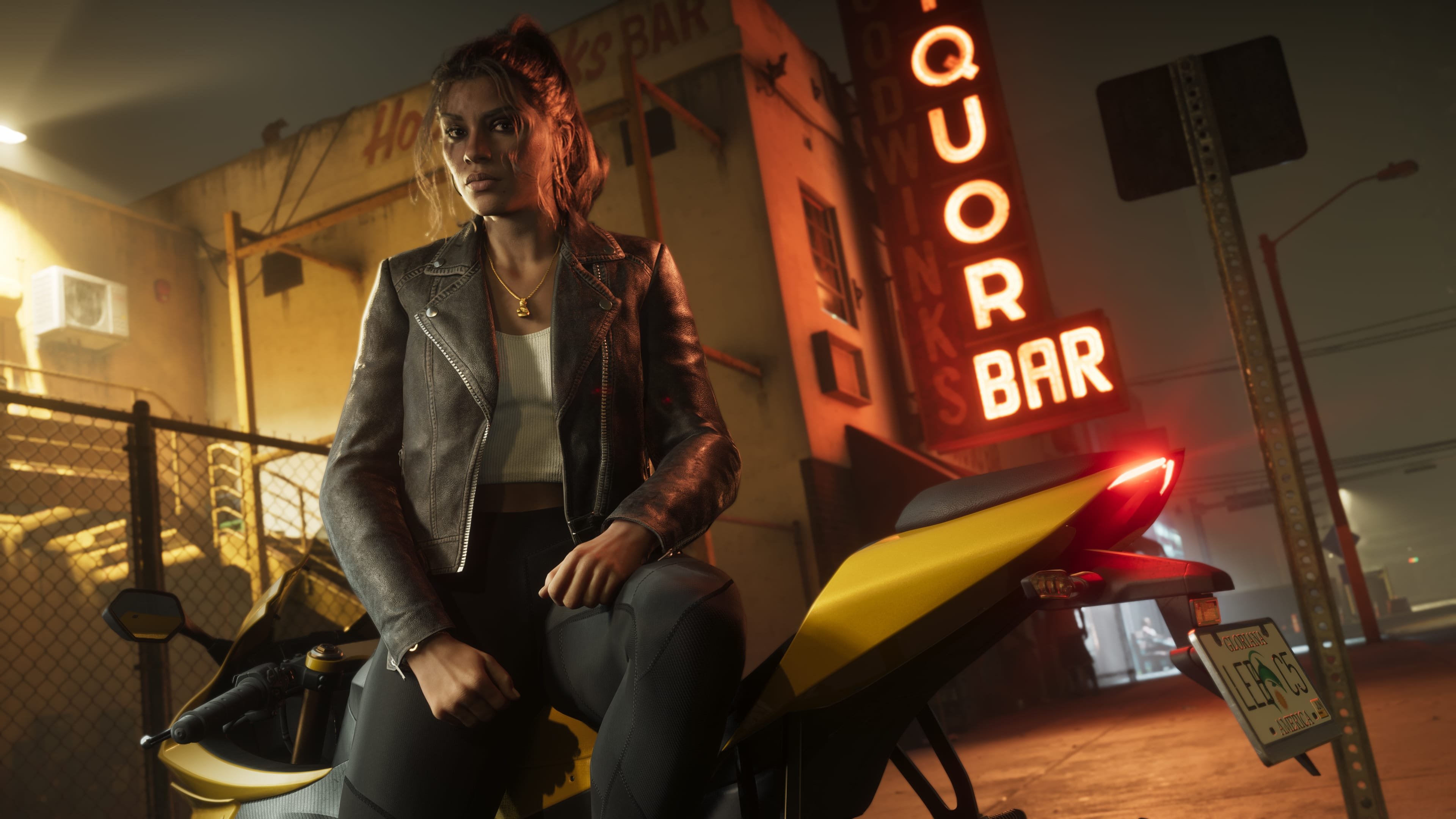
 Rockstar Games appears to be taking a more hands-on role in the FiveM modding scene, according to a report from RockstarINTEL. The outlet reports that Rockstar has been supporting community-made projects for use on FiveM servers, based on information shared with FiveM content creators. A Push Beyond GTA Roleplay Rockstar and Cfx.re, the organization behind FiveM, are reportedly working to elevate "Non-GTA RP" projects within the platform. While most players associate FiveM almost exclusively with GTA roleplay servers, the platform actually hosts a much wider range of server types and content that has nothing to do with RP — and plenty of players simply aren't interested in that format. The apparent aim is to give server owners more "pick up and go" game modes they can install as a base and then customize further, making it easier to get varied content running quickly. Enter StreetKings The first concrete example tied to this initiative is something called the StreetKings Framework — a progression-based experience drawing inspiration from Rockstar's own Midnight Club series and the broader "golden age" of arcade racing games. The core idea is that a player's car becomes an extension of their identity, with everything unlocked through actual play rather than handed out. According to the report, the framework is built out with: Custom cinematic racing camera angles Full controller support Dynamic, unscripted police chases Global leaderboards Events players can discover organically in the world A custom in-game phone system Vehicle upgrades, achievements, multiple race types, and tuning shops The goal, per the outlet, was to build a fast-paced arcade racing experience that stands apart from anything else currently on FiveM. Who Made It StreetKings was built by two established FiveM creators, Envi-Scripts and 919Design, who have each been producing FiveM content for several years. The two reportedly spent months developing the framework before pitching it directly to Rockstar and Cfx.re, receiving an enthusiastic response. From there, Rockstar backed the project's development, and it has since been made an official txAdmin Recipe, now sitting in FiveM's "Popular Recipes" section. The FiveM team also gave the pair a platform to launch a companion project — the official StreetKings server — which has been added to the "Featured Servers" list on the FiveM homepage. A launch trailer for the server has also been released. What It Signals If accurate, this marks a notable shift: rather than simply tolerating third-party mods, Rockstar and Cfx.re seem willing to actively promote and platform them through official channels like txAdmin Recipes and the Featured Servers list. For a modding scene that has historically operated somewhat at arm's length from its parent studio, official backing — and homepage placement — is a meaningful vote of confidence, and could encourage more non-RP creators to pitch original concepts rather than working in the shadow of GTA Online. View full article
 -
 Rockstar Games has quietly cut off access to GTA Online's gambling-style minigames for players in Australia, a change that's already generating frustration within the game's community. Players logging in from Australia who try to use features at the Diamond Casino & Resort are now met with a simple "This feature is not available for you" message. According to dataminer and community member Tex2, the affected features include: House 3 Card Poker Inside Track The Lucky Wheel Blackjack Roulette Slots Notably, this applies even to the Lucky Wheel, a feature that doesn't require players to spend any real-world or in-game currency to spin — a detail that's added to fans' frustration since even the free, low-stakes elements of the casino are now off-limits. Not the First Country to Be AffectedAustralia isn't breaking new ground here — it joins a long list of countries where GTA Online's casino content has been restricted since The Diamond Casino & Resort launched back in 2019. Countries including Portugal, Poland, and Greece faced similar restrictions when the update first rolled out, with varying degrees of access depending on local gambling laws. The core issue comes down to regulation, not Rockstar's own preference. Different countries enforce gambling laws at different speeds and with different thresholds, and simulated casino games — even ones using fictional in-game currency — can fall under those rules. Some regions allow access to the games but restrict players from using "Paid Cash" (money bought through Shark Cards) to buy chips, while still permitting play with "Earned Cash" accumulated through normal gameplay. In Australia's case, it appears the restriction goes further, blocking the features outright regardless of currency type. What This Could Mean for GTA 6The bigger implication here is forward-looking. If GTA 6 includes any gambling-adjacent content similar to the Diamond Casino, it's reasonable to expect the same regulatory patchwork to apply — meaning Australian players (and others in similarly regulated markets) could see those features locked from day one rather than added later. For now, Rockstar hasn't issued any official statement explaining the change or confirming whether it's tied to new Australian regulatory action, so the exact trigger behind the timing remains unclear. What is clear is that this is largely viewed as a compliance decision rather than a choice made by Rockstar itself, following the same regulatory pressure that's shaped casino access in other countries since 2019.
 -
Rockstar Games has quietly cut off access to GTA Online's gambling-style minigames for players in Australia, a change that's already generating frustration within the game's community. Players logging in from Australia who try to use features at the Diamond Casino & Resort are now met with a simple "This feature is not available for you" message. According to dataminer and community member Tex2, the affected features include: House 3 Card Poker Inside Track The Lucky Wheel Blackjack Roulette Slots Notably, this applies even to the Lucky Wheel, a feature that doesn't require players to spend any real-world or in-game currency to spin — a detail that's added to fans' frustration since even the free, low-stakes elements of the casino are now off-limits. Not the First Country to Be AffectedAustralia isn't breaking new ground here — it joins a long list of countries where GTA Online's casino content has been restricted since The Diamond Casino & Resort launched back in 2019. Countries including Portugal, Poland, and Greece faced similar restrictions when the update first rolled out, with varying degrees of access depending on local gambling laws. The core issue comes down to regulation, not Rockstar's own preference. Different countries enforce gambling laws at different speeds and with different thresholds, and simulated casino games — even ones using fictional in-game currency — can fall under those rules. Some regions allow access to the games but restrict players from using "Paid Cash" (money bought through Shark Cards) to buy chips, while still permitting play with "Earned Cash" accumulated through normal gameplay. In Australia's case, it appears the restriction goes further, blocking the features outright regardless of currency type. What This Could Mean for GTA 6The bigger implication here is forward-looking. If GTA 6 includes any gambling-adjacent content similar to the Diamond Casino, it's reasonable to expect the same regulatory patchwork to apply — meaning Australian players (and others in similarly regulated markets) could see those features locked from day one rather than added later. For now, Rockstar hasn't issued any official statement explaining the change or confirming whether it's tied to new Australian regulatory action, so the exact trigger behind the timing remains unclear. What is clear is that this is largely viewed as a compliance decision rather than a choice made by Rockstar itself, following the same regulatory pressure that's shaped casino access in other countries since 2019. View full article
-
.webp.93727ce191ca00fec47faafc61ed138b.webp) Grand Theft Auto 6 appears to still be tracking toward its November 19 release, and fans may not have to wait much longer for fresh details. According to a gaming insider, news on the game should surface next month, though some fans remain uneasy about the release timeline given the long stretch of silence since pre-orders opened. What the insider is saying The claims come from insider NateTheHate, who has built a reputation for reliable Rockstar-related leaks. In a recent post, he reiterated his belief that GTA 6 will launch in November as scheduled, based on what he currently knows. He followed that up by saying he anticipates a meaningful amount of information about the game to emerge in August. This isn't a new stance for him — he's previously suggested that only some kind of major, unforeseen setback could realistically push the game past its November 19 date. Given his track record, that consistency is giving some fans a bit more confidence. Anything else on the Rockstar front? When pressed for additional Rockstar news, the insider said it's still too early to share anything concrete, though he hinted he might have more to say as certain unspecified projects get closer to reality. Speculation naturally points to things like a next-gen version of Red Dead Redemption 2, which he's floated before. Meanwhile, the previously rumored Switch 2 port hasn't seen any fresh movement. The bigger picture Take-Two Interactive CEO Strauss Zelnick reaffirmed last week that the company still expects the game to hit its stated release date. Still, with over a year having passed since Rockstar last shared anything official about GTA 6, some fans worry a delay into 2027 could be looming. For now, though, there's no concrete signal pointing that way — just a long stretch of quiet that's testing everyone's patience as summer rolls on.
Grand Theft Auto 6 appears to still be tracking toward its November 19 release, and fans may not have to wait much longer for fresh details. According to a gaming insider, news on the game should surface next month, though some fans remain uneasy about the release timeline given the long stretch of silence since pre-orders opened. What the insider is saying The claims come from insider NateTheHate, who has built a reputation for reliable Rockstar-related leaks. In a recent post, he reiterated his belief that GTA 6 will launch in November as scheduled, based on what he currently knows. He followed that up by saying he anticipates a meaningful amount of information about the game to emerge in August. This isn't a new stance for him — he's previously suggested that only some kind of major, unforeseen setback could realistically push the game past its November 19 date. Given his track record, that consistency is giving some fans a bit more confidence. Anything else on the Rockstar front? When pressed for additional Rockstar news, the insider said it's still too early to share anything concrete, though he hinted he might have more to say as certain unspecified projects get closer to reality. Speculation naturally points to things like a next-gen version of Red Dead Redemption 2, which he's floated before. Meanwhile, the previously rumored Switch 2 port hasn't seen any fresh movement. The bigger picture Take-Two Interactive CEO Strauss Zelnick reaffirmed last week that the company still expects the game to hit its stated release date. Still, with over a year having passed since Rockstar last shared anything official about GTA 6, some fans worry a delay into 2027 could be looming. For now, though, there's no concrete signal pointing that way — just a long stretch of quiet that's testing everyone's patience as summer rolls on. -
Grand Theft Auto 6 appears to still be tracking toward its November 19 release, and fans may not have to wait much longer for fresh details. According to a gaming insider, news on the game should surface next month, though some fans remain uneasy about the release timeline given the long stretch of silence since pre-orders opened. What the insider is saying The claims come from insider NateTheHate, who has built a reputation for reliable Rockstar-related leaks. In a recent post, he reiterated his belief that GTA 6 will launch in November as scheduled, based on what he currently knows. He followed that up by saying he anticipates a meaningful amount of information about the game to emerge in August. This isn't a new stance for him — he's previously suggested that only some kind of major, unforeseen setback could realistically push the game past its November 19 date. Given his track record, that consistency is giving some fans a bit more confidence. Anything else on the Rockstar front? When pressed for additional Rockstar news, the insider said it's still too early to share anything concrete, though he hinted he might have more to say as certain unspecified projects get closer to reality. Speculation naturally points to things like a next-gen version of Red Dead Redemption 2, which he's floated before. Meanwhile, the previously rumored Switch 2 port hasn't seen any fresh movement. The bigger picture Take-Two Interactive CEO Strauss Zelnick reaffirmed last week that the company still expects the game to hit its stated release date. Still, with over a year having passed since Rockstar last shared anything official about GTA 6, some fans worry a delay into 2027 could be looming. For now, though, there's no concrete signal pointing that way — just a long stretch of quiet that's testing everyone's patience as summer rolls on. View full article
-
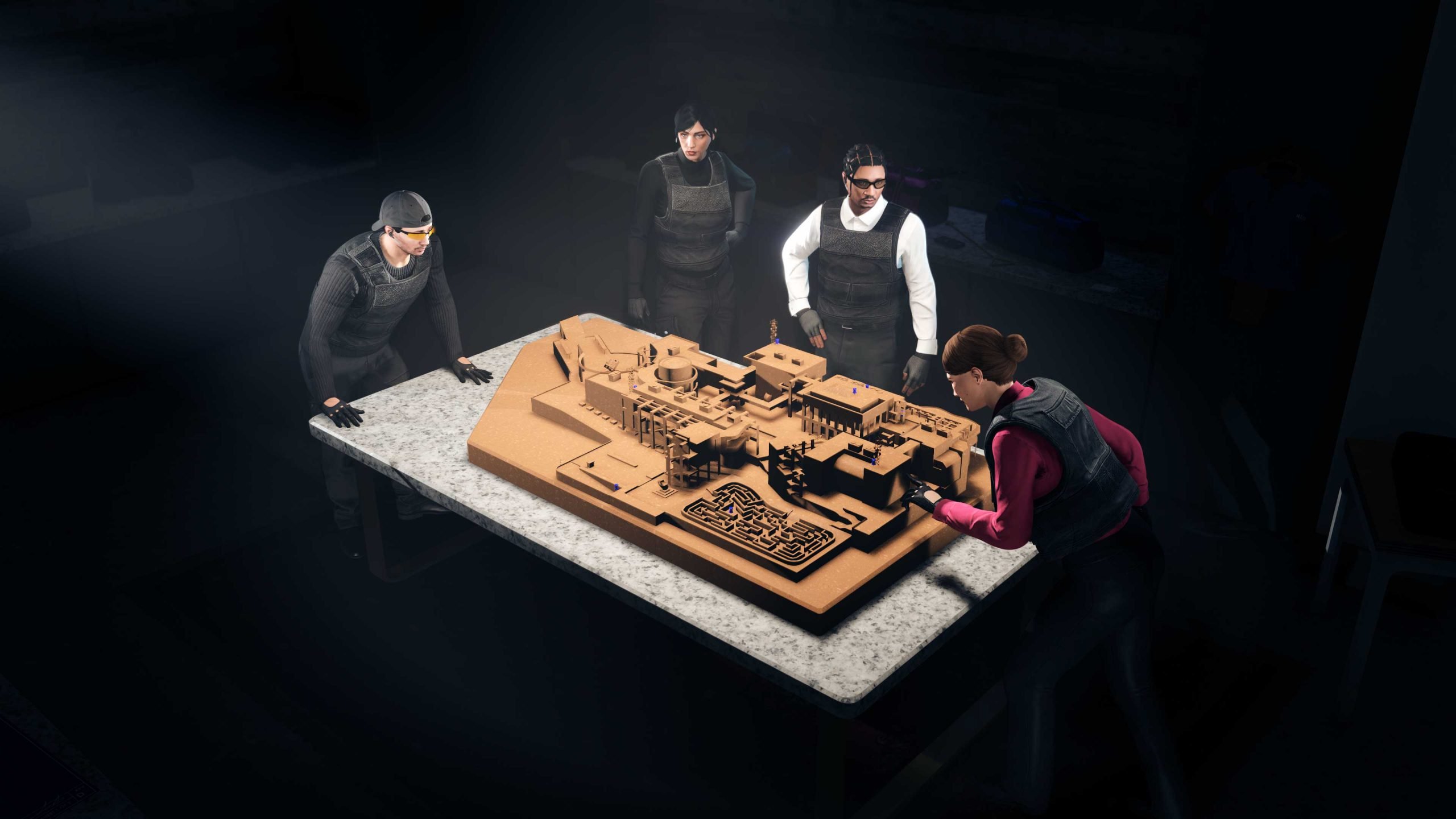 Rockstar Games has pushed out yet another behind-the-scenes patch for GTA Online, this time targeting lingering issues from The Kortz Center Heist update. The fix arrived alongside this week's Event Week content, which introduced the new Pegassi Ignus Pursuit vehicle, and follows an earlier round of server-side fixes the studio issued shortly after the heist update first launched. Since The Kortz Center Heist DLC dropped this summer, Rockstar has been steadily cleaning up a string of bugs that frustrated players. One of the more notable problems involved a helicopter sequence during the heist that could block players from finishing the mission entirely — a fix players will likely welcome, given how heist-ending glitches tend to derail entire sessions for a crew. Because this is a background update, players won't need to download anything. Rockstar applies these changes server-side, which is standard practice following a major GTA Online content drop, so nothing about the rollout itself is unusual. What Got Fixed According to Rockstar Support's patch notes for July 23rd, the update addressed several specific issues: The Kortz Center Heist Mansion plaques and trophies were showing up as unlocked when they shouldn't have been The camera in the Exhibition Hall wasn't moving properly during the heist finale The Stealth Annihilator was dropping to the ground unexpectedly when players got the rappel prompt during the finale General fixes Grace Whitney wasn't fleeing as intended during the Most Wanted – Whitney mission KnoWay supervisors weren't leaving the area after players collected all three trash bags in KnoWay Out – Trash Talking The Velum aircraft was behaving erratically and causing mission failure during Oscar Guzman Flies Again – Setup: Ammunition These fixes are separate from the much larger batch of changes included in the original patch 1.73 notes for The Kortz Center Heist update, suggesting Rockstar is still working through issues that slipped past initial testing. Given the pattern of recent months, more quiet server-side patches are likely in the pipeline as Rockstar continues to iron out problems introduced by the summer update.
 -
Rockstar Games has pushed out yet another behind-the-scenes patch for GTA Online, this time targeting lingering issues from The Kortz Center Heist update. The fix arrived alongside this week's Event Week content, which introduced the new Pegassi Ignus Pursuit vehicle, and follows an earlier round of server-side fixes the studio issued shortly after the heist update first launched. Since The Kortz Center Heist DLC dropped this summer, Rockstar has been steadily cleaning up a string of bugs that frustrated players. One of the more notable problems involved a helicopter sequence during the heist that could block players from finishing the mission entirely — a fix players will likely welcome, given how heist-ending glitches tend to derail entire sessions for a crew. Because this is a background update, players won't need to download anything. Rockstar applies these changes server-side, which is standard practice following a major GTA Online content drop, so nothing about the rollout itself is unusual. What Got Fixed According to Rockstar Support's patch notes for July 23rd, the update addressed several specific issues: The Kortz Center Heist Mansion plaques and trophies were showing up as unlocked when they shouldn't have been The camera in the Exhibition Hall wasn't moving properly during the heist finale The Stealth Annihilator was dropping to the ground unexpectedly when players got the rappel prompt during the finale General fixes Grace Whitney wasn't fleeing as intended during the Most Wanted – Whitney mission KnoWay supervisors weren't leaving the area after players collected all three trash bags in KnoWay Out – Trash Talking The Velum aircraft was behaving erratically and causing mission failure during Oscar Guzman Flies Again – Setup: Ammunition These fixes are separate from the much larger batch of changes included in the original patch 1.73 notes for The Kortz Center Heist update, suggesting Rockstar is still working through issues that slipped past initial testing. Given the pattern of recent months, more quiet server-side patches are likely in the pipeline as Rockstar continues to iron out problems introduced by the summer update. View full article
-
 For most of its history, the Grand Theft Auto franchise has treated modders as adversaries rather than allies. Rockstar has a long track record of sending cease-and-desist letters to third-party modding platforms, and GTA 5 — nearly 13 years into its life cycle — still doesn't have so much as a Steam Workshop page. On paper, that history makes betting on GTA 6 modding support look like a losing wager. But dig past the surface-level pessimism, and the evidence starts pointing the other way. While a full-blown Steam Workshop still looks unlikely, there are real signals that GTA 6 could end up being the most customizable entry the series has ever produced — just through a different door than fans might expect. Rockstar's Big Bet on User-Generated ContentThe clearest signal is Rockstar and Take-Two's evident push toward user-generated content, or UGC. GTA Online has already started rolling out missions specifically designed to teach players how to build their own content within the game, a clear precursor to whatever UGC tools are planned for GTA 6. It's a strategy that looks a lot less like modding-as-nuisance and a lot more like modding-as-feature — provided it happens on Rockstar's terms. The FiveM Acquisition Changed EverythingThe strongest piece of evidence, though, predates GTA 6 discussion entirely: Rockstar's 2023 acquisition of Cfx.re, the studio behind FiveM and RedM. Those two platforms have long been the backbone of GTA Online's massive roleplay server scene, and for years Rockstar treated them as a legal target rather than a partner. Instead, the company bought them outright. That decision looks even more deliberate in hindsight. In January 2026, Rockstar launched the Cfx Marketplace, an official storefront for community-made mods built on the infrastructure it now owns. The move came paired with a less fan-friendly footnote — cease-and-desist orders sent to rival modding platforms that Rockstar now considers competitors to its own, sanctioned marketplace. Taken together, the message is fairly clear: Rockstar isn't opposed to modding. It's opposed to modding it doesn't control or profit from. Don't Expect Full Modding Support on Day OneEven with that shift in philosophy, there are practical hurdles. Deep modding traditionally requires PC access, since consoles are locked down by design and don't allow the kind of file-level customization PC players take for granted. That likely means UGC tools will initially function more like an in-game mission editor than a true modding suite, at least until GTA 6 arrives on PC — which almost everyone expects to happen eventually, even if it isn't part of the initial console launch. Once the PC version does land, more traditional modding will likely open up considerably. The bigger unknown is how far Rockstar is willing to push customization on consoles. If GTA 6's engine was built with UGC flexibility baked in from the ground up, some observers have floated comparisons to Roblox-style creation tools — a scenario that would represent a dramatic departure from how the series has always operated. That's speculative territory for now, but it's not baseless given Rockstar's recent moves. The Bottom LineAll signs point toward GTA 6 supporting mods in some official capacity — Rockstar wouldn't have spent money acquiring FiveM's parent company if it planned to keep locking modders out. The real question isn't whether GTA 6 will support mods, but how expansive that support turns out to be, and whether console players get a meaningful slice of it or have to wait for a PC release to see the full picture.
 -
For most of its history, the Grand Theft Auto franchise has treated modders as adversaries rather than allies. Rockstar has a long track record of sending cease-and-desist letters to third-party modding platforms, and GTA 5 — nearly 13 years into its life cycle — still doesn't have so much as a Steam Workshop page. On paper, that history makes betting on GTA 6 modding support look like a losing wager. But dig past the surface-level pessimism, and the evidence starts pointing the other way. While a full-blown Steam Workshop still looks unlikely, there are real signals that GTA 6 could end up being the most customizable entry the series has ever produced — just through a different door than fans might expect. Rockstar's Big Bet on User-Generated ContentThe clearest signal is Rockstar and Take-Two's evident push toward user-generated content, or UGC. GTA Online has already started rolling out missions specifically designed to teach players how to build their own content within the game, a clear precursor to whatever UGC tools are planned for GTA 6. It's a strategy that looks a lot less like modding-as-nuisance and a lot more like modding-as-feature — provided it happens on Rockstar's terms. The FiveM Acquisition Changed EverythingThe strongest piece of evidence, though, predates GTA 6 discussion entirely: Rockstar's 2023 acquisition of Cfx.re, the studio behind FiveM and RedM. Those two platforms have long been the backbone of GTA Online's massive roleplay server scene, and for years Rockstar treated them as a legal target rather than a partner. Instead, the company bought them outright. That decision looks even more deliberate in hindsight. In January 2026, Rockstar launched the Cfx Marketplace, an official storefront for community-made mods built on the infrastructure it now owns. The move came paired with a less fan-friendly footnote — cease-and-desist orders sent to rival modding platforms that Rockstar now considers competitors to its own, sanctioned marketplace. Taken together, the message is fairly clear: Rockstar isn't opposed to modding. It's opposed to modding it doesn't control or profit from. Don't Expect Full Modding Support on Day OneEven with that shift in philosophy, there are practical hurdles. Deep modding traditionally requires PC access, since consoles are locked down by design and don't allow the kind of file-level customization PC players take for granted. That likely means UGC tools will initially function more like an in-game mission editor than a true modding suite, at least until GTA 6 arrives on PC — which almost everyone expects to happen eventually, even if it isn't part of the initial console launch. Once the PC version does land, more traditional modding will likely open up considerably. The bigger unknown is how far Rockstar is willing to push customization on consoles. If GTA 6's engine was built with UGC flexibility baked in from the ground up, some observers have floated comparisons to Roblox-style creation tools — a scenario that would represent a dramatic departure from how the series has always operated. That's speculative territory for now, but it's not baseless given Rockstar's recent moves. The Bottom LineAll signs point toward GTA 6 supporting mods in some official capacity — Rockstar wouldn't have spent money acquiring FiveM's parent company if it planned to keep locking modders out. The real question isn't whether GTA 6 will support mods, but how expansive that support turns out to be, and whether console players get a meaningful slice of it or have to wait for a PC release to see the full picture. View full article
-
.jpg.1a75d88fa54a871afd22a1f4e7650ef3.jpg) A fresh GTA Online Weekly Update has kicked off in the wake of The Kortz Center Heist content drop, rotating in new vehicles, heist targets, and bonuses for the week running July 23 through 29. New Vehicles Two new rides anchor this week's update. Law enforcement roleplayers and pursuit-vehicle collectors can now pick up the Police Pegassi Ingus Pursuit/Interceptor for $4,376,250 at Warstock Cache & Carry. Meanwhile, the Grotti Veleno GT has opened up to the general player base, priced at $3,000,000 through Legendary Motorsport. Login Reward Players who log in this week will automatically receive the Knuckleduster Tee. Kortz Center Heist Refresh The Kortz Center Heist gets a new rotation of Primary Targets, and its first-completion bonus has been reset — meaning players can earn it again. Completing the heist without dying nets an extra $400,000. This week's targets are: The Outcome of Endeavour (Fine Art Collectors only) Winter Nowhere in Particular I Hear Voices I, Fruit Fine Art Collector's Program Payout Mansion owners who logged into GTA Online between June 17 and July 13 are now eligible for Elitist Tier rewards, claimable through August 5. The haul includes a $1,000,000 discount on the Art Studio, a free Vault Keypad Art Studio upgrade, the Outcome of Endeavour painting, the Crescent Tense sculpture, and a free Western Company Annihilator Stealth (claimable from Warstock Cache & Carry). FIB Priority File and Salvage Yard Robberies This week's FIB Priority File is "The Brute Force File," which pays double as usual for Priority Files. Over at the Salvage Yard, the robbery rotation includes the Grotti Stinger TT (Podium Robbery), Übermacht Cypher (Gangbanger Robbery), and Canis Seminole Frontier (Cargo Ship Robbery). Casino, Car Meet, and Test Drives The Casino podium vehicle this week is the Vapid Ratel ($1,873,000 from Southern San Andreas Super Autos), with GTA+ members now getting two lucky wheel spins per day instead of one. Over at the LS Car Meet, placing in the top five of a race for three consecutive days unlocks the Dinka Postlude ($1,310,000) as a Prize Ride. The Premium Test Ride vehicle is the Grotti Brioso R/A, available across PS5, Xbox Series X/S, and PC Enhanced. Test Track vehicles this week are the Dewbauchee JB 700W, Pegassi Tempesta, and Pegassi Torero. Over at Legendary Motorsport's Luxury Autos showroom in Rockford Hills, the Benefactor Läufer and Grotti Veleno GT are on display, while Simeon's Auto Shop is stocking the Benefactor Vorschlaghammer, Declasse Tulip M-100, Pfister 811, and Vapid Retinue Mk II. Gun Van, Races, and Time Trials The Gun Van's rotating stock includes the Combat Shotgun, Compact EMP Launcher, Military Rifle, Compact Grenade Launcher, Flare Gun, and Knuckle Dusters, alongside throwables (Pipe Bombs, Proximity Mines, Sticky Bombs) and the full armor tier lineup. This week's Premium Race is Cutting Coroners, the HSW Time Trial is set in Sandy Shores, and the standard Time Trial takes place at the Observatory. Discounts 50% off: Chameleon Paints, McKenzie Field Hangar 30% off: Benefactor Vorschlaghammer, Declasse Tulip M-100, Dewbauchee JB 700W, Enus Windsor Drop, Karin Technical, Pegassi Tempesta, Pegassi Torero, Pfister 811, Vapid Retinue Mk II Bonus GTA$ and RP 5x on HSW Race Series 4x on Associate and Bodyguard Salaries 3x on Overtime Rumble 3x on Community Series 2x on First-Time Completion of The Titan Job Weekly Challenge Complete The Kortz Center Heist without dying to earn $400,000. GTA+ subscribers can check the full list of this month's membership perks separately, as Rockstar continues rolling out the July benefits package alongside the weekly rotation.
A fresh GTA Online Weekly Update has kicked off in the wake of The Kortz Center Heist content drop, rotating in new vehicles, heist targets, and bonuses for the week running July 23 through 29. New Vehicles Two new rides anchor this week's update. Law enforcement roleplayers and pursuit-vehicle collectors can now pick up the Police Pegassi Ingus Pursuit/Interceptor for $4,376,250 at Warstock Cache & Carry. Meanwhile, the Grotti Veleno GT has opened up to the general player base, priced at $3,000,000 through Legendary Motorsport. Login Reward Players who log in this week will automatically receive the Knuckleduster Tee. Kortz Center Heist Refresh The Kortz Center Heist gets a new rotation of Primary Targets, and its first-completion bonus has been reset — meaning players can earn it again. Completing the heist without dying nets an extra $400,000. This week's targets are: The Outcome of Endeavour (Fine Art Collectors only) Winter Nowhere in Particular I Hear Voices I, Fruit Fine Art Collector's Program Payout Mansion owners who logged into GTA Online between June 17 and July 13 are now eligible for Elitist Tier rewards, claimable through August 5. The haul includes a $1,000,000 discount on the Art Studio, a free Vault Keypad Art Studio upgrade, the Outcome of Endeavour painting, the Crescent Tense sculpture, and a free Western Company Annihilator Stealth (claimable from Warstock Cache & Carry). FIB Priority File and Salvage Yard Robberies This week's FIB Priority File is "The Brute Force File," which pays double as usual for Priority Files. Over at the Salvage Yard, the robbery rotation includes the Grotti Stinger TT (Podium Robbery), Übermacht Cypher (Gangbanger Robbery), and Canis Seminole Frontier (Cargo Ship Robbery). Casino, Car Meet, and Test Drives The Casino podium vehicle this week is the Vapid Ratel ($1,873,000 from Southern San Andreas Super Autos), with GTA+ members now getting two lucky wheel spins per day instead of one. Over at the LS Car Meet, placing in the top five of a race for three consecutive days unlocks the Dinka Postlude ($1,310,000) as a Prize Ride. The Premium Test Ride vehicle is the Grotti Brioso R/A, available across PS5, Xbox Series X/S, and PC Enhanced. Test Track vehicles this week are the Dewbauchee JB 700W, Pegassi Tempesta, and Pegassi Torero. Over at Legendary Motorsport's Luxury Autos showroom in Rockford Hills, the Benefactor Läufer and Grotti Veleno GT are on display, while Simeon's Auto Shop is stocking the Benefactor Vorschlaghammer, Declasse Tulip M-100, Pfister 811, and Vapid Retinue Mk II. Gun Van, Races, and Time Trials The Gun Van's rotating stock includes the Combat Shotgun, Compact EMP Launcher, Military Rifle, Compact Grenade Launcher, Flare Gun, and Knuckle Dusters, alongside throwables (Pipe Bombs, Proximity Mines, Sticky Bombs) and the full armor tier lineup. This week's Premium Race is Cutting Coroners, the HSW Time Trial is set in Sandy Shores, and the standard Time Trial takes place at the Observatory. Discounts 50% off: Chameleon Paints, McKenzie Field Hangar 30% off: Benefactor Vorschlaghammer, Declasse Tulip M-100, Dewbauchee JB 700W, Enus Windsor Drop, Karin Technical, Pegassi Tempesta, Pegassi Torero, Pfister 811, Vapid Retinue Mk II Bonus GTA$ and RP 5x on HSW Race Series 4x on Associate and Bodyguard Salaries 3x on Overtime Rumble 3x on Community Series 2x on First-Time Completion of The Titan Job Weekly Challenge Complete The Kortz Center Heist without dying to earn $400,000. GTA+ subscribers can check the full list of this month's membership perks separately, as Rockstar continues rolling out the July benefits package alongside the weekly rotation. -
A fresh GTA Online Weekly Update has kicked off in the wake of The Kortz Center Heist content drop, rotating in new vehicles, heist targets, and bonuses for the week running July 23 through 29. New Vehicles Two new rides anchor this week's update. Law enforcement roleplayers and pursuit-vehicle collectors can now pick up the Police Pegassi Ingus Pursuit/Interceptor for $4,376,250 at Warstock Cache & Carry. Meanwhile, the Grotti Veleno GT has opened up to the general player base, priced at $3,000,000 through Legendary Motorsport. Login Reward Players who log in this week will automatically receive the Knuckleduster Tee. Kortz Center Heist Refresh The Kortz Center Heist gets a new rotation of Primary Targets, and its first-completion bonus has been reset — meaning players can earn it again. Completing the heist without dying nets an extra $400,000. This week's targets are: The Outcome of Endeavour (Fine Art Collectors only) Winter Nowhere in Particular I Hear Voices I, Fruit Fine Art Collector's Program Payout Mansion owners who logged into GTA Online between June 17 and July 13 are now eligible for Elitist Tier rewards, claimable through August 5. The haul includes a $1,000,000 discount on the Art Studio, a free Vault Keypad Art Studio upgrade, the Outcome of Endeavour painting, the Crescent Tense sculpture, and a free Western Company Annihilator Stealth (claimable from Warstock Cache & Carry). FIB Priority File and Salvage Yard Robberies This week's FIB Priority File is "The Brute Force File," which pays double as usual for Priority Files. Over at the Salvage Yard, the robbery rotation includes the Grotti Stinger TT (Podium Robbery), Übermacht Cypher (Gangbanger Robbery), and Canis Seminole Frontier (Cargo Ship Robbery). Casino, Car Meet, and Test Drives The Casino podium vehicle this week is the Vapid Ratel ($1,873,000 from Southern San Andreas Super Autos), with GTA+ members now getting two lucky wheel spins per day instead of one. Over at the LS Car Meet, placing in the top five of a race for three consecutive days unlocks the Dinka Postlude ($1,310,000) as a Prize Ride. The Premium Test Ride vehicle is the Grotti Brioso R/A, available across PS5, Xbox Series X/S, and PC Enhanced. Test Track vehicles this week are the Dewbauchee JB 700W, Pegassi Tempesta, and Pegassi Torero. Over at Legendary Motorsport's Luxury Autos showroom in Rockford Hills, the Benefactor Läufer and Grotti Veleno GT are on display, while Simeon's Auto Shop is stocking the Benefactor Vorschlaghammer, Declasse Tulip M-100, Pfister 811, and Vapid Retinue Mk II. Gun Van, Races, and Time Trials The Gun Van's rotating stock includes the Combat Shotgun, Compact EMP Launcher, Military Rifle, Compact Grenade Launcher, Flare Gun, and Knuckle Dusters, alongside throwables (Pipe Bombs, Proximity Mines, Sticky Bombs) and the full armor tier lineup. This week's Premium Race is Cutting Coroners, the HSW Time Trial is set in Sandy Shores, and the standard Time Trial takes place at the Observatory. Discounts 50% off: Chameleon Paints, McKenzie Field Hangar 30% off: Benefactor Vorschlaghammer, Declasse Tulip M-100, Dewbauchee JB 700W, Enus Windsor Drop, Karin Technical, Pegassi Tempesta, Pegassi Torero, Pfister 811, Vapid Retinue Mk II Bonus GTA$ and RP 5x on HSW Race Series 4x on Associate and Bodyguard Salaries 3x on Overtime Rumble 3x on Community Series 2x on First-Time Completion of The Titan Job Weekly Challenge Complete The Kortz Center Heist without dying to earn $400,000. GTA+ subscribers can check the full list of this month's membership perks separately, as Rockstar continues rolling out the July benefits package alongside the weekly rotation. View full article
-
.webp.882cfcd790c91e55f12b41443d32d40e.webp) The group of current and former Rockstar Games employees seeking formal recognition as a union has reached a significant milestone in their campaign, announcing their first official meeting with Rockstar management. The Rockstar Games Workers Union (RGWU) shared the update in a social media post, revealing that the sit-down took place shortly after the group solidified its position as the largest video game studio union in Europe. Its membership reportedly spans several dozen former staff who were dismissed last year, alongside what could be hundreds of current Rockstar employees. According to the union, the meeting produced real movement. The RGWU says it successfully argued that "workers' voices need to be heard and that we can collaborate to achieve this," and came away with a commitment from Rockstar to build out a structured roadmap aimed at speeding up the negotiation process. The two sides are now also working toward defining a "bargaining unit" — essentially, the scope of employees the union would be authorized to represent. The RGWU was clear that voluntary cooperation isn't the only path forward. In its statement, the group noted that if talks over a voluntary recognition agreement stall, it's prepared to pursue statutory recognition — a legal route that would compel Rockstar to recognize the union once it can demonstrate it represents a sufficient share of the workforce. Among the union's core demands are an end to crunch culture, greater pay transparency, more flexible working arrangements, protection from layoffs, and restrictions on the use of AI in development. The meeting arrives against a turbulent backdrop for Rockstar's labor relations. The company has separately been accused of fostering crunch conditions and unfair pay practices, and recently suffered a legal setback in its case against the employees it terminated last year. Adding to the pressure, lawmakers have accused Rockstar of attempting to obstruct the legal proceedings tied to that dispute altogether. For now, the milestone meeting represents the clearest sign yet that organized labor efforts inside one of gaming's biggest studios are gaining real traction ahead of GTA 6's launch — though whether that translates into a finalized agreement remains to be seen.
The group of current and former Rockstar Games employees seeking formal recognition as a union has reached a significant milestone in their campaign, announcing their first official meeting with Rockstar management. The Rockstar Games Workers Union (RGWU) shared the update in a social media post, revealing that the sit-down took place shortly after the group solidified its position as the largest video game studio union in Europe. Its membership reportedly spans several dozen former staff who were dismissed last year, alongside what could be hundreds of current Rockstar employees. According to the union, the meeting produced real movement. The RGWU says it successfully argued that "workers' voices need to be heard and that we can collaborate to achieve this," and came away with a commitment from Rockstar to build out a structured roadmap aimed at speeding up the negotiation process. The two sides are now also working toward defining a "bargaining unit" — essentially, the scope of employees the union would be authorized to represent. The RGWU was clear that voluntary cooperation isn't the only path forward. In its statement, the group noted that if talks over a voluntary recognition agreement stall, it's prepared to pursue statutory recognition — a legal route that would compel Rockstar to recognize the union once it can demonstrate it represents a sufficient share of the workforce. Among the union's core demands are an end to crunch culture, greater pay transparency, more flexible working arrangements, protection from layoffs, and restrictions on the use of AI in development. The meeting arrives against a turbulent backdrop for Rockstar's labor relations. The company has separately been accused of fostering crunch conditions and unfair pay practices, and recently suffered a legal setback in its case against the employees it terminated last year. Adding to the pressure, lawmakers have accused Rockstar of attempting to obstruct the legal proceedings tied to that dispute altogether. For now, the milestone meeting represents the clearest sign yet that organized labor efforts inside one of gaming's biggest studios are gaining real traction ahead of GTA 6's launch — though whether that translates into a finalized agreement remains to be seen. -
The group of current and former Rockstar Games employees seeking formal recognition as a union has reached a significant milestone in their campaign, announcing their first official meeting with Rockstar management. The Rockstar Games Workers Union (RGWU) shared the update in a social media post, revealing that the sit-down took place shortly after the group solidified its position as the largest video game studio union in Europe. Its membership reportedly spans several dozen former staff who were dismissed last year, alongside what could be hundreds of current Rockstar employees. According to the union, the meeting produced real movement. The RGWU says it successfully argued that "workers' voices need to be heard and that we can collaborate to achieve this," and came away with a commitment from Rockstar to build out a structured roadmap aimed at speeding up the negotiation process. The two sides are now also working toward defining a "bargaining unit" — essentially, the scope of employees the union would be authorized to represent. The RGWU was clear that voluntary cooperation isn't the only path forward. In its statement, the group noted that if talks over a voluntary recognition agreement stall, it's prepared to pursue statutory recognition — a legal route that would compel Rockstar to recognize the union once it can demonstrate it represents a sufficient share of the workforce. Among the union's core demands are an end to crunch culture, greater pay transparency, more flexible working arrangements, protection from layoffs, and restrictions on the use of AI in development. The meeting arrives against a turbulent backdrop for Rockstar's labor relations. The company has separately been accused of fostering crunch conditions and unfair pay practices, and recently suffered a legal setback in its case against the employees it terminated last year. Adding to the pressure, lawmakers have accused Rockstar of attempting to obstruct the legal proceedings tied to that dispute altogether. For now, the milestone meeting represents the clearest sign yet that organized labor efforts inside one of gaming's biggest studios are gaining real traction ahead of GTA 6's launch — though whether that translates into a finalized agreement remains to be seen. View full article
-
.webp.8de9c17c2499f2ec0b011714d78a839c.webp) With GTA 6 now out, one lingering question fans keep circling back to is whether cheat codes will make the cut. Rockstar's growing emphasis on GTA Online and user-generated content has some wondering if the classic cheat system still has a place in the series — or whether it's being quietly phased out in favor of a more curated, monetized experience. There's no official confirmation either way. But the franchise's own track record gives us plenty to work with. The Case for Cheats ReturningCheat codes have been a series staple since the very first Grand Theft Auto in 1997. Early implementations were rough, but the feature persisted, and starting with GTA 3, cheats became a fixture of every mainline entry that followed. That's an unbroken streak spanning nearly three decades — strong enough precedent that most fans expect single-player cheats to carry over into GTA 6 as well. Some have pointed to alleged references to cheat systems found in the 2024 GTA 6 leaks as further evidence, though that claim traces back to a single unverified source and hasn't been corroborated elsewhere. It's worth treating as speculation rather than confirmation. Don't Expect a Money Cheat Even if cheats do return, one is unlikely to make it in: an instant-cash cheat. Rockstar left this out of GTA 5, forcing players to grind missions or exploit the stock market during the assassination storyline to build wealth quickly. Given that history, GTA 6 will most likely follow the same approach — no shortcuts to a fat bank account. The hope among fans is that GTA 6 offers better-paying, more engaging missions so grinding for cash doesn't feel like such a slog this time around. GTA Online Is a Different StoryWhatever happens with single-player cheats, GTA Online almost certainly won't get any. Rockstar has never allowed cheat codes in the multiplayer mode, largely to preserve competitive integrity and protect its economy of in-game purchases. Players may still stumble on exploits here and there, but Rockstar has historically cracked down on those with bans, so anyone tempted to use one should tread carefully. Bottom LineNothing is confirmed, but history is a strong indicator: single-player cheats are likely to return in some form, a money cheat almost certainly won't, and GTA Online will remain cheat-free as always.
With GTA 6 now out, one lingering question fans keep circling back to is whether cheat codes will make the cut. Rockstar's growing emphasis on GTA Online and user-generated content has some wondering if the classic cheat system still has a place in the series — or whether it's being quietly phased out in favor of a more curated, monetized experience. There's no official confirmation either way. But the franchise's own track record gives us plenty to work with. The Case for Cheats ReturningCheat codes have been a series staple since the very first Grand Theft Auto in 1997. Early implementations were rough, but the feature persisted, and starting with GTA 3, cheats became a fixture of every mainline entry that followed. That's an unbroken streak spanning nearly three decades — strong enough precedent that most fans expect single-player cheats to carry over into GTA 6 as well. Some have pointed to alleged references to cheat systems found in the 2024 GTA 6 leaks as further evidence, though that claim traces back to a single unverified source and hasn't been corroborated elsewhere. It's worth treating as speculation rather than confirmation. Don't Expect a Money Cheat Even if cheats do return, one is unlikely to make it in: an instant-cash cheat. Rockstar left this out of GTA 5, forcing players to grind missions or exploit the stock market during the assassination storyline to build wealth quickly. Given that history, GTA 6 will most likely follow the same approach — no shortcuts to a fat bank account. The hope among fans is that GTA 6 offers better-paying, more engaging missions so grinding for cash doesn't feel like such a slog this time around. GTA Online Is a Different StoryWhatever happens with single-player cheats, GTA Online almost certainly won't get any. Rockstar has never allowed cheat codes in the multiplayer mode, largely to preserve competitive integrity and protect its economy of in-game purchases. Players may still stumble on exploits here and there, but Rockstar has historically cracked down on those with bans, so anyone tempted to use one should tread carefully. Bottom LineNothing is confirmed, but history is a strong indicator: single-player cheats are likely to return in some form, a money cheat almost certainly won't, and GTA Online will remain cheat-free as always. -
With GTA 6 now out, one lingering question fans keep circling back to is whether cheat codes will make the cut. Rockstar's growing emphasis on GTA Online and user-generated content has some wondering if the classic cheat system still has a place in the series — or whether it's being quietly phased out in favor of a more curated, monetized experience. There's no official confirmation either way. But the franchise's own track record gives us plenty to work with. The Case for Cheats ReturningCheat codes have been a series staple since the very first Grand Theft Auto in 1997. Early implementations were rough, but the feature persisted, and starting with GTA 3, cheats became a fixture of every mainline entry that followed. That's an unbroken streak spanning nearly three decades — strong enough precedent that most fans expect single-player cheats to carry over into GTA 6 as well. Some have pointed to alleged references to cheat systems found in the 2024 GTA 6 leaks as further evidence, though that claim traces back to a single unverified source and hasn't been corroborated elsewhere. It's worth treating as speculation rather than confirmation. Don't Expect a Money Cheat Even if cheats do return, one is unlikely to make it in: an instant-cash cheat. Rockstar left this out of GTA 5, forcing players to grind missions or exploit the stock market during the assassination storyline to build wealth quickly. Given that history, GTA 6 will most likely follow the same approach — no shortcuts to a fat bank account. The hope among fans is that GTA 6 offers better-paying, more engaging missions so grinding for cash doesn't feel like such a slog this time around. GTA Online Is a Different StoryWhatever happens with single-player cheats, GTA Online almost certainly won't get any. Rockstar has never allowed cheat codes in the multiplayer mode, largely to preserve competitive integrity and protect its economy of in-game purchases. Players may still stumble on exploits here and there, but Rockstar has historically cracked down on those with bans, so anyone tempted to use one should tread carefully. Bottom LineNothing is confirmed, but history is a strong indicator: single-player cheats are likely to return in some form, a money cheat almost certainly won't, and GTA Online will remain cheat-free as always. View full article
-
.jpg.35a2c39dad374767e84e871802b19c71.jpg) Rockstar Games has quietly rolled out a server-side patch for GTA Online, addressing a string of bugs that surfaced after last week's launch of The Kortz Center Heist update. The fixes, dated July 16th and 17th, arrived without requiring players to download anything — Rockstar pushed the changes through a background update, which the studio typically uses to resolve issues discovered shortly after a major DLC drop. What's Been Fixed The patch tackles several problems that had been frustrating the community since the summer update went live. Among the highlights: Epic Games account holders who ran into an "Activation Required" error after downloading the update should no longer see that message. Players who completed the criteria for the Fine Art Collector program but never received their rewards should now be credited properly. A payout bug affecting repeat completions of Doomsday Heist Acts I, II, and III has been corrected, restoring the rewards to their intended values. Mansion Trophies and Plaques that were getting swapped between players have been fixed. Several vehicle-crashing issues tied to actor-controlled AI vehicles — including Oscar Guzman's Velum 5-Seater and Pernell Moss's Annihilator Stealth — have been resolved. The Annihilator Stealth in particular was failing to hold its hover during the Kortz Center Heist, which caused it to skip the rappelling sequence and crash outright. Missing equipment inside the Art Studio, used as the staging ground for the new heist, has also been restored. Quick Turnaround Community data-miner Tex2, a regular source of early patch details, was first to share notes on the background update. Rockstar's response time has been notably fast this cycle, with fixes landing roughly 48 to 72 hours after issues were first reported — quicker than the studio's usual turnaround for post-launch bug fixes. Background patches like this one are routine for GTA Online following a major content drop, since they let Rockstar resolve problems server-side without forcing players through another client update. Given the scale of The Kortz Center Heist update — which introduced the new art gallery heist, Art Studio mansion upgrades, and a wave of vehicle and Mission Creator changes — some early hiccups were expected, and this cleanup pass appears to be Rockstar's first major response to community feedback since launch.
Rockstar Games has quietly rolled out a server-side patch for GTA Online, addressing a string of bugs that surfaced after last week's launch of The Kortz Center Heist update. The fixes, dated July 16th and 17th, arrived without requiring players to download anything — Rockstar pushed the changes through a background update, which the studio typically uses to resolve issues discovered shortly after a major DLC drop. What's Been Fixed The patch tackles several problems that had been frustrating the community since the summer update went live. Among the highlights: Epic Games account holders who ran into an "Activation Required" error after downloading the update should no longer see that message. Players who completed the criteria for the Fine Art Collector program but never received their rewards should now be credited properly. A payout bug affecting repeat completions of Doomsday Heist Acts I, II, and III has been corrected, restoring the rewards to their intended values. Mansion Trophies and Plaques that were getting swapped between players have been fixed. Several vehicle-crashing issues tied to actor-controlled AI vehicles — including Oscar Guzman's Velum 5-Seater and Pernell Moss's Annihilator Stealth — have been resolved. The Annihilator Stealth in particular was failing to hold its hover during the Kortz Center Heist, which caused it to skip the rappelling sequence and crash outright. Missing equipment inside the Art Studio, used as the staging ground for the new heist, has also been restored. Quick Turnaround Community data-miner Tex2, a regular source of early patch details, was first to share notes on the background update. Rockstar's response time has been notably fast this cycle, with fixes landing roughly 48 to 72 hours after issues were first reported — quicker than the studio's usual turnaround for post-launch bug fixes. Background patches like this one are routine for GTA Online following a major content drop, since they let Rockstar resolve problems server-side without forcing players through another client update. Given the scale of The Kortz Center Heist update — which introduced the new art gallery heist, Art Studio mansion upgrades, and a wave of vehicle and Mission Creator changes — some early hiccups were expected, and this cleanup pass appears to be Rockstar's first major response to community feedback since launch. -
Rockstar Games has quietly rolled out a server-side patch for GTA Online, addressing a string of bugs that surfaced after last week's launch of The Kortz Center Heist update. The fixes, dated July 16th and 17th, arrived without requiring players to download anything — Rockstar pushed the changes through a background update, which the studio typically uses to resolve issues discovered shortly after a major DLC drop. What's Been Fixed The patch tackles several problems that had been frustrating the community since the summer update went live. Among the highlights: Epic Games account holders who ran into an "Activation Required" error after downloading the update should no longer see that message. Players who completed the criteria for the Fine Art Collector program but never received their rewards should now be credited properly. A payout bug affecting repeat completions of Doomsday Heist Acts I, II, and III has been corrected, restoring the rewards to their intended values. Mansion Trophies and Plaques that were getting swapped between players have been fixed. Several vehicle-crashing issues tied to actor-controlled AI vehicles — including Oscar Guzman's Velum 5-Seater and Pernell Moss's Annihilator Stealth — have been resolved. The Annihilator Stealth in particular was failing to hold its hover during the Kortz Center Heist, which caused it to skip the rappelling sequence and crash outright. Missing equipment inside the Art Studio, used as the staging ground for the new heist, has also been restored. Quick Turnaround Community data-miner Tex2, a regular source of early patch details, was first to share notes on the background update. Rockstar's response time has been notably fast this cycle, with fixes landing roughly 48 to 72 hours after issues were first reported — quicker than the studio's usual turnaround for post-launch bug fixes. Background patches like this one are routine for GTA Online following a major content drop, since they let Rockstar resolve problems server-side without forcing players through another client update. Given the scale of The Kortz Center Heist update — which introduced the new art gallery heist, Art Studio mansion upgrades, and a wave of vehicle and Mission Creator changes — some early hiccups were expected, and this cleanup pass appears to be Rockstar's first major response to community feedback since launch. View full article
-
 After more than a year of near-silence, the team behind FiveM has confirmed that the Enhanced-edition version of the popular modding platform is about to launch. Cfx.re, the group that develops FiveM, shared the news in a development update posted to its official forum this week, ending months of speculation from a community that had grown increasingly restless waiting for concrete details. FiveM for GTA V Enhanced will enter early access on Tuesday, July 21st, 2026. The "early access" label is a deliberate choice — the developers acknowledged that a launch of this scale is likely to come with early hiccups, and framed the initial rollout as the start of an ongoing collaboration with server owners and players rather than a finished, polished product. What's Changing Under the Hood The bulk of Wednesday's post focused on the technical work that's gone into the new version, touching on networking, scripting runtimes, server-side performance, and the tools developers use to build and manage FiveM servers. It's a broad list, and it reflects just how much of the platform has reportedly been rebuilt to run on the Enhanced version of GTA V rather than the legacy release most servers still rely on. Two changes stood out as concrete, player-facing improvements: A redesigned installer. Setup now gives users far more control over where FiveM lives on their machine, including the ability to route cached server files to a separate folder or drive — a small but meaningful fix for anyone who's had to juggle limited disk space. The installer will also let users create desktop and Start Menu shortcuts on setup, and adds proper support for repairing or uninstalling an existing installation without digging through folders manually. Smarter cache handling. The client will now automatically clear out cached files tied to servers that no longer serve them, cutting down on the digital clutter FiveM installs have been known to accumulate over time. Cfx.re says this is just the first step — the team is planning further additions down the line, including automatic cleanup for servers a player hasn't visited in a while, along with a dedicated cache management screen built into the game's settings menu. Why This Has Been Such a Long WaitFiveM for GTA V Enhanced was first announced well over a year ago, but Cfx.re has said relatively little publicly since then, a quiet stretch that fueled frustration among roleplay and mod server communities eager for a modernized platform. This week's update is the clearest signal yet that the wait is nearly over, and it comes with enough technical detail to suggest the team has been heads-down on the rebuild rather than sitting on the announcement. Community members can expect the early access launch to be a work in progress by design. Cfx.re has framed the coming weeks as a feedback-driven process, with further refinements expected to roll out based on how the platform performs once real servers and players get their hands on it. FiveM for GTA V Enhanced goes live in early access on July 21st, 2026.
 -
After more than a year of near-silence, the team behind FiveM has confirmed that the Enhanced-edition version of the popular modding platform is about to launch. Cfx.re, the group that develops FiveM, shared the news in a development update posted to its official forum this week, ending months of speculation from a community that had grown increasingly restless waiting for concrete details. FiveM for GTA V Enhanced will enter early access on Tuesday, July 21st, 2026. The "early access" label is a deliberate choice — the developers acknowledged that a launch of this scale is likely to come with early hiccups, and framed the initial rollout as the start of an ongoing collaboration with server owners and players rather than a finished, polished product. What's Changing Under the Hood The bulk of Wednesday's post focused on the technical work that's gone into the new version, touching on networking, scripting runtimes, server-side performance, and the tools developers use to build and manage FiveM servers. It's a broad list, and it reflects just how much of the platform has reportedly been rebuilt to run on the Enhanced version of GTA V rather than the legacy release most servers still rely on. Two changes stood out as concrete, player-facing improvements: A redesigned installer. Setup now gives users far more control over where FiveM lives on their machine, including the ability to route cached server files to a separate folder or drive — a small but meaningful fix for anyone who's had to juggle limited disk space. The installer will also let users create desktop and Start Menu shortcuts on setup, and adds proper support for repairing or uninstalling an existing installation without digging through folders manually. Smarter cache handling. The client will now automatically clear out cached files tied to servers that no longer serve them, cutting down on the digital clutter FiveM installs have been known to accumulate over time. Cfx.re says this is just the first step — the team is planning further additions down the line, including automatic cleanup for servers a player hasn't visited in a while, along with a dedicated cache management screen built into the game's settings menu. Why This Has Been Such a Long WaitFiveM for GTA V Enhanced was first announced well over a year ago, but Cfx.re has said relatively little publicly since then, a quiet stretch that fueled frustration among roleplay and mod server communities eager for a modernized platform. This week's update is the clearest signal yet that the wait is nearly over, and it comes with enough technical detail to suggest the team has been heads-down on the rebuild rather than sitting on the announcement. Community members can expect the early access launch to be a work in progress by design. Cfx.re has framed the coming weeks as a feedback-driven process, with further refinements expected to roll out based on how the platform performs once real servers and players get their hands on it. FiveM for GTA V Enhanced goes live in early access on July 21st, 2026. View full article
-
.webp.1fafd65234c3da8fb6743848c675e31a.webp) Grand Theft Auto 6 may have already banked a quarter of a billion dollars before a single copy has shipped, according to new analysis from games industry research firm Newzoo. The report, which projects the title's first-week digital pre-order haul and models what launch week could look like in November, paints a picture of the most anticipated release in gaming history backing up its hype with real money. The Pre-Order NumbersNewzoo, an analytics firm that counts major publishers like Take-Two Interactive among its clients, tracked digital pre-orders across PlayStation and Xbox storefronts in six countries — the United States, United Kingdom, France, Italy, Germany, and Spain — during the final week of June, when pre-orders went live. In that window alone, GTA 6 generated roughly $180 million, which Newzoo says is the largest opening week for pre-orders it has on record. Notably, that figure excludes any physical, disc-less boxed copies sold at retail. To estimate a global total, Newzoo extrapolated from GTA 5's console player base, noting that around 69% of that game's lifetime console audience is concentrated in the same six markets. Applying that ratio produces an estimated $260 million in worldwide pre-order revenue in the first week alone — already more than the reported production budget of GTA 5. What Launch Week Could Look Like Beyond pre-orders, Newzoo used the early sales trajectory to model what GTA 6's actual launch week might generate once the game arrives on November 26. The firm's projections put worldwide launch week revenue somewhere between $3.3 billion and $5.2 billion, with its central estimate landing around $4.5 billion. That figure is built on an anticipated 51 million copies sold in the first week, at an average price of $88 per copy — a blend of the $80 standard edition and the $100 Ultimate Edition. If those numbers hold, GTA 6 would set a new bar for entertainment launches of any kind, dwarfing opening-week totals for prior Rockstar releases and most blockbuster film debuts combined. Grain of SaltIt's worth noting these are modeled projections from a third-party analytics firm, not confirmed sales figures from Rockstar or Take-Two. Newzoo's methodology leans heavily on extrapolating from GTA 5's historical player distribution, which assumes GTA 6 will follow a similar regional adoption pattern — a reasonable but unconfirmed bet. Actual results won't be clear until Take-Two reports post-launch earnings. Still, even as an estimate, the numbers underscore just how much commercial weight is riding on GTA 6's November release — and how far ahead of launch that money is already coming in.
Grand Theft Auto 6 may have already banked a quarter of a billion dollars before a single copy has shipped, according to new analysis from games industry research firm Newzoo. The report, which projects the title's first-week digital pre-order haul and models what launch week could look like in November, paints a picture of the most anticipated release in gaming history backing up its hype with real money. The Pre-Order NumbersNewzoo, an analytics firm that counts major publishers like Take-Two Interactive among its clients, tracked digital pre-orders across PlayStation and Xbox storefronts in six countries — the United States, United Kingdom, France, Italy, Germany, and Spain — during the final week of June, when pre-orders went live. In that window alone, GTA 6 generated roughly $180 million, which Newzoo says is the largest opening week for pre-orders it has on record. Notably, that figure excludes any physical, disc-less boxed copies sold at retail. To estimate a global total, Newzoo extrapolated from GTA 5's console player base, noting that around 69% of that game's lifetime console audience is concentrated in the same six markets. Applying that ratio produces an estimated $260 million in worldwide pre-order revenue in the first week alone — already more than the reported production budget of GTA 5. What Launch Week Could Look Like Beyond pre-orders, Newzoo used the early sales trajectory to model what GTA 6's actual launch week might generate once the game arrives on November 26. The firm's projections put worldwide launch week revenue somewhere between $3.3 billion and $5.2 billion, with its central estimate landing around $4.5 billion. That figure is built on an anticipated 51 million copies sold in the first week, at an average price of $88 per copy — a blend of the $80 standard edition and the $100 Ultimate Edition. If those numbers hold, GTA 6 would set a new bar for entertainment launches of any kind, dwarfing opening-week totals for prior Rockstar releases and most blockbuster film debuts combined. Grain of SaltIt's worth noting these are modeled projections from a third-party analytics firm, not confirmed sales figures from Rockstar or Take-Two. Newzoo's methodology leans heavily on extrapolating from GTA 5's historical player distribution, which assumes GTA 6 will follow a similar regional adoption pattern — a reasonable but unconfirmed bet. Actual results won't be clear until Take-Two reports post-launch earnings. Still, even as an estimate, the numbers underscore just how much commercial weight is riding on GTA 6's November release — and how far ahead of launch that money is already coming in. -
Grand Theft Auto 6 may have already banked a quarter of a billion dollars before a single copy has shipped, according to new analysis from games industry research firm Newzoo. The report, which projects the title's first-week digital pre-order haul and models what launch week could look like in November, paints a picture of the most anticipated release in gaming history backing up its hype with real money. The Pre-Order NumbersNewzoo, an analytics firm that counts major publishers like Take-Two Interactive among its clients, tracked digital pre-orders across PlayStation and Xbox storefronts in six countries — the United States, United Kingdom, France, Italy, Germany, and Spain — during the final week of June, when pre-orders went live. In that window alone, GTA 6 generated roughly $180 million, which Newzoo says is the largest opening week for pre-orders it has on record. Notably, that figure excludes any physical, disc-less boxed copies sold at retail. To estimate a global total, Newzoo extrapolated from GTA 5's console player base, noting that around 69% of that game's lifetime console audience is concentrated in the same six markets. Applying that ratio produces an estimated $260 million in worldwide pre-order revenue in the first week alone — already more than the reported production budget of GTA 5. What Launch Week Could Look Like Beyond pre-orders, Newzoo used the early sales trajectory to model what GTA 6's actual launch week might generate once the game arrives on November 26. The firm's projections put worldwide launch week revenue somewhere between $3.3 billion and $5.2 billion, with its central estimate landing around $4.5 billion. That figure is built on an anticipated 51 million copies sold in the first week, at an average price of $88 per copy — a blend of the $80 standard edition and the $100 Ultimate Edition. If those numbers hold, GTA 6 would set a new bar for entertainment launches of any kind, dwarfing opening-week totals for prior Rockstar releases and most blockbuster film debuts combined. Grain of SaltIt's worth noting these are modeled projections from a third-party analytics firm, not confirmed sales figures from Rockstar or Take-Two. Newzoo's methodology leans heavily on extrapolating from GTA 5's historical player distribution, which assumes GTA 6 will follow a similar regional adoption pattern — a reasonable but unconfirmed bet. Actual results won't be clear until Take-Two reports post-launch earnings. Still, even as an estimate, the numbers underscore just how much commercial weight is riding on GTA 6's November release — and how far ahead of launch that money is already coming in. View full article
-
.webp.ae0575feb9c1f5b0b8fddbcdf0baca17.webp) Arion Kurtaj, the hacker responsible for the massive 2022 GTA 6 gameplay leak, has been transferred from a secure psychiatric hospital to a standard prison ahead of a fresh criminal trial. Kurtaj was convicted on multiple counts of hacking and fraud after infiltrating Rockstar's internal systems and leaking 90 clips of early GTA VI footage years before the game's release, alongside GTA V's source code. Because of his autism diagnosis and doctors' concerns that he posed a continued risk, he was handed an indefinite hospital order rather than a standard prison sentence back in early 2024. That arrangement has now come to an end. A prison transfer, months in the making Signs of a shakeup first surfaced back in March, when reporting emerged that Kurtaj had managed to smuggle a phone into the hospital and was bragging on Snapchat about how comfortable his stay had been. At the time, there was no official confirmation from UK authorities about what, if anything, would change as a result. That confirmation has now arrived. BBC reporter Joe Tidy revealed that Kurtaj has been moved into a standard prison cell, where he'll stay at least until his retrial begins. Tidy noted that court-imposed reporting restrictions had prevented journalists from covering the move until July 14, when a High Court judge lifted those restrictions and cleared the way for the story to break. What comes next According to Tidy, Kurtaj hasn't seen the last of the courtroom. Doctors have now deemed him medically fit to stand trial, and he's set to face a traditional criminal trial in November. Given how his first brush with the justice system played out, the odds don't look to be in his favor this time around.
Arion Kurtaj, the hacker responsible for the massive 2022 GTA 6 gameplay leak, has been transferred from a secure psychiatric hospital to a standard prison ahead of a fresh criminal trial. Kurtaj was convicted on multiple counts of hacking and fraud after infiltrating Rockstar's internal systems and leaking 90 clips of early GTA VI footage years before the game's release, alongside GTA V's source code. Because of his autism diagnosis and doctors' concerns that he posed a continued risk, he was handed an indefinite hospital order rather than a standard prison sentence back in early 2024. That arrangement has now come to an end. A prison transfer, months in the making Signs of a shakeup first surfaced back in March, when reporting emerged that Kurtaj had managed to smuggle a phone into the hospital and was bragging on Snapchat about how comfortable his stay had been. At the time, there was no official confirmation from UK authorities about what, if anything, would change as a result. That confirmation has now arrived. BBC reporter Joe Tidy revealed that Kurtaj has been moved into a standard prison cell, where he'll stay at least until his retrial begins. Tidy noted that court-imposed reporting restrictions had prevented journalists from covering the move until July 14, when a High Court judge lifted those restrictions and cleared the way for the story to break. What comes next According to Tidy, Kurtaj hasn't seen the last of the courtroom. Doctors have now deemed him medically fit to stand trial, and he's set to face a traditional criminal trial in November. Given how his first brush with the justice system played out, the odds don't look to be in his favor this time around. -
Arion Kurtaj, the hacker responsible for the massive 2022 GTA 6 gameplay leak, has been transferred from a secure psychiatric hospital to a standard prison ahead of a fresh criminal trial. Kurtaj was convicted on multiple counts of hacking and fraud after infiltrating Rockstar's internal systems and leaking 90 clips of early GTA VI footage years before the game's release, alongside GTA V's source code. Because of his autism diagnosis and doctors' concerns that he posed a continued risk, he was handed an indefinite hospital order rather than a standard prison sentence back in early 2024. That arrangement has now come to an end. A prison transfer, months in the making Signs of a shakeup first surfaced back in March, when reporting emerged that Kurtaj had managed to smuggle a phone into the hospital and was bragging on Snapchat about how comfortable his stay had been. At the time, there was no official confirmation from UK authorities about what, if anything, would change as a result. That confirmation has now arrived. BBC reporter Joe Tidy revealed that Kurtaj has been moved into a standard prison cell, where he'll stay at least until his retrial begins. Tidy noted that court-imposed reporting restrictions had prevented journalists from covering the move until July 14, when a High Court judge lifted those restrictions and cleared the way for the story to break. What comes next According to Tidy, Kurtaj hasn't seen the last of the courtroom. Doctors have now deemed him medically fit to stand trial, and he's set to face a traditional criminal trial in November. Given how his first brush with the justice system played out, the odds don't look to be in his favor this time around. View full article
-
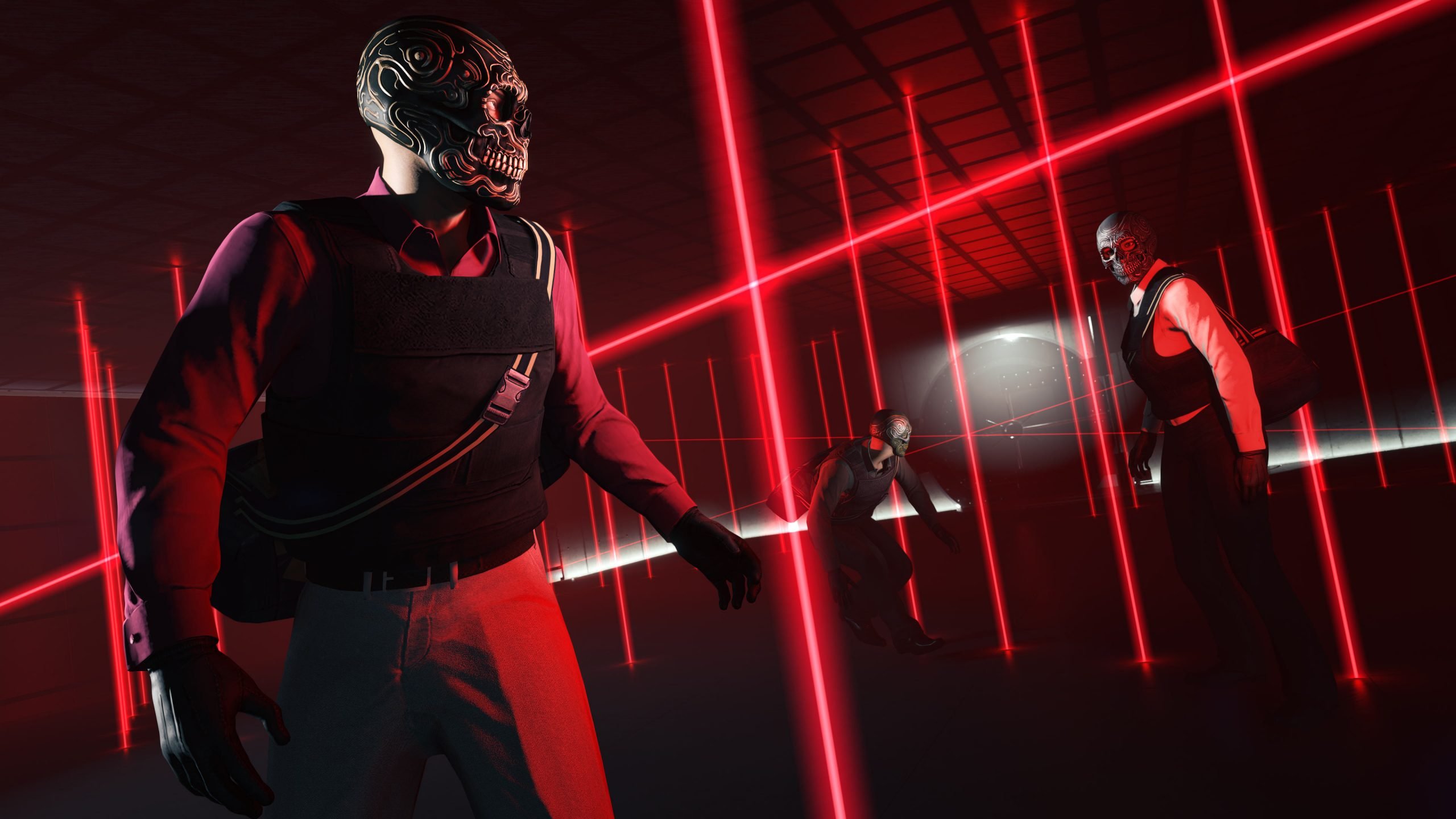 Rockstar Games appears to be listening. Just days after sweeping payout cuts across GTA Online's heist roster sparked a wave of community anger, the studio has made an unannounced adjustment to The Doomsday Heist that partially walks back the reductions — a sign that player pushback is already having an effect. The Backlash That Started It AllThe trouble began with the launch of The Kortz Center Heist update, which arrived alongside a broad economy overhaul that quietly slashed cash rewards across more than 20 existing heists and missions. The Cayo Perico Heist, long regarded as one of the most efficient money-makers in the game, took some of the hardest hits — its Pink Diamond primary target dropped from $1.3 million to $910,000, roughly a 30% cut. The Diamond Casino Heist and The Doomsday Heist weren't spared either, with reductions across the board landing anywhere from 20% to 40%. Rockstar attempted to soften the blow by introducing a weekly completion bonus, giving players a payout multiplier the first time they finish select heists each week. Setup mission rewards for the Original Heists and Doomsday Heist were also increased. But for many players, it wasn't enough. The changes still meant lower ceilings on repeat runs, and since the cost of getting into these heists in the first place hadn't budged, the return on investment took a visible hit. Players didn't hold back on social media and forums, with many pointing out how steep the cuts felt given that GTA Online is winding down ahead of GTA 6's launch. The general sentiment was that Rockstar was making it harder to earn GTA$ right as the game entered its final stretch. Rockstar RespondsNow, as spotted by GTA community member @PLTytus, Rockstar has gone back and adjusted The Doomsday Heist without any formal announcement. The new payouts are still below where they sat before the Kortz Center Heist update landed, but the first completion of the week now pays out more than it did pre-update — a partial reversal that suggests the studio is reacting directly to the criticism. It's a modest concession rather than a full rollback. Players are still pushing for further buffs to Cayo Perico, the Diamond Casino Heist, and the new Kortz Center Heist itself, all of which remain untouched by this latest tweak. Still, the move signals that Rockstar hasn't dismissed the backlash outright, and it raises the question of whether more adjustments could follow in the coming days or weeks. For now, the takeaway for players is straightforward: the economy shakeup isn't necessarily final, and continued pressure from the community could shape further changes before GTA Online heads into its last chapter ahead of GTA 6.
 -
Rockstar Games appears to be listening. Just days after sweeping payout cuts across GTA Online's heist roster sparked a wave of community anger, the studio has made an unannounced adjustment to The Doomsday Heist that partially walks back the reductions — a sign that player pushback is already having an effect. The Backlash That Started It AllThe trouble began with the launch of The Kortz Center Heist update, which arrived alongside a broad economy overhaul that quietly slashed cash rewards across more than 20 existing heists and missions. The Cayo Perico Heist, long regarded as one of the most efficient money-makers in the game, took some of the hardest hits — its Pink Diamond primary target dropped from $1.3 million to $910,000, roughly a 30% cut. The Diamond Casino Heist and The Doomsday Heist weren't spared either, with reductions across the board landing anywhere from 20% to 40%. Rockstar attempted to soften the blow by introducing a weekly completion bonus, giving players a payout multiplier the first time they finish select heists each week. Setup mission rewards for the Original Heists and Doomsday Heist were also increased. But for many players, it wasn't enough. The changes still meant lower ceilings on repeat runs, and since the cost of getting into these heists in the first place hadn't budged, the return on investment took a visible hit. Players didn't hold back on social media and forums, with many pointing out how steep the cuts felt given that GTA Online is winding down ahead of GTA 6's launch. The general sentiment was that Rockstar was making it harder to earn GTA$ right as the game entered its final stretch. Rockstar RespondsNow, as spotted by GTA community member @PLTytus, Rockstar has gone back and adjusted The Doomsday Heist without any formal announcement. The new payouts are still below where they sat before the Kortz Center Heist update landed, but the first completion of the week now pays out more than it did pre-update — a partial reversal that suggests the studio is reacting directly to the criticism. It's a modest concession rather than a full rollback. Players are still pushing for further buffs to Cayo Perico, the Diamond Casino Heist, and the new Kortz Center Heist itself, all of which remain untouched by this latest tweak. Still, the move signals that Rockstar hasn't dismissed the backlash outright, and it raises the question of whether more adjustments could follow in the coming days or weeks. For now, the takeaway for players is straightforward: the economy shakeup isn't necessarily final, and continued pressure from the community could shape further changes before GTA Online heads into its last chapter ahead of GTA 6. View full article