




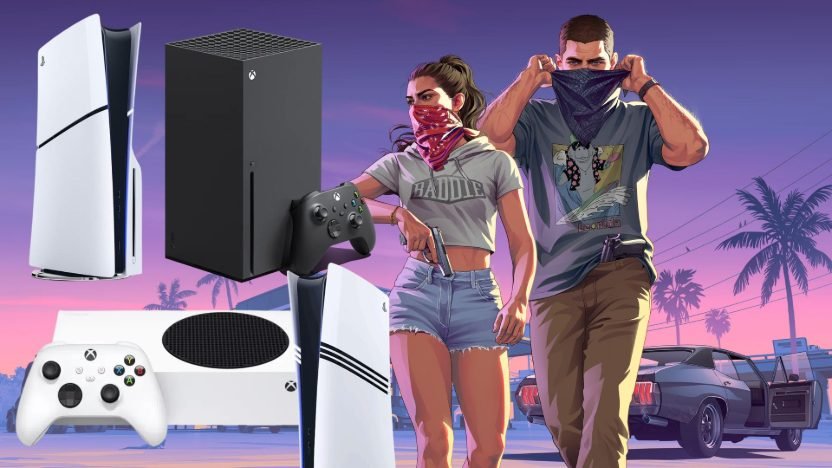

All four versions are capped at 30 FPS and share the same core look, including ray-traced lighting, volumetric clouds and strand-based hair. The real differences are how sharp the image is, how often the frame rate wobbles, and a few extras like Pro-only ray-traced shadows and 120Hz VRR.
What actually separates the consoles
PS5 Pro | PS5 | Xbox Series X | Xbox Series S | |
|---|---|---|---|---|
Internal resolution | 1440p | 1440p | 1440p | 720p |
Upscaling to output | PSSR (AI-based) | TAA | TAA | FSR 4.1 (to 1080p) |
Frame rate | Mostly steady 30 | 30 with dips | 30 with fewer dips | 30 with heavy dips |
Ray-traced extras | Shadows, higher-res reflections | Standard GI and reflections | Standard GI and reflections | Standard, slightly trimmed |
120Hz VRR | Not mentioned | No | Yes | Yes |
How each version plays

PS5 Pro. Its internal resolution matches the base PS5, but PSSR cleans up the final 4K image. The result is noticeably crisper than the TAA-upscaled versions, which look soft in a way that will feel familiar if you played Red Dead Redemption 2. Ray-traced shadows exist only here. The frame rate holds close to 30 for most of the game. The occasional drop into the 20s happens only in heavily CPU-bound moments.
PS5. This is the "standard" GTA 6 most people will see, and it still looks excellent. The trouble spots are dense forests and big firefights, where the frame rate can fall into the low-to-mid 20s. Large cinematic story set-pieces are another weak point. It also lacks 120Hz VRR, so there's nothing to smooth over the dips.
Xbox Series X. It looks almost identical to the PS5. Its stronger GPU gives it a small edge in GPU-heavy scenes, roughly 4–5 FPS in the worst cases. When the CPU is the bottleneck, the two perform about the same. VRR support on a compatible display softens the frame-rate drops, which gives it a real advantage over the base PS5.
Xbox Series S. Rendering from 720p and upscaling with FSR 4.1 keeps the game recognizable, and the key lighting features remain. You pay for it with the lowest image quality and the worst performance. It struggles to hold 30 FPS even in ordinary play, and busy scenes can dip into the high teens. VRR helps, but it doesn't fix the underlying problem.
Which one should you choose?
You already own a PS5 or Series X. Don't upgrade just for this game. Both deliver the intended experience. If you have a VRR display, the Series X will feel a little smoother.
You're deciding between a PS5 and a Series X. The Series X has the slight performance edge for GTA 6 specifically. If your other games, friends or subscriptions lean PlayStation, that probably matters more than a few frames.
You care about visual quality above all. Get the PS5 Pro. It's the only version with a clearly sharper image and the extra ray-traced shadows.
You're on a tight budget. The Series S works, but expect a rougher experience. If frame-rate dips bother you, save up for a more powerful console.
You're waiting for PC. The article says the game launched without a PC version and that only a fan project exists. No official port has been announced, so don't plan around one.
Tips for getting the best experience
Use a VRR display on Xbox. A 120Hz VRR-capable TV or monitor is the cheapest way to improve how the Series X or S feels.
Expect softness. The soft look comes from the game's upscaling, not a fault with your console or settings. The Pro's PSSR reduces it the most.
Don't judge performance by the roughest moments. Forests and big shootouts are the worst cases. Most of the game runs better than those spots suggest.
Check for patches. Frame-rate behavior can change with updates, so look for newer analysis before spending a lot on hardware.
Recommended Comments