




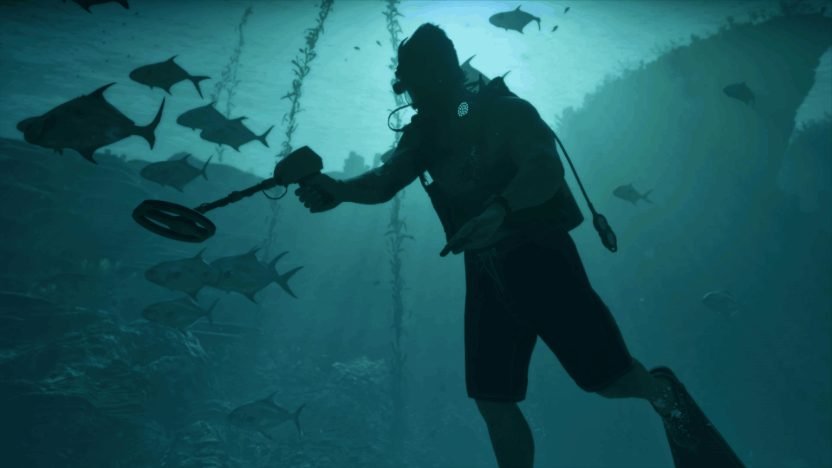
Leonida's coastline hides a lot more than sharks. Once you've worked through the Island Dreams mission, Kenton opens up one of GTA 6's most relaxed ways to make money: diving shipwrecks with a Metal Detector, hauling up doubloons and relics, and selling them back at his shop. It's low-risk, easy to learn, and it counts toward 100% completion. Here's how the whole thing works.
Unlock Treasure Hunting With Island Dreams
You can't just grab scuba gear and start diving. Treasure hunting is gated behind Island Dreams, the mission you start for Kenton at his shop in Key Lento. Finishing it unlocks the Metal Detector for underwater use and puts Kenton's dive sites on your map.
Two heads-ups before you start. GTA 6 has no mission replay, so make a manual save first if you want a clean retry. And the mission includes a scripted shark encounter on the way back, which the Arras Bullhead Speargun handles.
Get Your Gear
Scuba Diving gear: Kept in a corner of the Island Dreams boat you borrow from Kenton. Jason's personal boat also carries it, and that boat becomes available in Chapter 1 after Kenton texts you.
Metal Detector: Equip it from the weapon wheel once you're in the water.
Arras Bullhead Speargun: Your underwater defense, in case something with teeth shows up.
Find Treasure With the Metal Detector
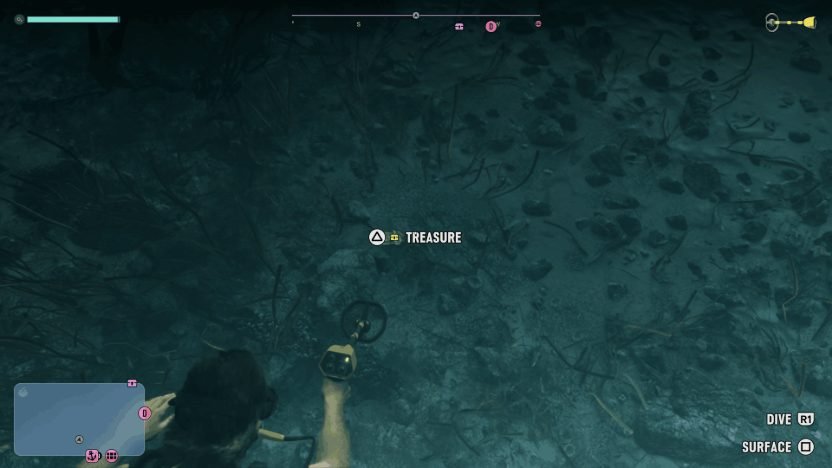
The Metal Detector works on a simple light-and-sound system:
Equip the Metal Detector from the weapon wheel.
Aim it around the seabed. A red light means there's nothing in that direction.
A green light means treasure is somewhere that way.
Turn your character on the spot until you catch a green light and a beep.
Stay low. The valuables sit near the ocean floor, not floating mid-water.
Follow the beeping. It speeds up as you close in.
When a Treasure prompt appears, grab it. Some items trigger a short minigame first.
Oxygen tip: Spinning on the spot to find green lights, rather than swimming blindly in wide circles, helps you avoid running out of air.
Sell Your Haul to Kenton
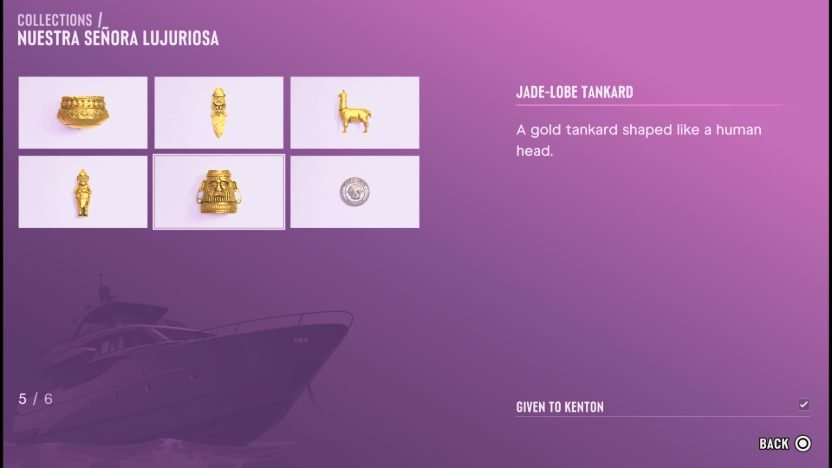
Treasure does not convert to cash when you pick it up. Each piece is cargo until you bring it to Kenton's shop, and your first pickup triggers a prompt telling you to take it to him. Hand it over and you earn $200 per treasure.
You don't have to clear a whole wreck before heading back. Sell what you've got and return later for the rest. Each dive site's map card tracks how many treasures you've recovered, so there's no need to keep a running count yourself.
To confirm your sales, open the Progress page, go to Collections, then check the individual Kenton's Treasures pages.
All Treasure Sets and What's in Them
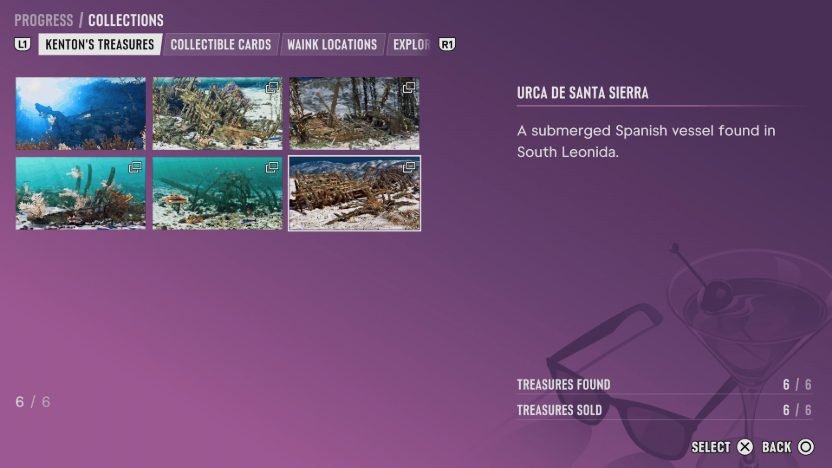
Kenton's work is split into shipwreck sets. Here are the six known so far, with the items to look for. Doubloon-themed pieces appear in nearly every set.
Shipwreck | Treasures | Items |
|---|---|---|
Nuestra Señora del Ocio | 10 | Doubloons |
Nuestra Señora de La Ética Laxa | 5 | Ancient Snuff Box, Battered Doubloon, Ceremonial Spoon, Golden Chalice, Golden Pendant |
Nuestra Señora de La Noche | 7 | Antique Candlestick, Dragon Pipe, Ivory Saint, Pewter Gauntlet, Purple Gemstone, Serpentine Statue, Stained Doubloon |
Urca de Cinco Torres | 6 | Ancient Ceremonial Mask, Ceremonial Plate, Golden Glove, Jade-Eye Cup, Rusty Doubloon, Sacred Necklace |
Nuestra Señora Lujuriosa | 6 | Ceremonial Bowl, Ceremonial Knife, Golden Llama, Golden Statuette, Jade-Lobe Tankard, Shiny Doubloon |
Urca De Santa Sierra | 6 | Brass Spyglass, Dividing Compass, Ornate Pocket Watch, Santa Sierra Bell, Silver Hip Flask, Worn Doubloon |
There are seven sets in total, but only six have been publicly documented so far, so the last one is still unconfirmed. Kenton starts you off with a handful of wrecks near Key Lento and hands out new sites as you sell off each one.
Tips for Faster Dives
Work outward from the wreck. Most treasures sit close to the hull, so clear the area around it before following the detector farther out.
Stuck on the last one? If you're at 6/7, check the map marker to confirm your count, then re-scan around barrels, nets, planks, anchors and seaweed-covered debris.
Mind your oxygen. Surface between sweeps if you're running low.
Keep the speargun ready. Testing so far found no dangerous wildlife at the dive sites, but it's cheap insurance.
Sell early and often. There's no penalty for making multiple trips to Kenton.
Rewards and Completion
At $200 a piece, a full set pays out a few thousand dollars, which makes this a solid early-game earner.
That cash pairs well with the $5,000 BuckMe Family Savings goal, unlocked later in the Buck Me mission.
For 100% completion, you need 5 of the 7 treasure sets plus all 33 Underwater Discoveries.
Finishing Kenton's work unlocks the "This Was No Boat Accident" trophy.
Treasure diving is one of the safest, most relaxing money makers in GTA 6. Finish Island Dreams, load up the boat, follow the green light, and keep going back to Kenton. Full wreck-by-wreck coverage is still developing, so bookmark this one as more sites turn up.
Recommended Comments