




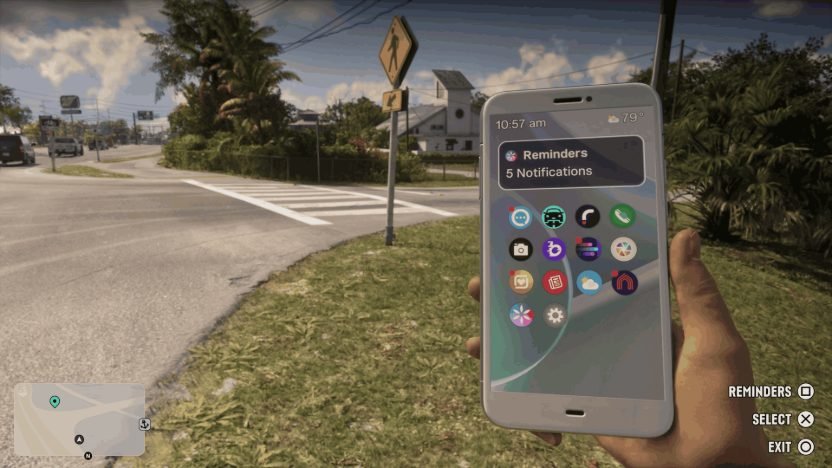

Some of GTA 6's best content is locked behind the clock. Certain events only start at a set hour, night-time activities need darkness, and plenty of players simply want to see Vice City under a sunset or a midnight sky without waiting around. The problem is that Rockstar has slowed the in-game clock to a crawl compared with GTA 5, so sitting idle is a real commitment.
There are three ways to push time forward: sleeping, paying for a ride, or waiting it out. Here is how each one works, what it costs, and which to pick for the situation you're in.
How Long Is a Day in GTA 6?
Time moves slowly in Leonida. One in-game minute lasts about six real seconds, which means a full 24-hour day takes roughly 2 hours and 24 minutes of real time. That is three times longer than the 48-minute day in GTA 5. Rockstar hasn't published an official figure, but the rate has been measured repeatedly by checking the phone clock against a stopwatch, and it lines up across guides.
In-game time | Real time |
|---|---|
1 minute | 6 seconds |
1 hour | 6 minutes |
12 hours (day or night) | 72 minutes |
24 hours (full day) | 144 minutes (2 hr 24 min) |
You can check the time yourself on your in-game phone or the minimap clock. Missions and story beats also move the clock on their own, so you won't always need to do anything manually.
Sleep at Your Safehouse (Free)
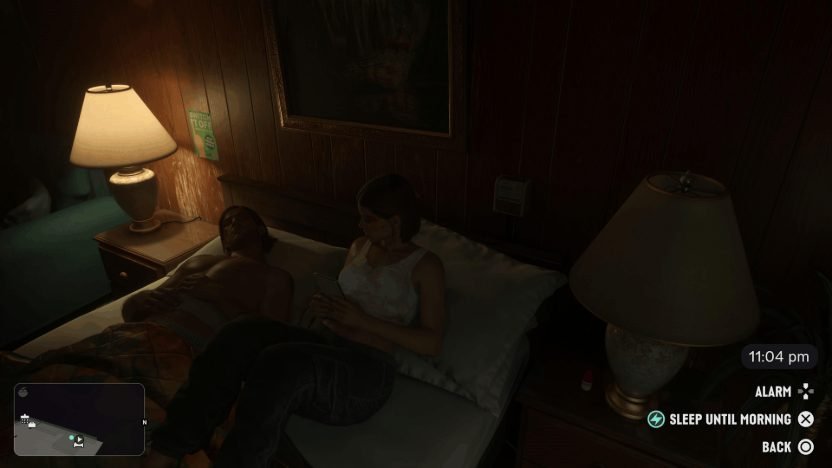
Sleeping is the cleanest way to change the time. It costs nothing and jumps the clock almost instantly.
Head to your current safehouse and walk up to the bed.
Select Rest, then choose Sleep.
Use Up or Down on the D-pad to pick a wake-up time.
Confirm and the clock jumps to that hour.
Option | Wake-up time |
|---|---|
Sleep Until Morning | 7:00 AM |
Sleep Until Noon | 12:30 PM |
Sleep Until Evening | 6:00 PM |
Sleep Until Night | Midnight |
Things to know:
You can only sleep at a bed in your safehouse, and the safehouse changes from chapter to chapter, so you'll only ever have one sleeping spot at a time.
You can't pick an exact hour. You're limited to the four wake-up times above.
Sleeping also gives a small boost to health and Focus, according to some guides.
If you're aiming for a timed event, choose a wake-up time that leaves you room to get there. A far-off location can take a while to reach, and you don't want to arrive after it starts.
Skip the Ride (Costs Money)
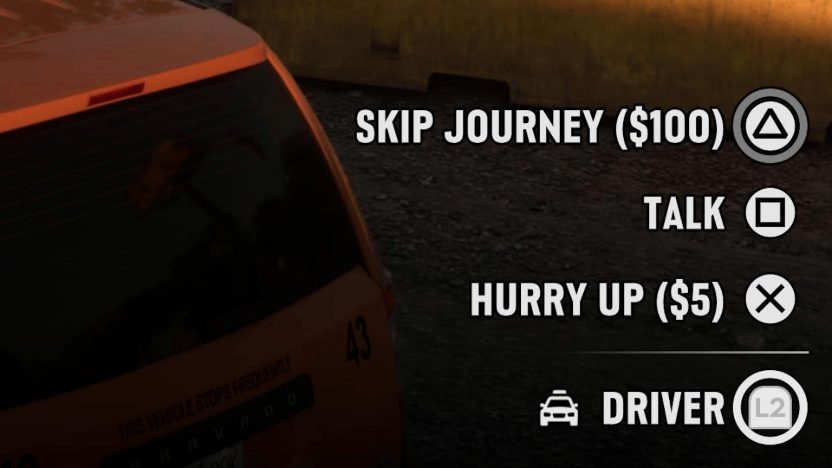
If you're away from your safehouse, a ride-skip is the next best thing. It isn't a dedicated time-skip, but the journey you skip still uses up in-game time, so you move the clock forward and cross the map at the same time.
Call a Paradise Taxi from your Contacts, or book a ride through the RydeMe app. Paradise Taxi is available early on, and RydeMe unlocks after the Chapter 1 mission "Buck Me."
Get in the vehicle and mark a destination on the map, then select Confirm.
Hold L2 on PlayStation or LT on Xbox to focus on the driver.
Press Triangle (PlayStation) or Y (Xbox) to skip the journey.
Skipping adds $100 on top of the regular fare, which varies with distance, so expect a few hundred dollars for a long trip. Paradise Taxi takes cash from your pocket, while RydeMe charges your bank account, so check you have the funds in the right place first. The farther you travel, the more time passes, which makes this less predictable than sleeping.
Wait It Out (Free, But Slow)

You can always stand still and let the clock tick. At six minutes per in-game hour, it's only practical for short gaps, such as waiting for the next hour to roll over.
Pick a spot away from NPCs and trouble, since you'll be idle and exposed.
Expect calls and texts. Jason and Lucia may contact each other while you wait, and ignoring them can affect how they get along.
Driving or exploring while you wait is a better use of the time than standing still.
Which Method Should You Use?
Situation | Best option |
|---|---|
You're at or near your safehouse | Sleep |
You need to jump to a specific part of the day | Sleep (morning, noon, evening, or midnight) |
You're far from your safehouse and also need to travel | Ride with Skip Journey |
You only need an hour or less | Wait or keep playing |
Timed Events
Skip to a time before the event, not right at it, so travel doesn't make you late.
Remember that missions advance the clock by themselves, so check the time before you burn money or sleep.
If a night-only activity is your goal, sleeping to midnight is the cheapest way to get there.
FAQ
Is there a wait button? No. There's no way to simply wait on the street, so sleeping and ride-skipping are the tools you have.
Can I sleep anywhere? No. Only the bed in your current safehouse works.
Does skipping a ride really move the clock? Yes, the amount depends on how far you travel.
Can I choose an exact time? Not with sleeping, which only offers four fixed hours.
Recommended Comments