




.jpg.87c67e89cb558d5461b086b98f468acf.jpg)

As the gaming industry edges closer to the highly anticipated launch of Grand Theft Auto VI, one question has quietly lingered among fans and investors alike: does a game this massive even need marketing?
The answer, according to Take-Two Interactive CEO Strauss Zelnick, is a resounding yes. However, the promotional playbook for GTA 6 is going to look vastly different from the one used to launch its predecessor over a decade ago.
Ahead of Take-Two Interactive’s Q4 earnings report, Zelnick shed light on the company's strategy, confirming that GTA 6 will receive a “very significant, broad-based marketing campaign.” But this time around, Rockstar Games is ditching traditional tactics in favor of a modern approach tailored to how audiences consume media today.
The "No Marketing Needed" Debate
Grand Theft Auto VI already broke records with a single trailer, racking up hundreds of millions of views and dominating internet discourse for weeks. Because of this self-sustaining, massive organic hype, some Take-Two investors have openly questioned whether the company needs to spend millions on advertising. With the game practically selling itself, why bother?
Zelnick was quick to put that notion to rest. “The answer is, of course, we need to market it,” he stated. While the sheer popularity of the franchise gives it incredible momentum, Take-Two is leaving nothing to chance as they prepare for what will likely be the biggest entertainment launch in history.
Leaving TV Behind: A Digital-First Era
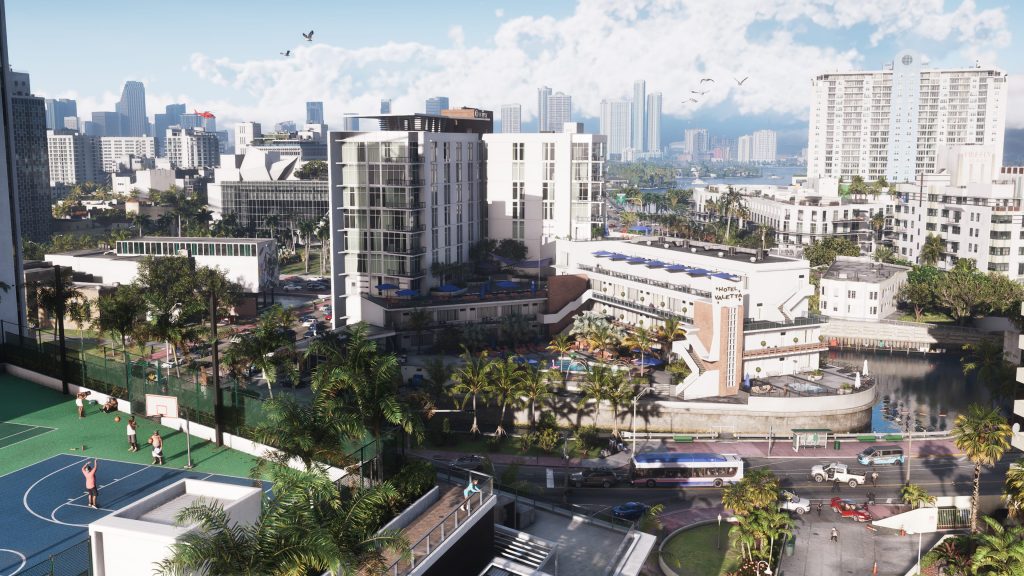
The biggest departure from GTA V’s 2013 launch strategy lies in where the marketing dollars are going.
When GTA V released, traditional television advertising was still king. “We were still buying network television back in 2013,” Zelnick recalled. But the world has shifted significantly since then, and the media landscape of 2026 is driven by the internet, digital spaces, and viral moments.
For GTA 6, Zelnick confirmed that Take-Two "won't be buying a lot of network television." Instead, the marketing push will focus heavily on where the attention of the modern audience currently resides: social media, digital platforms, and online spaces.
Given that GTA 6 itself appears to heavily satirize modern social media and digital culture (as seen in the TikTok/Reels-style clips in the reveal trailer), a digital-first marketing campaign offers a perfect synergistic opportunity. Fans can likely expect an influx of targeted online advertising, viral social media campaigns, and potentially even massive real-world marketing stunts designed to naturally generate digital buzz and trending conversations.
Summer Kickoff for a November Release
Rockstar is famous for keeping its cards close to its chest, and Take-Two operates on a philosophy of not spending marketing dollars until they are “pretty close to release.” Fortunately, that time is rapidly approaching.
Zelnick previously teased that the upcoming marketing push would be "astonishing" and is slated to begin this summer. This aligns perfectly with the game's confirmed timeline, as Zelnick recently reiterated that Grand Theft Auto VI is locked in for a November 19, 2026 release date.
As the summer months approach, fans should brace themselves. The silence is ending, and the GTA 6 marketing machine is finally about to roar to life—not on your TV screen, but on every feed, timeline, and digital platform you visit.
Recommended Comments