





Jump to content
View in the app

A better way to browse. Learn more.

GTA Forum

A full-screen app on your home screen with push notifications, badges and more.

To install this app on iOS and iPadOS
  1. Tap the Share icon in Safari
  2. Scroll the menu and tap Add to Home Screen.
  3. Tap Add in the top-right corner.
To install this app on Android
  1. Tap the 3-dot menu (⋮) in the top-right corner of the browser.
  2. Tap Add to Home screen or Install app.
  3. Confirm by tapping Install.

Register

Interested in GTA ? Join our community on the GTA Forum ! Exchange knowledge, learn about new things, use guides, and stay up to date with GTA Online and FiveM.

Switch Online Holiday Icons, Super Mario Ornament And 2026 Calendar Now Available (US)

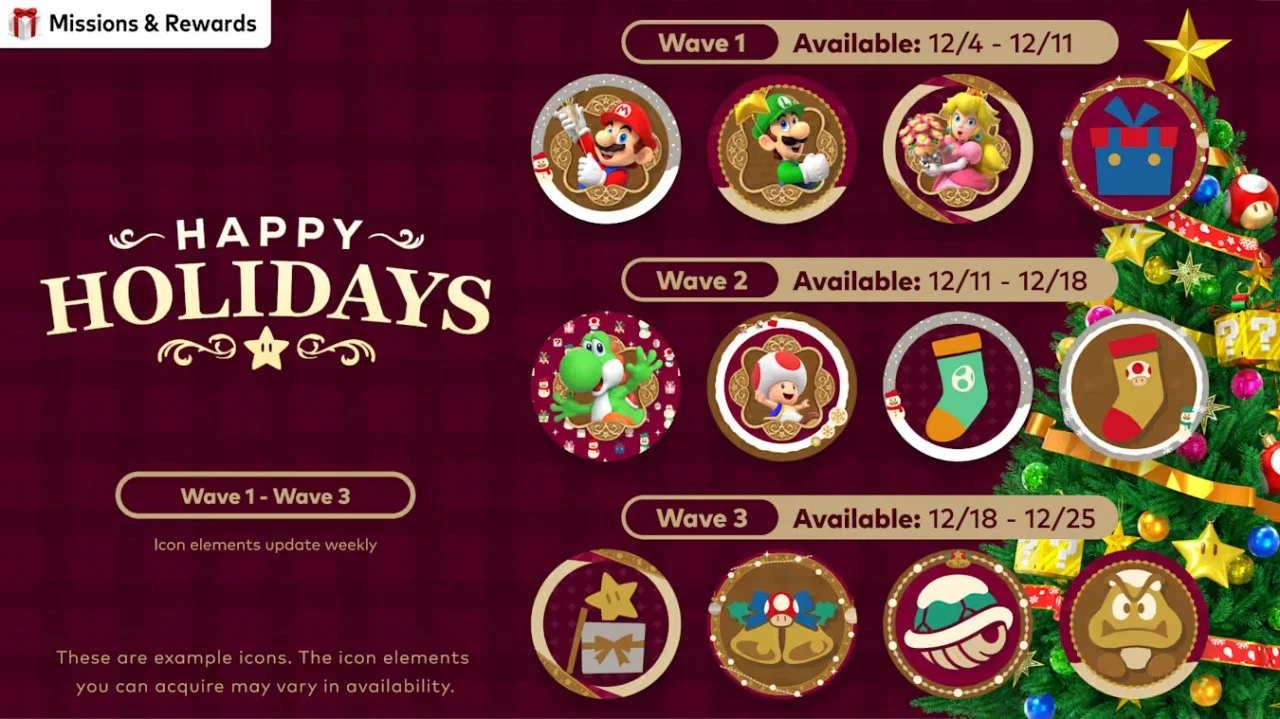
To celebrate the holiday season this year, Nintendo has released special Super Mario icons you can redeem right now with My Nintendo Platinum Points.

This is a "limited time" offer, and the first wave is available from now until 11th December 2025. As you can see, there are icons for Mario and the rest of the gang, along with a few other themed designs. These icons are 10 Platinum Points each, and the borders and banners will set you back five Platinum Points each.

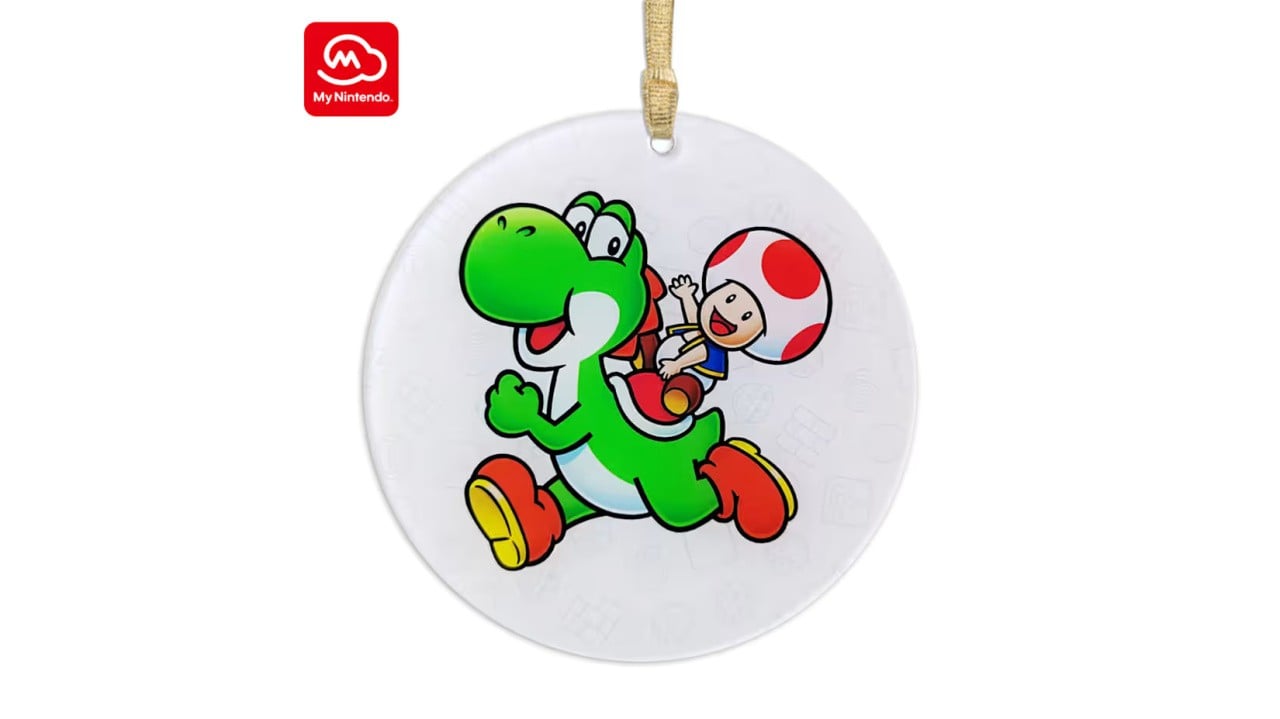
Along with this, Nintendo has also released a new Super Mario Yoshi Holiday Ornament on its US storefront. This will set you back 400 Platinum Points. Here's the official description, along with a look:

"Toad is going for a holiday ride on Yoshi in this full-color ornament, reminding you of a favorite video game and helping to make the season happy and bright. This physical reward is available while supplies last."
My Nintendo

Image: Nintendo

The Switch Online Calendar for 2026 is now also available to Switch Online members in the US. It's available for the 400 Platinum Points.

User Feedback

Recommended Comments

There are no comments to display.

Forum Statistics

  • Total Topics 576
  • Total Posts 608

Configure browser push notifications

Chrome (Android)
  1. Tap the lock icon next to the address bar.
  2. Tap Permissions → Notifications.
  3. Adjust your preference.
Chrome (Desktop)
  1. Click the padlock icon in the address bar.
  2. Select Site settings.
  3. Find Notifications and adjust your preference.