




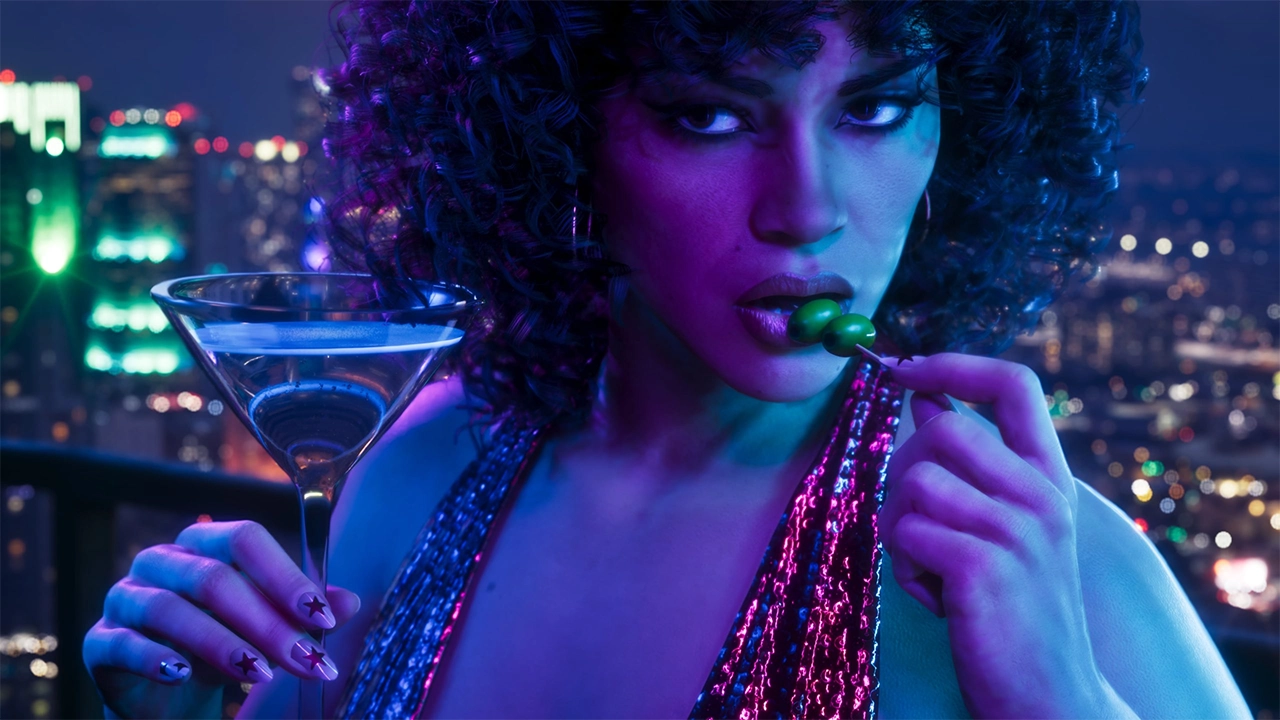

Sony and Rockstar Games have put out a joint statement making it official: Grand Theft Auto VI will "play best" on PS5. The announcement landed on the PlayStation Blog just as pre-order details for the long-awaited sequel began rolling out, and it's the clearest sign yet of a deepening marketing partnership between the two companies ahead of the game's November 19 launch.
The Announcement
The post, co-authored by Sony Interactive Entertainment marketing SVP Mary Yee alongside Rockstar Games, states plainly that "thanks to the close partnership between Sony Interactive Entertainment and Rockstar Games, Grand Theft Auto VI will play best on PS5 by taking advantage of PS5's immersive features to deliver a deeply engaging single-player experience."
Alongside the post, PlayStation rolled out a new "Plays Best on PS5" logo, formalizing the tie-in as a marketing badge that will likely appear across store listings and promotional material for the game.
What "Plays Best" Actually Means

For all the bold phrasing, the technical case Sony makes is fairly modest. The blog post leans on three main pillars:
DualSense haptics and adaptive triggers — The controller's haptic feedback delivers responsive vibrations, while the adaptive triggers add dynamic resistance tied to in-game actions. The integrated speaker also chimes in during key moments, layering extra sound on top of haptic cues.
Tempest 3D AudioTech — Sony points to precise positional audio designed to help players orient themselves within the streets of Vice City and the wider state of Leonida.
Ultra-high-speed SSD — The post promises near-instant load times when navigating GTA 6's expansive open world, a notable callout given that Rockstar's last two major titles, GTA V and Red Dead Redemption 2, were both criticized for sluggish loading on PS4-era hardware.
Notably absent from the post is any mention of performance or fidelity modes, frame rate targets, or resolution. PS5 Pro enhancement is referenced on PlayStation's pre-order page, but neither company has detailed what that enhancement involves.
Reading Between the Lines
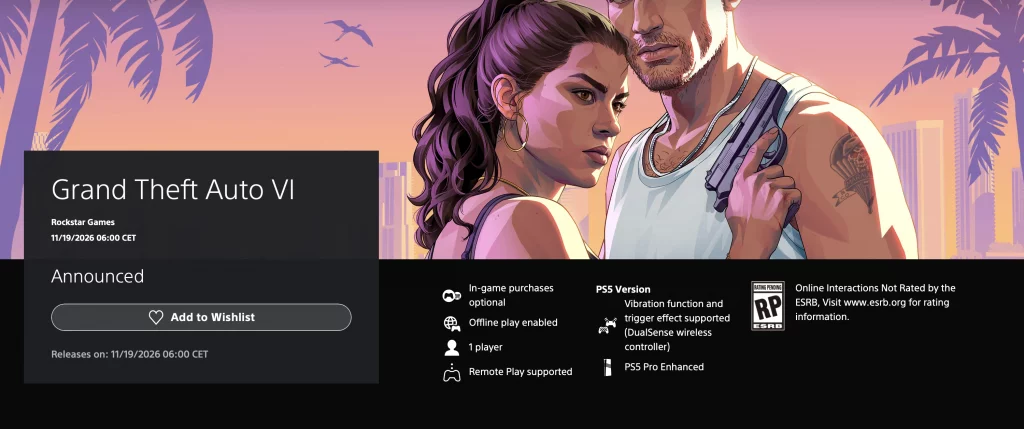
On its surface, "plays best on our console" is standard platform-holder marketing — every console maker says some version of this about major multiplatform releases. But several outlets have noted that a dedicated, co-written blog post focused exclusively on one platform is a step beyond the usual boilerplate, especially for a game also launching on Xbox Series X/S.
There's no mention of the Xbox version anywhere in the post, and observers have drawn comparisons to Call of Duty's long-running marketing arrangement with Sony, which has historically included things like timed content, console bundles, and storefront prominence. Nothing in the announcement confirms a similar deal is in place for GTA 6, but the framing has fueled speculation that a PS5 console bundle could surface around launch — a logical move heading into the holiday season with what's shaping up to be the biggest release of the generation.
It's worth stressing this is speculation rather than confirmed fact. The companies haven't described any mechanical differences between the PS5 and Xbox versions — only that GTA 6 will lean into PS5-specific hardware features, several of which (like adaptive triggers) have rough equivalents on Xbox controllers too.
The Pre-Order Sweeteners
The blog post arrived alongside Rockstar's broader pre-order rollout. Anyone who pre-orders any edition of GTA 6 through the PlayStation Store will receive a free month of GTA+, the subscription service tied to GTA Online. Purchases made before November 20 will also come with the Vintage Vice City Pack, a bundle of in-game items themed around the city's neon-drenched aesthetic.
Pre-orders open at midnight local time on June 25, with the standard edition priced at $79.99 and an Ultimate Edition available for $99.99.
Mixed Reactions
The response from fans has been predictably split. PlayStation owners have welcomed the messaging as validation, while Xbox players have pushed back, noting that the headline claim rests almost entirely on controller features and audio tech rather than any demonstrated performance advantage. Some commentators have also pointed out that, with no PC version announced at launch, "best on PS5" is a claim made against a fairly narrow field of competition — just the Xbox Series X/S.
Others have raised a more practical complaint unrelated to the PS5 messaging itself: physical copies of GTA 6 will reportedly ship as a code in a box rather than a disc, a detail that's drawn its own wave of criticism regardless of which platform players choose.
What's Next
With pre-orders opening and a November 19 release date locked in, more concrete details — particularly around PS5 Pro enhancements, frame rate targets, and whether a console bundle materializes — are expected to surface as launch approaches. For now, the partnership signals that Sony is treating GTA 6 as a flagship moment for the platform, even without a defined list of exclusive technical advantages to back up the claim.
Recommended Comments