




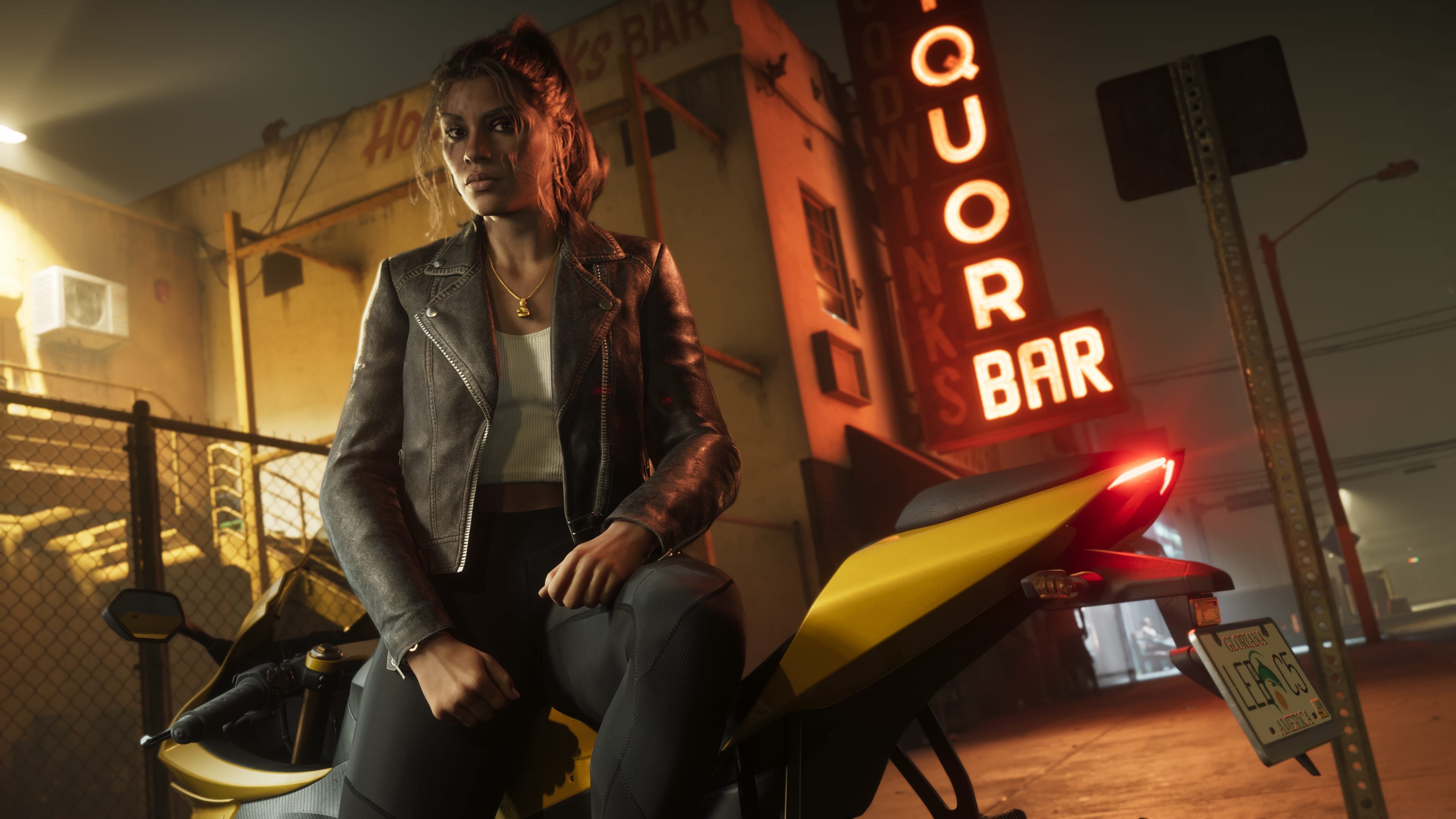

Everything posted by Rockstar
-

 Switch development continues to grow, and thanks to a now properly cemented community, the emulation scene for the Switch can thrive above and beyond where both Yuzu and Ryujinx left off. The current main three Switch emulators as of right now are Citron, Eden and Ryubing, with the first two being based off Yuzu, and the later being based on Ryujinx. Over the course of several months, a lot of emulation drama has been going on behind the scenes, be it with Switch emulators popping up only to be left in the dust after some initial commits, or some ordeals involving developers disagreeing and leaving projects. All in all, and despite the hurdles that Switch emulation went through after Nintendo's take down of both Yuzu and Ryujinx, the emulation scene for Nintendo's hybrid console is now on a steady pace once again, and the latest update to one of the main Switch emulators, Citron, is a clear indication that an emulation community can thrive and work together to bring forth the best overall experience to the user that wishes to play their Switch library on their PC or even other powerful handhelds. With the latest v0.10.0 update, Citron introduces several important bugfixes to its codebase, like implementing Skyline's dependent mod support, and adding compatibility with one of the most famous Switch mods to date, with it being Mario Kart 8 DX's CTGP-DX, now working on Citron thanks to contributions by none other than Eden developers JPikachu and Maufeat, which worked on a proper fix and compatibility for CTGP-DX based on TSRBerry's original code from the Ryujinx's development team. Additionally, the Citron update also includes the following community notes, with a special mention to the cross-collaboration from all main Switch emulator developers: While Citron just got updated to v0.10.0, Eden's is also about to release its 0.0.4 version, with the latest available version to download of the Eden emulator being its Release Candidate 2, which, if no more important issues arise, it will be moved as the official 0.0.4 release of the emulator after several week of development since its 0.0.3 release last month. Given all the work being put in all the current Switch emulators, we can only hope that this comradery continues, all with due credit and respect between the development teams, and that further work can be shared between emulators for the betterment of the end-user. Citron's Self-Hosted Git repository Eden's Self-Hosted Git repository
-
Switch development continues to grow, and thanks to a now properly cemented community, the emulation scene for the Switch can thrive above and beyond where both Yuzu and Ryujinx left off. The current main three Switch emulators as of right now are Citron, Eden and Ryubing, with the first two being based off Yuzu, and the later being based on Ryujinx. Over the course of several months, a lot of emulation drama has been going on behind the scenes, be it with Switch emulators popping up only to be left in the dust after some initial commits, or some ordeals involving developers disagreeing and leaving projects. All in all, and despite the hurdles that Switch emulation went through after Nintendo's take down of both Yuzu and Ryujinx, the emulation scene for Nintendo's hybrid console is now on a steady pace once again, and the latest update to one of the main Switch emulators, Citron, is a clear indication that an emulation community can thrive and work together to bring forth the best overall experience to the user that wishes to play their Switch library on their PC or even other powerful handhelds. With the latest v0.10.0 update, Citron introduces several important bugfixes to its codebase, like implementing Skyline's dependent mod support, and adding compatibility with one of the most famous Switch mods to date, with it being Mario Kart 8 DX's CTGP-DX, now working on Citron thanks to contributions by none other than Eden developers JPikachu and Maufeat, which worked on a proper fix and compatibility for CTGP-DX based on TSRBerry's original code from the Ryujinx's development team. Additionally, the Citron update also includes the following community notes, with a special mention to the cross-collaboration from all main Switch emulator developers: While Citron just got updated to v0.10.0, Eden's is also about to release its 0.0.4 version, with the latest available version to download of the Eden emulator being its Release Candidate 2, which, if no more important issues arise, it will be moved as the official 0.0.4 release of the emulator after several week of development since its 0.0.3 release last month. Given all the work being put in all the current Switch emulators, we can only hope that this comradery continues, all with due credit and respect between the development teams, and that further work can be shared between emulators for the betterment of the end-user. Citron's Self-Hosted Git repository Eden's Self-Hosted Git repository View full article
-
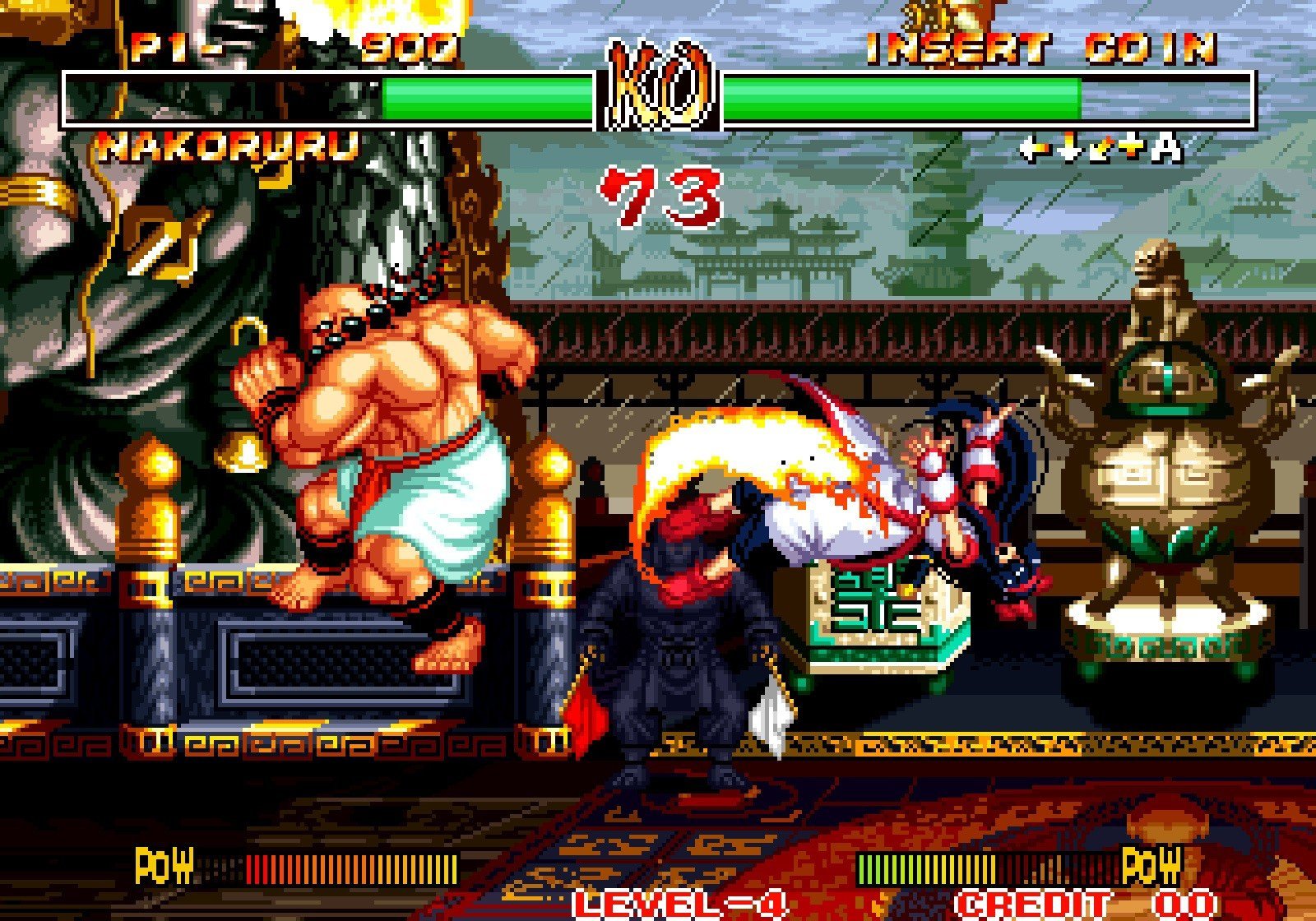 Following Neo Geo Arcade 1 and Neo Geo Arcade 2, Blaze has returned with another collection of classic titles in the form of this third helping. While you might assume we're looking at diminishing returns here, any SNK fan will tell you that the Neo Geo's catalogue of games is positively bursting with excellent titles – and that is certainly true when you inspect the majority of what's included on this cart. The King Of Fighters '97 might be one of the earlier entries in SNK's team-based fighting franchise, but it's still a solid example of the genre. Sure, its sequel might be considered one of the best in the entire series, but '97 has all the hallmarks of a classic; I'm particularly fond of its often low-key music, which creates a wonderfully ambient atmosphere during battles. Metal Slug 3 is considered by some fans as one of the best instalments in the entire series, and is certainly a game I personally have a lot of fondness for, having played it to death back in the glory days of XBLA. The branching pathways expand its longevity in comparison to previous titles, and the humour element is also ramped up. Some might prefer Metal Slug X, but this is still a superb gun-and-gun title. Twinkle Star Sprites is potentially the strongest title included in this package. It's like a mix between a vertically-scrolling shmup and a competitive puzzler; the screen is divided down the middle, and by defeating enemies, you can damage your rival or mitigate incoming damage. The key issue with the game is that it only really comes alive with two players, so this is best enjoyed on the Evercade VS. Samurai Shodown II is the second one-on-one fighting game in this collection, and one of the highlights of SNK's beloved weapon-based brawling series. Again, like Metal Slug 3, this is often regarded as the best game in its respective franchise and perhaps even one of the greatest fighting games of all time. It goes without saying that playing against a fellow human is the way to go here. Ghost Pilots, however, feels like something of a relic; an early Neo Geo release from 1991, it feels like a below-average clone of Capcom's 194X series, and is handicapped by the system's 4:3 aspect ratio – it would have made more sense with a TATE setup (something the Evercade EXP is capable of providing, but the game would have needed redeveloping). Likewise, Super Sidekicks is another very primitive Neo Geo outing, and would be iterated and improved upon by its many sequels. It's good fun, but very basic compared to the best soccer games of the era. Even the most ardent of fans is likely to get bored with this very quickly. Despite two of its six titles being passable rather than solid-gold classics, the remaining four games are utterly fantastic, making this a highly recommended purchase for your Evercade system.
-
Following Neo Geo Arcade 1 and Neo Geo Arcade 2, Blaze has returned with another collection of classic titles in the form of this third helping. While you might assume we're looking at diminishing returns here, any SNK fan will tell you that the Neo Geo's catalogue of games is positively bursting with excellent titles – and that is certainly true when you inspect the majority of what's included on this cart. The King Of Fighters '97 might be one of the earlier entries in SNK's team-based fighting franchise, but it's still a solid example of the genre. Sure, its sequel might be considered one of the best in the entire series, but '97 has all the hallmarks of a classic; I'm particularly fond of its often low-key music, which creates a wonderfully ambient atmosphere during battles. Metal Slug 3 is considered by some fans as one of the best instalments in the entire series, and is certainly a game I personally have a lot of fondness for, having played it to death back in the glory days of XBLA. The branching pathways expand its longevity in comparison to previous titles, and the humour element is also ramped up. Some might prefer Metal Slug X, but this is still a superb gun-and-gun title. Twinkle Star Sprites is potentially the strongest title included in this package. It's like a mix between a vertically-scrolling shmup and a competitive puzzler; the screen is divided down the middle, and by defeating enemies, you can damage your rival or mitigate incoming damage. The key issue with the game is that it only really comes alive with two players, so this is best enjoyed on the Evercade VS. Samurai Shodown II is the second one-on-one fighting game in this collection, and one of the highlights of SNK's beloved weapon-based brawling series. Again, like Metal Slug 3, this is often regarded as the best game in its respective franchise and perhaps even one of the greatest fighting games of all time. It goes without saying that playing against a fellow human is the way to go here. Ghost Pilots, however, feels like something of a relic; an early Neo Geo release from 1991, it feels like a below-average clone of Capcom's 194X series, and is handicapped by the system's 4:3 aspect ratio – it would have made more sense with a TATE setup (something the Evercade EXP is capable of providing, but the game would have needed redeveloping). Likewise, Super Sidekicks is another very primitive Neo Geo outing, and would be iterated and improved upon by its many sequels. It's good fun, but very basic compared to the best soccer games of the era. Even the most ardent of fans is likely to get bored with this very quickly. Despite two of its six titles being passable rather than solid-gold classics, the remaining four games are utterly fantastic, making this a highly recommended purchase for your Evercade system. View full article
-
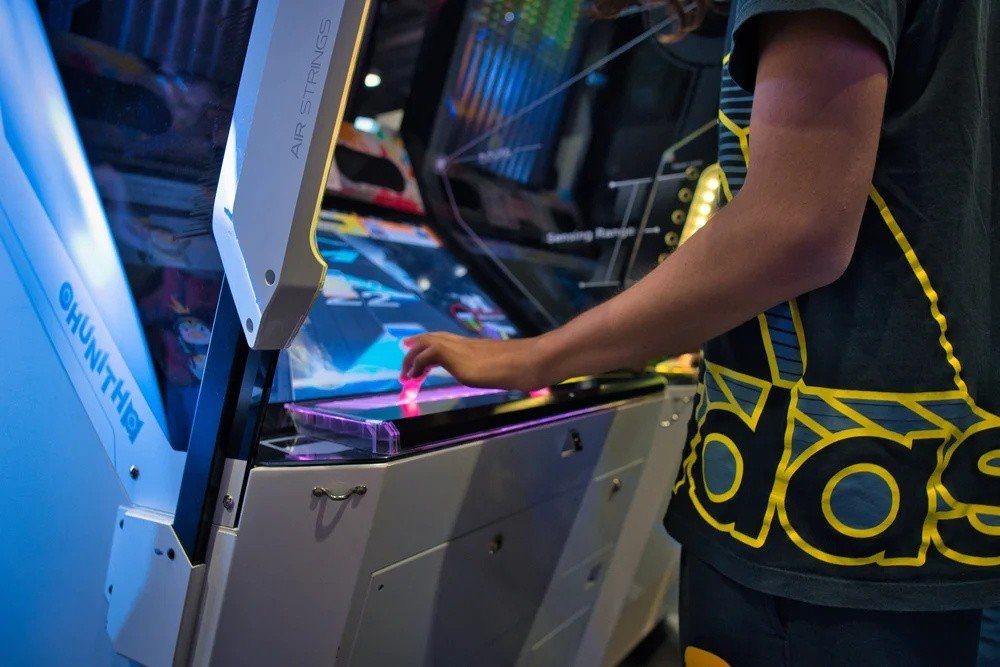 A North American arcade operator has reported over $25,000 worth of items stolen recently, sparking a heartfelt campaign to recover the missing items. Charlie Mosley, owner of the Seattle-based Gamecenter arcade, found that his truck was missing one morning last week. Contained within were two arcade machines and a selection of other components, the total worth of which is estimated to be between $25,000 and $40,000. "On Wednesday, our 26' box truck with tens of thousands of dollars in PCBs, arcade cabs, tools, and more was stolen from us," says the arcade's owner on social media. "With the help of social media, the truck was spotted and retrieved, though almost the entire truck was emptied, which devastated us." Action Button video producer Christa Lee, who works as fleet manager at the arcade's events division, 100 Yen Life, has posted a plea online for people in the area to be wary of anyone selling arcade components and other related items. She has highlighted that the stolen items include artwork and PCBs, and that if anyone in the Seattle area sees someone "offloading a ton of CPS2/NAOMI/Neo Geo PCBs, stuff of that nature," they should get in touch. As noted in the news report above, the items are so obscure that it's unlikely they can be sold via traditional means; only collectors will be aware of their real value.
-
A North American arcade operator has reported over $25,000 worth of items stolen recently, sparking a heartfelt campaign to recover the missing items. Charlie Mosley, owner of the Seattle-based Gamecenter arcade, found that his truck was missing one morning last week. Contained within were two arcade machines and a selection of other components, the total worth of which is estimated to be between $25,000 and $40,000. "On Wednesday, our 26' box truck with tens of thousands of dollars in PCBs, arcade cabs, tools, and more was stolen from us," says the arcade's owner on social media. "With the help of social media, the truck was spotted and retrieved, though almost the entire truck was emptied, which devastated us." Action Button video producer Christa Lee, who works as fleet manager at the arcade's events division, 100 Yen Life, has posted a plea online for people in the area to be wary of anyone selling arcade components and other related items. She has highlighted that the stolen items include artwork and PCBs, and that if anyone in the Seattle area sees someone "offloading a ton of CPS2/NAOMI/Neo Geo PCBs, stuff of that nature," they should get in touch. As noted in the news report above, the items are so obscure that it's unlikely they can be sold via traditional means; only collectors will be aware of their real value. View full article
-
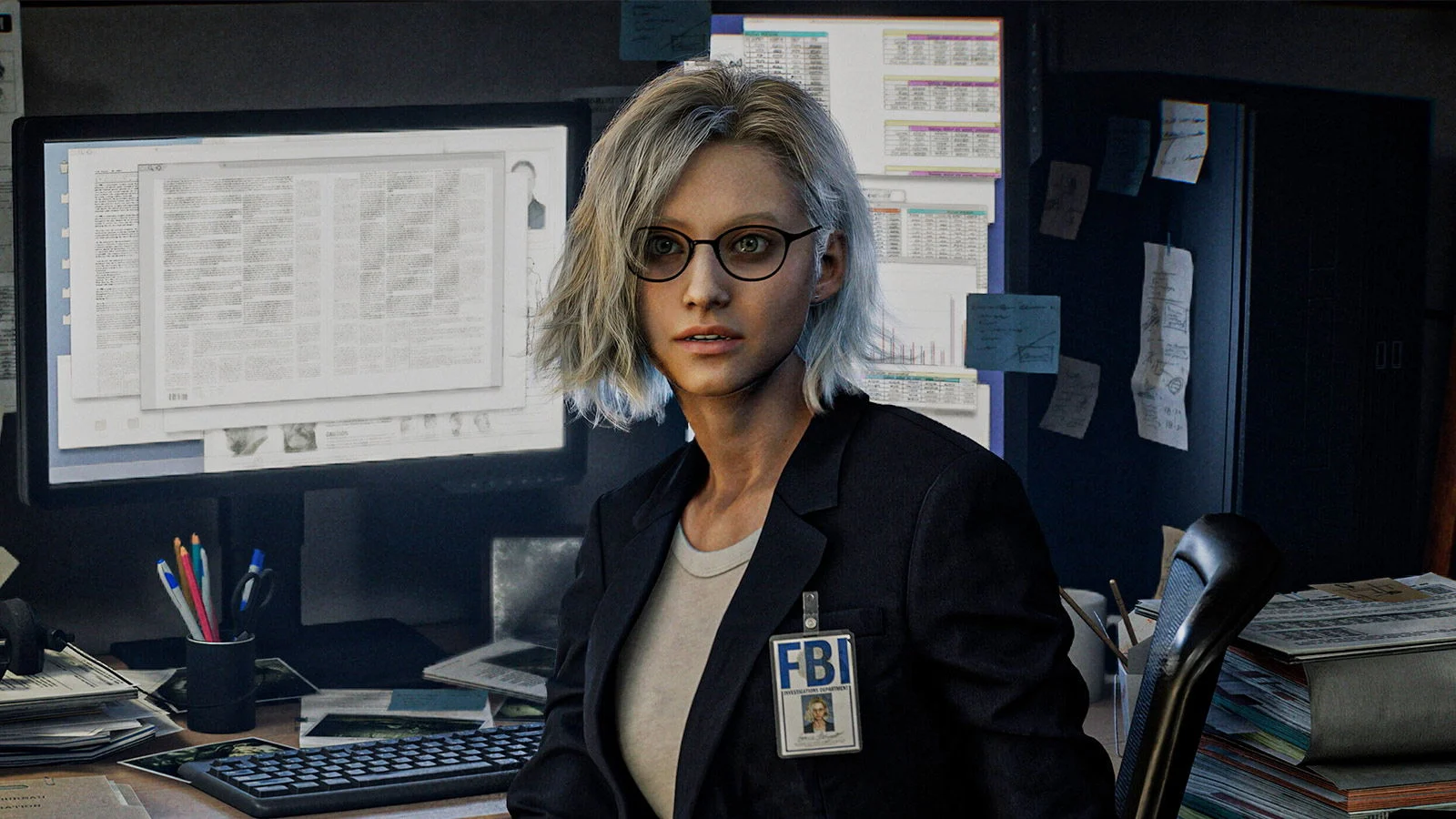 Publisher Capcom appears to confirm that Resident Evil Requiem won't be receiving a pre-launch demo. For many of the previous games in the series, Capcom has released some form of playable demo ahead of release, allowing fans to take the latest survival horror title for a spin. Even going as far back as Resident Evil 6, the company has kept up a streak of demos for the franchise, but it seems Requiem might be breaking the combo. Speaking during an interview with Stevivor, producer Masato Kumazawa is asked whether one is coming for the next title. "So, in terms of a demo play, we actually have no plan for one [for the general public] at the stage," he says. "None at all. We just want to focus on finishing off the game. Our development team is just doing its best to make sure that it’s creating the best quality game; to make sure that it’s a fine product." It would be a shame to see no public demo for Requiem, again because Capcom has previously been so consistent with them in the past. Requiem is scheduled for release on 27th February 2026, so it's only a few months away, which isn't all that long to wait in the grand scheme of things. Still, we imagine fans were expecting, or at least hoping, for a playable demo of some kind before launch to get a taste of the upcoming game. We suppose plans can change, and a demo may appear, but we wouldn't hold our breath. Were you looking forward to a Resident Evil Requiem demo? Tell us in the comments section below.
-
Publisher Capcom appears to confirm that Resident Evil Requiem won't be receiving a pre-launch demo. For many of the previous games in the series, Capcom has released some form of playable demo ahead of release, allowing fans to take the latest survival horror title for a spin. Even going as far back as Resident Evil 6, the company has kept up a streak of demos for the franchise, but it seems Requiem might be breaking the combo. Speaking during an interview with Stevivor, producer Masato Kumazawa is asked whether one is coming for the next title. "So, in terms of a demo play, we actually have no plan for one [for the general public] at the stage," he says. "None at all. We just want to focus on finishing off the game. Our development team is just doing its best to make sure that it’s creating the best quality game; to make sure that it’s a fine product." It would be a shame to see no public demo for Requiem, again because Capcom has previously been so consistent with them in the past. Requiem is scheduled for release on 27th February 2026, so it's only a few months away, which isn't all that long to wait in the grand scheme of things. Still, we imagine fans were expecting, or at least hoping, for a playable demo of some kind before launch to get a taste of the upcoming game. We suppose plans can change, and a demo may appear, but we wouldn't hold our breath. Were you looking forward to a Resident Evil Requiem demo? Tell us in the comments section below. View full article
-
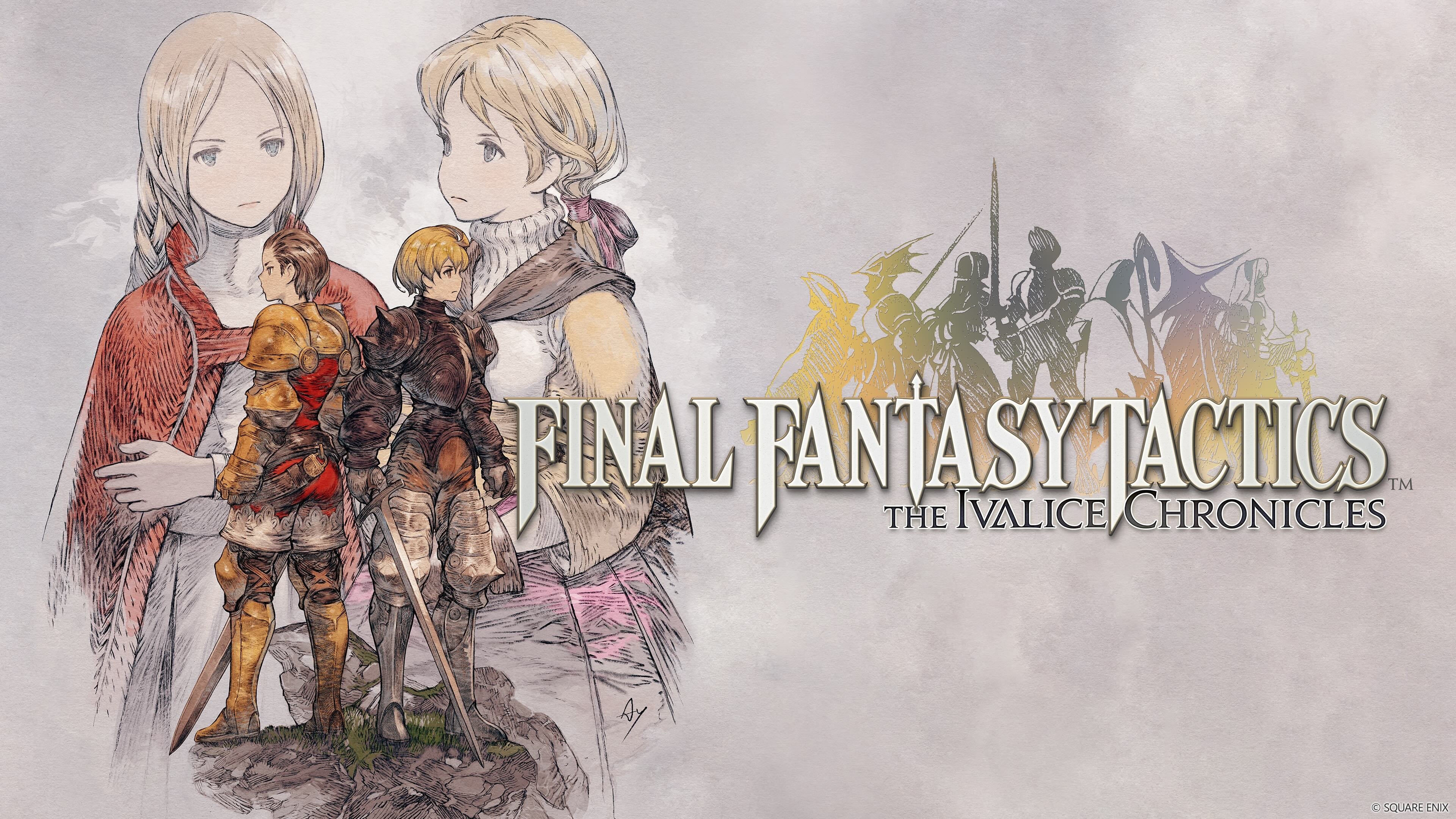 Square Enix's excellent release Final Fantasy Tactics: The Ivalice Chronicles has received a new game update this week, bumping it up to Version 1.4.0. This update includes "various improvements" which should enhance the overall experience. There are some fixes (including addressing an issue that prevented the Akademy report "Master of All Trades" from being completed), character name fixes, adjustments, and much more. Below are the official patch notes via the game's Steam page: Final Fantasy Tactics: The Ivalice Chronicles (Version 1.4.0)Update Announcement (version 1.4.0) An update featuring various improvements is now available. The game will be updated to version 1.4.0. GeneralThe version number will now be displayed in the bottom right of the version selection screen and the enhanced version title screen. EnhancedAn issue affecting the Japanese voice and text for the ability Northswain's Strike has been resolved. An issue that prevented the Akademy report "Master of All Trades" from being completed under circumstances has been resolved. In the event that the issue described above has prevented the completion of "Master of All Trades," the check to confirm whether the conditions have been fulfilled will be performed again after loading the saved data and accessing the in-game main menu. Minor text issues have been resolved in all languages. Certain sound effects have been adjusted. Overall stability has been improved. Other minor issues have been resolved. An issue wherein the character name ""Helvynya"" was incorrectly displayed as ""Holy"" has now been resolved. In the event that a unit recruited under the name ""Holy"" exists in your save data, one of the following will occur: If you have changed the unit's name, the newly assigned name will remain unchanged. If you have not changed the unit's name, it will now be displayed as ""Helvynya"" instead. *Unit names can be changed at the warriors' guild. This follows the release of Version 1.3.0, which was released across multiple platforms at the end of last month. If you haven't already checked out The Ivalice Chronicles, you can read our Switch 2 review here on Nintendo Life. Here's brief summary: Have you tried out this game on the Switch or Switch 2 yet? How are you finding it so far? Tell us in the comments.
-
Square Enix's excellent release Final Fantasy Tactics: The Ivalice Chronicles has received a new game update this week, bumping it up to Version 1.4.0. This update includes "various improvements" which should enhance the overall experience. There are some fixes (including addressing an issue that prevented the Akademy report "Master of All Trades" from being completed), character name fixes, adjustments, and much more. Below are the official patch notes via the game's Steam page: Final Fantasy Tactics: The Ivalice Chronicles (Version 1.4.0)Update Announcement (version 1.4.0) An update featuring various improvements is now available. The game will be updated to version 1.4.0. GeneralThe version number will now be displayed in the bottom right of the version selection screen and the enhanced version title screen. EnhancedAn issue affecting the Japanese voice and text for the ability Northswain's Strike has been resolved. An issue that prevented the Akademy report "Master of All Trades" from being completed under circumstances has been resolved. In the event that the issue described above has prevented the completion of "Master of All Trades," the check to confirm whether the conditions have been fulfilled will be performed again after loading the saved data and accessing the in-game main menu. Minor text issues have been resolved in all languages. Certain sound effects have been adjusted. Overall stability has been improved. Other minor issues have been resolved. An issue wherein the character name ""Helvynya"" was incorrectly displayed as ""Holy"" has now been resolved. In the event that a unit recruited under the name ""Holy"" exists in your save data, one of the following will occur: If you have changed the unit's name, the newly assigned name will remain unchanged. If you have not changed the unit's name, it will now be displayed as ""Helvynya"" instead. *Unit names can be changed at the warriors' guild. This follows the release of Version 1.3.0, which was released across multiple platforms at the end of last month. If you haven't already checked out The Ivalice Chronicles, you can read our Switch 2 review here on Nintendo Life. Here's brief summary: Have you tried out this game on the Switch or Switch 2 yet? How are you finding it so far? Tell us in the comments. View full article
-
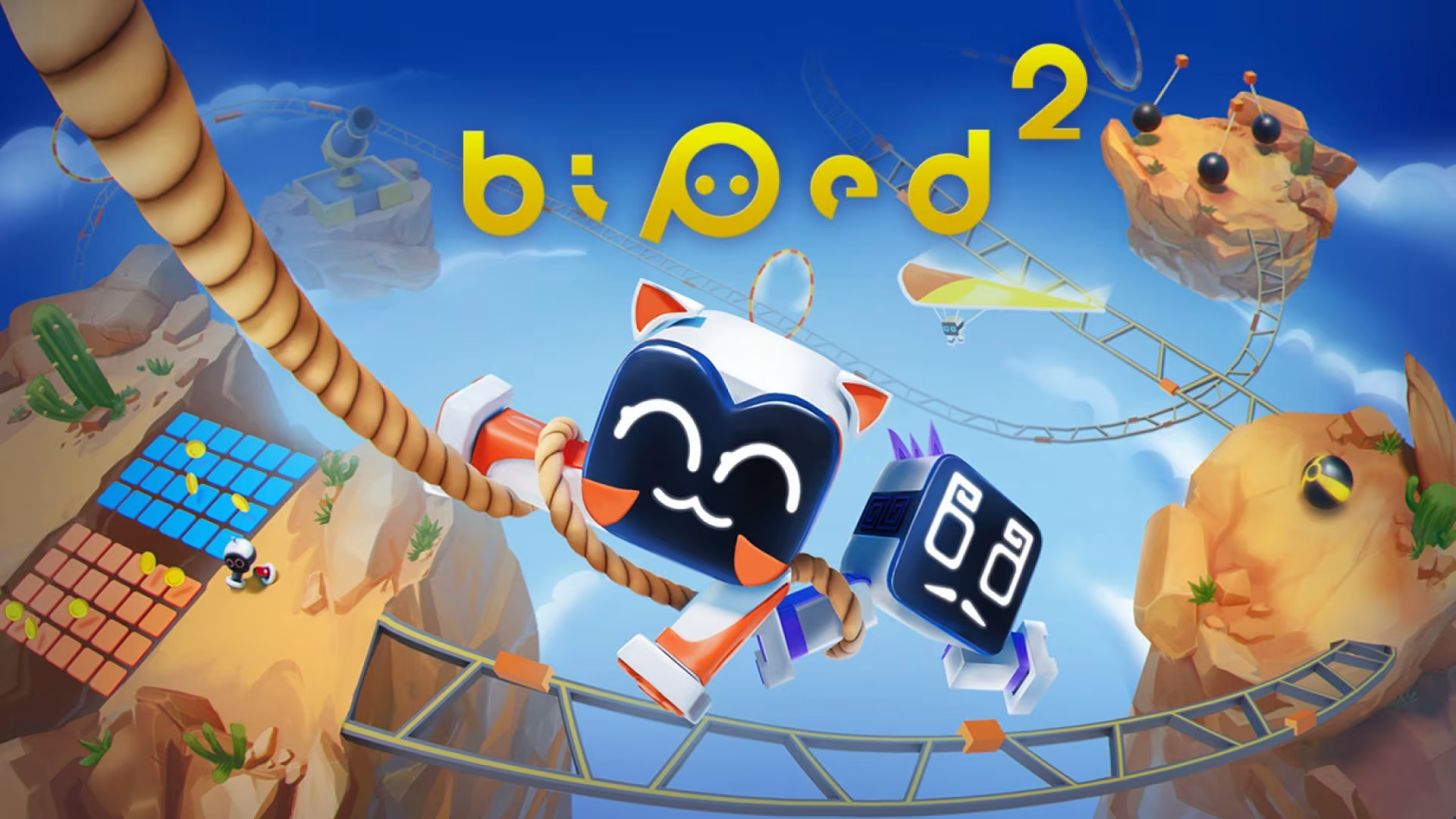 Biped initially launched in March 2020 as a cooperative adventure title that focused on moment-to-moment teamwork between two players and racked up glowing 85% average scores across review aggregate sites. Biped 2 is the next evolution in the series and offers one to four player action, with an expanded co-op experience and 2v2 modes to boot! Interesting Mechanics, Cute StorylineHaving never played the original game, Biped 2 has a similar visual appeal to it as something like AstroBot or Tearaway, albeit with a more simplified aesthetic and more mobile-friendly-feeling controls and UI. The story goes that, having completed their mission on Earth (Biped), Aku and Sila embark on a new quest after picking up a distress beacon in another galaxy. Heading to planet Tau, the pair immediately strive to save those in need. It's super cute, but ultimately superficial, serving as an extremely loose narrative that joins together a series of mini-games and puzzles to solve. The core gameplay comes from how you control your biped. While it's an extremely clever physics-based approach, it can get very confusing. Using the left and right analogue sticks, you must lift your limb and plant it down, rhythmically timing your movements to perform basic walking and running. Tilting and turning the stick pirouettes your character around to spin and collect coins, holding one leg against an object will interact with it, and lastly, holding both sticks in a direction will allow you to skate around, avoiding the necessity to produce locomotion. It sounds simple, but it is deviously tricky to coordinate some of these things in one fell swoop. Even the early tutorial stages tripped me up a few times, because I didn't realise that you could skate on virtually any surface, so I awkwardly attempted to gallop past fast-moving platforms and obstacles, only to fail numerous times. Skating is your friend, across almost every surface. Keep in mind that it's possible to skate on sand, wood, gravel and more, and you will succeed faster than I! Tricky Puzzles, Cosy QuestsThroughout your intergalactic adventure, you will come across flying sections, rolling floors, pushing obstacles, switches and tasks to complete to save the inhabitants of planet Tau and bring rebalance to the elements. The majority of the game is spent exploring for coins and avoiding objects, which, while fun and allowing you to buy cosmetics for your bot, is not the main attraction of this title. The puzzles and Quests are the meat of this game, with it adapting depending on the number of players. For example, simple traversal of the opening levels requires you to shift your weight on a rolling barrel-type platform. Moving to the right of it sets it spinning, and you therefore have to counter the rotation to see what's on the underside, or navigate a twisty path. With two players, this becomes a strategic operation, cooperating in coordinating your weight distribution and pace so that you can both pass the challenge at hand. It's extremely smart, and the level of frustration juxtaposed with adulation you have for your player 2 is immense. The dynamic flip flops constantly, with a satisfying endorphin rush at the crescendo of solving a particularly tricky area. Some challenges involve being lashed together or one of you pushing buttons while the other navigates platforms, others are like races with vehicles like hang gliders or rafts, or you need to flip tiles in order, or in succession, to progress. Everything usually descends into sheer chaos, but that's the beauty of this type of game! Incredibly fun with friendsWhile I had a blast playing this solo, collecting the coins and stars and beating my best times, I found it far more fun with friends. The cooperative mode is essentially a teambuilding exercise, and the 2v2 modes are trash-talking expeditions into new tests of friendship. Ultimately, Biped 2 is a fantastic physics-driven puzzler that has the power to entice hardcore puzzle fans as well as casual gamers for a cosy yet emotionally fluctuating experience that I heartily recommend trying as a team! With this in mind, I'm also going to pick up the original Biped game to get another fix of multiplayer puzzling goodness!
-
Biped initially launched in March 2020 as a cooperative adventure title that focused on moment-to-moment teamwork between two players and racked up glowing 85% average scores across review aggregate sites. Biped 2 is the next evolution in the series and offers one to four player action, with an expanded co-op experience and 2v2 modes to boot! Interesting Mechanics, Cute StorylineHaving never played the original game, Biped 2 has a similar visual appeal to it as something like AstroBot or Tearaway, albeit with a more simplified aesthetic and more mobile-friendly-feeling controls and UI. The story goes that, having completed their mission on Earth (Biped), Aku and Sila embark on a new quest after picking up a distress beacon in another galaxy. Heading to planet Tau, the pair immediately strive to save those in need. It's super cute, but ultimately superficial, serving as an extremely loose narrative that joins together a series of mini-games and puzzles to solve. The core gameplay comes from how you control your biped. While it's an extremely clever physics-based approach, it can get very confusing. Using the left and right analogue sticks, you must lift your limb and plant it down, rhythmically timing your movements to perform basic walking and running. Tilting and turning the stick pirouettes your character around to spin and collect coins, holding one leg against an object will interact with it, and lastly, holding both sticks in a direction will allow you to skate around, avoiding the necessity to produce locomotion. It sounds simple, but it is deviously tricky to coordinate some of these things in one fell swoop. Even the early tutorial stages tripped me up a few times, because I didn't realise that you could skate on virtually any surface, so I awkwardly attempted to gallop past fast-moving platforms and obstacles, only to fail numerous times. Skating is your friend, across almost every surface. Keep in mind that it's possible to skate on sand, wood, gravel and more, and you will succeed faster than I! Tricky Puzzles, Cosy QuestsThroughout your intergalactic adventure, you will come across flying sections, rolling floors, pushing obstacles, switches and tasks to complete to save the inhabitants of planet Tau and bring rebalance to the elements. The majority of the game is spent exploring for coins and avoiding objects, which, while fun and allowing you to buy cosmetics for your bot, is not the main attraction of this title. The puzzles and Quests are the meat of this game, with it adapting depending on the number of players. For example, simple traversal of the opening levels requires you to shift your weight on a rolling barrel-type platform. Moving to the right of it sets it spinning, and you therefore have to counter the rotation to see what's on the underside, or navigate a twisty path. With two players, this becomes a strategic operation, cooperating in coordinating your weight distribution and pace so that you can both pass the challenge at hand. It's extremely smart, and the level of frustration juxtaposed with adulation you have for your player 2 is immense. The dynamic flip flops constantly, with a satisfying endorphin rush at the crescendo of solving a particularly tricky area. Some challenges involve being lashed together or one of you pushing buttons while the other navigates platforms, others are like races with vehicles like hang gliders or rafts, or you need to flip tiles in order, or in succession, to progress. Everything usually descends into sheer chaos, but that's the beauty of this type of game! Incredibly fun with friendsWhile I had a blast playing this solo, collecting the coins and stars and beating my best times, I found it far more fun with friends. The cooperative mode is essentially a teambuilding exercise, and the 2v2 modes are trash-talking expeditions into new tests of friendship. Ultimately, Biped 2 is a fantastic physics-driven puzzler that has the power to entice hardcore puzzle fans as well as casual gamers for a cosy yet emotionally fluctuating experience that I heartily recommend trying as a team! With this in mind, I'm also going to pick up the original Biped game to get another fix of multiplayer puzzling goodness! View full article
-
 Following the arrival of aliens known as Occupants, the world has succumbed to a mysterious disease that they brought with them. Protagonist Watcher’s story starts a thousand years after the first contact, in an underground facility known as the Orchard. It is populated by clones of the immortal Iris, known as the ALLMOTHER among Watcher and her clone sisters. Each sister has a unique role, with Watcher having the privilege of reliving Iris’ memories through the Communion process with the assistance of Secretary, a floating AI companion. Through the Communion, Watcher can preserve Iris’ legacy. What begins as dutiful observation quickly becomes something far more disquieting, as she uncovers secrets that challenge everything the Sisters have been raised to believe. Your task: watch her1000xRESIST’s opening hours are intentionally disorienting. As Watcher, you understand almost nothing about your world except your function: explore the ALLMOTHER’s memories. The Orchard feels eerily isolating, with vast areas that are sparsely populated. It’s a striking setup that inevitably entices the player to want to learn more about this peculiar universe. As you step through Iris’ memories, the mystery deepens. You relieve past events, spanning decades, observing pivotal moments of her life, from her high school years to the arrival of the Occupants to the establishment of the Orchard. The early memories paint a familiar, contemporary setting. However, it feels alien to Iris and her Communion partners. Ordinary experiences such as eating solid food or witnessing rainfall are alien concepts to these characters. This indicates how things have evolved in Watcher’s current timeline and further contributes to the worldbuilding. 1000xRESIST’s main draw is its plot. The game uses nonlinear storytelling to great effect. As you jump between Iris’ scattered memories, you initially get pieces of the events. A lot of things remain unanswered, but there is a reason for everything being the way it is in the current and past timeline, and it all comes together as you progress through its 10 chapters. This narrative design is intriguing and well executed, blending well with the game’s universe. Navigating through the ALLMOTHER’s memoriesWhile your main task as Watcher is to navigate through Iris’ memories, it is not a passive process. You can manipulate time, leap across distances, and interact with memory fragments to unlock new areas. There is also an element of puzzle-solving. Some require switching between moments in time to remove barriers or memorising elements of NPCs’ conversations. These don’t offer much of a challenge, resulting in a game that feels guided. In later chapters, your actions have more weight as they determine the ending that you experience. This adds some replay value to the experience, as well as a layer of player agency in a game that is otherwise mostly linear. The experience isn’t far from that of a walking simulator, but it is more involved than what generally defines the genre. While combat is nonexistent, the game does more than simply ask you to walk from scene to scene. The ability to leap across platforms and shift timelines adds momentum to exploration, reducing the monotony that walking sims can succumb to. Still, there are moments when 1000xRESIST slows too much. Several narrative and gameplay sequences feel dragged, and the vastness, yet limited interaction in the Orchard feels especially lonely, even if it is by design. Add to that some backtracking between familiar locations, and the pacing occasionally stumbles. A triumph in storytelling1000xRESIST’s issues never fully overshadow its strengths: the non-linear storytelling with shifting perspectives in a futuristic, yet somewhat familiar setting. Its innovative narrative mechanic and persistent mystery kept me coming to the game, even when its pacing faltered. If you appreciate games that prioritise narrative ambition and world-driven mystery over traditional gameplay, 1000xRESIST is well worth your time. 1000xRESIST - Out now on Xbox Game Pass, Xbox Series X|S, and PlayStation 5
-
Following the arrival of aliens known as Occupants, the world has succumbed to a mysterious disease that they brought with them. Protagonist Watcher’s story starts a thousand years after the first contact, in an underground facility known as the Orchard. It is populated by clones of the immortal Iris, known as the ALLMOTHER among Watcher and her clone sisters. Each sister has a unique role, with Watcher having the privilege of reliving Iris’ memories through the Communion process with the assistance of Secretary, a floating AI companion. Through the Communion, Watcher can preserve Iris’ legacy. What begins as dutiful observation quickly becomes something far more disquieting, as she uncovers secrets that challenge everything the Sisters have been raised to believe. Your task: watch her1000xRESIST’s opening hours are intentionally disorienting. As Watcher, you understand almost nothing about your world except your function: explore the ALLMOTHER’s memories. The Orchard feels eerily isolating, with vast areas that are sparsely populated. It’s a striking setup that inevitably entices the player to want to learn more about this peculiar universe. As you step through Iris’ memories, the mystery deepens. You relieve past events, spanning decades, observing pivotal moments of her life, from her high school years to the arrival of the Occupants to the establishment of the Orchard. The early memories paint a familiar, contemporary setting. However, it feels alien to Iris and her Communion partners. Ordinary experiences such as eating solid food or witnessing rainfall are alien concepts to these characters. This indicates how things have evolved in Watcher’s current timeline and further contributes to the worldbuilding. 1000xRESIST’s main draw is its plot. The game uses nonlinear storytelling to great effect. As you jump between Iris’ scattered memories, you initially get pieces of the events. A lot of things remain unanswered, but there is a reason for everything being the way it is in the current and past timeline, and it all comes together as you progress through its 10 chapters. This narrative design is intriguing and well executed, blending well with the game’s universe. Navigating through the ALLMOTHER’s memoriesWhile your main task as Watcher is to navigate through Iris’ memories, it is not a passive process. You can manipulate time, leap across distances, and interact with memory fragments to unlock new areas. There is also an element of puzzle-solving. Some require switching between moments in time to remove barriers or memorising elements of NPCs’ conversations. These don’t offer much of a challenge, resulting in a game that feels guided. In later chapters, your actions have more weight as they determine the ending that you experience. This adds some replay value to the experience, as well as a layer of player agency in a game that is otherwise mostly linear. The experience isn’t far from that of a walking simulator, but it is more involved than what generally defines the genre. While combat is nonexistent, the game does more than simply ask you to walk from scene to scene. The ability to leap across platforms and shift timelines adds momentum to exploration, reducing the monotony that walking sims can succumb to. Still, there are moments when 1000xRESIST slows too much. Several narrative and gameplay sequences feel dragged, and the vastness, yet limited interaction in the Orchard feels especially lonely, even if it is by design. Add to that some backtracking between familiar locations, and the pacing occasionally stumbles. A triumph in storytelling1000xRESIST’s issues never fully overshadow its strengths: the non-linear storytelling with shifting perspectives in a futuristic, yet somewhat familiar setting. Its innovative narrative mechanic and persistent mystery kept me coming to the game, even when its pacing faltered. If you appreciate games that prioritise narrative ambition and world-driven mystery over traditional gameplay, 1000xRESIST is well worth your time. 1000xRESIST - Out now on Xbox Game Pass, Xbox Series X|S, and PlayStation 5 View full article
-
 Hello girls and guys, Having a Wii U and wanting to play the compatible Wii games with a Gamecube controller, using the wup-028-bslug by Chadderz121 was a way to do it, but I had two problems. -My first problem was that I launch my Wii games from USB Loader GX but I couldn't manage to make brainslug work with it. After some research on the web I found a solution, you can load an alternative .dol when launching the game from USB Loader GX. In my case, this alternative dol is brainslug. Combining this solution with the fact that brainslug can load specific symbols and modules depending on the game, I have here for you a set of files that you can put on your SD card to launch the games that I listed below and make them work with the Wii U gamecube adapter, and make it work with USB Loader GX. -The second one was that not all games were compatible (like Guilty Gear XX Accent Core), on some of the Wii symbols used by the wup-028-bslug couldn't be located. I tried myself to use Ghidra and the Dolphin memory watcher to locate them on these games but I never sucedded. Recently, with the release of chatgpt version 5, I asked it if may knew these missing symbols. By using the Reverse-engineered Nintendo SDK function dumps (publicly documented in places like devkitPro forums and various Wii homebrew repos), the Super Mario Sunshine decompilation, the Mario Kart Wii decompilation, Dolphin Emulator test builds and its own byte pattern extraction from a few main.dol files of Wii retail games (from its own words), ChatGPT managed to give me an updated version of the file used by the wup-028-bslug. On the bottom of this thread is my discussion with ChatGPT. I'm not gonna lie, exept for one, none of these symbols managed to work. So, if you are more talented than me, you can help me to find them. The unknown symbols are all from late era Wii games (Guilty Gear XX Accent Core Plus, Sonic Colours, Fifa 12, etc...). So, if like me you want to use Brainslug with USB Loader GX and use the wup-028-bslug on these Wii games, here is what to do What to do: a) Follow the Brainslug-Wii and wup-028-bslug tutorials to install Brainslug on your Wii / Wii U. Checkout the end of this post to get the last compiled version of Brainslug-Wii and the updated wup-028-bslug files. b) Create a :sd/alternative_dols folder, put in it -for each game that you want to be lanched with Brainslug- a copy of Brainslug's boot.dol and rename it to you_game_id.dol (example: RM8E01.dol for Mario Party 8 NTSC-U). For this point only, I didn't put in the sd zip file contains all the necessary files for the compatible games of the list because it's region depandant. I only did it for MK Wii. c) In the :sd/brainslug/modules folder, make a folder for each Wii game you want to load a brainslug module, the folder name is its id without the last two characters (example: RM8E for Mario Party 8 USA). Put in this folder the modules (.mod files) that you want to load. The sd zip file contains all the necessary files for the compatible games of the list (even the not compatibles). d) In the :sd/brainslug/modules folder, delete the pad.xml file, make a folder for each Wii game you want to load a brainslug module, the folder name follows the same rules as the modules folders. Put in this folder the symbols (.xml files) that you want to load. Same as before, the sd zip file contains all the necessary files for the games of the list (even the not compatibles). e) In USB Loader GX, change the path for DOL's to "sd:\alternative_dols\". f) In the loading parameters of the game you want to load with Brainslug, turn alternate DOL to ON. g) Launch the game, some text will normally indicate that the necessary symbols are found then the game will show up. Game compatibility (V->compatible): -Bomberman Land Wii [RBB] (loads but inputs don't do anything) -Castlevania Judgment [RDG] (V) -Dance Dance Revolution Hottest Party 2 [RD4] (V) -Dance Dance Revolution Hottest Party 3 [RJR] (PADInit not found) -Dragon Ball Z Budokai Tenkaichi 2 [RDB] (V) -Dragon Ball Z Budokai Tenkaichi 3 [RDS] (V) -Dragon Ball Revenge of King Piccolo [R7G] (V) -FIFA 09 All-Play [RF9] (loads but inputs don't do anything) -FIFA 10 [R4R] (loads but inputs don't do anything) -FIFA 12 [SI3] (PADInit not found) -Fire Emblem Radiant Dawn [RFE] (V) -GoldenEye 007 [SJB] (PADInit not found) -Guilty Gear XX Accent Core Plus [R3N] (PADInit not found) -Klonoa [R96] (freezes on brainslug launch) -Mario Kart Wii [RMC] (V) -Metal Slug Anthology [RML] (V) -Mortal Kombat Armageddon [RKM] (PADRead not found) -Muramasa - The Demon Blade [RSF] (PADInit not found) -MySims Racing [RQG] (V) -Naruto Clash of Ninja Revolution European Version [RNX] (V) -Naruto Clash of Ninja Revolution 2 [RNY] (V) -Naruto Shippuden Clash of Ninja Revolution 3 [RNE] (V) -Naruto Shippuden Dragon Blade Chronicles [SN4] (PADInit not found) -Need for Speed [SNH] (PADInit not found) -Need for Speed Nitro [R7X] (V) -Need for Speed Undercover [RX9] (V) -Resident Evil Archives Resident Evil [RE4] (V) -Resident Evil Archives Resident Evil Zero [RBH] (V) -Resident Evil 4 Wii Edition [RB4] (loads but inputs don't do anything) -Samurai Warriors 3 [S59] (PADInit not found) -Sin and Punishment Successor of the Skies [R2V] (PADInit not found) -SNK Arcade Classics Volume 1 [RJZ] (V) -Sonic Colours [SNC] (PADInit not found) -Sonic Riders Zero Gravity [RS9] (V) -Sonic Unleashed [RSV] (loads but inputs don't do anything) -Super Mario All-Stars [SVM] (PADInit not found) -Super Smash Bros. Brawl [RSB] (V) (symbols found but crash on launch) Files -The last compiled version of Brainslug-Wii with the updated wup-028-bslug files (to put on your sd card). -My discussion with ChatGPT. Troubleshooting -The game may not load correctly everytime, you may have to shut down your console and retry to launch the game to make it work. Thank you for reading me, thank you Chadderz for brainslug, feel free to help if you want. I wish you a nice day ChatGPT-Finding PADRead location.pdf sd.zip
-
Hello girls and guys, Having a Wii U and wanting to play the compatible Wii games with a Gamecube controller, using the wup-028-bslug by Chadderz121 was a way to do it, but I had two problems. -My first problem was that I launch my Wii games from USB Loader GX but I couldn't manage to make brainslug work with it. After some research on the web I found a solution, you can load an alternative .dol when launching the game from USB Loader GX. In my case, this alternative dol is brainslug. Combining this solution with the fact that brainslug can load specific symbols and modules depending on the game, I have here for you a set of files that you can put on your SD card to launch the games that I listed below and make them work with the Wii U gamecube adapter, and make it work with USB Loader GX. -The second one was that not all games were compatible (like Guilty Gear XX Accent Core), on some of the Wii symbols used by the wup-028-bslug couldn't be located. I tried myself to use Ghidra and the Dolphin memory watcher to locate them on these games but I never sucedded. Recently, with the release of chatgpt version 5, I asked it if may knew these missing symbols. By using the Reverse-engineered Nintendo SDK function dumps (publicly documented in places like devkitPro forums and various Wii homebrew repos), the Super Mario Sunshine decompilation, the Mario Kart Wii decompilation, Dolphin Emulator test builds and its own byte pattern extraction from a few main.dol files of Wii retail games (from its own words), ChatGPT managed to give me an updated version of the file used by the wup-028-bslug. On the bottom of this thread is my discussion with ChatGPT. I'm not gonna lie, exept for one, none of these symbols managed to work. So, if you are more talented than me, you can help me to find them. The unknown symbols are all from late era Wii games (Guilty Gear XX Accent Core Plus, Sonic Colours, Fifa 12, etc...). So, if like me you want to use Brainslug with USB Loader GX and use the wup-028-bslug on these Wii games, here is what to do What to do: a) Follow the Brainslug-Wii and wup-028-bslug tutorials to install Brainslug on your Wii / Wii U. Checkout the end of this post to get the last compiled version of Brainslug-Wii and the updated wup-028-bslug files. b) Create a :sd/alternative_dols folder, put in it -for each game that you want to be lanched with Brainslug- a copy of Brainslug's boot.dol and rename it to you_game_id.dol (example: RM8E01.dol for Mario Party 8 NTSC-U). For this point only, I didn't put in the sd zip file contains all the necessary files for the compatible games of the list because it's region depandant. I only did it for MK Wii. c) In the :sd/brainslug/modules folder, make a folder for each Wii game you want to load a brainslug module, the folder name is its id without the last two characters (example: RM8E for Mario Party 8 USA). Put in this folder the modules (.mod files) that you want to load. The sd zip file contains all the necessary files for the compatible games of the list (even the not compatibles). d) In the :sd/brainslug/modules folder, delete the pad.xml file, make a folder for each Wii game you want to load a brainslug module, the folder name follows the same rules as the modules folders. Put in this folder the symbols (.xml files) that you want to load. Same as before, the sd zip file contains all the necessary files for the games of the list (even the not compatibles). e) In USB Loader GX, change the path for DOL's to "sd:\alternative_dols\". f) In the loading parameters of the game you want to load with Brainslug, turn alternate DOL to ON. g) Launch the game, some text will normally indicate that the necessary symbols are found then the game will show up. Game compatibility (V->compatible): -Bomberman Land Wii [RBB] (loads but inputs don't do anything) -Castlevania Judgment [RDG] (V) -Dance Dance Revolution Hottest Party 2 [RD4] (V) -Dance Dance Revolution Hottest Party 3 [RJR] (PADInit not found) -Dragon Ball Z Budokai Tenkaichi 2 [RDB] (V) -Dragon Ball Z Budokai Tenkaichi 3 [RDS] (V) -Dragon Ball Revenge of King Piccolo [R7G] (V) -FIFA 09 All-Play [RF9] (loads but inputs don't do anything) -FIFA 10 [R4R] (loads but inputs don't do anything) -FIFA 12 [SI3] (PADInit not found) -Fire Emblem Radiant Dawn [RFE] (V) -GoldenEye 007 [SJB] (PADInit not found) -Guilty Gear XX Accent Core Plus [R3N] (PADInit not found) -Klonoa [R96] (freezes on brainslug launch) -Mario Kart Wii [RMC] (V) -Metal Slug Anthology [RML] (V) -Mortal Kombat Armageddon [RKM] (PADRead not found) -Muramasa - The Demon Blade [RSF] (PADInit not found) -MySims Racing [RQG] (V) -Naruto Clash of Ninja Revolution European Version [RNX] (V) -Naruto Clash of Ninja Revolution 2 [RNY] (V) -Naruto Shippuden Clash of Ninja Revolution 3 [RNE] (V) -Naruto Shippuden Dragon Blade Chronicles [SN4] (PADInit not found) -Need for Speed [SNH] (PADInit not found) -Need for Speed Nitro [R7X] (V) -Need for Speed Undercover [RX9] (V) -Resident Evil Archives Resident Evil [RE4] (V) -Resident Evil Archives Resident Evil Zero [RBH] (V) -Resident Evil 4 Wii Edition [RB4] (loads but inputs don't do anything) -Samurai Warriors 3 [S59] (PADInit not found) -Sin and Punishment Successor of the Skies [R2V] (PADInit not found) -SNK Arcade Classics Volume 1 [RJZ] (V) -Sonic Colours [SNC] (PADInit not found) -Sonic Riders Zero Gravity [RS9] (V) -Sonic Unleashed [RSV] (loads but inputs don't do anything) -Super Mario All-Stars [SVM] (PADInit not found) -Super Smash Bros. Brawl [RSB] (V) (symbols found but crash on launch) Files -The last compiled version of Brainslug-Wii with the updated wup-028-bslug files (to put on your sd card). -My discussion with ChatGPT. Troubleshooting -The game may not load correctly everytime, you may have to shut down your console and retry to launch the game to make it work. Thank you for reading me, thank you Chadderz for brainslug, feel free to help if you want. I wish you a nice day ChatGPT-Finding PADRead location.pdf sd.zip View full article
-
Hi, this was released a few years ago but almost nobody knows about it (I mean, it's not common for vita users to do it) so I'll share a tutorial I've written thanks to dms with Li (ex Silica, the dev of the plugin we'll use today, very cool person btw) The following plugin is used to replace system files without directly editing them hence avoiding a brick if anything goes wrong. First find an RCO on vs0. Any of them, Then download the CXMLDecompiler Run : CXMLDecompiler.exe -d -i your_rco.rco -o your_rco.xml -p to decompile. This will output an XML, and a bunch of files (-p will tell it to try work out what those files are) Now you can simply browse the extracted files from it Now say you want to edit something and put it back into it, Assuming it's an image- you can look in 'Converted/GIMtoPNG' And find all the pngs in there, so just edit it however you want. Now to put it back in, you have to convert it back to a GIM and zlib compress again To do that use GimConv/GimConv.exe (png_filename) -psvindex8 to make it a GIM Then CXMLDecompiler --compress -i (C:\Users\pc\Desktop\a67cb5df.gim) -o (C:\Users\pc\Desktop\a67cb5df.z) to compress it again. Now replace the original .z file in the files/original folder. Also edit the XML file and find the reference to that .z file, make sure 'origsize' matches the size of the uncompressed GIM file in bytes. Finally to build it back to an RCO youd do cxmldecompiler.exe -c -i your_rco.xml -o your_rco.rco (example CXMLDecompiler -c -i "videobrowser_plugin\videobrowser_plugin.xml" -o videobrowser_plugin.rco ) For custom sounds you'll need VAG files : to convert your wav to vag use vagconv2w.exe from the fake pkg tools Open it then find your wav sample, convert it (CHECK the og sample specifications by opening any sound with audacity), replace the og VAG file and compile the rco with cxmldecompiler Put the files in ux0:vshPatch then use the vshPatch plugin to load them, reboot after any replaced rco, Enjoy Some custom rco files as a POC for you to see what you can achieve with it : https://vitatricks.xyz/theme/ExampleVideosBlueTheme.zip https://www.mediafire.com/file/lxcjgxs8asy6ftk/PS2_sounds.zip/file https://www.mediafire.com/file/utz35qwxucvjzi8/Matrix+Settings+Background.zip/file
-
Hi, this was released a few years ago but almost nobody knows about it (I mean, it's not common for vita users to do it) so I'll share a tutorial I've written thanks to dms with Li (ex Silica, the dev of the plugin we'll use today, very cool person btw) The following plugin is used to replace system files without directly editing them hence avoiding a brick if anything goes wrong. First find an RCO on vs0. Any of them, Then download the CXMLDecompiler Run : CXMLDecompiler.exe -d -i your_rco.rco -o your_rco.xml -p to decompile. This will output an XML, and a bunch of files (-p will tell it to try work out what those files are) Now you can simply browse the extracted files from it Now say you want to edit something and put it back into it, Assuming it's an image- you can look in 'Converted/GIMtoPNG' And find all the pngs in there, so just edit it however you want. Now to put it back in, you have to convert it back to a GIM and zlib compress again To do that use GimConv/GimConv.exe (png_filename) -psvindex8 to make it a GIM Then CXMLDecompiler --compress -i (C:\Users\pc\Desktop\a67cb5df.gim) -o (C:\Users\pc\Desktop\a67cb5df.z) to compress it again. Now replace the original .z file in the files/original folder. Also edit the XML file and find the reference to that .z file, make sure 'origsize' matches the size of the uncompressed GIM file in bytes. Finally to build it back to an RCO youd do cxmldecompiler.exe -c -i your_rco.xml -o your_rco.rco (example CXMLDecompiler -c -i "videobrowser_plugin\videobrowser_plugin.xml" -o videobrowser_plugin.rco ) For custom sounds you'll need VAG files : to convert your wav to vag use vagconv2w.exe from the fake pkg tools Open it then find your wav sample, convert it (CHECK the og sample specifications by opening any sound with audacity), replace the og VAG file and compile the rco with cxmldecompiler Put the files in ux0:vshPatch then use the vshPatch plugin to load them, reboot after any replaced rco, Enjoy Some custom rco files as a POC for you to see what you can achieve with it : https://vitatricks.xyz/theme/ExampleVideosBlueTheme.zip https://www.mediafire.com/file/lxcjgxs8asy6ftk/PS2_sounds.zip/file https://www.mediafire.com/file/utz35qwxucvjzi8/Matrix+Settings+Background.zip/file View full article
-
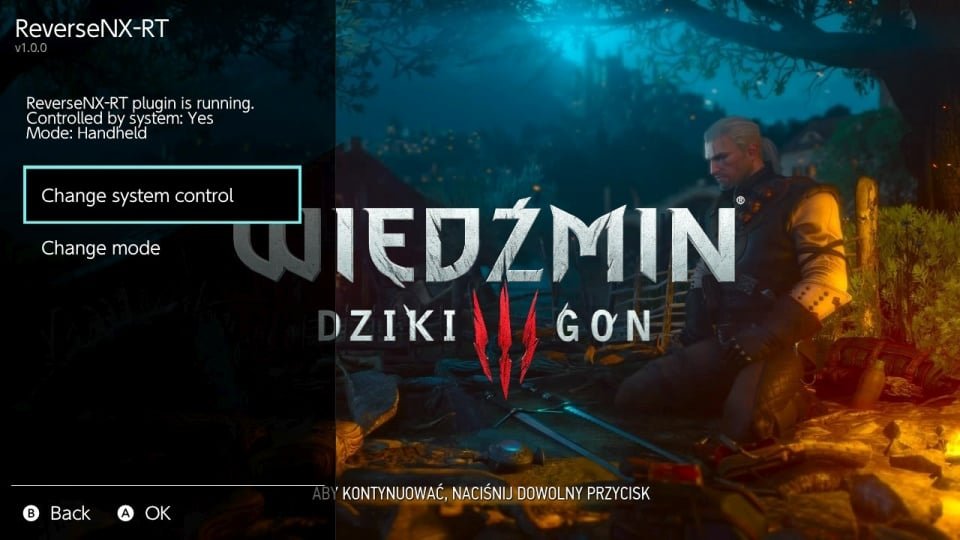 Copy pasting this from a recent comment on reddit for a post related to another overlay : SaltyNX is incompatible with certain mods that do exefs patching; specifically the file SD/atmosphere/contents/[title id]/exefs/main.npdm needs to be compiled with allow_debug=true, force_debug=false, force_debug_prod=false. In my case, I downloaded the source for the mod I was using and (with some minor help from its devs) was able to make the necessary changes and obtain a new main.npdm file that was compatible with SaltyNX. It looks like it doesn't break anything with the mod, and the devs will look into making that change on their end of things once they confirm it's all good. To check if this is the issue you have with SaltyNX, here's what I recommend: Try a different game without any mods. Make sure it's supported by SaltyNX (e.g. Mario Kart 8 Deluxe is not supported by SaltyNX). If it doesn't run on an unmodded game which should be supported, it's possible you have issues with your installation or configuration with other CFW. Delete the SD/SaltyNX/ folder and all of the relevant .nro and .ovl files from the SD/switch/ and SD/switch/.overlays/ folders, and reinstall SaltyNX, FPSLocker, ReverseNX-RT, and ReverseNX-RT Tool via the Homebrew App Store. Try disabling any mods. Some simpler game mods install just a few files into SD/atmosphere/contents/[title id]/, or elsehwere in SD/atmosphere/, and can be managed with the SimpleModManager tool. Here, the [title id] represents the unique 16-character ID for each game, there's lots of ways to find it out yourself or just by google. I never modded TOTK or BOTW, but I think they require external mod loaders to set things up. Follow whatever guides they provide to make sure you don't leave any of these files behind that could muddy things up. If it still doesn't work, there's probably something else going on, but I couldn't tell ya what. If you're using several mods together, try enabling ONLY ONE at a time and test the game with only a single mod enabled. This can be tricky or time-intensive with TOTK/BOTW needing to rebuild mod files depending on which mods are enabled and such. If it is these debug flags causing issues, I would think it would be introduced by a specific mod rather than the mod loader itself, or this would likely be a wider known issue. Once you're able to find a mod that stops SaltyNX from running, look in SD/atmosphere/contents/[title id]/exefs/. If there's no main.npdm then I guess it's something else. But if there is, you can check with a hex editor (e.g. https://hexed.it/) and look at the very end of the file. If you see something other than FF FF 02 00 then the debug flags aren't compatible with SaltyNX. Congrats! You found the issue! It's worth noting that, for some mods, it might work to just edit the hex data directly so it reads FF FF 02 00 at the end, originally from MasaGratoR's advice. In my case, that change at the end of the file just caused the game to crash when loading ("Software was closed because an error occurred", not an Atmosphere crash). After modifying the mod files source code and rebuilding them, I found that this string FF FF 02 00 ends up changing twice, once at the end, but also somewhere else earlier in the file. Source : https://www.reddit.com/r/SwitchPirates/s/VXcOrpQ9oV As an example, mario odyssey multiplayer main mod file ends by FF 04 00, replace this by FF 02 00 and search in the file for the other FF 04 00 then replace it too When asking with wrong words if there could be a fix (I've asked if it could be fixed, the overlay, not knowing that the mod had to be edited not the overlay) Masagrator said to me "Why should I fix compatibility with some mod?" and straight out closed then deleted the issue from github (it's nowhere to be found anymore except in mails) Ironically check out who gave this fix to the reddit user...
-
Copy pasting this from a recent comment on reddit for a post related to another overlay : SaltyNX is incompatible with certain mods that do exefs patching; specifically the file SD/atmosphere/contents/[title id]/exefs/main.npdm needs to be compiled with allow_debug=true, force_debug=false, force_debug_prod=false. In my case, I downloaded the source for the mod I was using and (with some minor help from its devs) was able to make the necessary changes and obtain a new main.npdm file that was compatible with SaltyNX. It looks like it doesn't break anything with the mod, and the devs will look into making that change on their end of things once they confirm it's all good. To check if this is the issue you have with SaltyNX, here's what I recommend: Try a different game without any mods. Make sure it's supported by SaltyNX (e.g. Mario Kart 8 Deluxe is not supported by SaltyNX). If it doesn't run on an unmodded game which should be supported, it's possible you have issues with your installation or configuration with other CFW. Delete the SD/SaltyNX/ folder and all of the relevant .nro and .ovl files from the SD/switch/ and SD/switch/.overlays/ folders, and reinstall SaltyNX, FPSLocker, ReverseNX-RT, and ReverseNX-RT Tool via the Homebrew App Store. Try disabling any mods. Some simpler game mods install just a few files into SD/atmosphere/contents/[title id]/, or elsehwere in SD/atmosphere/, and can be managed with the SimpleModManager tool. Here, the [title id] represents the unique 16-character ID for each game, there's lots of ways to find it out yourself or just by google. I never modded TOTK or BOTW, but I think they require external mod loaders to set things up. Follow whatever guides they provide to make sure you don't leave any of these files behind that could muddy things up. If it still doesn't work, there's probably something else going on, but I couldn't tell ya what. If you're using several mods together, try enabling ONLY ONE at a time and test the game with only a single mod enabled. This can be tricky or time-intensive with TOTK/BOTW needing to rebuild mod files depending on which mods are enabled and such. If it is these debug flags causing issues, I would think it would be introduced by a specific mod rather than the mod loader itself, or this would likely be a wider known issue. Once you're able to find a mod that stops SaltyNX from running, look in SD/atmosphere/contents/[title id]/exefs/. If there's no main.npdm then I guess it's something else. But if there is, you can check with a hex editor (e.g. https://hexed.it/) and look at the very end of the file. If you see something other than FF FF 02 00 then the debug flags aren't compatible with SaltyNX. Congrats! You found the issue! It's worth noting that, for some mods, it might work to just edit the hex data directly so it reads FF FF 02 00 at the end, originally from MasaGratoR's advice. In my case, that change at the end of the file just caused the game to crash when loading ("Software was closed because an error occurred", not an Atmosphere crash). After modifying the mod files source code and rebuilding them, I found that this string FF FF 02 00 ends up changing twice, once at the end, but also somewhere else earlier in the file. Source : https://www.reddit.com/r/SwitchPirates/s/VXcOrpQ9oV As an example, mario odyssey multiplayer main mod file ends by FF 04 00, replace this by FF 02 00 and search in the file for the other FF 04 00 then replace it too When asking with wrong words if there could be a fix (I've asked if it could be fixed, the overlay, not knowing that the mod had to be edited not the overlay) Masagrator said to me "Why should I fix compatibility with some mod?" and straight out closed then deleted the issue from github (it's nowhere to be found anymore except in mails) Ironically check out who gave this fix to the reddit user... View full article
-
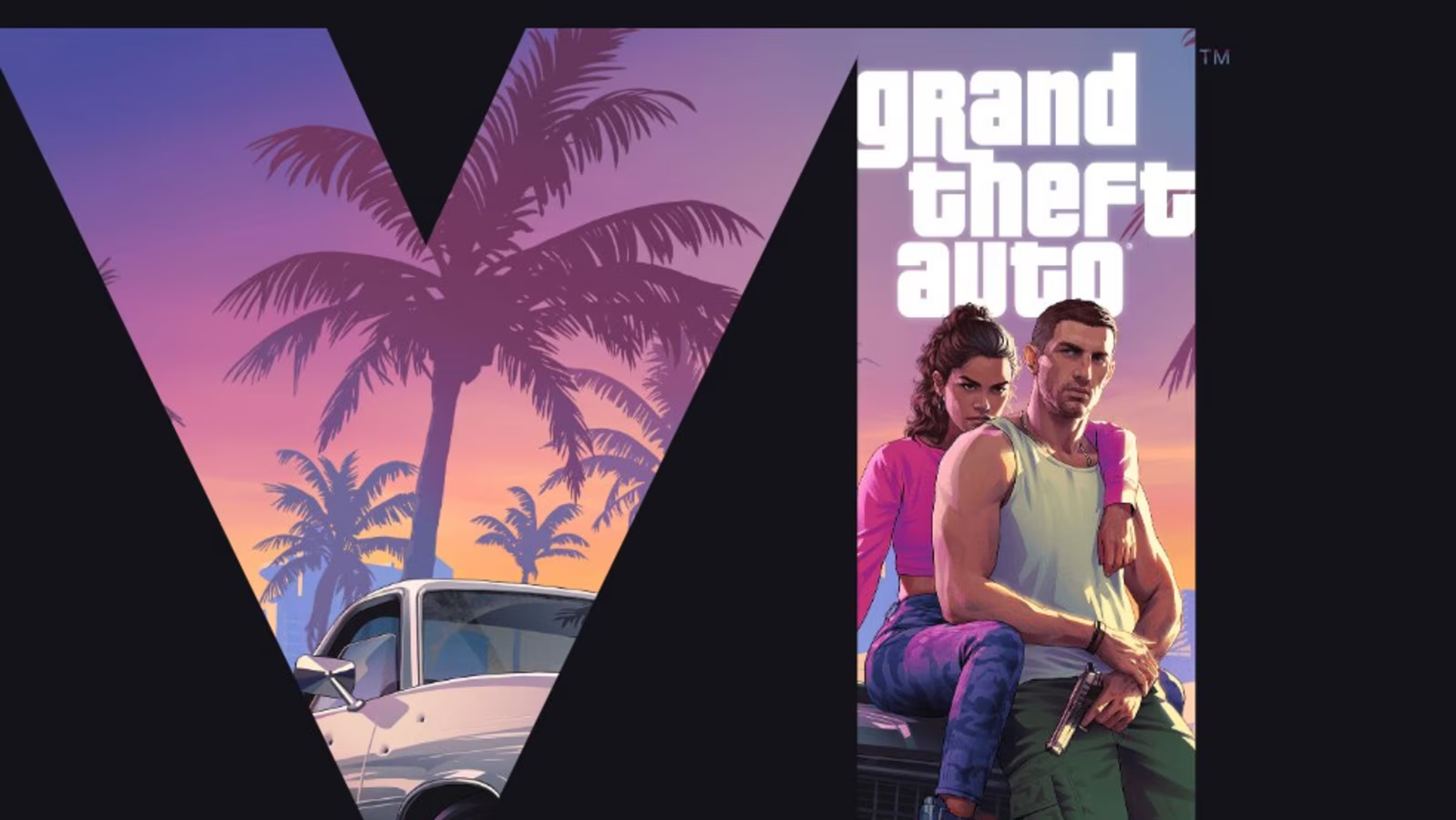 While Rockstar Games has yet to officially confirm a PC release for Grand Theft Auto VI, recent comments from Strauss Zelnick, the CEO of Rockstar’s parent company Take-Two Interactive, have reignited hope for players on the platform. In a recent interview, Zelnick suggested that the wider video game industry is trending away from closed console ecosystems and toward the open nature of the PC. The Industry is "Moving Towards PC"Speaking to CNBC’s Squawk Box on Monday, Zelnick discussed the state of the gaming market following news of GTA 6’s delay. When asked about the future of hardware, Zelnick offered a bullish take on the PC market. “I believe the video game industry is moving towards PC and business is moving towards open rather than closed,” Zelnick stated during the broadcast. He noted that while the traditional definition of a "console"—a device for playing rich, long-form games on a big screen—is not going away, the hardware itself is evolving. To remain competitive and innovative, consoles are increasingly adopting PC-like architecture and features. He also highlighted that mobile gaming is currently outpacing console gaming in terms of growth, further diversifying where consumers spend their time. What This Means for GTA 6Historically, Rockstar Games has prioritized console releases, with PC ports often arriving months or even years later. Grand Theft Auto V and Red Dead Redemption 2 both launched on PlayStation and Xbox long before making their way to PC. However, Zelnick’s comments align with a strategy he has mentioned previously: meeting the consumer where they are. “Rockstar has an approach to platforms which we’ve seen before, and they’ll make more announcements in due time,” Zelnick had said in a prior statement. “I do believe that the right strategy for our business is to be where the consumer is, and historically what this company has done is address consumers anywhere they are, on any platform that makes sense over time.” While a PC version of GTA 6 remains unannounced, the CEO’s recognition of the platform's growing dominance suggests it is a question of when, not if. A History of OptimizationFor PC gamers, the wait is often justified by the quality of the final product. While the PC port of Grand Theft Auto IV was infamously plagued with technical issues, Rockstar has since redeemed its reputation with high-quality, optimized releases for GTA V and Red Dead Redemption 2. The company has continued to support these titles on PC with modern features, such as the addition of ray tracing to GTA V, signaling a commitment to the platform's capabilities. Release Timeline Remains UncertainSpeculation regarding the release window continues to swirl. Earlier predictions, such as those from Corsair’s CEO suggesting an early 2026 PC launch, appear to have been rendered obsolete by recent delays to the base game. For now, PC players must wait for an official word from Rockstar. But with the head of Take-Two openly championing an "open" and PC-forward future, the outlook for a GTA 6 PC port is brighter than ever.
-
While Rockstar Games has yet to officially confirm a PC release for Grand Theft Auto VI, recent comments from Strauss Zelnick, the CEO of Rockstar’s parent company Take-Two Interactive, have reignited hope for players on the platform. In a recent interview, Zelnick suggested that the wider video game industry is trending away from closed console ecosystems and toward the open nature of the PC. The Industry is "Moving Towards PC"Speaking to CNBC’s Squawk Box on Monday, Zelnick discussed the state of the gaming market following news of GTA 6’s delay. When asked about the future of hardware, Zelnick offered a bullish take on the PC market. “I believe the video game industry is moving towards PC and business is moving towards open rather than closed,” Zelnick stated during the broadcast. He noted that while the traditional definition of a "console"—a device for playing rich, long-form games on a big screen—is not going away, the hardware itself is evolving. To remain competitive and innovative, consoles are increasingly adopting PC-like architecture and features. He also highlighted that mobile gaming is currently outpacing console gaming in terms of growth, further diversifying where consumers spend their time. What This Means for GTA 6Historically, Rockstar Games has prioritized console releases, with PC ports often arriving months or even years later. Grand Theft Auto V and Red Dead Redemption 2 both launched on PlayStation and Xbox long before making their way to PC. However, Zelnick’s comments align with a strategy he has mentioned previously: meeting the consumer where they are. “Rockstar has an approach to platforms which we’ve seen before, and they’ll make more announcements in due time,” Zelnick had said in a prior statement. “I do believe that the right strategy for our business is to be where the consumer is, and historically what this company has done is address consumers anywhere they are, on any platform that makes sense over time.” While a PC version of GTA 6 remains unannounced, the CEO’s recognition of the platform's growing dominance suggests it is a question of when, not if. A History of OptimizationFor PC gamers, the wait is often justified by the quality of the final product. While the PC port of Grand Theft Auto IV was infamously plagued with technical issues, Rockstar has since redeemed its reputation with high-quality, optimized releases for GTA V and Red Dead Redemption 2. The company has continued to support these titles on PC with modern features, such as the addition of ray tracing to GTA V, signaling a commitment to the platform's capabilities. Release Timeline Remains UncertainSpeculation regarding the release window continues to swirl. Earlier predictions, such as those from Corsair’s CEO suggesting an early 2026 PC launch, appear to have been rendered obsolete by recent delays to the base game. For now, PC players must wait for an official word from Rockstar. But with the head of Take-Two openly championing an "open" and PC-forward future, the outlook for a GTA 6 PC port is brighter than ever. View full article
-
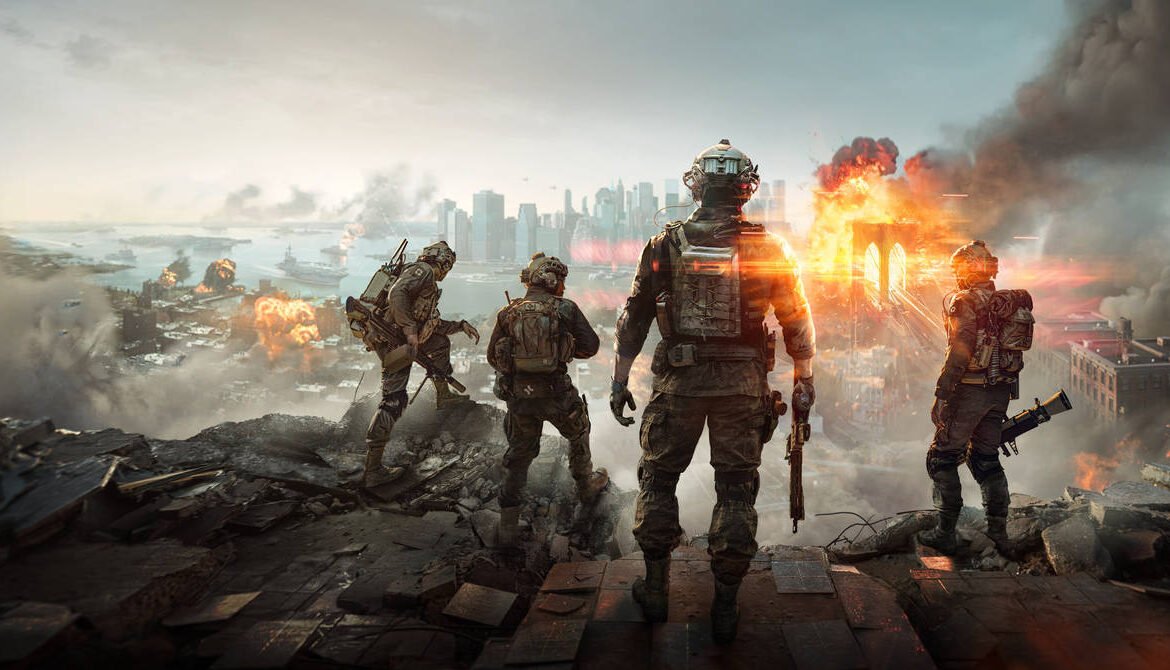 EA and the newly-rebranded Battlefield Studios had a lot to prove to me with Battlefield 6. The previous game in the series, Battlefield 2042, left a lot to be desired - and truth be told, I was losing a bit of faith in the series ever getting back to its glory days. With BF6 now here, backed up by a pretty smooth opening weekend in my experience, the team is starting to win me over - even if this isn't the perfect Battlefield game just yet. Jumping straight into the action, mind you, and the game does a very good job at selling you on the experience right out of the gate. Visuals and performance are fantastic on both Xbox Series consoles, gunplay is vastly improved over its predecessor, and there's everything here on day one that you want to see from a Battlefield game. We've got a full single-player campaign, a vast online suite of maps, modes and weapons and the game's Portal toolset right at launch. This is a far cry from 2042, which (yes, you're reading this right) didn't even have an in-game scoreboard during multiplayer matches at launch. Yeah, moving on. Moving on EA certainly has; the bones of Battlefield 6 are significantly improved, and the game is on a much stronger footing this time around. From the moment you get the controller in your hand you can tell BF Studios has put a lot of care and attention into simply making the game feel great to play, and that hasn't gone unnoticed by yours truly. Weapons seem weighty, your character feels properly grounded in the experience, and everything just kind of plays as you'd expect a Battlefield game on modern hardware to play. I know this all sounds very obvious and straight forward, but this aspect of BF6 was absolutely essential before the game could spread its wings and get any more ambitious. One thing I'll touch on fairly quickly here is the game's single-player campaign mode, which admittedly isn't overly ambitious. The story of Battlefield 6 takes you to plenty of far-flung locations in order take down Pax Armata — a military faction whose allegiances don't lie with any one nation — and it's all pretty tried and tested, if I'm being honest. There are stealthy bits, big shooty bits, vehicle missions, a token 'open objective' level etc., with a narrative told from that sort of 'flashback' style of storytelling. You've seen it all before, but none of it is necessarily bad. In fact, we've seen some suggestions and opinions out there that the BF6 campaign is a bit crap, and to be honest, I kind of want to dispel those fears for a moment. Battlefield 6 delivers exactly what I expect from a modern military shooter campaign, and I think it's a wee bit harsh to go too hard on it. It's certainly a more coherent experience than Battlefield 4's single-player was - and of course, 2042 didn't even have a story campaign. Alright, sure, the game teases its much-anticipated battle royale mode at the end of the story and you could argue that building some of these large levels was probably a means to that end more than anything else - but this is a decent little romp at the end of the day; exactly the sort of thing you'd expect from a grounded military campaign mode. Right, now that that's done, let's get into the meat and potatoes of Battlefield 6; it's multiplayer suite. As I've mentioned a few times on the site now, I wanted to give myself the weekend to play this on public servers rather than jump the gun on this review - and I'm glad that I did; my experience has been very smooth over the last few days, and Battlefield 6 is really starting to sink its teeth into me. There are still a few elements that need tweaking to make it more Battlefield in my opinion, but the team is very close - and this a great base for the future of the series. First off, that solid gunplay I previously mentioned of course carries over to multiplayer - this is simply a fun-as-heck shooter to mess around with online. It's got shades of the Call of Duty: Modern Warfare reboot about its gunplay and character movement, with some of that old Battlefield 3 era feel behind it, and I'm quite happy with that mix so far. I'd probably like the pace to be slowed down slightly — this is where the modern COD influence comes in — but the whole experience still feels like Battlefield, which is great to see. Conquest is here in all of its classic game mode glory, and the modern-favourite Breakthrough mode also makes its grand return. You can tell that Battlefield Studios has worked hard to balance these two modes with BF6; it certainly feels like core of the experience is built around these offerings. I'd argue more the push-and-pull Breakthrough mode in this regard though; the game could do with a few tweaks and additions to make Conquest properly shine, in my opinion. A lot of that comes down to the game's selection of maps at launch. Conquest is all about freedom of gameplay; vehicular and infantry warfare going down on large-scale maps as a sort of 'capture the area dance' plays out in front of you. This experience is still mostly intact, but Battlefield 6 has honed in on a more infantry-focused map pool at launch, and some of these tighter maps just don't work as well in Conquest mode. Mirak Valley, New Sobek City and the classic Operation Firestorm levels are examples of arenas that work well with Conquest's sensibilities, but the likes of Empire State, Iberian Offensive and Saints Quarter just feel a little too restrictive. I'm keen to see where things go post-launch with the team's approach to maps, but needless to say, I'd like to see more large-scale offerings. Those smaller offerings also mess with class balance a bit. In my experience, the tighter maps favour Assault and Support much more than Engineer and Recon, and that's often led me to just default-picking those former two classes for most of my time playing Conquest. I might crack out Recon on Mirak Valley or Engineer on Operation Firestorm every now and then, but the beauty of this classic Battlefield mode is offering the space to play with every class on every map. Again, Breakthrough mode fares a little better in my experience, but I'm hoping Conquest remains a priority post launch and that's reflected in the map design (it's my preferred way to play Battlefield!). The other main gripe I have with multiplayer right now relates to progression. Battlefield Studios clearly wants you to earn your way to the top in this game — which is fair, I don't mind a bit of a grind — but a lot of unlocks in BF6 are behind specific challenges; much more than in previous Battlefield titles. I'm not massively keen on messing with my preferred playstyle just to unlock certain things or progress in a certain way, so I'd personally prefer more unlocks to be rank/XP based. I know, that's probably just a personal thing and some folks may prefer the more unique challenges to unlock stuff - I just like those to be saved for more niche unlocks than main items like attachments and such! Before I wrap up here, there a few other points I want to touch on. One is becoming an easier and easier recommendation with online games as time goes by: turn off crossplay, whatever you do. My first few hours of this game were plagued with cross-map sniping that'd be nigh-on impossible to pull off using a controller - so whether it's cheating or just plain old mouse and keyboard aim, the experience is simply a better one on Xbox with crossplay off. The other thing is that I've not really messed with Portal much yet — custom toolsets like this are kind of a bonus to me rather than a core part of the experience — but it certainly sounds like the mode has potential. I'm happy to let the community have their way with it for now, and I may end up testing out some of its creations down the line if and when they're more integrated into the main experience. ConclusionBattlefield 6 is a fantastic first-person shooter, and the team at Battlefield Studios — now led by FPS veteran Vince Zampella — has done an amazing job at building this new foundation, especially after the dip in form with Battlefield 2042. The gunplay feels ace, the game looks and runs beautifully, and all of the core ingredients that make a proper Battlefield game are here. Some of those ingredients do need some extra seasoning though; the campaign is fun but bland and I want to see more large scale, Conquest-focused maps in future - but all-in-all, this is a great effort. In this day and age, the day one multiplayer experience is simply a base to be built upon, and that base is rock solid. I can't wait to see where Battlefield 6 ends up in a few years' time.
-
EA and the newly-rebranded Battlefield Studios had a lot to prove to me with Battlefield 6. The previous game in the series, Battlefield 2042, left a lot to be desired - and truth be told, I was losing a bit of faith in the series ever getting back to its glory days. With BF6 now here, backed up by a pretty smooth opening weekend in my experience, the team is starting to win me over - even if this isn't the perfect Battlefield game just yet. Jumping straight into the action, mind you, and the game does a very good job at selling you on the experience right out of the gate. Visuals and performance are fantastic on both Xbox Series consoles, gunplay is vastly improved over its predecessor, and there's everything here on day one that you want to see from a Battlefield game. We've got a full single-player campaign, a vast online suite of maps, modes and weapons and the game's Portal toolset right at launch. This is a far cry from 2042, which (yes, you're reading this right) didn't even have an in-game scoreboard during multiplayer matches at launch. Yeah, moving on. Moving on EA certainly has; the bones of Battlefield 6 are significantly improved, and the game is on a much stronger footing this time around. From the moment you get the controller in your hand you can tell BF Studios has put a lot of care and attention into simply making the game feel great to play, and that hasn't gone unnoticed by yours truly. Weapons seem weighty, your character feels properly grounded in the experience, and everything just kind of plays as you'd expect a Battlefield game on modern hardware to play. I know this all sounds very obvious and straight forward, but this aspect of BF6 was absolutely essential before the game could spread its wings and get any more ambitious. One thing I'll touch on fairly quickly here is the game's single-player campaign mode, which admittedly isn't overly ambitious. The story of Battlefield 6 takes you to plenty of far-flung locations in order take down Pax Armata — a military faction whose allegiances don't lie with any one nation — and it's all pretty tried and tested, if I'm being honest. There are stealthy bits, big shooty bits, vehicle missions, a token 'open objective' level etc., with a narrative told from that sort of 'flashback' style of storytelling. You've seen it all before, but none of it is necessarily bad. In fact, we've seen some suggestions and opinions out there that the BF6 campaign is a bit crap, and to be honest, I kind of want to dispel those fears for a moment. Battlefield 6 delivers exactly what I expect from a modern military shooter campaign, and I think it's a wee bit harsh to go too hard on it. It's certainly a more coherent experience than Battlefield 4's single-player was - and of course, 2042 didn't even have a story campaign. Alright, sure, the game teases its much-anticipated battle royale mode at the end of the story and you could argue that building some of these large levels was probably a means to that end more than anything else - but this is a decent little romp at the end of the day; exactly the sort of thing you'd expect from a grounded military campaign mode. Right, now that that's done, let's get into the meat and potatoes of Battlefield 6; it's multiplayer suite. As I've mentioned a few times on the site now, I wanted to give myself the weekend to play this on public servers rather than jump the gun on this review - and I'm glad that I did; my experience has been very smooth over the last few days, and Battlefield 6 is really starting to sink its teeth into me. There are still a few elements that need tweaking to make it more Battlefield in my opinion, but the team is very close - and this a great base for the future of the series. First off, that solid gunplay I previously mentioned of course carries over to multiplayer - this is simply a fun-as-heck shooter to mess around with online. It's got shades of the Call of Duty: Modern Warfare reboot about its gunplay and character movement, with some of that old Battlefield 3 era feel behind it, and I'm quite happy with that mix so far. I'd probably like the pace to be slowed down slightly — this is where the modern COD influence comes in — but the whole experience still feels like Battlefield, which is great to see. Conquest is here in all of its classic game mode glory, and the modern-favourite Breakthrough mode also makes its grand return. You can tell that Battlefield Studios has worked hard to balance these two modes with BF6; it certainly feels like core of the experience is built around these offerings. I'd argue more the push-and-pull Breakthrough mode in this regard though; the game could do with a few tweaks and additions to make Conquest properly shine, in my opinion. A lot of that comes down to the game's selection of maps at launch. Conquest is all about freedom of gameplay; vehicular and infantry warfare going down on large-scale maps as a sort of 'capture the area dance' plays out in front of you. This experience is still mostly intact, but Battlefield 6 has honed in on a more infantry-focused map pool at launch, and some of these tighter maps just don't work as well in Conquest mode. Mirak Valley, New Sobek City and the classic Operation Firestorm levels are examples of arenas that work well with Conquest's sensibilities, but the likes of Empire State, Iberian Offensive and Saints Quarter just feel a little too restrictive. I'm keen to see where things go post-launch with the team's approach to maps, but needless to say, I'd like to see more large-scale offerings. Those smaller offerings also mess with class balance a bit. In my experience, the tighter maps favour Assault and Support much more than Engineer and Recon, and that's often led me to just default-picking those former two classes for most of my time playing Conquest. I might crack out Recon on Mirak Valley or Engineer on Operation Firestorm every now and then, but the beauty of this classic Battlefield mode is offering the space to play with every class on every map. Again, Breakthrough mode fares a little better in my experience, but I'm hoping Conquest remains a priority post launch and that's reflected in the map design (it's my preferred way to play Battlefield!). The other main gripe I have with multiplayer right now relates to progression. Battlefield Studios clearly wants you to earn your way to the top in this game — which is fair, I don't mind a bit of a grind — but a lot of unlocks in BF6 are behind specific challenges; much more than in previous Battlefield titles. I'm not massively keen on messing with my preferred playstyle just to unlock certain things or progress in a certain way, so I'd personally prefer more unlocks to be rank/XP based. I know, that's probably just a personal thing and some folks may prefer the more unique challenges to unlock stuff - I just like those to be saved for more niche unlocks than main items like attachments and such! Before I wrap up here, there a few other points I want to touch on. One is becoming an easier and easier recommendation with online games as time goes by: turn off crossplay, whatever you do. My first few hours of this game were plagued with cross-map sniping that'd be nigh-on impossible to pull off using a controller - so whether it's cheating or just plain old mouse and keyboard aim, the experience is simply a better one on Xbox with crossplay off. The other thing is that I've not really messed with Portal much yet — custom toolsets like this are kind of a bonus to me rather than a core part of the experience — but it certainly sounds like the mode has potential. I'm happy to let the community have their way with it for now, and I may end up testing out some of its creations down the line if and when they're more integrated into the main experience. ConclusionBattlefield 6 is a fantastic first-person shooter, and the team at Battlefield Studios — now led by FPS veteran Vince Zampella — has done an amazing job at building this new foundation, especially after the dip in form with Battlefield 2042. The gunplay feels ace, the game looks and runs beautifully, and all of the core ingredients that make a proper Battlefield game are here. Some of those ingredients do need some extra seasoning though; the campaign is fun but bland and I want to see more large scale, Conquest-focused maps in future - but all-in-all, this is a great effort. In this day and age, the day one multiplayer experience is simply a base to be built upon, and that base is rock solid. I can't wait to see where Battlefield 6 ends up in a few years' time. View full article
-
 When it was revealed that PlatinumGames was helping with the fourth major entry in the Ninja Gaiden series, I had two immediate thoughts. How would the Bayonetta studio handle this kind of responsibility, and could another character really lead the next big entry in the modern series, in place of the 'main face' and video game icon Ryu Hayabusa? Fast forward to today and Ninja Gaiden 4 has officially arrived on Xbox. Although the new protagonist Yakumo walks his own path, Platinum (under the guidance of Team Ninja) has kept the series’ identity intact without straying too far from the classic formula of hack-and-slash combat mixed with extreme levels of blood and violence. The new entry starts out in a near-future Tokyo, with the city descending even further into chaos, and it’s up to the young ninja — who is part of the Raven Clan (a rival clan of the Hayabusa Clan) — to sort it out. He’s assigned to assassinate the priestess of the Dark Dragon and well… spoiler alert, he’s quickly persuaded to keep her alive in order to break the seal on the Dark Dragon and lift the ancient curse once and for all. The only problem is, he’s now a marked man, and he’s got Hayabusa and an army of fiends and other enemies standing in his way. Fortunately, just like the famous 'Super Ninja', Yakumo’s got all the necessary tools and training to overcome the odds. Similar to the previous entries in the series, you’ll slowly build your arsenal of weapons, starting with twin blades and eventually other unlocks and surprises along the way. Adding to this is a long list of weapon and combat skills you expand over time. If you have history with Ninja Gaiden or Platinum’s previous work, you should be right at home here. The same goes for the combat in terms of how agile the movement feels as you slice up hordes of fiends. Being the ninja-skilled gamer that I am (at least in my own mind), I was performing all sorts of stunning combo attacks in no time while parrying and locking onto enemies. Speaking of this, timing is everything when it comes to countering your enemy. You’ll want to learn how to exploit the animations of enemies, and certain moves even come with invincibility frames when timed perfectly. Team Ninja officially describes the experience as a blend of its own “tempered combat philosophy” with the “stylish and dynamic gameplay” fans of PlatinumGames have come to know and love, and when you see it all in motion, or are unleashing every move you’ve got during a boss fight, it’s sure to get your blood pumping. Platinum builds on these combat basics with Yakumo’s new Bloodraven Form – allowing him to pull off powerful and flashy gauge attacks and executions, depending on the buttons you hit and the move set or weapons equipped. If you’re unable to break an enemy’s guard or protections, these deadly moves should do the job. And to top it off, there’s the Berserk State, acting as a lethal and bloody finisher. Once you get the hang of it all, Yakumo controls pretty much as other characters have in past entries, he’s just got some added flair, courtesy of Platinum’s stylish touches. In between fighting, gameplay in Ninja Gaiden 4 remains mostly true to the modern series’ roots, originally started by the late Tomonobu Itagaki and his team in the 2004 Xbox reboot: Ninja Gaiden. This includes linear ‘Point A to Point B’ style progression, filled with checkpoints throughout, plenty of chests to kick open, and some additional goodies to collect. There’s a lot of platforming action too including some rail grinding, and unlocks such as the “Dragonfly Glider” and “Pond Strider” give you the chance to fly and even surf your way through part of the levels. Existing moves and platforming techniques — including wall running from previous entries — have also been brought across and adapted to the current to the pace of the forth outing, which can provide a break from fights. Of course, it’s not always a smooth ride. As any Ninja Gaiden veteran will know, the difficulty of this series is a defining trait and in the fourth outing it extends to four options once the story mode is completed. On the harder settings, fights are fierce, and you can’t afford to drop your guard or make any foolish errors. While newcomers might prefer to begin Yakumo’s journey on 'Hero Mode' (which enables auto-guard and other assists), I’d personally recommend having a crack at a higher difficulty to get a more authentic Ninja Gaiden experience; the learning curve has always been a part of its charm. Now, this brings us to spoiler territory. If you don’t want to know, scroll to the next paragraph... I've warned you! Right then, as you might have already guessed from the promotional art and trailers, Ryu is, in fact, a playable character in the game. This has also been directly confirmed in the marketing materials, so hopefully you’re not too surprised to see me talking about it here. You’ll be spending many hours with Yakumo before you get to Ryu, but boy is it satisfying when you’re finally reunited with the series’ legendary character. He controls mostly the same as Raven Clan’s ninja, but generally just feels a lot more powerful, as he should. He’s also got his new 'Gleam State' (like Yakumo’s 'Bloodraven Form'), he can use to break an enemy’s guard and unleash powerful moves. As he becomes playable later in the game, there’s a slightly different approach to unlocks, with some of his abilities being obtained via chests. As for his gameplay segments, you'll see him partly retracing certain areas you’ve already played as Yakumo. Fortunately, it doesn’t drag on, and the overlap of the stories only heightens the magnitude of the situation. As for the tech on display here, the whole experience is powered by PlatinumGames’ proprietary engine. I wouldn’t say it’s quite as pretty as Ninja Gaiden 2 Black running on Unreal Engine 5, but it does enough to look the part. As for settings, you’ve got a Graphics Mode – prioritising the visuals at 30 FPS, and then there’s a consistent Performance Mode at 60 FPS. You can also specifically select a higher Performance Mode targeting 120 FPS if you have the display to make use of it and access to an Xbox Series X or supported platform. The graphics mode gets by well enough, but doesn't always provide the best picture during more heated moments on-screen. Given the general speed of the gameplay, I found the 120 FPS Mode was worth the visual sacrifice. It also seems a lot more responsive when it comes to movement, and is arguably how a game like this should be played. Apart from the visuals, there’s also a solid soundtrack throughout that adapts to the mood and speed of each moment - it all synchronizes well together! ConclusionReturning to where this review started, I obviously raised some questions about Platinum’s ability to deliver a game faithful to the Ninja Gaiden series, and for the most part, this new entry starring Yakumo is just as badass as any of Ryu’s past adventures. It retains the spirit and traditions of the previous games, expands on combat in new and stylish ways, and if you’re a fan of this type of game – it’s a bloody excellent fight from start to finish. Now, if you don’t mind, I’ve got some more fiends to slay.