




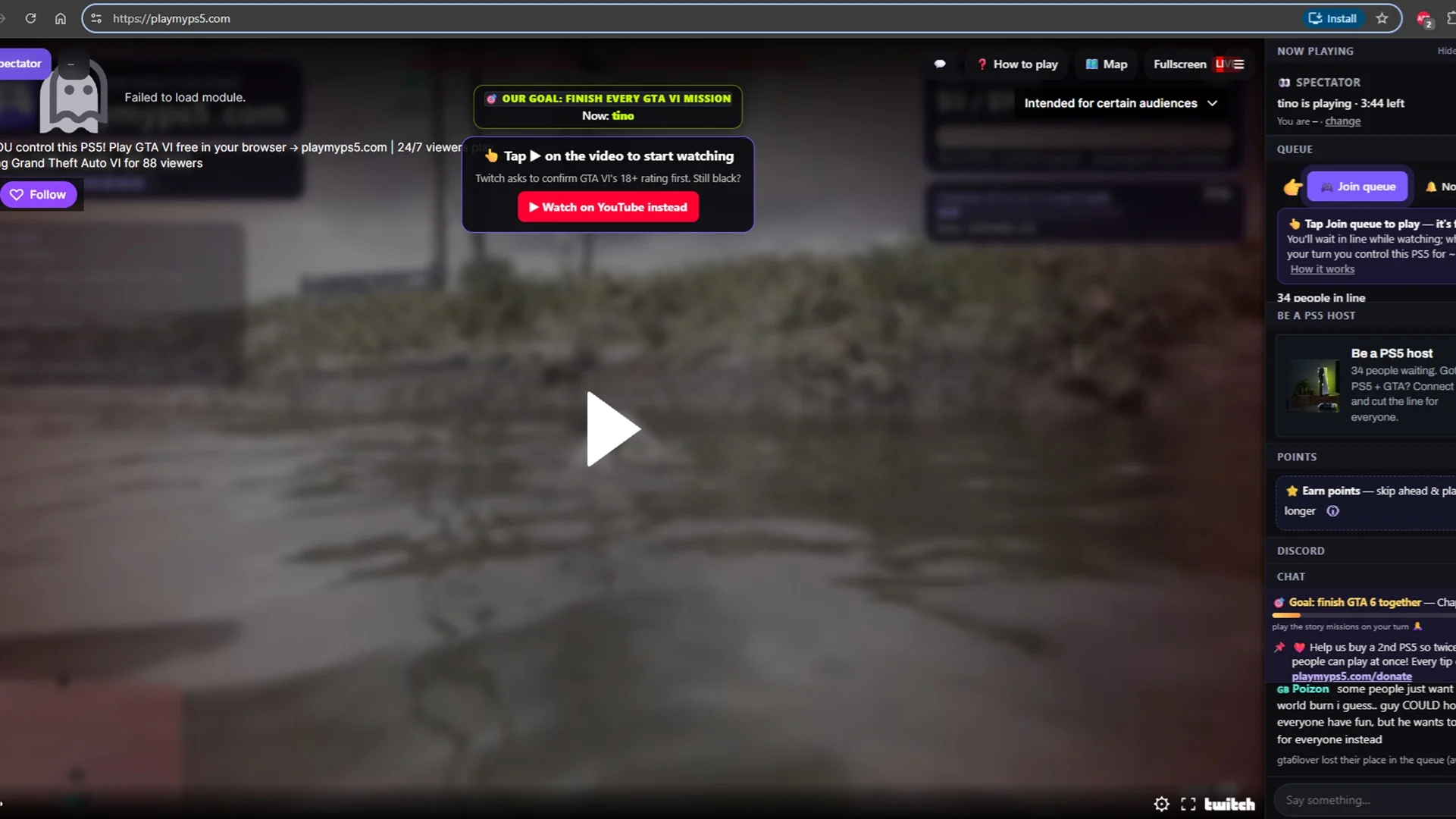

Grand Theft Auto VI has broken almost every launch record there is. It still costs $79.99 and only runs on a PS5 or an Xbox Series X|S. That has led to one of the odder fan projects of launch week: a website that lets anyone wait in line to play a few minutes of GTA 6 on a stranger's PlayStation 5, for free.
The site is called PlayMyPS5, and it works as a public queue that runs in a web browser. Visitors join with just a nickname. There's no account, no email and no download. When your turn comes up, you get five minutes of control over a real PS5 running GTA 6, streamed live to your screen. You don't have to play to join in. Anyone can watch the current session and chat for free, and the stream also airs on Twitch and Kick, so every turn plays out in front of an audience.
The queue has strict rules. Once your turn arrives, you have 20 seconds to take control or you lose your place. If you stop giving input for 30 seconds, your turn ends early, and leaving the browser tab for more than two minutes removes you from the line. Controls map to a gamepad automatically, but keyboard and mouse work too, and on-screen touch controls let phone players take a turn.
Each console belongs to a host and stays in their home. Setup reportedly takes about ten minutes. Hosts need to turn on Remote Play, have a decent upload speed and sign in through Sony's own page, so PlayMyPS5 never sees their password. The site also blocks the PS, Create and Options buttons. Players can only touch the game itself, so they can't open menus, browse the host's library or change any settings.
There is a catch, and it hits players and hosts in different ways. For players, the problem is lag. The game is streamed over the internet from someone's living room, so every input has a delay, and that hurts a lot in an open world built around high-speed driving and gunfights. Five minutes is enough to steal a car, take in the Vice City skyline and probably wrap that car around a palm tree. It isn't enough to get a real feel for the game.
Hosts take on the bigger risk. Sony treats Remote Play as a personal-use feature, and opening a PS5 to a public queue of strangers goes well beyond that, which could get the account blocked. PlayMyPS5 doesn't hide this. The site tells hosts to use a throwaway PSN account with spending limits set to zero. Anyone thinking about plugging in their main account, with years of trophies and purchases on it, should think twice.
The project also points to a bigger issue. For a lot of people, hardware is a bigger barrier to GTA 6 than the game itself. Rockstar's game has had a historic launch, with a 99 on Metacritic, tens of millions of copies sold within days and record viewership. But playing it still means owning a current-gen console, and with hardware prices where they are, many people can't justify that right now. There is an official cloud option: GTA VI runs on Xbox Cloud Gaming, including on older Xbox One consoles, through Microsoft's new 10-year deal with Take-Two. It still requires a copy of the game and a subscription. PlayMyPS5 asks for neither, and in return you get lag, a five-minute limit and a chat full of spectators.
It's a strange idea that could only have come out of a launch this big. It won't replace owning the game, but for a few free minutes in Vice City it's hard to beat, as long as it isn't your PSN account on the line.
Recommended Comments