





Fans eager for news on the highly anticipated Max Payne 1 & 2 Remake were left wanting this Tuesday following Remedy Entertainment’s latest financial briefing. While the Finnish studio released its Financial Statements for 2025, detailing a profitable fourth quarter, concrete updates on the noir-shooter’s return were notably absent. According to Remedy’s leadership, this silence is by design—but not their own.
Rockstar Holds the Keys to Communication
During the investor webcast accompanying the financial report, Markus Mäki, stepping in for Remedy leadership, addressed the lack of information head-on. When pressed by an investor for details on the project's status, Mäki revealed that the marketing cadence is entirely out of Remedy's hands.
“Unfortunately, the Max Payne communications are all driven by Rockstar, so we are working on it hard but that's all I can say,” Mäki stated during the call.
This clarifies a long-standing question for the community: while Remedy is handling the development grunt work, Rockstar Games (the IP holder and publisher) retains strict control over when and how the game is shown to the public. Given Rockstar’s notoriously secretive marketing style, the radio silence is standard procedure, albeit frustrating for fans hoping for a glimpse of the modernized classic.

Development Timeline and the GTA Factor
Despite the quiet front, development appears to be moving steadily. The financial documents confirmed that the Max Payne 1 & 2 Remake continues to be a primary source of revenue for Remedy during its development phase.
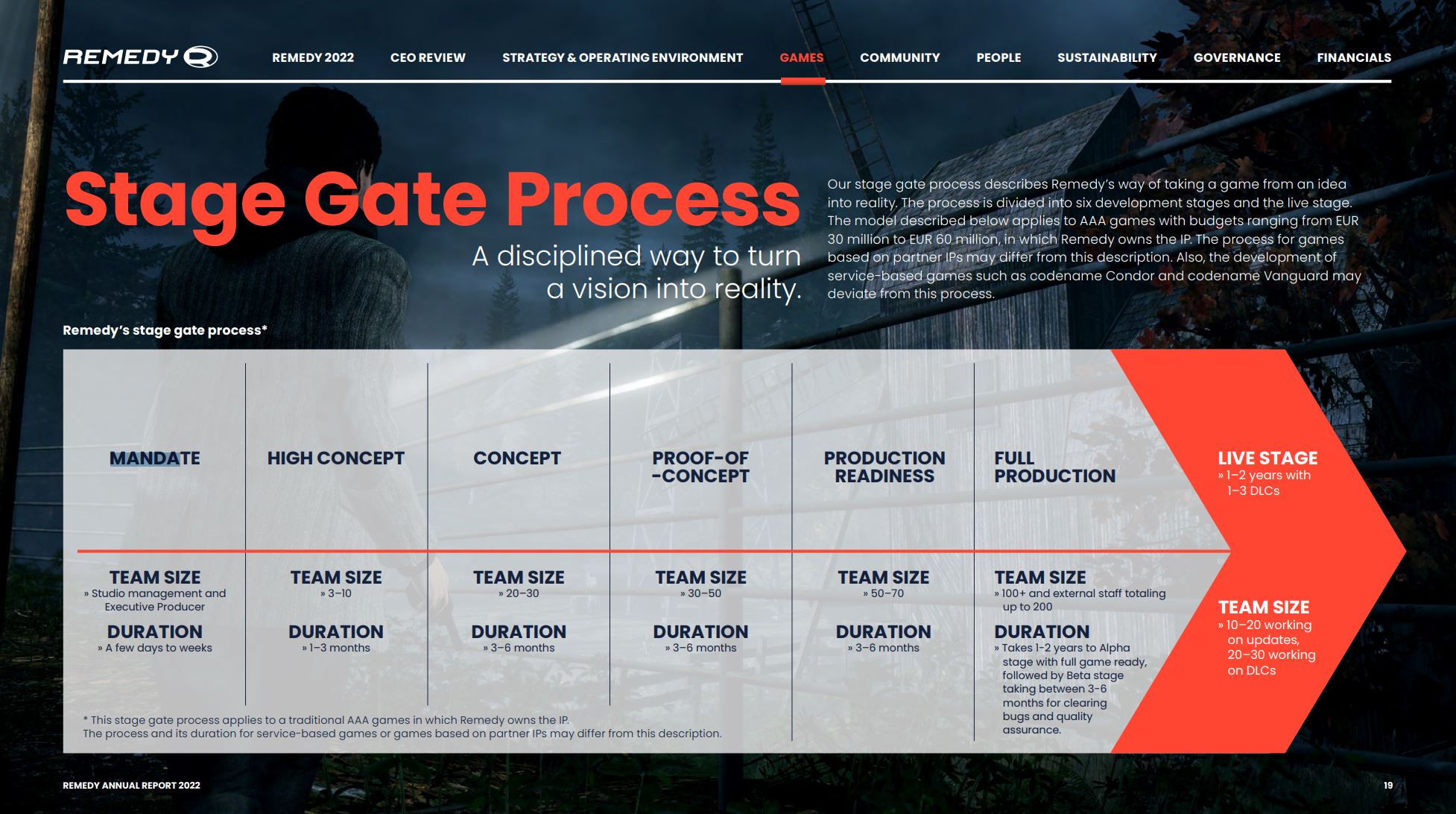
The title has reportedly been in "full production" for over 18 months as of February 2026. Based on Remedy’s typical development cycles—which often involve 1 to 2 years of full production followed by extensive beta testing—industry watchers speculate a potential release window around Spring 2027.
However, the elephant in the room remains Grand Theft Auto VI. With reports suggesting Rockstar will kick off the marketing campaign for the next GTA installment in the summer of 2026, the publisher is likely strategizing to prevent their titles from cannibalizing each other. It is plausible that Max Payne news is being withheld to keep the lane clear for GTA, or conversely, to serve as a release in a quieter window.
Changes at Remedy
The financial call also brought news of leadership changes at Remedy. Jean-Charles Gaudechon, a former executive at Electronic Arts, has been appointed as the new CEO. While some fans expressed concern over the shift in leadership, the board emphasized that creative and development decisions remain a collaborative effort, suggesting the Max Payne project should remain unaffected by the corporate restructuring.
For now, fans will have to wait for Rockstar to break the silence. The next scheduled business review from Remedy is set for May 5, 2026, though if history is any indication, any major reveals will likely happen on Rockstar’s terms, not a financial call.
Recommended Comments