




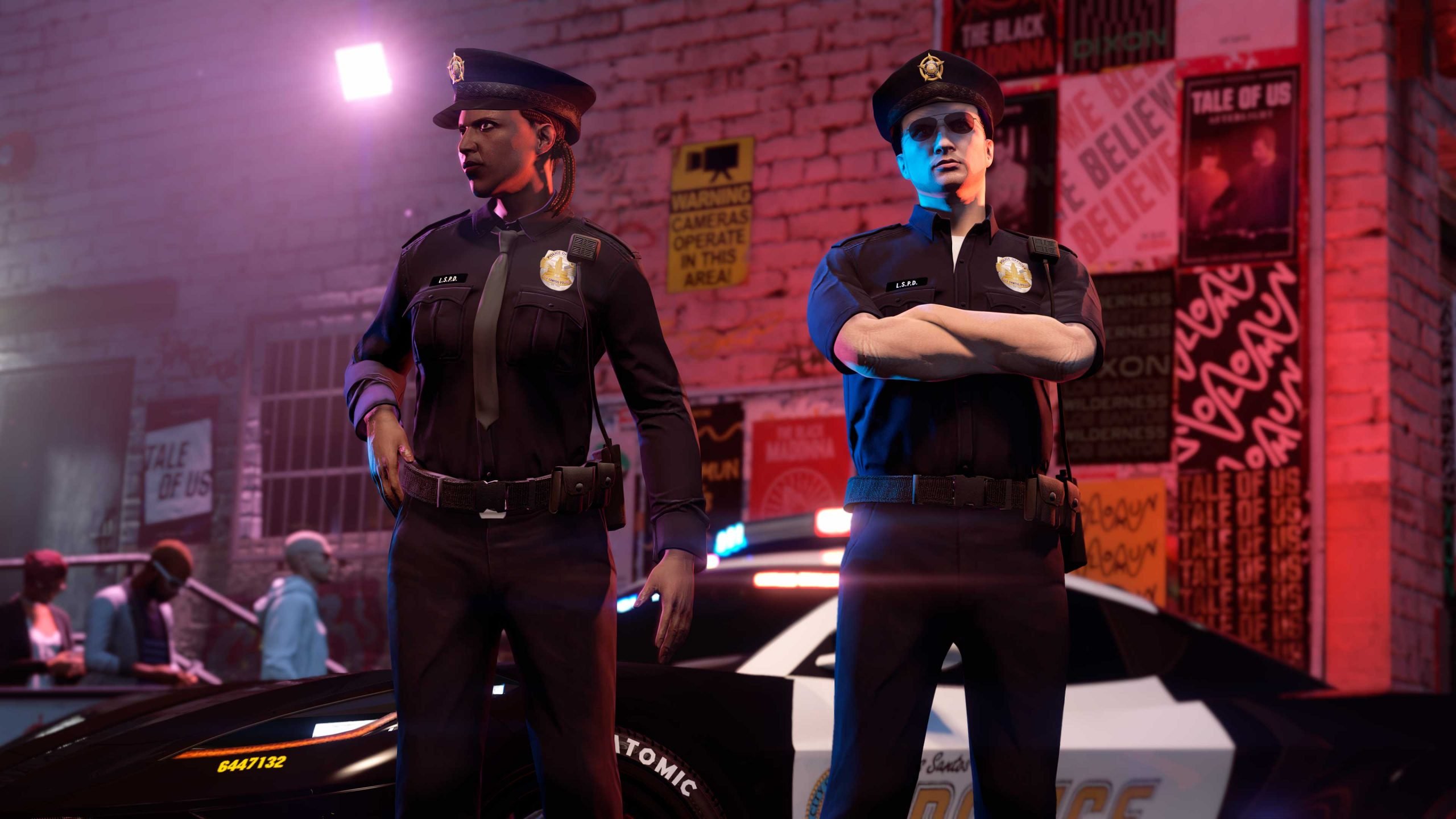

Rockstar Games is keeping the law enforcement vibes strong in GTA Online with the Neighborhood Watch Event, live from April 2 through April 8, 2026. As part of this week’s update, players can snag two brand-new police-themed outfits completely free — no Shark Card required. These outfits were first spotted in the game’s files back in December 2024 during the Agents of Sabotage update and have been slowly drip-fed ever since.
Here’s your complete, no-nonsense guide to grabbing them before the event ends.
1. Summer LSPD Officer with Tie Outfit + $200,000 Cash

This sharp summer-ready Los Santos Police Department uniform (complete with tie) is one of the easiest rewards to unlock this week.
How to get it:
Complete any 5 Dispatch Work missions during the event week.
The outfit and $200,000 in-game cash will be automatically added to your account.
Pro tip: You can start Dispatch Work directly from the interaction menu while inside any law enforcement vehicle you already own (LSPD Cruiser, FIB Buffalo, etc.). No need to travel to a specific location — just hop in and get to work. It’s quick, repeatable, and perfect for grinding out the five missions in a single session.
2. Winter Park Ranger Outfit
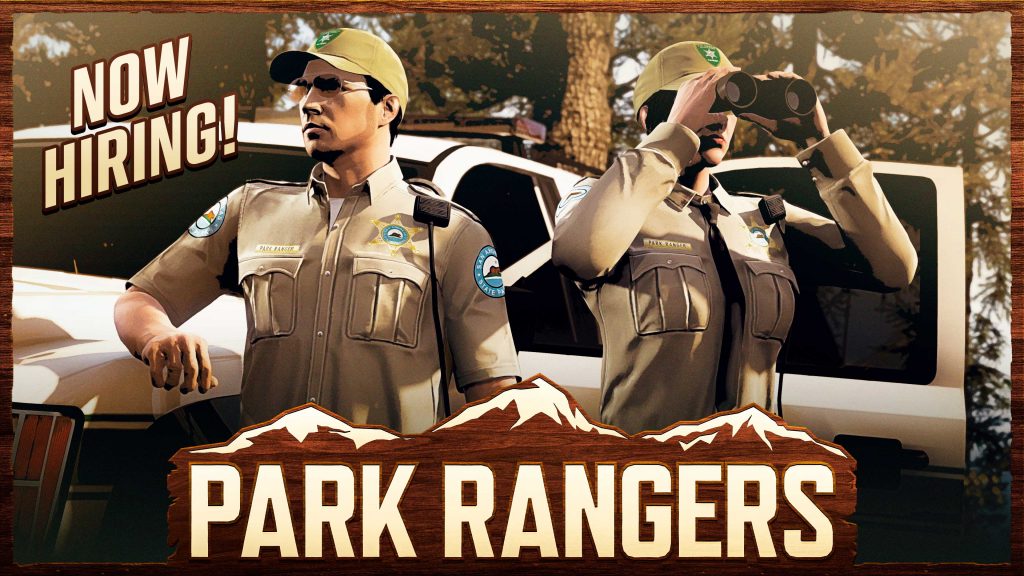
Want to look like you just patrolled the snowy trails of Mount Chiliad? This cozy Park Ranger uniform is yours simply by buying (or already owning) the right ride.
How to get it:
Purchase the Declasse Park Ranger SUV this week.
New buyers get the outfit immediately upon purchase.
Players who already own the vehicle will receive the outfit automatically within 72 hours of logging into GTA Online during the event.
Bonus deal: The Park Ranger SUV is currently 35% off, making it the cheapest it’s been in a long time. It’s available on Xbox Series X|S, PlayStation 5, and the GTA V Enhanced version on PC.
3. Winter Highway Patrol Outfit (Twitch Drops)
A third outfit — the Winter Highway Patrol uniform — has also been confirmed for this week, but it’s being distributed exclusively through Twitch Drops. Keep an eye on official Rockstar and Twitch channels for the exact schedule and streaming requirements (a separate guide is usually posted when drops go live).
Why This Week Feels Special
These outfits are the latest additions to the growing law enforcement wardrobe that started with the Agents of Sabotage update. Rockstar has been taking their time releasing the full set, and this Neighborhood Watch Event is the biggest police-content drop since then. On top of the free outfits, almost every law enforcement vehicle in the game is discounted this week, making it the perfect time to expand your cop-car collection.
Quick Requirements & Notes
Event runs April 2–8, 2026 (ends at 8 PM PT on April 8).
All rewards are for the next-gen versions of GTA Online (PS5, Xbox Series X|S, and Enhanced PC).
No minimum rank or special pass is needed — just play during the event window.
Outfits are stored in your wardrobe under the “Outfits” tab and can be mixed with other clothing pieces.
Whether you’re role-playing as a serious LSPD officer, a rugged park ranger, or just love collecting drip, this is one of the most generous free-content weeks GTA Online has had in a while. Log in, knock out those Dispatch missions, grab the discounted SUV, and hit the streets looking fresh.
Stay safe out there, and don’t forget to check back next week — Rockstar’s drip-feed schedule means more surprises are always around the corner.
Recommended Comments