




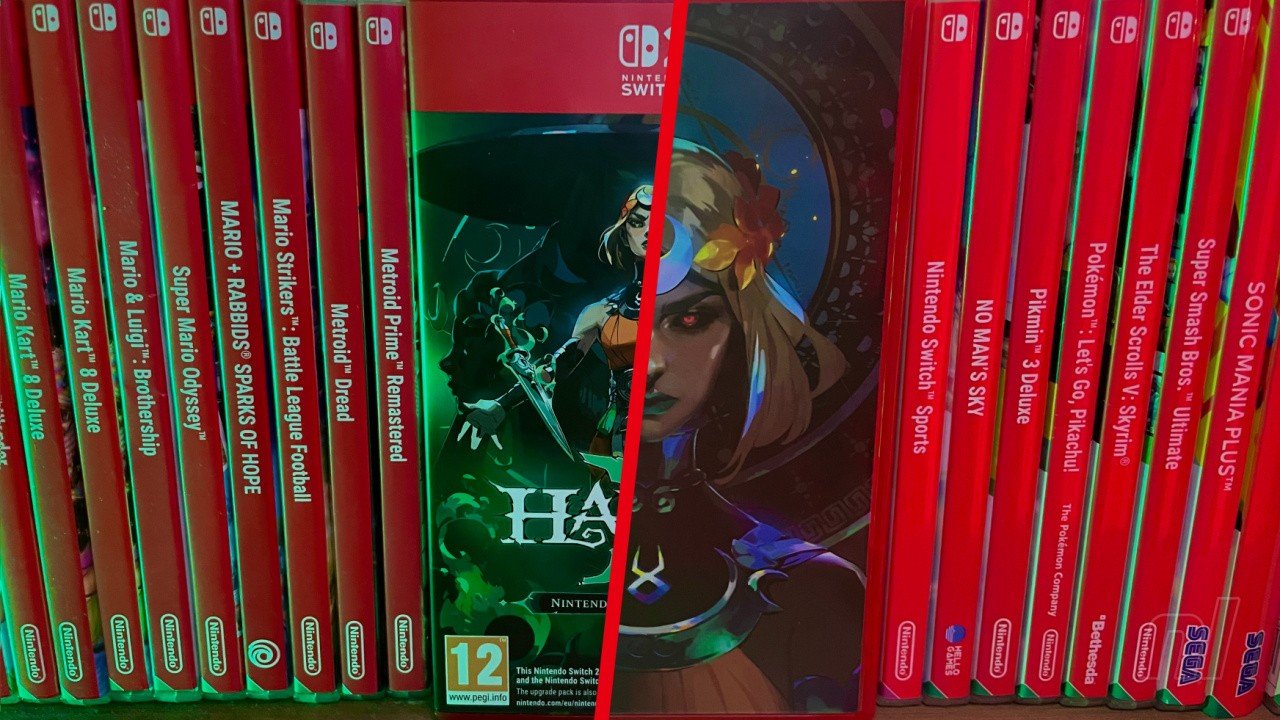

After what felt like an age of early access waiting, Hades II finally arrived as a console exclusive on Switch and Switch 2 back in September. Two months on, and that Switch 2 release has scored a physical edition — what's more, it's a beauty.
We were lucky enough to get our hands on the new box today, and feast our eyes on all of the goodies within (a download code to a digital soundtrack, a 'Character Compendium' booklet, and the full game complete on cart). The nicest surprise of all, however, was the reversible cover art, giving us an option between the standard red banner of a Switch 2 physical, and something more... artsy.
Flipping the cover insert over, you're treated to alternate artwork featuring the game's protagonist, Melinoë, on the front of the box, while a dark and brooding image of Hecate adorns the back.
It's a neat touch, and one that we're sure you'd like to check out for yourselves, so we've assembled the following gallery detailing everything you get in the Hades II Switch 2 physical edition, and a closer look at the all-important art. Enjoy!
.jpg.7f118e9709a7e0c43579c03b3ba63658.jpg)
.jpg.f4c8e64661011edf4b9b8446e087f017.jpg)
.jpg.3e43e911f765a2549f8bdd2386427894.jpg)
.jpg.29020a36c592e848ec684b3d541112d3.jpg)
.jpg.c02a5071cd98fa95b66441ba9730984f.jpg)
.jpg.30fe77be04206fafcfbef95f27a386b2.jpg)
.jpg.43f65daea85dd04bc2c9f82f9b85adac.jpg)
.jpg.265762d43ac3f4f400419a5d7bf47151.jpg)
.jpg.11d4b9c4b7733462199f6f96db616169.jpg)
Recommended Comments