




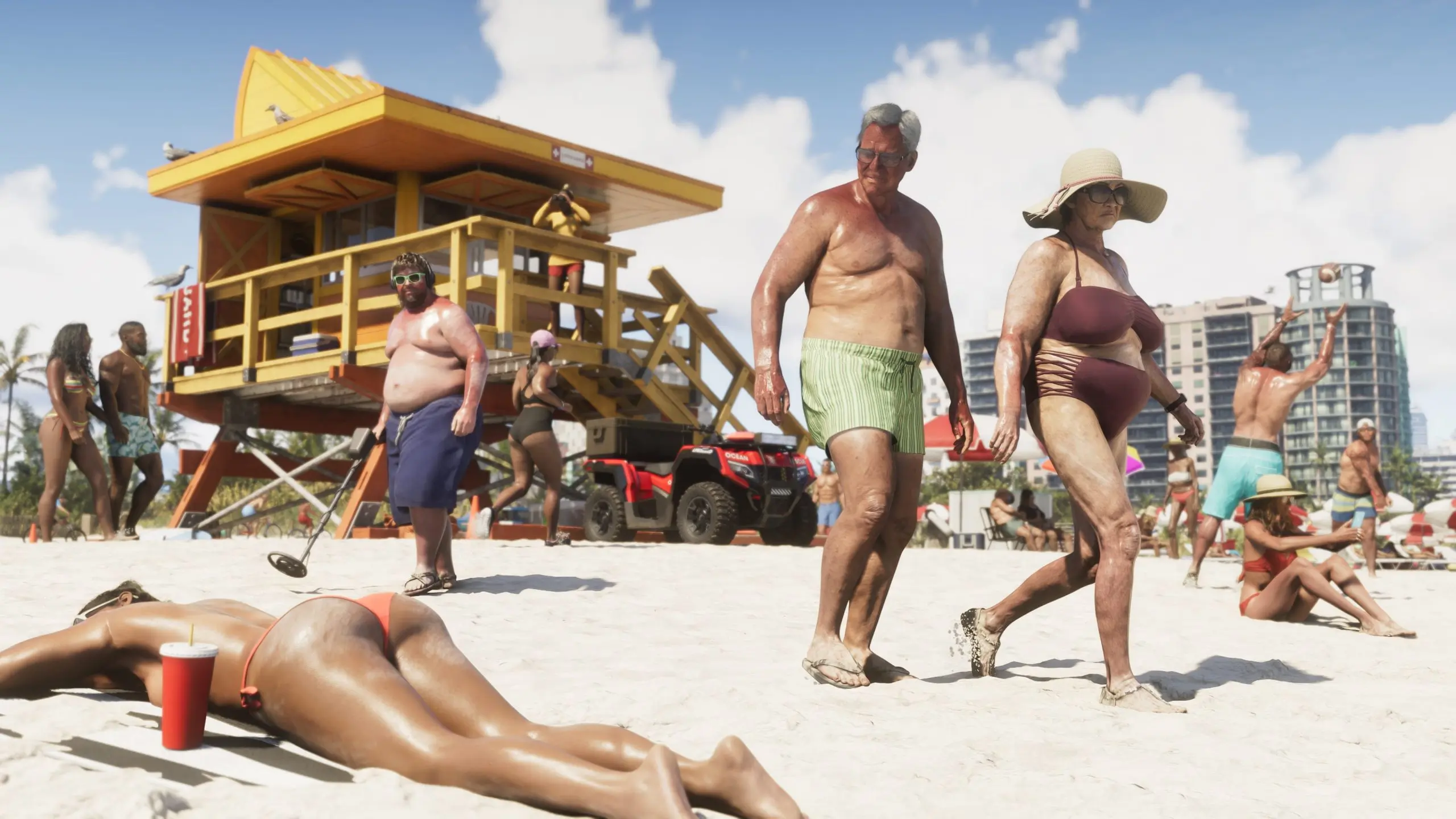

The daily drip of unauthorized GTA 6 footage has officially run a full week, and today's haul may be the one fans were waiting for most. Leaker Cyberleek's 13th clip takes players away from nightclubs and gas stations and drops them onto a stretch of Vice City beach — the exact kind of scene Rockstar has been teasing with dense, wall-to-wall crowds since the first trailer dropped back in 2023.
The clip shows protagonist Jason cycling along the sand at sunset, weaving between clusters of NPCs going about a lazy beach day. Some are scrolling on their phones, others are swimming, and plenty are simply lounging under rows of umbrellas and cabanas that stretch toward the horizon. An NPC pilots a speedboat offshore while several more idle nearby, parked vehicles dot the sand, and lifeguard cabins are visible further down the beach. At one point a bird — apparently a seagull with poor judgment — flies directly into Jason's bike wheel. The clip ends with Jason dismounting and walking toward the water.
It's worth noting how this location got picked. Cyberleek had polled followers on what to leak next, offering a choice between a nudist town, a strip club, and a beach. The nudist town technically won that vote and was leaked separately, but the beach was widely seen as the real test — the scene fans have pointed to for years as the benchmark for whether Rockstar's promised NPC density would actually survive into a shipped, optimized game. Prior trailers showed packed beaches, but pre-rendered marketing footage and live gameplay are two very different things.

By most accounts, it holds up. NPCs can be heard chatting in small groups as Jason rides past, and the crowd doesn't thin out into the usual open-world haze at a distance — the mass of people is still visible stretching down the shoreline. Water reflections reportedly render the NPCs standing in the surf accurately as well, a small but telling detail for a scene built almost entirely around ambient crowd behavior rather than a scripted mission.
Today's drop also included a companion clip from Vice City's "Nine1Nine" nightclub, showing Jason walking the entrance queue before heading inside past a packed dance floor — some of which reportedly echoes scenes already seen in the earlier strip club leak. Together, the two clips mark one full week since the leaks began on August 18, a run that has now taken fans through gas stations, strip clubs, a nudist colony, a nightclub, and now the beach.
The leaks show no sign of slowing down. Cyberleek is already running a new poll asking followers whether they want Lucia's prologue leaked next — a request that, if granted, would cross a very different line than ambient beach crowds. Rockstar and Take-Two have reportedly responded to the ongoing leaks with subpoenas aimed at identifying the source, though so far that effort hasn't stopped the daily uploads.
Recommended Comments