




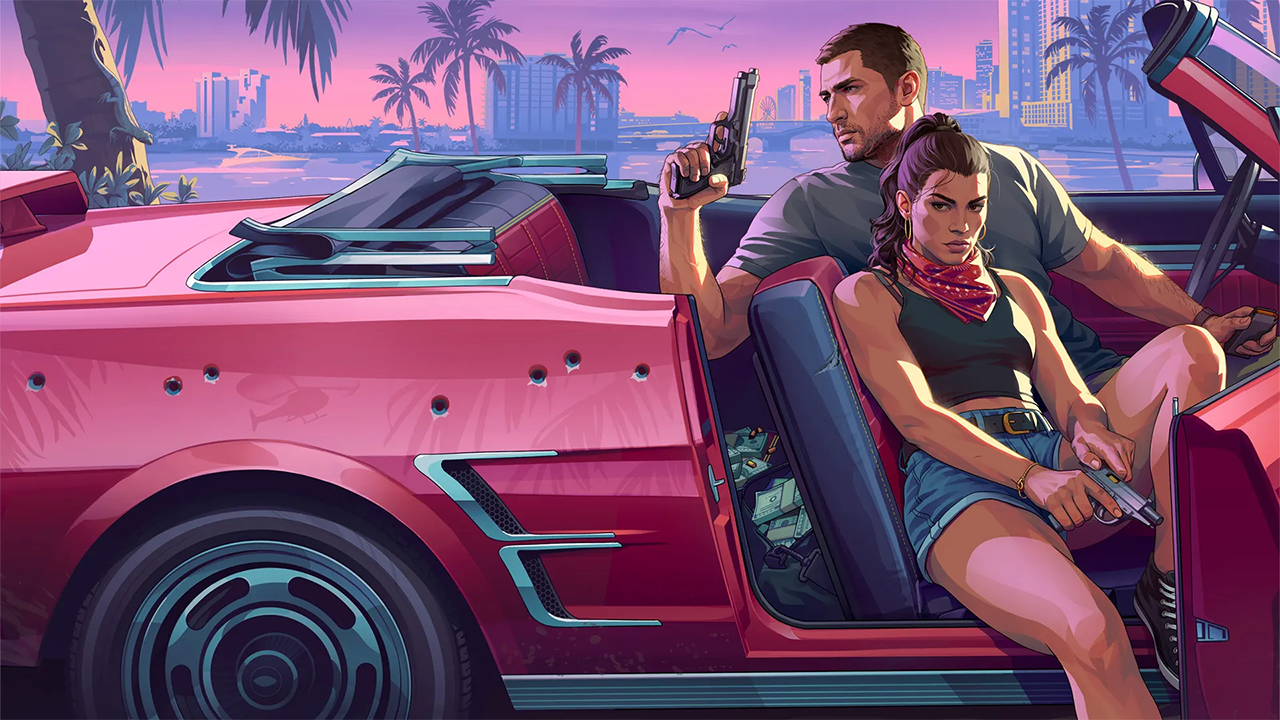

Rockstar Games is about to pull back the curtain on Leonida once more. Game Informer has confirmed that Grand Theft Auto VI is the cover star of issue 382, with a 14-page feature built around exclusive interviews with Rockstar's lead designers. The digital edition goes live on September 29.
A long-running tradition continues
For more than two decades, Rockstar has used Game Informer as a launchpad for major reveals, and GTA 6 is no exception. Fans had speculated about a cover story for months, and this one arrives less than two months before the game's November 19 launch on PlayStation 5 and Xbox Series X|S.
The feature was written by Senior Associate Editor Marcus Stewart, a South Florida native. He spoke with several Rockstar designers about how the studio built Vice City and the wider state of Leonida.
The weather system takes center stage
The most intriguing item on the menu is GTA 6's weather. Rumors and patent speculation have circulated for years, but Rockstar has never officially detailed how the system works. Game Informer says the issue will cover technology designed to simulate Florida's less sunny weather phenomena, a hint that the game may go well beyond simple sun-or-rain cycles. Considering how volatile Florida's climate can be, from sudden downpours to tropical storms, the feature could reveal how much the weather will shape moment-to-moment gameplay.

Wildlife and Florida research
The cover story will also explore the animals roaming Leonida on land, in the air and at sea, expanding on the alligators, birds and marine life glimpsed in earlier trailers. Rockstar's research process is another focus: the magazine says the studio worked to make Vice City and Leonida feel culturally and aesthetically true to Miami and Florida.
12 new screenshots and fresh artwork
Beyond the interviews, the issue includes 12 never-before-seen screenshots showing off the game's sights and NPCs. The cover itself features new artwork of protagonists Jason Duval and Lucia Caminos, and it has already drawn plenty of attention from fans.
When you can read it
The digital edition of issue 382 arrives September 29. Print copies are shipping to subscribers, with newsstand and bookstore availability following in the coming weeks.
The preview lands after a heavy stretch of GTA 6 news, including the Netflix Extended Look trailer, a hands-off media event and a wave of gameplay leaks. Still, Game Informer's track record with Rockstar makes this one of the most anticipated pre-launch drops yet. With release day approaching, every new detail helps fill in the picture of what Leonida will look like when it goes live.
Recommended Comments